Modules
Here is a list of built-in modules in bar3x
Parameters are used as XML attributes, example:
<DateTime Timezone="EST" />- DateTime
- CPU
- RAM
- DiskUsage
- DiskBandwidth
- Interface
- VPN
- Volume
- Weather
- Music
- Workspaces
- Cmd - Custom command
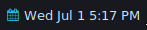
Display the current date and/or time.
Example: <DateTime />
-
Timezone(string): Default: system timezone -
Format(string): date/time format, in Golang format. Default:Mon Jan 2 3:04 PM, see below for formating options -
OnLeftClick(handler): Default: opengnome-calendar -
OnRightClick(handler): Default: do nothing
| Type | Options |
|---|---|
| Year |
06 2006
|
| Month |
01 1 Jan January
|
| Day |
02 2 _2 (width two, right justified) |
| Weekday |
Mon Monday
|
| Hours |
03 3 15
|
| Minutes |
04 4
|
| Seconds |
05 5
|
| am/pm |
PM pm
|
| Timezone | MST |
| Offset |
-0700 -07 -07:00 Z07:00
|
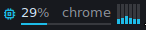
Display CPU usage, process using the most CPU and per-core usage
Example: <CPU />
-
ShowPerCoreBars: (bool): Display per core bars. Default:true -
ShowMaxProcess: (bool): Display the name of the process using the most CPU. Default:true -
ShowAvgBar: (bool): Display overall CPU usage bar. Default:true -
OnLeftClick(handler): Default: do nothing -
OnRightClick(handler): Default: do nothing
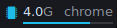
Display RAM usage and process using the most RAM
Example: <RAM />
-
Format: (enum): How do to display usage value. Default:free-
free: Show available (free + cached) RAM in bytes -
used: Show used (total - free - cached) RAM in bytes -
used-percent: Show used RAM in percent
-
-
ShowBar: (bool): Display RAM usage Bar. Default:true -
ShowMaxProcess: (bool): Display the name of the process using the most RAM. Default:true -
OnLeftClick(handler): Default: do nothing -
OnRightClick(handler): Default: do nothing

Display the usage of a given mountpoint
Example: <DiskUsage MountPoint="/" />
-
MountPoint: (string): Mountpoint the show the usage for. Default:/, can -
OnLeftClick(handler): Default: do nothing -
OnRightClick(handler): Default: do nothing

Display block device(s) throughput. RX on the left, TX on the right.
Example: <DiskBandwidth Dev="sda2,sdb1" />
-
Devs: (string list): Devices to watch. Required -
ShowLabel: (bool): Show the device name(s) -
OnLeftClick(handler): Default: do nothing -
OnRightClick(handler): Default: do nothing

Display a network interface throughput. RX on the left, TX on the right.
Example: <Interface Iface="enp3s0" />
-
Iface: (string): Interface to watch. Required -
ShowLabel: (bool): Show the interface name. Default:true -
Unit: (enum:bits/bytes): Unit to use for the counters. Default:bytes -
OnLeftClick(handler): Default: do nothing -
OnRightClick(handler): Default: do nothing

Display an icon when a VPN connection is active. Supports: NetworkManager
Example: <VPN />
-
OnLeftClick(handler): Default: do nothing -
OnRightClick(handler): Default: do nothing
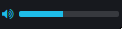
Display the sound volume. Supports: Pulseaudio.
Example: <Volume />
-
OnLeftClick(handler): Default: do nothing -
OnRightClick(handler): Default: do nothing

Display the weather as an icon and the temperature from OpenWeatherMap
Example: <Weather ApiKey="<your_api_key>" Location="London, GB" />
-
ApiKey: (string): OpenWeatherMap API key. Required. Get your API key here: https://openweathermap.org/appid -
Location: (string): Location. Required. Get the location name by going to https://openweathermap.org/ and copying the text from "Weather in ..." -
Unit: (enum:C/F): Celcius or Fahrenheit. Default:C -
OnLeftClick(handler): Default: do nothing -
OnRightClick(handler): Default: do nothing

Display current playing music. Supports: Spotify
Example: <Music SpotifyKeyID="<your_key_id>" SpotifyKeySecret="<your_key_secret>" />
-
SpotifyKeyID: (string): Spotify API ID. Required. Get it here: https://developer.spotify.com/documentation/general/guides/app-settings/#register-your-app -
SpotifyKeySecret: (string): Spotify API Secret. Required. Get it with you API ID above -
OnLeftClick(handler): Default: do nothing -
OnRightClick(handler): Default: do nothing
Display workspace indicators. Supports: i3
Example: <Workspaces MaxWidth="100" />
-
MaxWidth: (int): Max width of each indicator. Default: no limit
Create your own custom modules
<Cmd>my_script.sh</Cmd><Cmd><![CDATA[
count=$(docker ps | sed 1d | wc -l)
echo -e "<Row><Sizer PaddingRight=\"{h_padding}\"><Icon>\uf308</Icon></Sizer><Text>$count</Text></Row>"
]]></Cmd><Cmd Format="plain" Interval="15m">curl -4 -sf ifconfig.co</Cmd>-
Interval: (duration): Interval to run the command at. Default:1s. Examples:30s,2m15s,300ms -
Format: (enum): How to parse the command output. Default:markup-
plain: Output is used as simple text -
markup: Output is parsed usingbar3xmarkup language. See Markup documentation for more details
-
-
OnLeftClick(handler): Default: do nothing -
OnRightClick(handler): Default: do nothing