Simple and clean library for printing variables without the hassle of formatting!
Ever wanted to print a lot of diffrent value types like (DWORD64, DWORD32, int64 etc)?
You probably know that to use Printf for printing values you would write this (Image below)

Yes, it doesnt take long to write, but you would need to write the correct format for it to print correctly. This is where my library Print Utilities comes in!
Standard -> signed int64 printf:
Print Utilities -> signed int64 printf:

As shown above this makes it easy for programmers to simply write a function, then pass the text they want and the value and thats all, no need to remember formats for the types since Print Utilities handles that part for you.
Int64 (both signed and unsigned)
Int32 (both signed and unsigned)
Float
Bool
Double
DWORD32 (Can be printed as hex if selected)
DWORD64 (Can be printed as hex if selected)
Uintptr_t (Can be printed as hex if selected)
NOTE: Before we begin you should know that this library only works on C++ 14 and up!
-
Download the .rar file, open it and drag the folder called "Includes" inside your project solution dir.
-
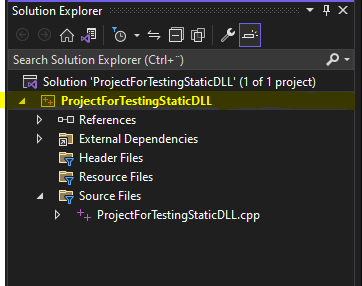
Go into Visual Studio and right click on your project, (Highlighted yellow)
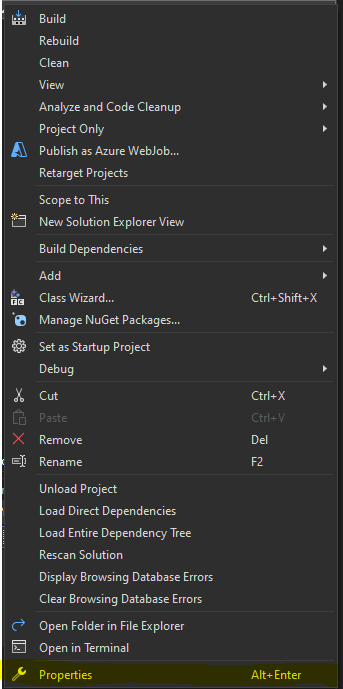
- Click on "Properties", again if you dont know which one it is look at the image below (Highlighted in yellow)
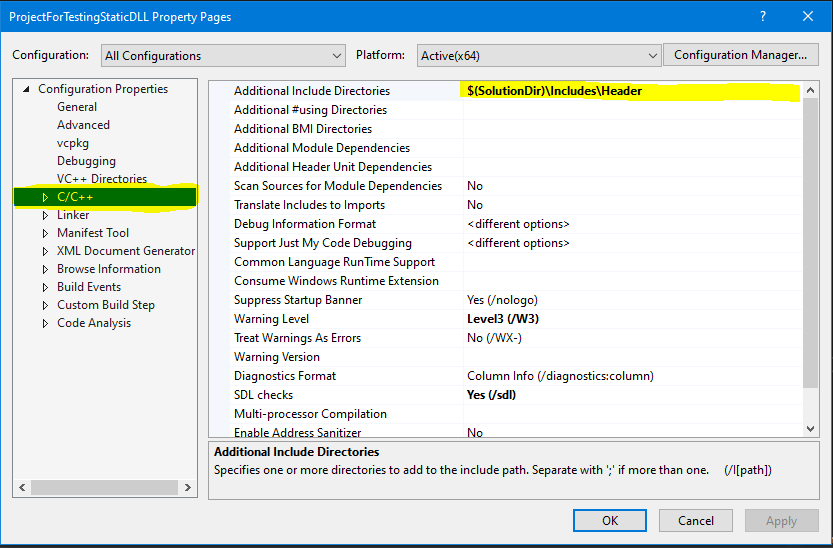
- Click on "C/C++" (Highlighted yellow), now copy this "$(SolutionDir)\Includes\Header" into the "Additional Include Directories" (Highlighted yellow)
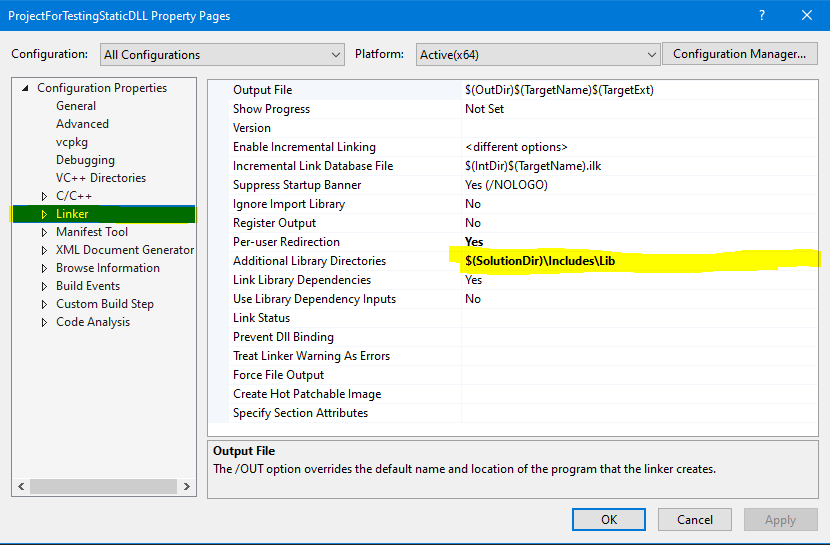
- Next click on "Linker" (Highlighted yellow), again copy this "$(SolutionDir)\Includes\Lib" into the "Additional Library Directories" (Highlighted yellow)
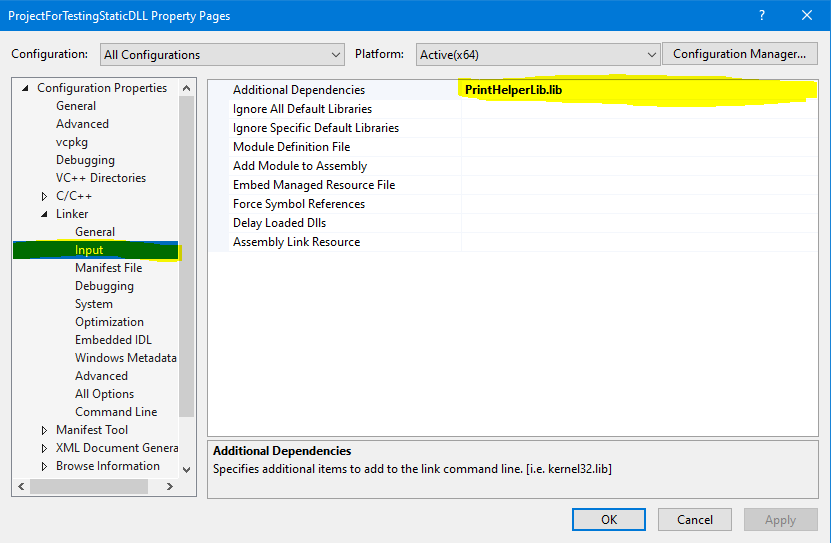
- Click at the left side of "Linker" to expaned it, now click on "Input" (Highlighted yellow), now copy this "PrintHelperLib.lib" into "Additional Dependencies" (Highlighted yellow)
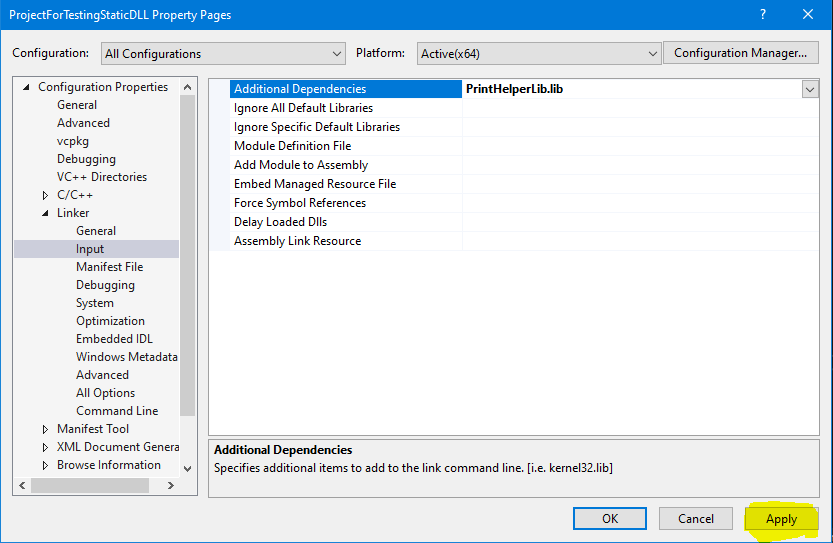
- Click on "Apply" (Highlighted yellow) and then "OK"
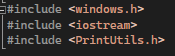
- Last step is to include the header file by writing this at the top of your "#include <PrintUtils.h>"
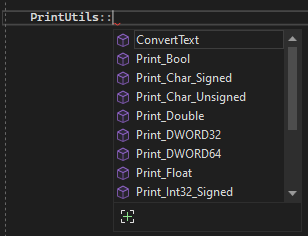
- Try writing "PrintUtils::", if you get a list of different functions then congratulations, if not you made a mistake somewhere, go back and try again.