Manual Setup
Note: The following instructions are for installing the frontend of SBH3, NOT THE BACKEND. For information on getting the SBH3 backend setup locally, please see the README in the /backend directory of this repo.
Prerequisites - Install following software:
Download or clone the repository from github to a conveniently located directory on your machine:
git clone https://github.com/SynBioHub/synbiohub3.gitNext, make sure to install all dependencies by running the following command in your terminal in the /frontend directory:
yarn installIn order to connect the frontend to your backend, go to the env.development file in the /frontend directory.
Then, change the backend & backendSS variable to your local backend's url:
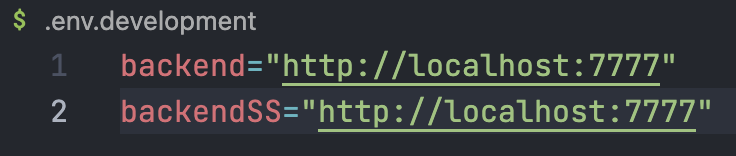
Finally, run the development server:
npm run dev
# or
yarn dev
Open http://localhost:3333 with your browser to see the frontend up and running :)