High usage Extension framework used for multi-purpose applications, with many utility classes for ease of programming
Xapps is essentially an abstracted layer of a basic WinForms application, allowing you to create applications with dynamic graphics with ease. It also contains other Modules that take standard processes and cut down the programmer workload. This will be explained in further detail later.
The main classes you interact are contained in src/Base. As a user of the .dll, you will be interacting with:
-XApp
-XBase
-XSession
you will also be using src/Graphics/XWindow frequently. This will be explained in more detail later on.
Building a double pendulum using XApps - https://youtu.be/EI0OBZ-imqY
XApp is the class that acts as the entry point for the programmer to enter the thread. From this class you can interact with user interactions with your program. This includes mouse and keyboard inputs. You override the relevant methods and handle the logic yourself in a more straight forward way.
XBase is the class you should be interacting with the most. It acts as a low level representation of an object in your program. This could be a renderer, a physics object etc. Anything you want to be able to run code from should inherit XBase. XApp contains an instance of XSession, which handles the management and execution of the XBase instances it contains. This will make more sense in the example later on.
Through XSession, you have control over the management of the objects in your program. Armed with acess to its methods along with pointers to the individual XBase instances, you have full control over what is executed in your program.
I believe XApps is much easier to learn by diving straight in. Follow these steps to create your first XApp Application.
- Install XApps.dll from the latest release
- Create a WinForms application in any language ( all future examples will be in Visual Basic.NET )
- After the WinForms solution has been created. Create a class that inherits the XApp class. The below example is named "Program"
Imports XApps

Public Class Program
    Inherits XApp

    Sub New(FormIn As Form)

        MyBase.New(FormIn)

    End Sub

End Class
We Inherit XApp, create a constructor with a parameter of a Form, and pass the form into the superclass' constructor.
- Replace the code of the main form with the below code.
Public Class Form1
    Private Program_ As Program
    Private Sub Form1_Load(sender As Object, e As EventArgs) Handles MyBase.Load
        Me.Program_ = New Program(Me)
    End Sub
    Private Sub Form1_Shown(sender As Object, e As EventArgs) Handles MyBase.Shown
        Me.Program_.Run()
    End Sub
    Private Sub Form1_Closing(sender As Object, e As EventArgs) Handles MyBase.FormClosing
        Me.Program_.Halt()
    End Sub
End Class
Your program is now in a runnable state. You will see no immediate changes, but XApps is now running. We will now add an object to our program. It will be self managed, and self rendering.
- Create the below class and copy and paste the code.
Imports XApps
Public Class TimeDisplay
    Inherits XBase
    Sub New()
        Me.SetDrawStatus(True)
        ' // setting this flag to be true means the Draw() method will run every session tick

        ' // There are also flags for Update() and also a .SetDisposeStatus(res) which will safely dispose of the class in runtime.
    End Sub
    Public Overrides Sub Update(Session As XSession)
        Throw New NotImplementedException()
    End Sub

    Public Overrides Sub Draw(ByRef g As Graphics)

        g.DrawString(DateTime.Now.ToString, SystemFonts.StatusFont, Brushes.Black, 10, 10)

    End Sub
End Class
Depending on the Status of Update,Draw and Dispose the following methods will be run on the next tick of the session. In the above example, We are telling the Session to run the draw method on every game tick. Now we can add this class to our program.
Going back to the Program class, populate the constructor with the following code:
Imports XApps

Public Class Program
    Inherits XApp

    Sub New(FormIn As Form)

        MyBase.New(FormIn)

        Me.Session.SetSpeed(60) ' // Sets the framerate of the application to the value passed as a param. (60 fps)

        Me.Session.Window.SetClearColor(Color.White) ' // Sets the clear color of the window to white.

        Me.Session.AddObj(New TimeDisplay) ' // Adds the class we have created to the session+

        Me.Session.QueueRelease() ' // Adds the TimeDisplay Object to the correct container. TimeDisplay.Draw() will be run on the first tick instead of the second.

    End Sub

End Class
This basic implementation shows the ease of use of XApps. This is the result our program produces when run:
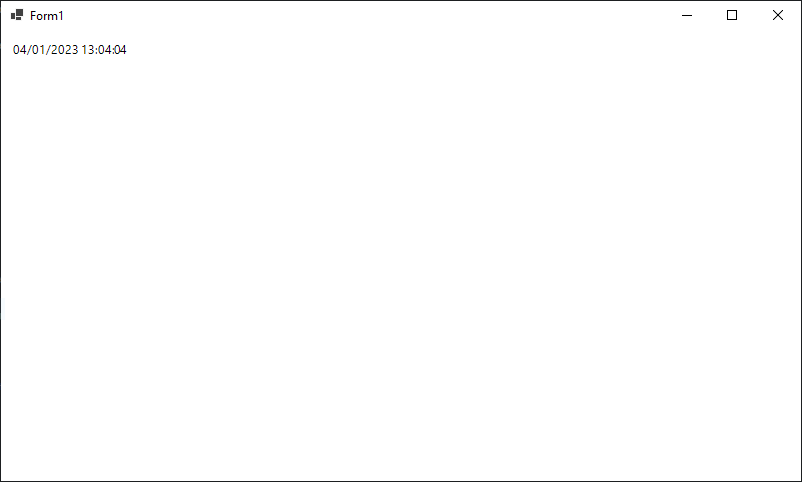
Because the time is drawn every tick, the value changes in real time. Using this basic concept, We can use XApps to develop a variety of projects.
Not all projects need to implement the XApp logic and tick system. XApps also contains multiple classes that allow long winded processes to be performed in a much more simple and abstracted way. These classes are contained in src/SideClasses. You can use these classes to manage data in any .NET Project.
provides data types for representing 3D Objects in a 3D Space.
Example implementation 1: https://github.com/Thelegendseb/NEA-ShadowCasting
Example implementation 2: https://github.com/Thelegendseb/3D_Engine
Note: Uses the XApp base system as well. Good example for more advanced project that implements the above explanations.
provides data types for connecting and transferring data from devices across the internet.
Example implementation: https://github.com/Thelegendseb/XApps-Networking-tests
The other classes are basic modules that encapsulate .NET funcitonality. Made for ease of use in any project.
2022-06-22.22-42-06_Trim.mp4
https://github.com/Thelegendseb/MazeMapper_CourseWorkCS2023