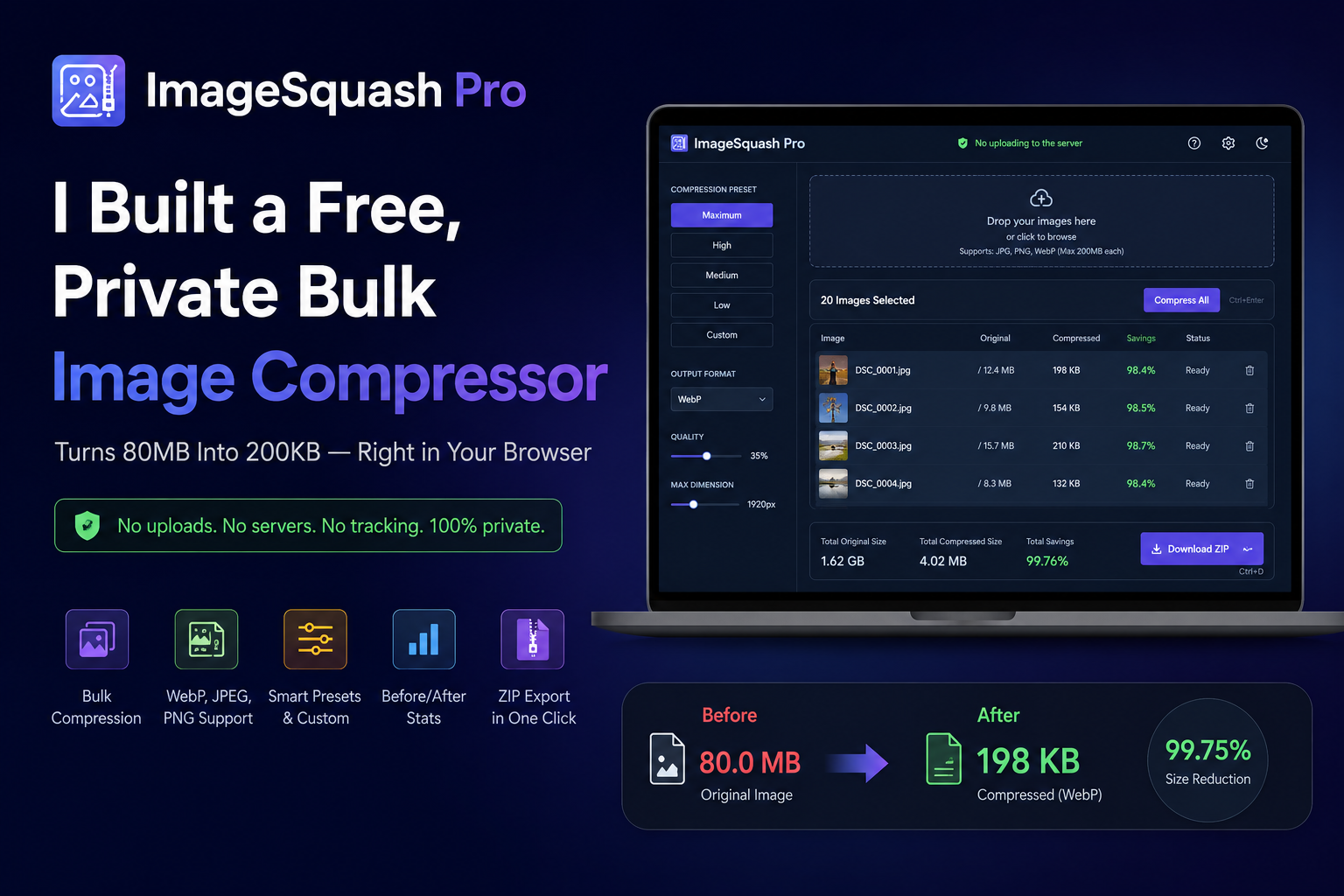
Professional‑grade bulk image compressor that runs entirely in your browser
🚀 Live Demo · Features · How It Works · Usage · Tech Stack · License
- Extreme Compression – Transform 80 MB images down to ~200 KB using intelligent resizing and modern codecs (WebP, JPEG, PNG).
- 100% Private – No files ever leave your device. Everything is processed locally using the HTML5 Canvas API.
- Batch Processing – Drag‑and‑drop dozens of files at once, then compress them all with a single click.
- Instant Preview – See side‑by‑side size comparisons before downloading.
- ZIP Export – Download all compressed images in one convenient
.ziparchive. - Responsive & Modern UI – Clean, industry‑standard interface that works on desktop and mobile.
- Customisable Presets – Choose between Maximum, High, Medium, Low or tweak quality, dimensions and format manually.
- Keyboard Shortcuts –
Ctrl+Enterto compress all,Ctrl+Dto download ZIP.
- Drop or select images – they’re listed as cards with original file size.
- Adjust settings – use the built‑in presets (like High for razor‑thin results) or go custom.
- Compress All – the tool resizes each image to your max‑dimension limit and re‑encodes it at the chosen quality.
- Download – grab individual images or the whole batch as a ZIP.
Because everything runs client‑side, your images are never uploaded to any server. Privacy is absolute.
| Layer | Technology |
|---|---|
| Markup | HTML5 |
| Styling | CSS3 (custom properties, flexbox, grid, animations) |
| Logic | Vanilla JavaScript (ES6+) |
| Compression | HTML5 Canvas API (2D context) |
| ZIP Archives | JSZip |
| Hosting | GitHub Pages |
Simply clone the repository and open index.html in any modern browser – no server required.
git clone https://github.com/TutorialsAndroid/image-squash-pro.git
cd image-squash-pro
open index.html # or double-click it- Push the repository to your GitHub account.
- Go to Settings → Pages and select the branch (usually
main) and root folder. - Your app will be live at
https://tutorialsandroid.github.io/image-squash-pro/.
All compression settings are exposed in the UI. The default High preset uses:
- Quality: 35%
- Max dimension: 1920 px
- Output format: WebP
These values strike a balance between tiny file size and acceptable visual quality. For even smaller files, switch to Maximum (20% quality, 1280 px).
Contributions, issues, and feature requests are welcome!
Feel free to check the issues page.
This project is licensed under the MIT License. See the LICENSE file for details.
Made with ❤️ by TutorialsAndroid