
[2025.11.16] Winner of The Best Fast Method, The Best Open Source Method Awards, Track 7: Model-free 2D detection of unseen objects on BOP-H3, 10th International Workshop on Recovering 6D Object Pose, ICCV 2025.
[2025.12.16] Add custom image and visual prompt demo.
Template-based novel object detection and segmentation.
About
cnos25 follows the CNOS propose-then-match pipeline. It uses YOLOE as the proposal model and dinov3 descriptors for matching.
Besides result reproduction, this repo might provide some useful code for you:
- Handling of Hot3D dataset - which is a bit tricky with its two rgb/gray streams, Aria/Quest3 devices and clip_utils dependency
- Evaluation tools - which help you to keep track of your experiments
- Visualization tools and demos - nice to get started
Install the project and its dependencies:
conda create -n cnos25 python=3.10
conda activate cnos25
pip install -e .
All paths you need to set up are in configs/local.yaml.
- yoloe-11l-seg:
Download. Set
yoloe_checkpoint:inlocal.yaml. - dinov3 ViT-L/16:
I noticed a great interest in visual prompting for detection & segmentation.
While SAM3 and YOLOE attempt to support this to some extent, you might have noticed that its usefulness is very limited.
The CNOS pipeline is actually a solution for that! It supports cross-image (unlike SAM3) and multi-reference (unlike YOLOE). Try in this notebook with your own images!

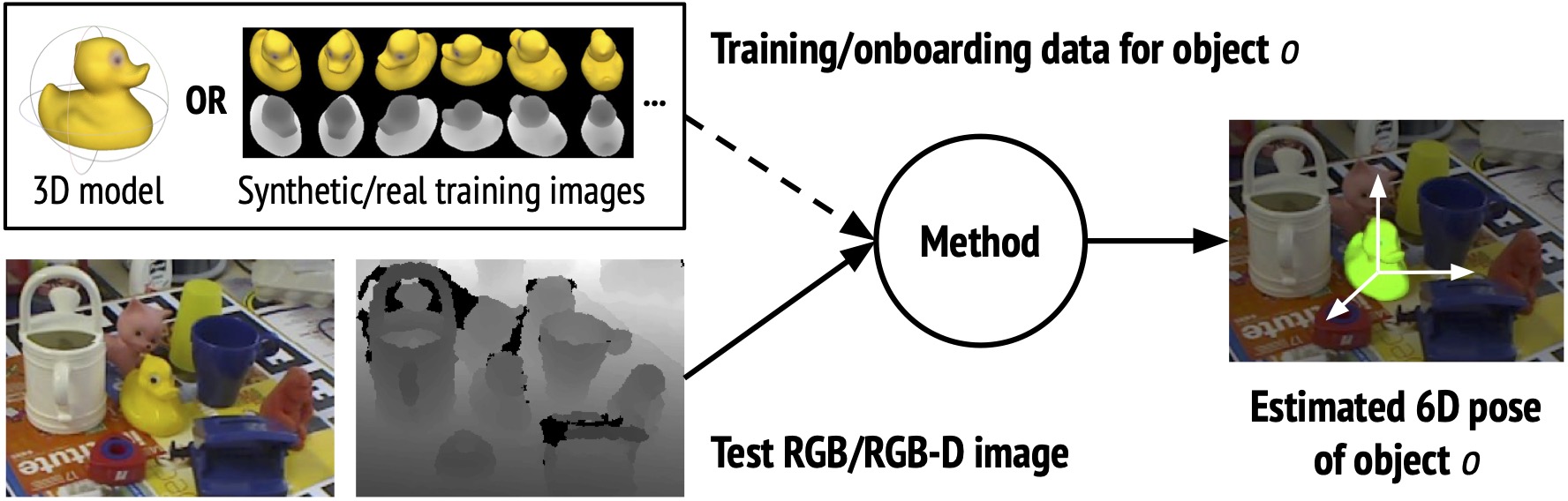
Following the BOP workflow, there are two stages, onboarding and inference - check out the onboarding notebook and the inference notebook:

BOP Dataset Setup
Currently, the three datasets in BOP-H3 are explicitly supported. When downloading, you can skip all training folders as cnos is training-free and makes no use of them. You can refer to this script for downloading, unzipping and renaming.
After downloading, set bop_data_root: in local.yaml.
bop_data_root/
├── handal/
│   ├── test_metaData.json
│   ├── test_targets_bop24.json
│   ├── onboarding_static
│   │   ├── obj_00000xx_up/
│   │   └── ...
│   ├── val/
│   │   ├── 000001/
│   │   └── ...
│   ├── test/
│   │   ├── 000011/
│   │   └── ...
│   └── ...
├── hopev2/
│   └──  same as handal
├── hot3d/
│   ├── clip_definitions.json
│   ├── clip_splits.json
│   ├── test_targets_bop24.json
│   ├── onboarding_static/ # -> object_ref_aria_static
│   │   ├── obj_00000xx_up.tar
│   │   └── ...
│   ├── test_aria/
│   │   ├── clip-003xxx.tar
│   │   └── ...
│   ├── test_quest3/
│   │   ├── clip-001xxx.tar
│   │   └── ...
└── └── ...Extract the reference (=template) descriptors from the onboarding data:
python -m src.scripts.extract_template_descriptors dataset_name=hopev2
The corresponding config file is extract_templates.yaml.
cache path
Descriptors are stored by default in onboarding_static/descriptors of the selected dataset.
The default output file name is ${model_name}_descriptors.pt.
Change it by passing out_file=foo.pt.
hydra troubleshooting
- Make sure you have all paths correctly set in
local.yamland the dataset file tree matches. - You can override all config params from CLI. For example, if there are issues during template extraction, you can have a fast test run with only 6 instead of 100 samples per object:
python -m src.scripts.extract_template_descriptors data.reference_dataloader.num_imgs_per_obj=6 out_file=dummy.pt dataset_name=... - Instead of running everything as a single python script, run modularly using our provided notebooks. It might be easier to spot the exact issue there.
Predict boxes and segmentations:
python run_inference.py dataset_name=hopev2 split=test
The corresponding config file is run_inference.yaml.
auto-downloads
On the first run, ultralytics will automatically install a package clip and download mobileclip_blt.ts (572MB),
which are required for textual prompting of YOLOE.
bop_toolkit troubleshooting
datetime.UTCerror inbop_toolkit_lib/misc.py- Fix: Change todatetime.timezone.utc#203.COCOerror inscripts/eval_bop22_coco.py- Fix: ReplacecocoGt = COCO(dataset_coco_ann)with:_f='/tmp/dataset_coco_ann.json' with open(_f,'w') as f: json.dump(dataset_coco_ann, f) cocoGt = COCO(_f)
Reason: Deprecated calls to datetime and pycocotools in bop_toolkit_lib.
Custom datasets
You can have a look at the template for custom datasets.
Complete it and replace bop through it as the defaults config option for onboarding and inference.
Output dir and files
Once you have started a run, its results are written into hydra-set outputs/yyyy-mm-dd/hh-mm-ss_xxxx/.
You'll find
- a
predictionsfolder containing the image-wise predictions as npz files. - a
nms-{...}.jsonthat contains the accumulated and postprocessed predictions that can be submitted to the BOP challenge.
Download .json, use as better default detections for your 6D pose estimation method.
| Proposal-Descriptor | H3 | Hot3D | Hopev2 | Handal | |
|---|---|---|---|---|---|
| cnos | FastSAM-dinov2 | 0.340 | 0.373 | 0.343 | 0.304 |
| cnos25 | YOLOE-dinov3 | 0.441 | 0.481 | 0.452 | 0.389 |
Avg. 0.134 sec / image on RTX4090.
Measure AP on validation split
If you pass split=val, resulting AP is directly measured since ground truth is available for the validation set.
This requires two setup steps:
- Since this invokes the bop toolkit script,
git clone https://github.com/thodan/bop_toolkit/and setbop_toolkit_repo:in local.yaml. - Copy the respective
val_targets_bop24.jsonfrom val_targets/ into your{bop_data_root}/{dataset_name}.
Preprocessing for reported results
Reported results from the BOP challenge submission have been produced with input images rotated for some datasets, because YOLOE is not optimal on rotated images. This prepocessing configuration can be set in yoloe.yaml:
- For Hot3D, all images are rotated clockwise by 90deg:
rotate_input_images: [ -90 ] - For Handal, a batch of 3 images is created:
rotate_input_images: [ 0, 90, -90 ]. The frame with the highest cumulative confidence will be selected. - For Hopev2, no such rotation was done:
rotate_input_images: [ ]
Visualize results
Provide dataset_name, split, and the result .json to the following script:
mkdir viz
python -m src.scripts.visualize_detectron2 dataset_name={...} split={...} input_file=outputs/{...}/nms-{...}.json output_dir=viz
The corresponding config file is run_vis.yaml. Adopted from original cnos.
You can also download any submission file from the BOP website and feed it.
The code is adapted from CNOS. The two models used are YOLOE and dinov3.
If you have any question or feature request (support of dynamic/model-based onboarding, other datasets, custom images etc.) feel free to create an issue or contact me at jherzog@zju.edu.cn.