

Azure storage attacker
This tool will help you to perform following operations if you have storage account name and key.
- Get Container Names
- Get Blob names
- Download all Blobs
- Upload a Blob
- Delete a Blob
git clone https://github.com/VitthalS/Az-Blob-Attacker.git
cd Az-Blob-Attacker
pip install -r requirements.txt
python Az-Blob-Attacker.py
-
Run the tool by executing below command in the console.
python az-blob-attacker.py -
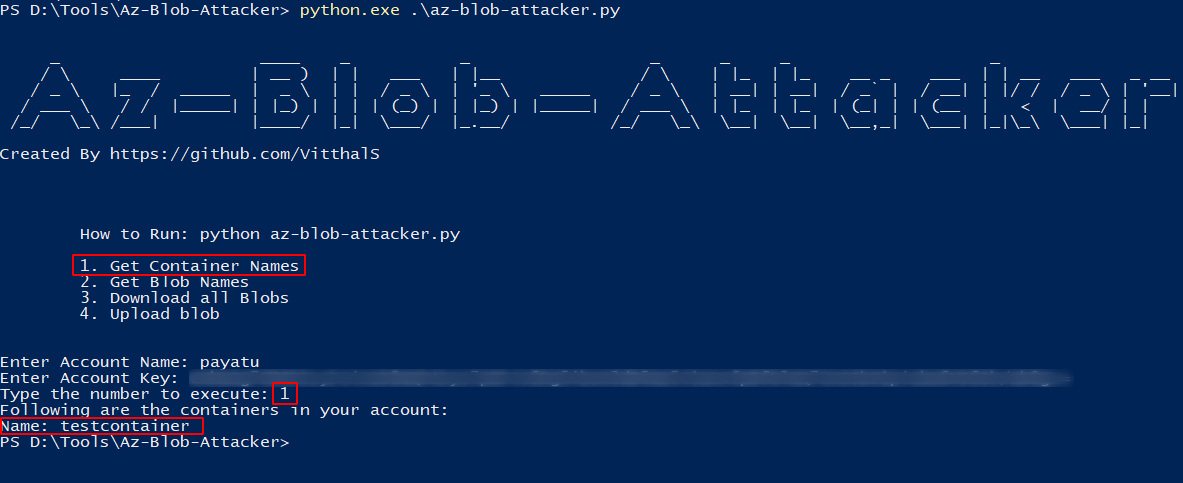
To get the container names associated to storage account enter number 1.
-
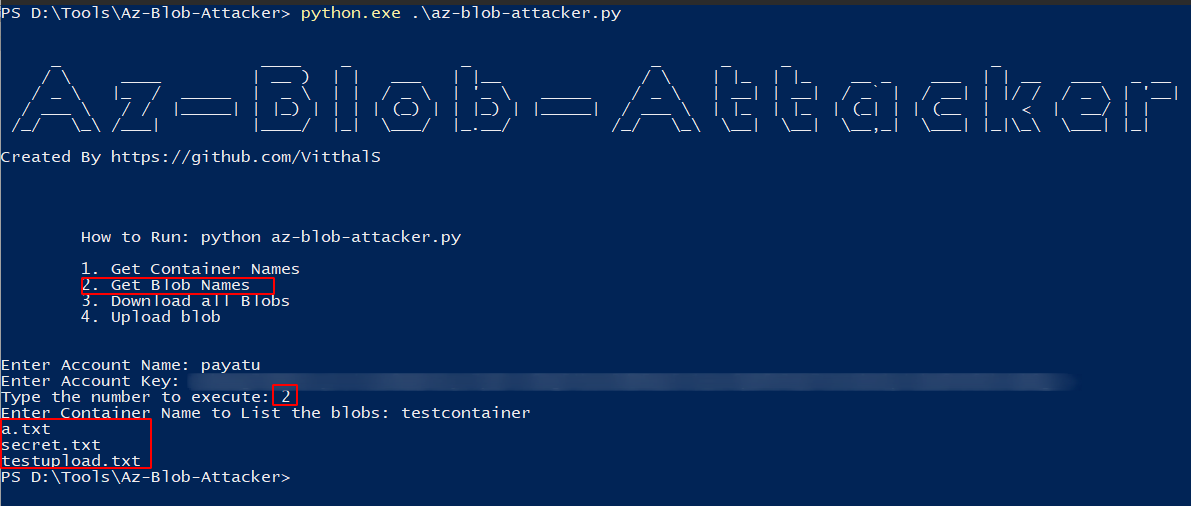
To get the blob names associated to storage account & container enter number 2.
-
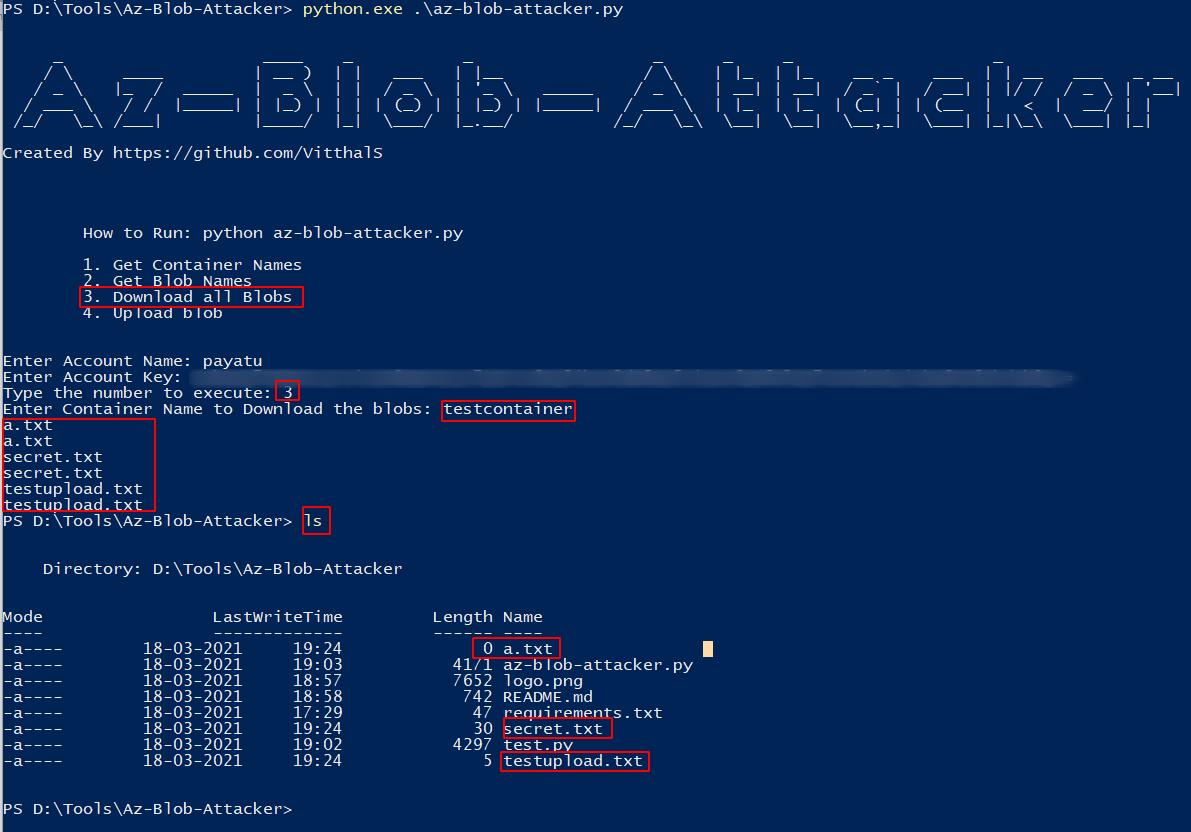
To Download all the blobs associated to storage account & container enter number 3.
-
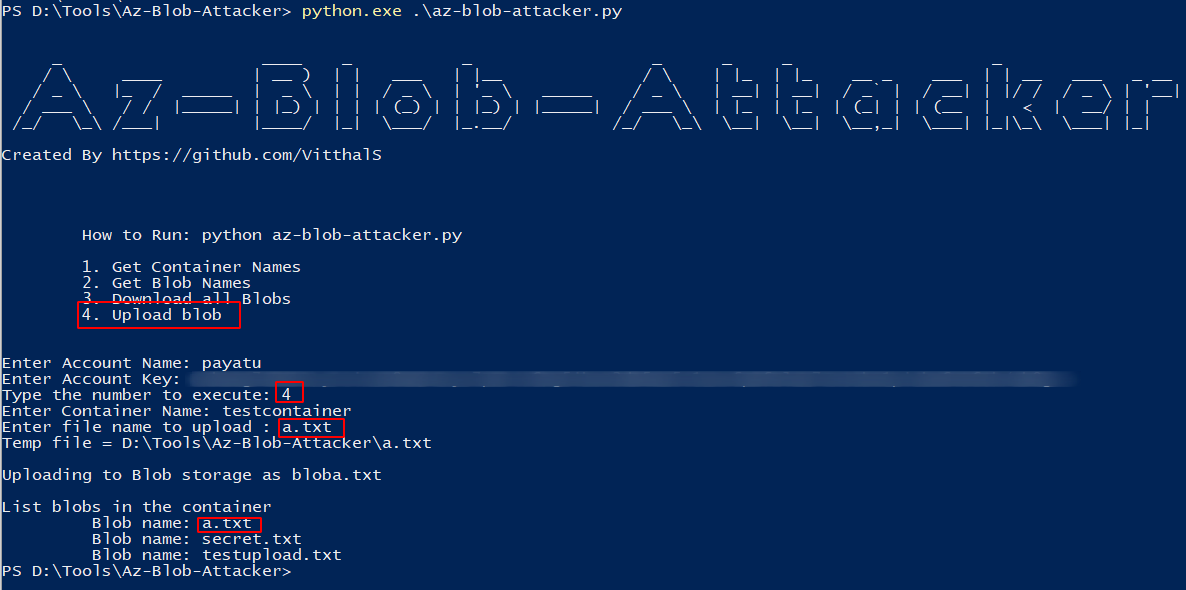
To upload a blob to container enter number 4 and specify the path to file.
-
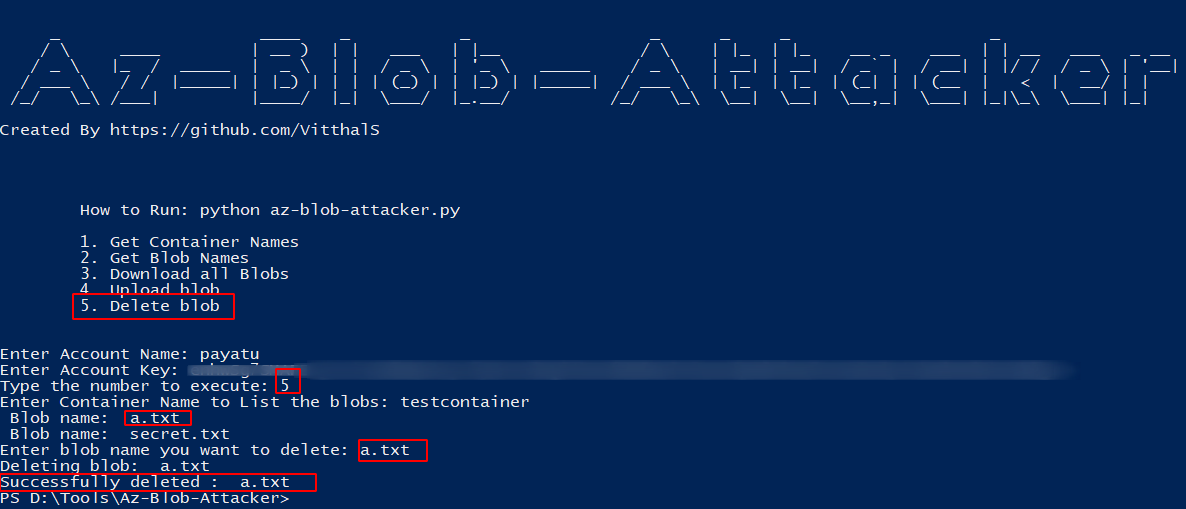
To delete a blob from specified container enter number 5
- Fork it, baby!
- Create your feature branch:
git checkout -b my-new-feature - Commit your changes:
git commit -am 'Add some feature' - Push to the branch:
git push origin my-new-feature - Submit a pull request.