Skip to content

Tweak admin redesign#15591

Closed
moorscode wants to merge 47 commits intobackup-trunkfrom
tweak-admin-redesign
Closed

Tweak admin redesign#15591
moorscode wants to merge 47 commits intobackup-trunkfrom
tweak-admin-redesign

Conversation

@moorscode
Copy link
Copy Markdown
Contributor

@moorscode moorscode commented Jun 30, 2020

Context

  • Ran through the admin restyling with Kai and Rolf, made tweaks where we seemed fit
  • Fixed a couple of issues along the way, missing copy, wrongly styled notifications and a lot of spacing

This is linked to Yoast/javascript#751

Todo

Design

  • Content types
    • All setting labels to "hide/show"
    • Archives to separate collapsibles
  • Width of the content
    • Increase for larger screens
  • Search appearance -> Categories
    • Convert Category URLs to a collapsible box
  • Tools page
    • Introduce tabs instead of the list
    • Transform the current tabs into collapsibles
  • Labels
    • Labels color #444 needs to be #303030
  • Buttons
    • Yellow buy buttons font-weight --> 400 (currently 300)
  • General feedback
    • Fix WordPress general alerts alignment
    • Fix toggle labels: “hide/show” instead of “yes/no”
    • Inconsistent font sizes: “you have 1 hidden problem” is on 1.4em, and “you have 1 hidden notification” is on 16px.
    • General > Features > “Upgrade to premium”, should be “Upgrade to Premium”
  • Every option page
    • Settings saved layout
  • Twitter card
    • Convert to radio buttons
  • Schema person/company
    • Convert to radio buttons
  • Toggles
    • Make the labels clickable (Yes/No)
  • Features page
    • Move the "upsell button" inside the paper

Mobile design

  • Walk through and fix tweaking implications

General finishing up

  • Documentation on this PR: Specify what has been fixed/changed

Summary

This PR can be summarized in the following changelog entry:

  • Visual tweaks to the admin-settings pages

Relevant technical choices:

  • N/A

Test instructions

This PR can be tested by following these steps:

  • Use yarn link-monorepo and check out the branch of that PR
  • Use grunt build:js build:css in the Plugin to build the assets after linking and checking out the branch on the monorepo.
  • Walk through all settings pages and check if they are good enough.
  • Note: Notification center styling is off; needs to be fixed

UI changes

  • This PR changes the UI in the plugin. I have added the 'UI change' label to this PR.

Documentation

  • I have written documentation for this change.

Quality assurance

  • I have tested this code to the best of my abilities
  • I have added unittests to verify the code works as intended

Fixes #

@moorscode moorscode added the changelog: non-user-facing Needs to be included in the 'Non-userfacing' category in the changelog label Jun 30, 2020
@moorscode moorscode changed the base branch from trunk to backup-trunk July 1, 2020 11:41
To restore general sanity when switching.
@moorscode
Copy link
Copy Markdown
Contributor Author

First collapsible open

I prefer to have the first collapsible open, because it immediately gives the user an impression of the page content. With everything collapsed, I'm afraid that the user's first impression can be that there is “not much to do” on the page.

I have sneakily closed this one, because I experienced by myself that I did not realize there were more settings for different items.

Having the overview of all the things that have settings gave me a much better idea of what can be controlled vs what can be changed for a post-type.
This is very easily discoverable by clicking open one of the collapsibles.

I also experienced that clicking one open, also made it super intuitive to close it.
Having one open, led mostly to having more open and thus a very cluttered screen I'm working in.

What are your opinions on this @thijsdevalk @jdevalk ?

@moorscode
Copy link
Copy Markdown
Contributor Author

Other design principles

Clicking through the plugin, I still think the paper padding of 16px looks a bit cramped on some pages... Maybe we should also still consider a padding of 24px. (like in our Sketch design)

I think @jdevalk / @thijsdevalk have a strong opinion on this. Leaving that open from my end.

These labels also differ in font-weight. On the Features tab, the font-weight is 500 and on the Webmaster Tools it’s 600. In our designs, all labels are in Semi Bold (600). I think we should strive for using two or three different font-weights (Normal 400 and Semi Bold 600 en eventually Light 300 for the purple H1/H2 headings) in the plugin.

When I compared the Sketch to what was rendering in my browser; the 500 font-weight matched the design a lot better. I think this is because browsers and design-programs render these things differently.
They were a bit chunky at 600 in my opinion.

In my opinion, leaving out the divider lines below the switches causes that the switches are floating too much. Especially on the Features tab. I can imagine for some people it might be hard to see the connection between the labels and the corresponding switches. (there is much space between them)

I do think they work very well on most places, the dividers were giving a lot of extra horizontal cognitive load and reduced scannability; especially inside the papers with inputs nearby.
I don't think we want to have dividers on some places and not on others, but we could consider an exception for the features list?

Adding to todo

  • Some labels (for example setting labels on the Features tab) have the color #444, but this should always be #303030 (for example input field labels on Webmaster Tools) following our text styles.
  • The yellow buy buttons have a font-weight of 300. Is that intended? I think they might be hard to read for some people. I would suggest using the same font-weight as for our other buttons (400) here.

@uxkai
Copy link
Copy Markdown
Contributor

uxkai commented Jul 2, 2020

@moorscode

When I compared the Sketch to what was rendering in my browser; the 500 font-weight matched the design a lot better. I think this is because browsers and design-programs render these things differently.
They were a bit chunky at 600 in my opinion.

I agree with that. As long as 600 is changed to 500 everywhere. ;)

I don't think we want to have dividers on some places and not on others, but we could consider an exception for the features list?

Ok, I think at least on the Features tab using the dividers would improve the usability a lot...

@uxkai
Copy link
Copy Markdown
Contributor

uxkai commented Jul 2, 2020

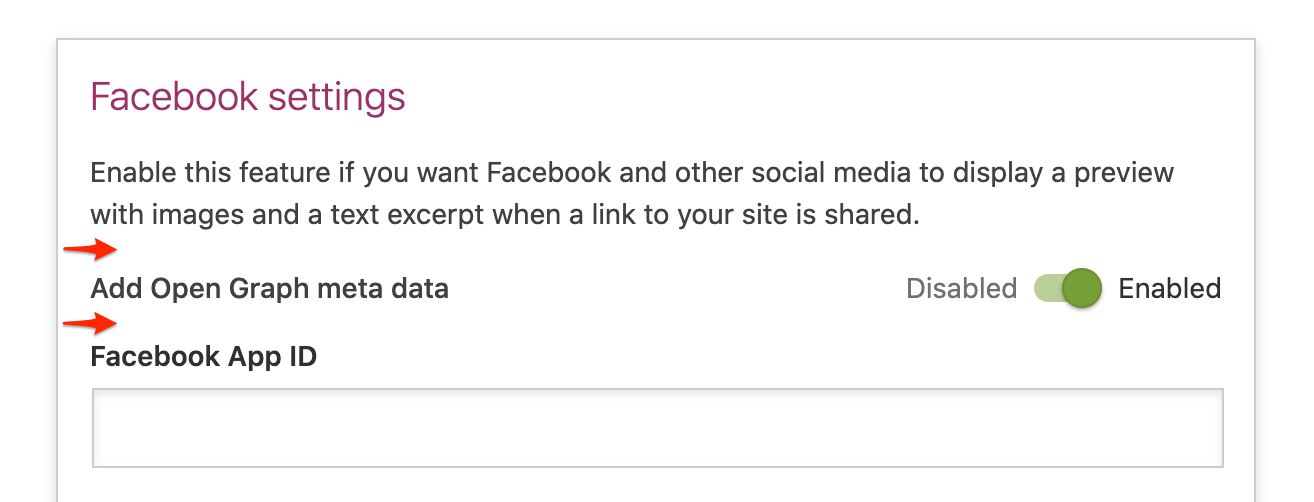
Looking at the single switches (when not in a list), I think they can use a bit more margin top and bottom... Maybe 24px instead of 16px?

Pasted_Image_02_07_2020__11_25

@moorscode
Copy link
Copy Markdown
Contributor Author

moorscode commented Jul 2, 2020

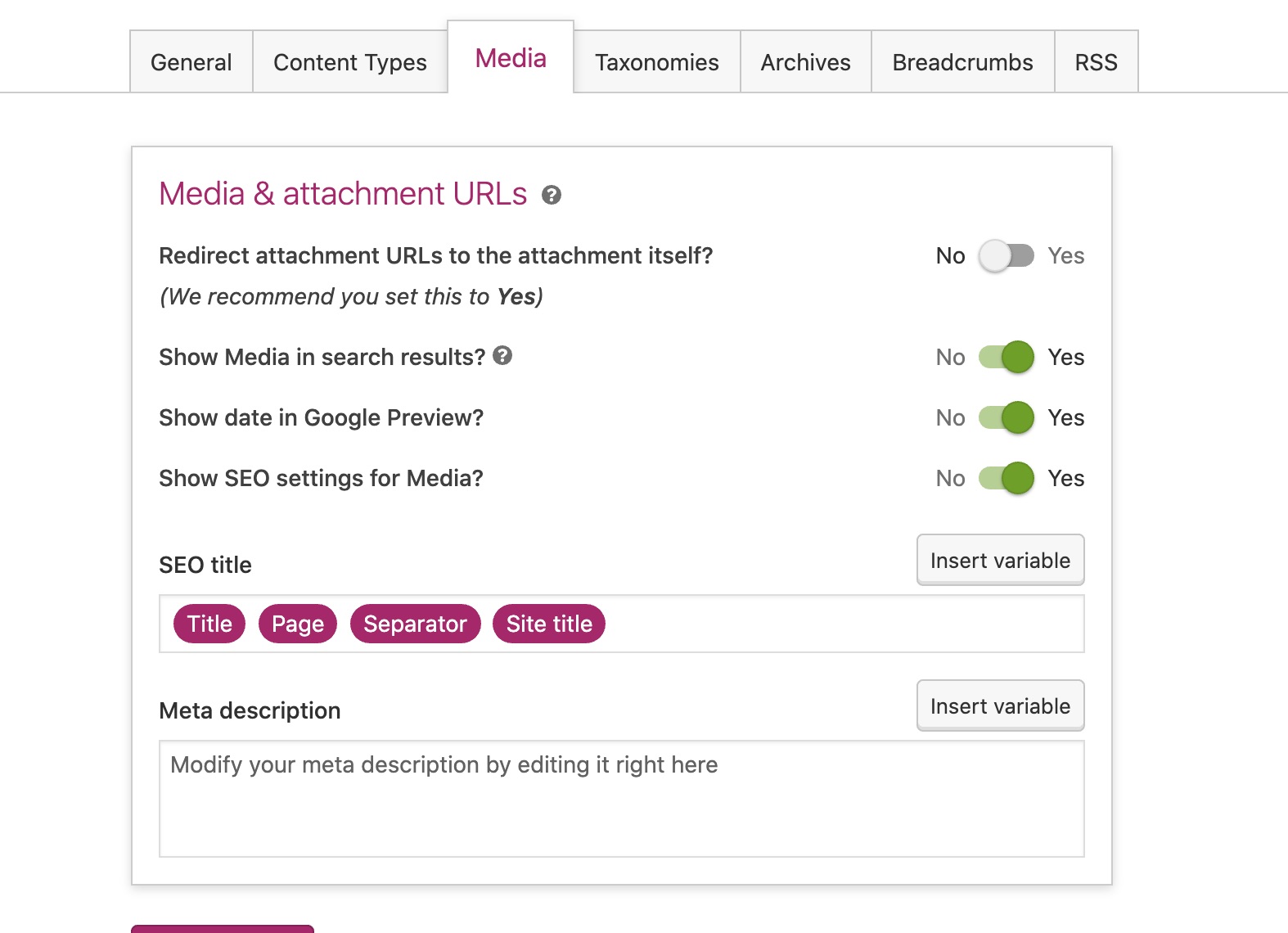
@thijsdevalk do we also want to change the Enabled/Disabled into Enable {setting} Yes/No?

@moorscode moorscode changed the base branch from backup-trunk to feature/admin-redesign July 2, 2020 10:24
@moorscode moorscode changed the base branch from feature/admin-redesign to backup-trunk July 2, 2020 10:25
@luckickken
Copy link
Copy Markdown

Adding to what @uxkai already shared:

Visual hierarchy and whitespace

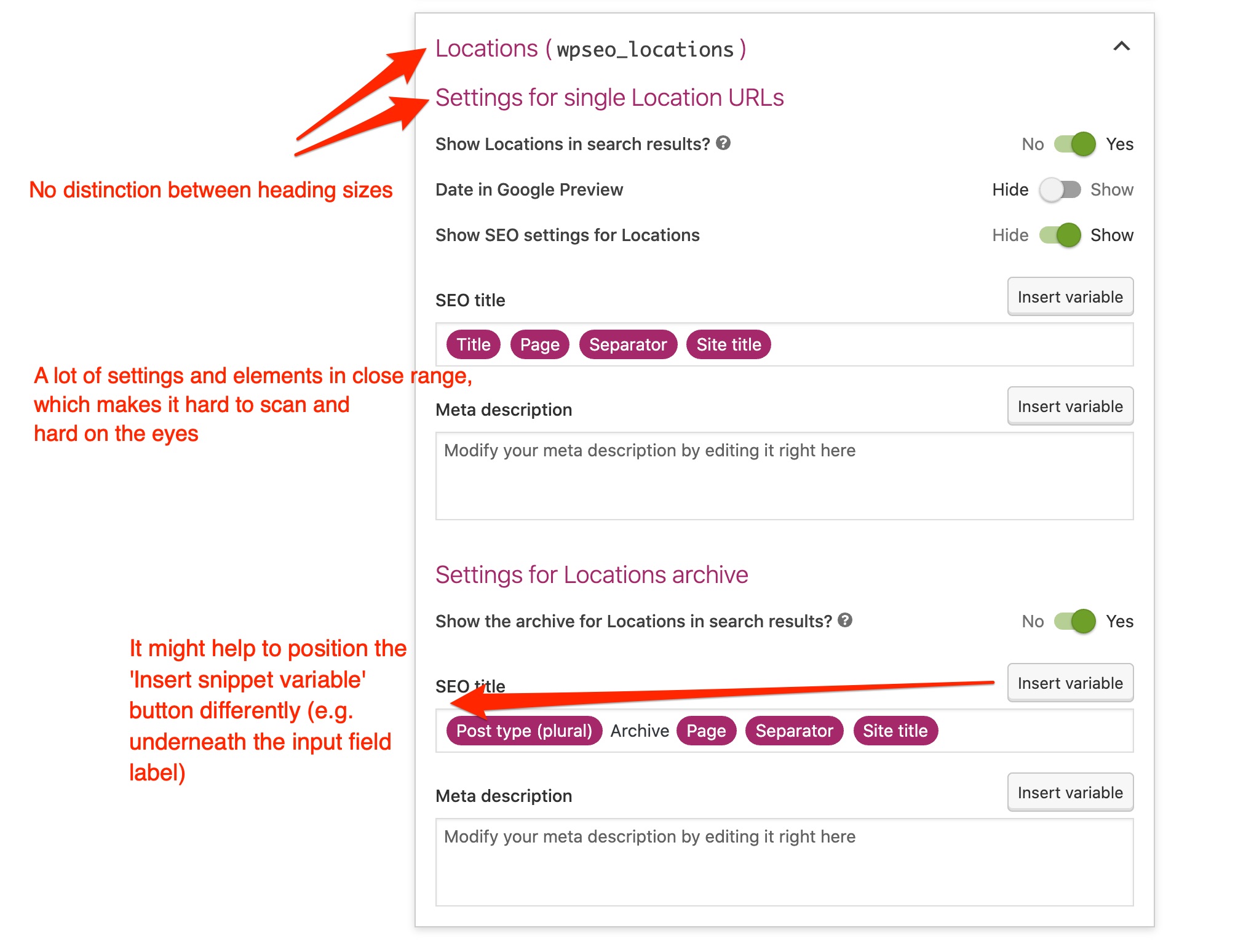
In line with @uxkai's feedback; some sections feel a bit cramped or cluttered. This is due to a lack of visual hierarchy and whitespace in my opinion.

Pasted_Image_02_07_2020__12_51

Papers and collapsibles

With everything being paperized, I fear it becomes too random which sections should be collapsible and which shouldn't be. What will be the reasoning/pattern behind it? E.g. when a page becomes too long/large, we divide it into collapsible sections?

Pasted_Image_02_07_2020__12_48

Pasted_Image_02_07_2020__12_49

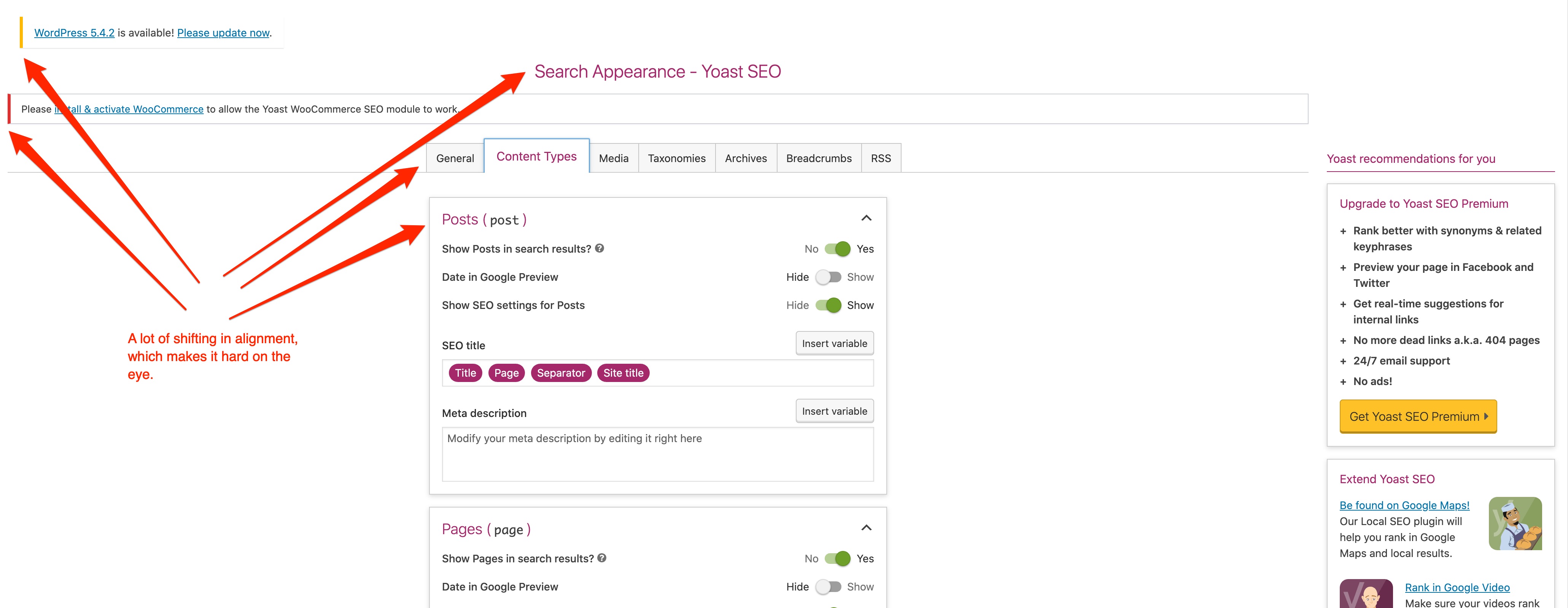
Shifting alignment because of centered content

Because of the centered content there's some shifting of elements (see screenshot below). I agree with @uxkai and I'm worried that it might cause more problems than it solves. What was the reasoning behind centering it?

Pasted_Image_02_07_2020__12_46

@hedgefield
Copy link
Copy Markdown
Contributor

Interesting iteration! Love the attention to detail, and happy to see that all those padding/margin issues have been dealt with.

I agree with most points that have been raised above. The tradeoff between visual clarity, consistency and hierarchical clarity is tricky sometimes.

For instance, papers do bring organizational clarity but I feel like they also introduce visual noise. I keep missing the Save button that's wedged between the papers above and the upsell paper below it in Free. I think we once experimented with papers that only have a border, could be considered for a next iteration, those are a little 'lighter'.

For the notififations icon we could maybe use the bell icon, which was finally added to dashicons recently - after I requested it a year ago 😁 https://iconify.design/icon-sets/dashicons/bell.html

Other than that I don't immediately have any more points that haven't been mentioned above already.

@uxkai
Copy link
Copy Markdown
Contributor

uxkai commented Jul 2, 2020

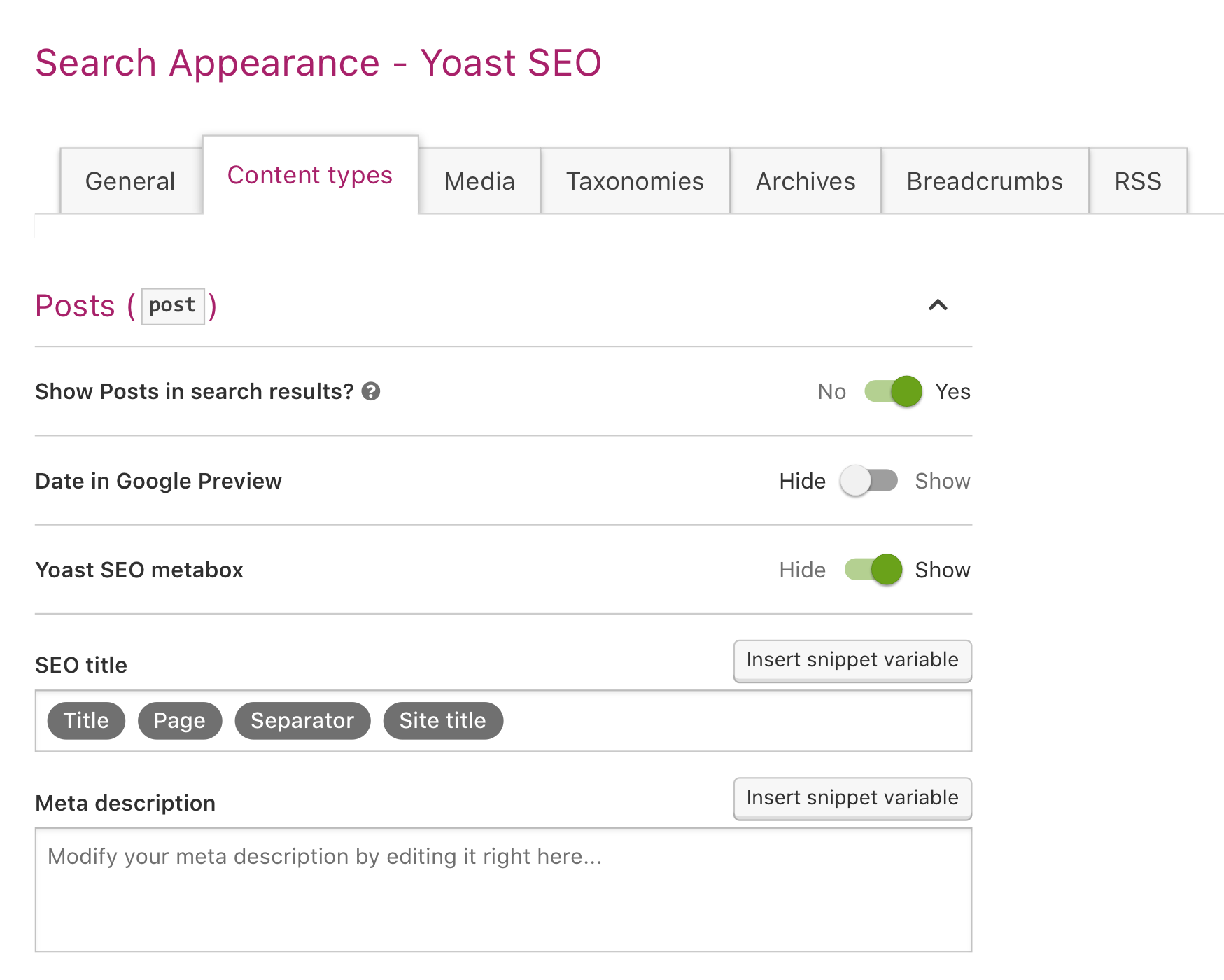
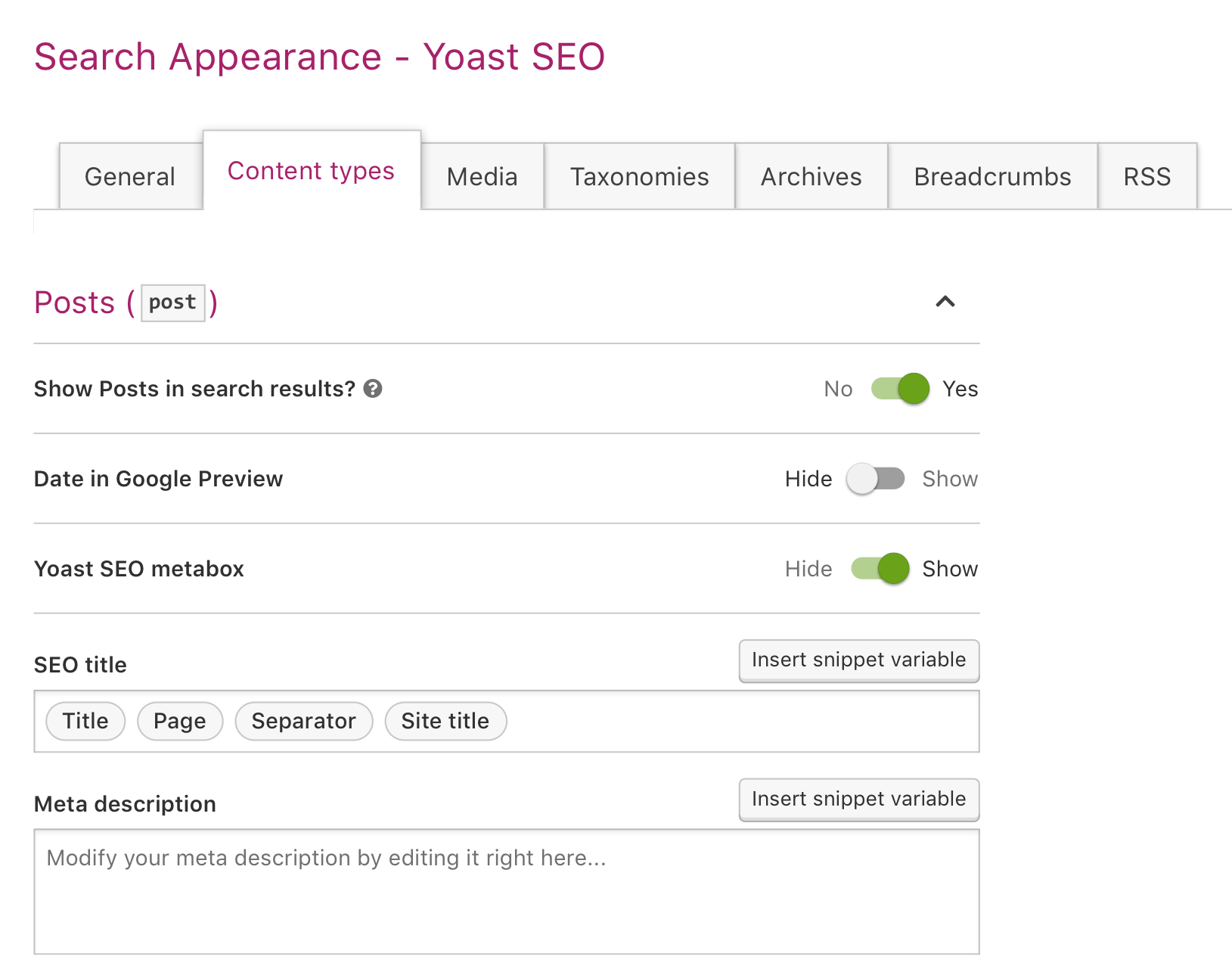
Is it possible to change the hard purple color for the variables in the SEO title field?

Yes, what do we want?

Two proposals:

Note: This is still the "old" page design, but it's just to get an idea of how the variables will look on a whole page.

1. Change the purple background to #707070 (= our placeholder / meta text color):
Pasted_Image_02_07_2020__13_47

2. The same styling as our secondary buttons, but without inset shadow:
Pasted_Image_02_07_2020__13_50

It depends a bit on how much you want these variables to stand out from the rest of the interface...

@moorscode
Copy link
Copy Markdown
Contributor Author

@uxkai I really like the inset-shadow personally; can you also make a preview of how that would look in the metabox?
As changing the color would change there too (for consistency).

@moorscode
Copy link
Copy Markdown
Contributor Author

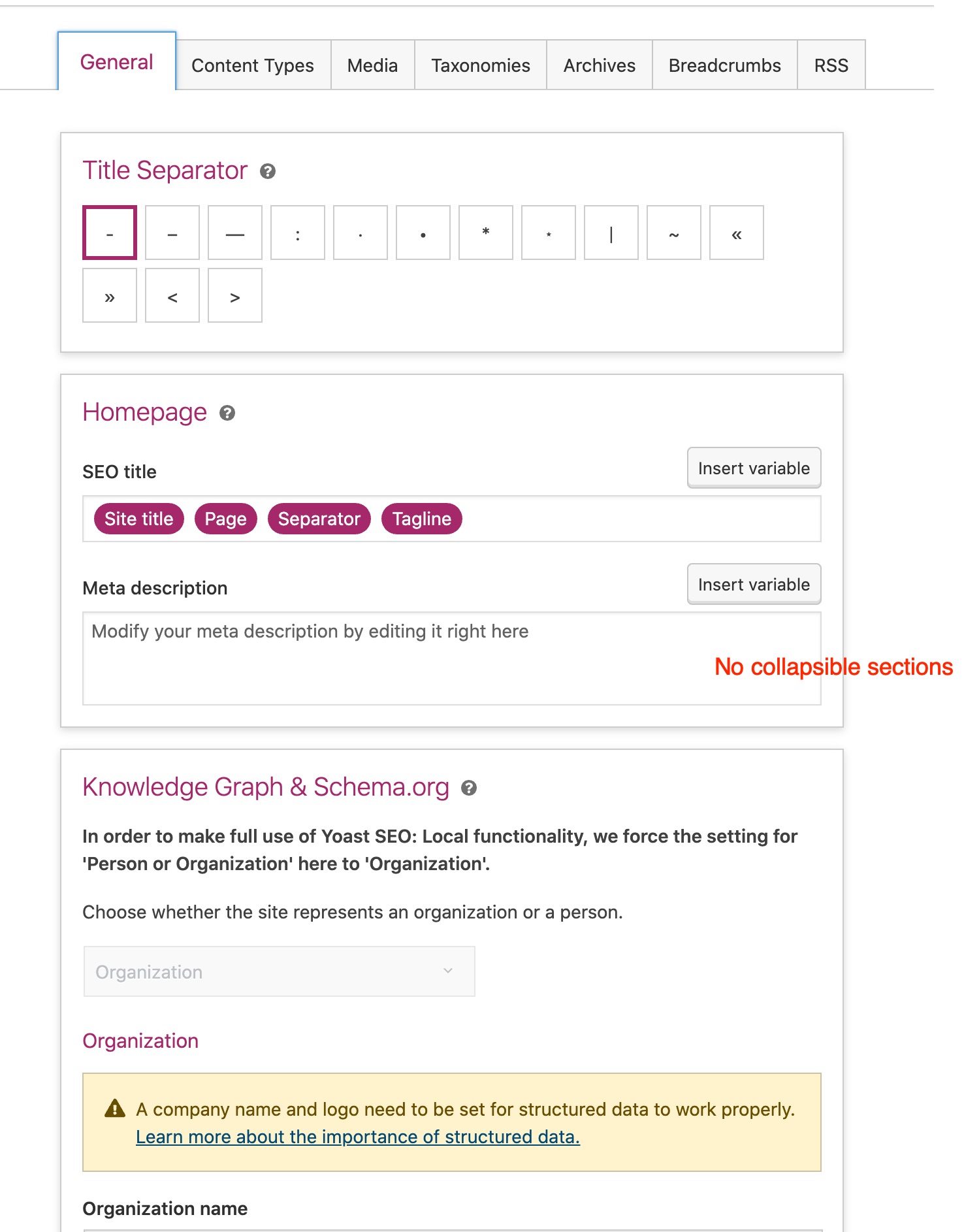
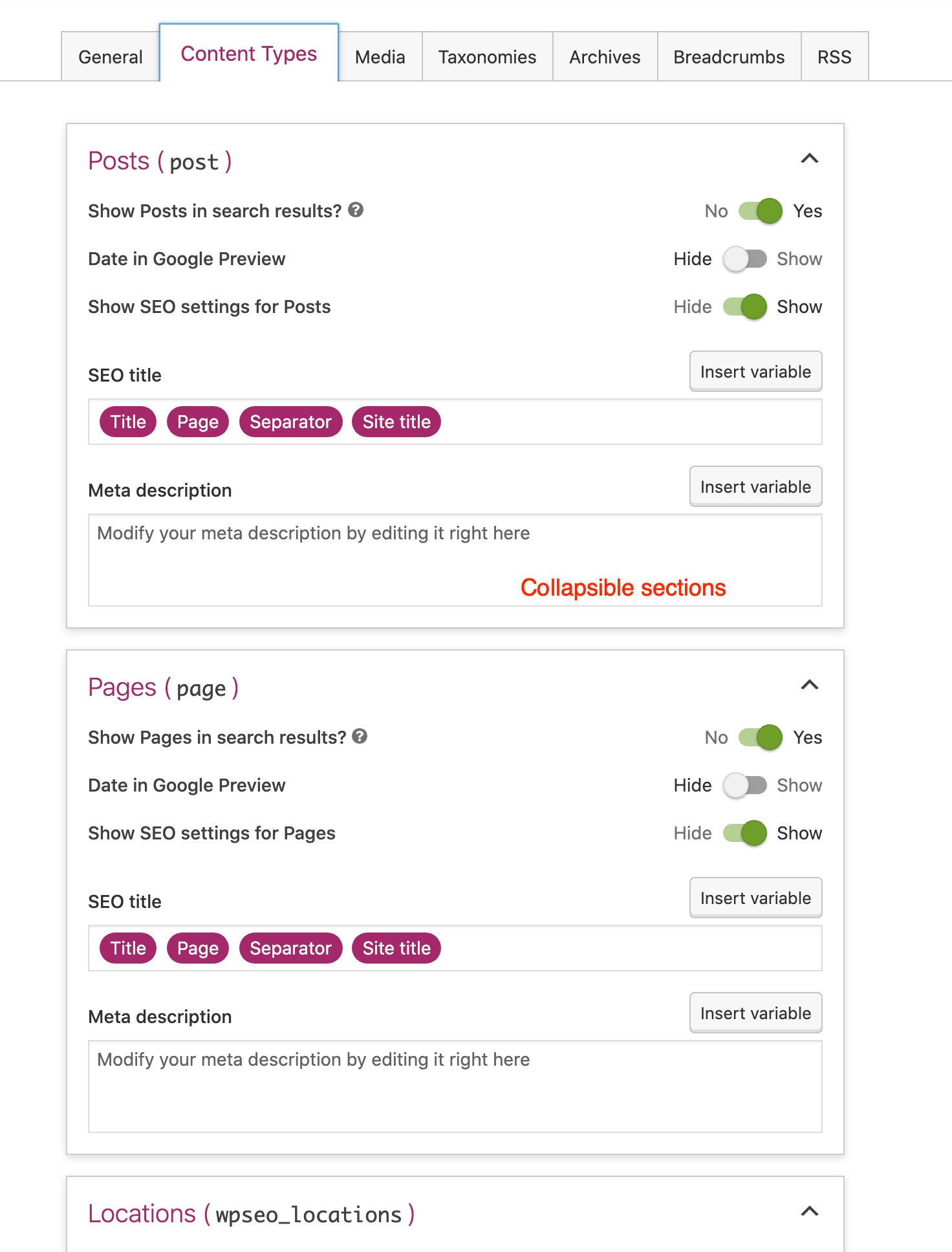
@luckickken The distinction between collapsibles and no collapsibles I made:

  • If there are items of the same order; we can collaps them (Post-types, Taxonomies, Archives) - otherwise papers
  • If there is only 1 item on a page, don't use a collapsible

@moorscode
Copy link
Copy Markdown
Contributor Author

@luckickken @uxkai

In line with @uxkai's feedback; some sections feel a bit cramped or cluttered. This is due to a lack of visual hierarchy and whitespace in my opinion.

I agree, what is you proposed solution?

@moorscode
Copy link
Copy Markdown
Contributor Author

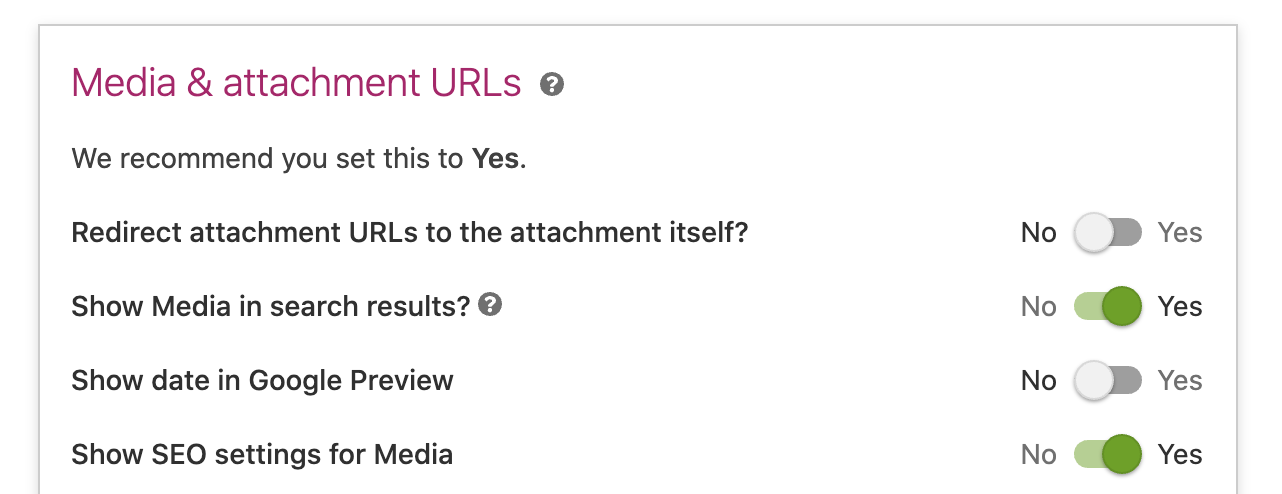
Regarding @thijsdevalk remark for the "We recommend you set this to Yes":

Screen Shot 2020-07-02 at 15 21 50

We want to make sure the context is clear which setting this applies to.
@uxkai / @luckickken can you provide ideas for this?

@luckickken
Copy link
Copy Markdown

luckickken commented Jul 2, 2020

We want to make sure the context is clear which setting this applies to.
@uxkai / @luckickken can you provide ideas for this?

We could show that line underneath the setting (see screenshot below). Also I would pose each setting as a question, with question mark.

Pasted_Image_02_07_2020__15_40

@luckickken The distinction between collapsibles and no collapsibles I made:
If there are items of the same order; we can collaps them (Post-types, Taxonomies, Archives) - otherwise papers
If there is only 1 item on a page, don't use a collapsible

I like this.

I agree, what is you proposed solution?

@uxkai could you make a proposal to improve the visual hierarchy, like I mentioned here. So:

  • Look at heading hierarchy inside the papers
  • Use of whitespace (margins between heading and settings and in between settings)

@luckickken
Copy link
Copy Markdown

luckickken commented Jul 2, 2020

@jip, @uxkai concerning the toggle labels; I think it's possible to rewrite all of them to a question where the options are always Yes/No.

A few examples:

  • Date archives: Enabled/Disabled becomes Enable date archives? Yes/No
  • Date in Google Preview: Hide/Show becomes Show date in Google Preview? Yes/No

This makes it more consistent and visually easier on the eye (no shifting toggles because of long labels). What do you think?

@moorscode
Copy link
Copy Markdown
Contributor Author

Date in Google Preview: Hide/Show becomes Show date in Google Preview? Yes/No

This has been applied.

Date archives: Enabled/Disabled becomes Enable date archives? Yes/No

Agree, like confirmation of Product on this.

@rolf-yoast rolf-yoast closed this Jul 6, 2020
@moorscode moorscode deleted the tweak-admin-redesign branch August 7, 2020 07:33
Sign up for free to join this conversation on GitHub. Already have an account? Sign in to comment

Labels

changelog: non-user-facing Needs to be included in the 'Non-userfacing' category in the changelog

Projects

None yet

Development

Successfully merging this pull request may close these issues.

6 participants