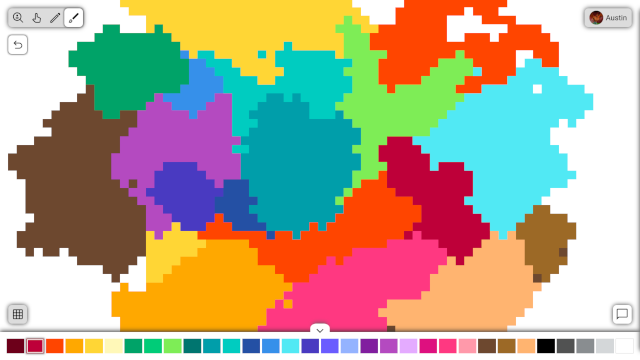
Canvas Crew is a collaborative art web application where users create pixel art with others in real time. Users login through their Google or Discord account to join canvases, draw, and send and receive chat messages. Any user can also create their own canvas and control who has permission to modify it.
- Node.js
- Socket.IO
- Express
- Mongoose
- Embedded JavaScript (EJS)
This backend application runs in Node.js with Express, utilizing the Model-View-Controller (MVC) pattern. Working with a MongoDB database, Mongoose converts canvas and user data to models. EJS is used for the view engine, and Express acts as the controller and facilitates endpoints.
For the real time collaborative functionality, WebSockets are deployed through help from Socket.IO. WebSocket "rooms" are used to confine users to canvases, and events are emitted for connections, pixels, and chat messages. Instead of account creation, users login by authorizing their Discord account through OAuth2.
- Node.js and npm
- MongoDB Database (Atlas or Local)
- Discord and Google Developer App with OAuth2 Redirect URLs set
-
Clone the repository
git clone https://github.com/aaluzzi/pixel-canvas.git cd canvas-crew -
Install dependencies
npm install -
Set environment variables
Create a
.envfile and configure the variables:# Server port PORT="3000" # MongoDB Connection String MONGODB_URI="" # Google OAuth2 Application GOOGLE_CLIENT_ID="" GOOGLE_CLIENT_SECRET="" # Discord OAuth2 Application DISCORD_CLIENT_ID="" DISCORD_CLIENT_SECRET="" # Cookie key for Express Passport middleware COOKIE_KEY="" -
Run the application
npm start
If I was able to start over from scratch, I think this application would be better suited with a separate front end and back end. It was helpful to learn EJS and see how server side rendering can be done, but the HTML provided from the views wasn't as dynamic since most of the canvas data is supplied over the WebSocket instead.
The separate front end could have been a single page application in React or some other framework. I didn't use one because I wanted to explore the MVC pattern, but this made organizing the static frontend JavaScript challenging. At some point I split the script into different files with the help of ES6 modules, but incorporating behavior into components like in a typical framework would have been more elegant. On the brightside though, the application is actually faster for the client, since fewer resources are served without the overhead of something like React.