Docs chain is a document management system built with the MERN stack (MongoDB, Express.js, React, Node.js) and utilizes IPFS (InterPlanetary File System) for decentralized storage and retrieval of documents. Pinata is used as the IPFS service provider for pinning files.
- Document Verification: Securely verify the authenticity and integrity of documents using cryptographic hashing techniques.
- Document Update: Easily update documents while maintaining a transparent and immutable record of changes.
- Decentralized Storage: Utilize IPFS for decentralized and censorship-resistant storage of documents.
- User Authentication: Authenticate users securely and manage access to documents based on user roles and permissions.

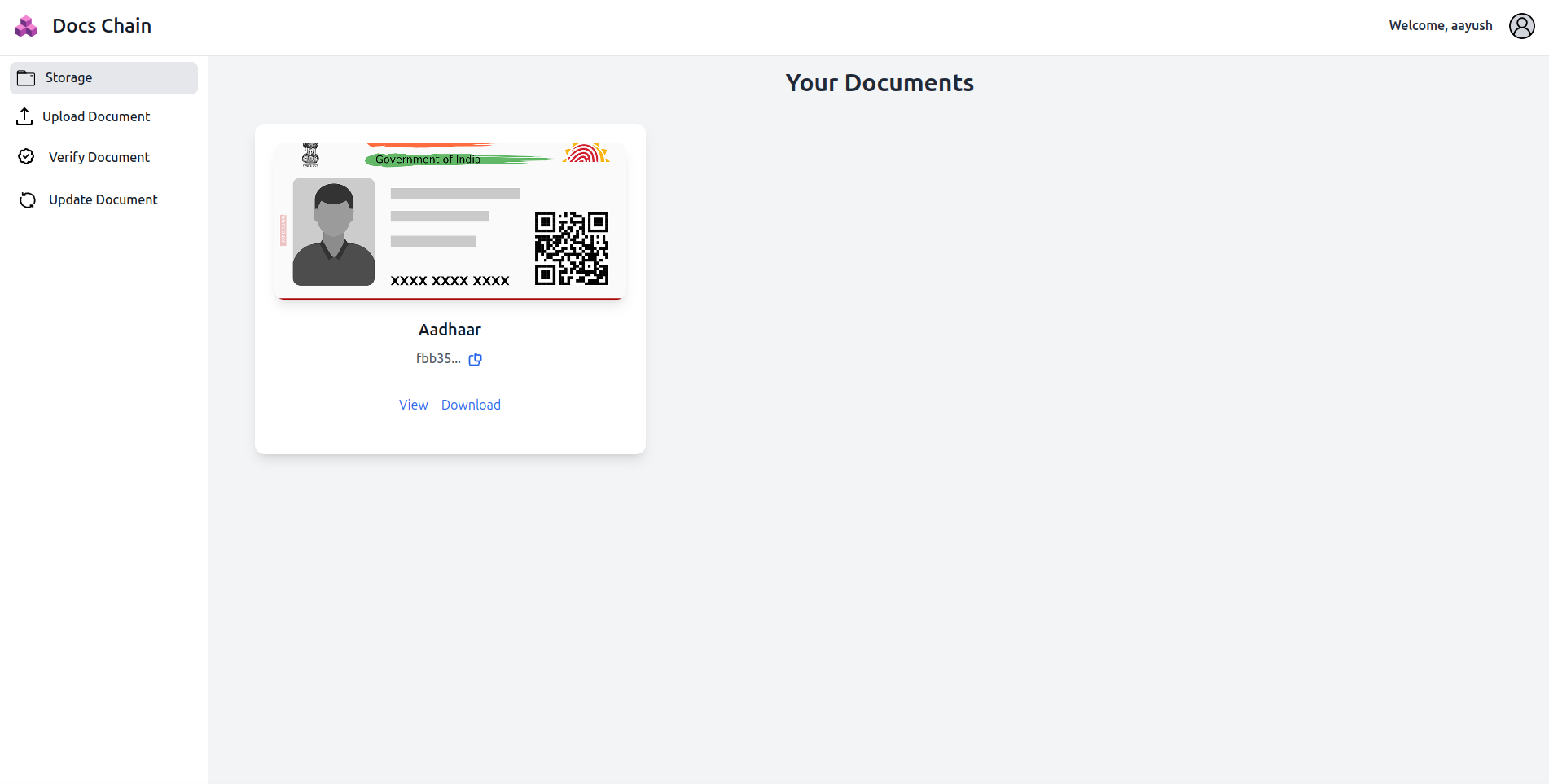 Dashboard where all your documents are present which are securely stored in an IPFS decentralized storage
-
MERN Stack:
- MongoDB: NoSQL database for storing document metadata and user information.
- Express.js: Backend framework for building RESTful APIs to interact with the database.
- React: Frontend library for building the user interface.
- Node.js: JavaScript runtime environment for running server-side code.
-
IPFS (InterPlanetary File System): Decentralized peer-to-peer protocol for storing and sharing hypermedia content.
-
Pinata: IPFS service provider for pinning files and ensuring high availability.
-
Clone the repository:
git clone <repository_url>
-
Navigate to the project directory:
cd <repo_name>
-
Install dependencies for the backend and frontend:
npm install cd client npm install -
Configure environment variables:
Create a
.envfile in the root directory and add the following variables: server (.env)PORT = SECRET = "" MONGO_URI = "" clientOrigin = ""client (.env)
VITE_PINATA_JWT=""
VITE_PINATA_SECERET = ""
VITE_DEPLOYMENT_URL = ""
You can create your own pinata storage at https://pinata.cloud/
-
Start the development server:
npm run dev
-
Access the application at
http://import.meta.env.VITE_DEPLOYMENT_URL.
- Register a new account or log in if you already have an account.
- Upload documents to the platform.
- Verify, update, or delete documents as needed.
- Access your documents securely anytime from anywhere.
Contributions are welcome! Feel free to open issues or submit pull requests to improve the project.
This project is licensed under the MIT License.