Talk to your code. Real‑time voice chat with secure RAG over your repositories.


- Install
pip install -r requirements.txt
- Auth
- Developer API (images/text):
export GOOGLE_API_KEY="YOUR_API_KEY"
export USE_DEVELOPER_API=true
- Cloud (TTS + GCS upload):
export GOOGLE_APPLICATION_CREDENTIALS="/absolute/path/to/service-account.json"
- Minimal JSON (project.json)
{
  "title": "Your/Repo",
  "description": "One‑line project summary.",
  "user_journey": "Short user flow text.",
  "repository": "https://github.com/you/repo",
  "tech_stack": "List or paragraph of tech names"
}
- Run end‑to‑end
python run.py all \
  --slides_json project.json \
  --auto_narration \
  --narration_model gemini-2.0-flash-001 \
  --tts_backend cloud \
  --out_dir media \
  --gcs_uri gs://YOUR_BUCKET/slides_with_audio.mp4
Output: media/slide_*.png, media/narration_*.wav, media/slides_with_audio.mp4
- Run the API
python main.py
# or: uvicorn visper.api.app:app --reload --port 8000
Docs: http://localhost:8000/docs
- Images
- Default Imagen: Vertex (
imagen-4.0-generate-001) or Developer API auto‑resolvesimagen‑3.x. - Gemini image models supported if set explicitly:
- Default Imagen: Vertex (
export IMAGE_MODEL="gemini-2.5-flash-image"
- Narration
- Text model (for auto narration):
--narration_model(defaultgemini-2.0-flash-001). - TTS backend:
--tts_backend cloud(Cloud TTS); ensure API is enabled on your project.
- Text model (for auto narration):
Slides are generated per slide (separate calls), derived from fields: title, description, user_journey, tech_stack, repository. Missing fields fallback to generic, concise phrasing. Auto‑narration produces 1–2 natural explanatory sentences per slide.
- Logo overlay on final video:
--logo /abs/path/logo.png --logo_scale 0.12 --logo_margin 20
- With per‑slide narration, each slide duration equals its audio duration. With a single audio track, use
--secondsfor fixed durations.
visper/: Python packageapi/app.py: FastAPI app (from visper.api.app import app)pipeline/: generation pipeline wrappersimages.py:init_client,generate_images,generate_images_for_slidestts.py:generate_ttscompose.py:compose,compose_per_slide
clients/: external service clientsgithub_client.py: GitHub API clientvectara_client.py: Vectara client
services/: higher-level helpersgemini_enhancer.py: RAG answer enhancer
utils/github.py:parse_github_url
run.py: Orchestrator CLI (usesvisper.pipeline.*)main.py: API entrypoint (re-exportsvisper.api.app:app)agent_router.py: Receives repo analysis, writesanalysis.json, can auto-run pipelineagent_visual.py/agent_audio.py: Optional split agents for slides/audiomedia/: Outputs (slide PNGs, narration WAVs, final MP4)
- JSON-driven slides from 5 fields: title, description, user_journey, tech_stack, repository
- Flexible image models: Imagen (Vertex/Developer) or Gemini (via
IMAGE_MODEL) - Auto narration: 1–2 natural sentences per slide (Gemini text) → TTS via Cloud TTS
- Per‑slide sync: each slide waits until its own audio ends
- Optional GCS upload and logo overlay
- RAG (optional): Vectara can provide retrieved context to enrich slide prompts
- Agents (optional): Fetch.ai uAgents enable remote repo analysis and pipeline triggering
Visper exists to make engineering knowledge accessible to everyone, especially blind and low‑vision developers.
- Audio‑first: Every visual is paired with clear, synchronized narration.
- Minimal visuals: High‑contrast, low‑clutter slides for screen magnifiers.
- Hands‑free: Voice in/voice out to explore large codebases quickly.
- Grounded: Answers cite sources and link back to files.
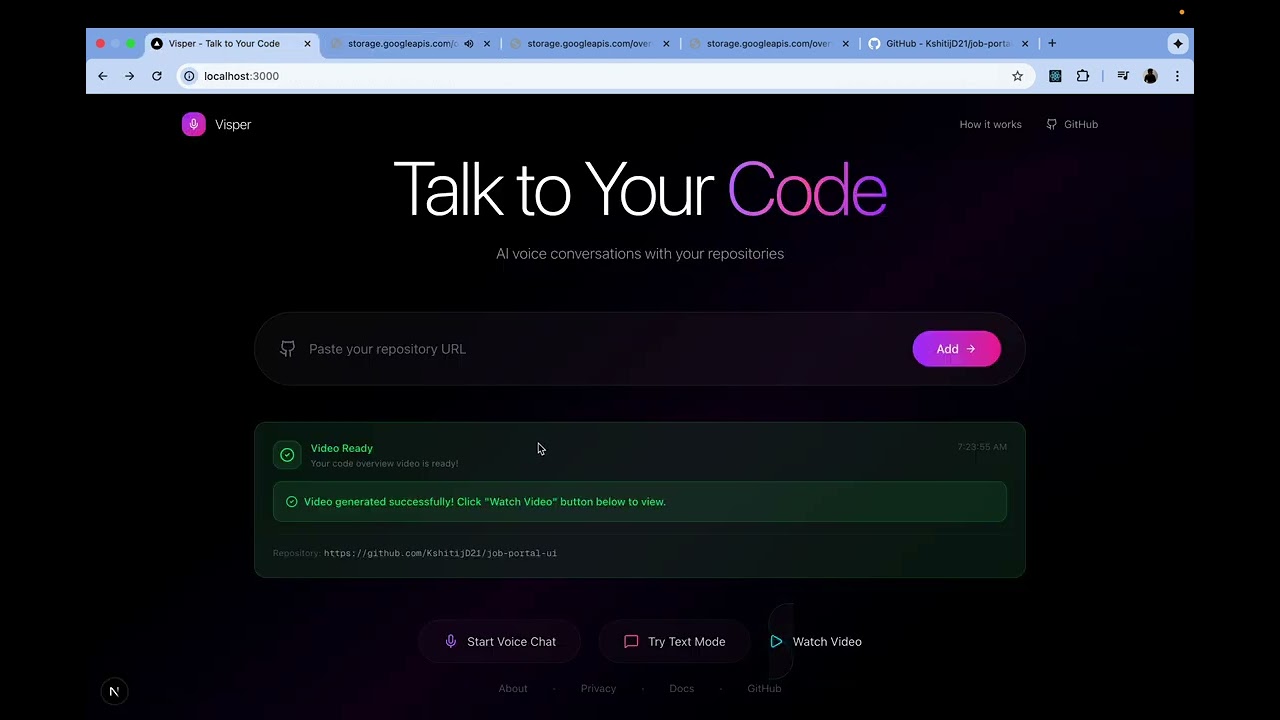
Watch the 2‑minute demo on YouTube
- Input: 5 JSON fields (
title,description,user_journey,tech_stack,repository). - Prompting: Builds structured, minimal slide prompts per field.
- Image generation: Imagen (default) or Gemini image model renders slides.
- Auto‑narration: Gemini text model writes 1–2 natural sentences per slide.
- TTS: Cloud TTS produces per‑slide WAVs (or a single track if desired).
- Video: Slides + audio are stitched; each slide duration matches its audio.
- Optional: Upload final MP4 to GCS; overlay logo.
-
gemini-2.0-flash-001
- Purpose: Auto‑narration text generation (1–2 sentences per slide) when using
--auto_narrationor--slides_json. - Where:
run.py(--narration_modelflag; defaults to this model).
- Purpose: Auto‑narration text generation (1–2 sentences per slide) when using
-
gemini-2.5-flash-image
- Purpose: Image generation via
generate_contentwith inline image parts when you explicitly setIMAGE_MODEL=gemini-2.5-flash-image. - Where:
generate_slides_with_tts.pyauto‑detects Gemini image models and switches to the Gemini content path.
- Purpose: Image generation via
-
gemini-2.5-flash-preview-tts
- Purpose: TTS directly via Gemini when
--tts_backend geminiis used (may require allowlisting); default pipeline uses Google Cloud Text‑to‑Speech instead. - Where:
generate_tts.py(backend selectable via--tts_backend).
- Purpose: TTS directly via Gemini when
-
Gemini Live API
- Purpose: Low‑latency, streaming voice interactions for real‑time conversations (barge‑in, partial results) in Voice RAG Chat.
- Where: Live session via google‑genai Live API (WebSocket/stream). Integrates with the FastAPI service for voice chat mode.
Google Gemini Hackathon — TED AI
Links:

Abhay Lal |

Yash Vishe |

Kshitij Akash Dumbre |

Guruprasad Parasnis |