

A comprehensive analytics and visualization toolkit for Polymarket prediction markets
Features • Installation • Usage • Analytics • Examples
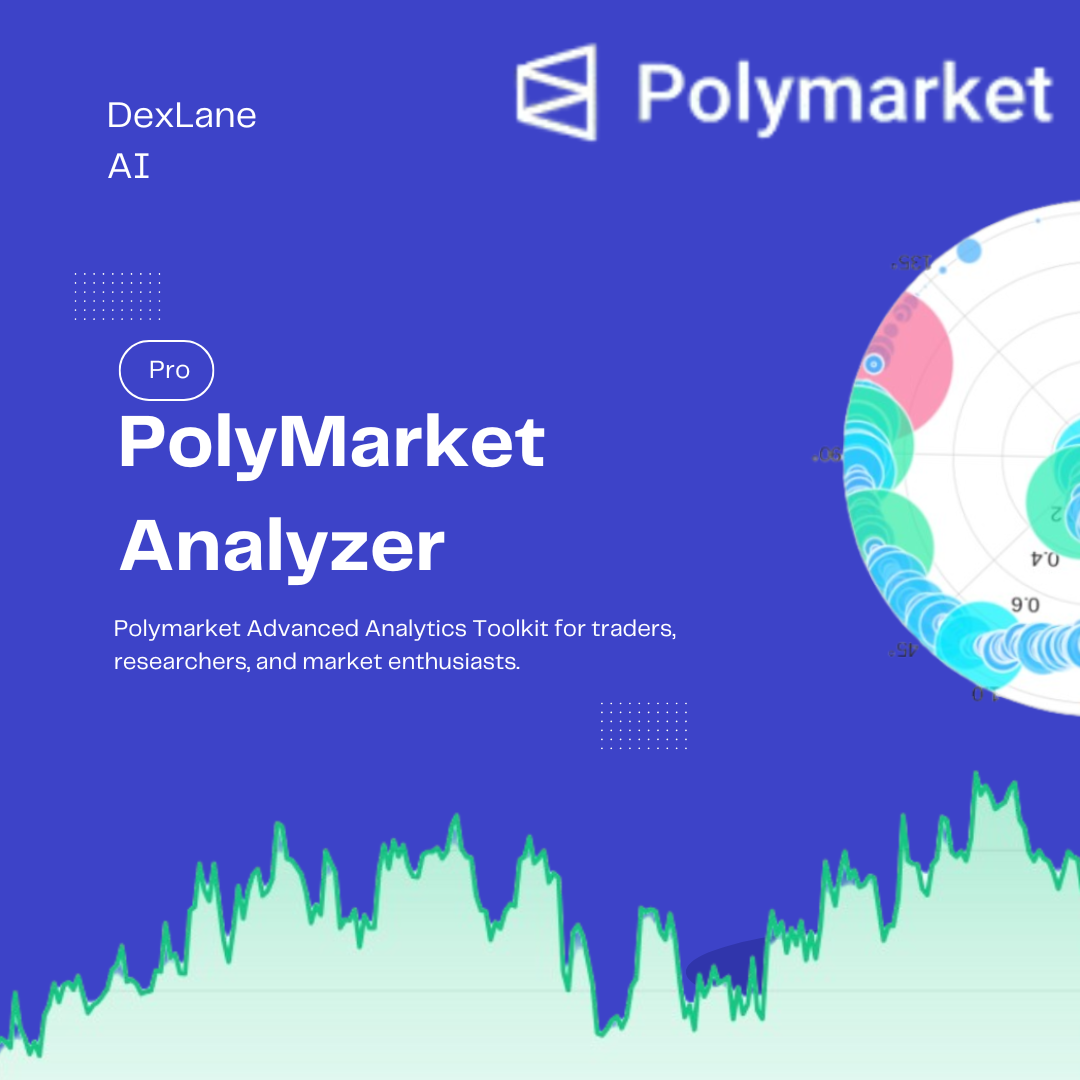
The Polymarket Advanced Analytics Toolkit is a powerful Python-based analysis sets of scripts that provides traders, researchers, and market enthusiasts with deep insights into Polymarket prediction markets.
Whether you’re a developer or not, if you want developer-level control, this is a what you might be looking for. Stop struggling with ChatGPT or Claude AI and burning cost on LLM tokens just to fix their outputs or to make it run.
- 🔍 Deep Market Analysis: Understand market dynamics, price movements, and trading patterns
- 📈 Trader Strategy Insights: Analyze individual trader or bot behavior and decision-making patterns
- 🎨 Beautiful Visualizations: Modern, gradient-based charts with professional styling
- ⚡ Real-Time Data: Direct integration with Polymarket's official APIs
- 🧠 Smart Analytics: Automated calculation of key metrics like VWAP, momentum, volatility, and more
- 📊 Multi-Dimensional Analysis: Over 20+ different visualization types for comprehensive market understanding

- Market Analysis [ Analyze any market ]
- Trade Analytics [ Analyze trades on specific market ]
- Trader-Specific Analysis [ Analyze any Specific trader/Bot strategy ]
These above 3 types of analysis if very important if you wanna build you custom bot or to deeply understand the strategy behind any bot or advanced trader, Its never easy as buying ( YES + NO < 1.0 ) or selling ( YES + NO > 1.0 ).
Decode crack the strategy with the help of this toolkit.
Read more on code details about it here:


In case of any doubt or issue reach out to here:
- Issues: GitHub Issues
- TG: t.me/dexlenai
- Real-time YES/NO price tracking with gradient fills
- Market spread dynamics visualization
- Time-series aggregation (seconds/minutes)
- Volatility detection and highlighting


- Volume distribution across time buckets
- Buy vs Sell pressure analysis
- Cumulative trade flow tracking
- Price vs trade size correlation

- 6+ gradient-based scatter plots including:
- Temporal Flow Scatter: Price evolution with time-based gradients
- Volume-Weighted Timeline: Multi-dimensional size and price analysis
- Density Heatmaps: Identify key price-volume clusters
- Sequential Flow: Dynamic sizing showing trade progression


- YES vs NO outcome tracking
- Price volatility with moving averages
- Trade velocity analysis
- VWAP (Volume Weighted Average Price) visualization
- Radial time-price distribution

- Position entry point analysis
- Cumulative position tracking
- Buy/Sell ratio breakdown
- Outcome preference visualization

- Trade timing and frequency
- Entry price evolution
- Average entry price tracking
- Position value over time

- Volume-weighted price distribution
- Position sizing strategy
- Risk scoring visualization
- Trade adjustment patterns

- Hourly trading activity patterns
- Price change vs size change correlation
- Position sizing consistency
- Sequential trade flow analysis

Python 3.8 or higher
pip package managerpip install requests pandas numpy matplotlib scipyimport requests
import json
from datetime import datetime
import matplotlib.pyplot as plt
import numpy as np
import pandas as pd# Analyze a specific market
market_slug = "bitcoin-up-or-down-january-29-8am-et"
# Get market details
market = get_market_details_by_slug(market_slug)
# Fetch price history
price_series = get_price_history(market)
# Generate comprehensive market analysis
plot_market_analyzer(market_slug)# Fetch market trades
trades = get_polymarket_trades(market_id=market['conditionId'], limit=1000)
# Generate trade analytics dashboard
plot_trade_analytics(market_slug)
# Advanced gradient scatter analysis
plot_gradient_scatter_analytics(market_slug)
plot_advanced_gradient_scatter(market_slug)# Analyze specific trader strategy
user_address = "0x6031b6e..."
# Comprehensive trader strategy analysis
plot_trader_strategy_analysis(market_slug, user_address)
# Trader timing and behavior analysis
plot_trader_timing_analysis(market_slug, user_address)Purpose: Understand overall market dynamics and price behavior
Visualizations:
- ✅ Market Price Evolution with Fill Areas
- ✅ Market Spread Dynamics (YES-NO differential)
Key Metrics:
- Price trends over time
- Market tightness/spread
- Volatility periods
Use Case: Identify optimal entry/exit points based on historical price patterns
Purpose: Deep dive into market liquidity and trading activity
Visualizations:
- ✅ Trade Volume Distribution Over Time (50 time buckets)
- ✅ Buy vs Sell Volume Pie Chart
- ✅ Price vs Trade Size Scatter
- ✅ Cumulative Trade Flow (BUY/SELL)
Key Metrics:
- Trading volume patterns
- Market sentiment (buy/sell ratio)
- Liquidity zones
- Order flow imbalance
Use Case: Detect whale activity, market manipulation, or unusual trading patterns
Purpose: Multi-dimensional market analysis with advanced visualizations
Visualizations (6 unique plots):
-
Time Evolution Scatter
- Gradient: Time progression (twilight palette)
- Reveals: How trading behavior changes throughout market lifecycle
-
Volume-Weighted Timeline
- Gradient: Volume intensity (plasma palette)
- Reveals: When large trades occur relative to price levels
-
Buy vs Sell Gradient Timeline
- Gradient: Separate green/red timelines
- Reveals: Side-specific price preferences
-
Price-Size Density Heatmap
- Gradient: Trade density (YlOrRd palette)
- Reveals: Most active price-volume zones
-
Timeline vs Volume - Price Gradient
- Gradient: Price level (viridis palette)
- Reveals: Size patterns at different price points
-
Price vs Cumulative Volume
- Gradient: Cumulative progress (coolwarm palette)
- Reveals: Volume accumulation at price levels
Use Case: Advanced traders can identify hidden liquidity, support/resistance levels, and optimal execution strategies
Purpose: Custom gradient visualizations for pattern recognition
Visualizations (4 unique plots):
-
Gradient Temporal Scatter
- Custom palette: Purple-pink-blue gradient
- Dynamic point sizing and opacity
-
Multi-Gradient Timeline
- Custom palette: Sunset gradient
- Size magnitude representation
-
Value-Weighted Gradient
- Custom palette: Teal-red-yellow
- Trade value (price × size) emphasis
-
Sequential Flow with Dynamic Sizing
- Custom palette: Green-pink-orange
- Progressive sizing showing trade sequence
Use Case: Pattern traders can spot recurring behaviors and predict future market movements
Purpose: Analyze market predictions and outcome-specific behavior
Visualizations (6 unique plots):
-
Outcome Timeline (YES vs NO)
- Separate gradient colormaps for outcomes
- Square markers for NO, circles for YES
-
Price Volatility with Moving Average
- 20-period rolling average overlay
- Deviation-based gradient coloring
-
Trade Velocity Map
- Velocity = Size / Time Delta
- Orange-blue gradient showing execution speed
-
Radial Time-Price Distribution (Polar Plot)
- Circular time representation
- Radial distance = price level
-
Order Flow Imbalance
- Cumulative BUY vs SELL flow
- Separate gradient progressions
-
VWAP Analysis
- Volume Weighted Average Price overlay
- Price deviation from VWAP gradient
Key Metrics:
- Outcome bias detection
- Price momentum
- Execution velocity
- VWAP deviation
Use Case: Identify market consensus shifts, detect smart money flow, optimize execution timing
Purpose: Statistical analysis and distribution patterns
Visualizations (4 unique plots):
-
Smooth Density Heatmap
- Gaussian-filtered 2D histogram
- White-to-navy gradient
- Overlay scatter points
-
Trade Size Distribution - Gradient Bars
- 40-bin histogram
- Spectral gradient coloring
- White edge highlighting
-
Price Momentum Flow
- 30-period price momentum
- Red-white-green diverging gradient
- Shows bullish/bearish pressure
-
Top Wallet Activity
- Trade count vs total volume
- Top 50 most active wallets
- Purple gradient by volume rank
Use Case: Institutional analysts can identify whale wallets, accumulation phases, and distribution patterns
Purpose: Comprehensive individual trader profiling
Visualizations (9 unique plots):
-
Position Entry Points
- Outcome-separated scatter (UP circles, DOWN squares)
- Trade sequence gradient
-
Position Accumulation Timeline
- Cumulative position size over time
- Progress gradient from purple to blue
-
Buy vs Sell Volume Pie
- Green (BUY) vs Red (SELL)
- Percentage breakdown
-
Trade Size vs Execution Speed
- Trade frequency gradient
- Golden-amber palette
-
Entry Price Evolution & Average
- Running average entry price
- Cyan gradient with orange VWAP line
-
Outcome Preference Distribution
- Bar chart of UP vs DOWN trades
- Count annotations
-
Position Value Over Time
- Price × Size calculation
- Purple gradient by value intensity
-
Volume-Weighted Price Distribution
- Histogram weighted by volume
- Red-yellow-green gradient
-
Position Sizing Strategy
- Risk score calculation
- Green-yellow-orange-red risk gradient
Printed Summary:
==============================================================
TRADER STRATEGY SUMMARY: ga
==============================================================
Total Trades: 47
Total Volume: 1,234.56
Average Trade Size: 26.27
Buy Trades: 35 | Sell Trades: 12
UP Positions: 28 | DOWN Positions: 19
Average Entry Price: 0.5432
Price Range: 0.04 - 0.96
==============================================================
Use Case: Understand competitor strategies, learn from successful traders, identify market makers
Purpose: Behavioral and temporal pattern analysis
Visualizations (4 unique plots):
-
Radial Trade Timeline (Polar)
- Circular time representation
- Price as radial distance
- Size gradient coloring
-
Trade Adjustment Strategy
- Price change vs size change scatter
- Quadrant analysis (increase/decrease both)
- Change magnitude gradient
-
Position Sizing Consistency
- Vertical bars showing individual trades
- 5-period rolling average overlay
- Green gradient by deviation
-
Trading Activity by Hour
- 24-hour histogram
- Twilight gradient (different color per hour)
- Identifies active trading windows
Use Case: Optimize your trading schedule, understand when markets are most liquid, detect automated trading bots
All visualizations follow modern design principles:
- ✨ Light backgrounds (#f5f7fa, #f8f9fb, #fafbfc) for reduced eye strain
- 🎨 Custom gradient colormaps for enhanced data perception
- ⚪ White edge colors (linewidth 1.5-2.5) for clean separation
- 📐 Removed top/right spines for minimal design
- 🔍 High alpha values (0.6-0.85) for layered transparency
- 📏 Professional grid styling (alpha 0.12-0.15, dashed lines)
- Temporal:
twilight_shifted,viridis,plasma,coolwarm - Diverging: Red-White-Green for momentum
- Sequential: Purple gradients, teal-orange, green-pink
- Custom: 4-color gradients for specific insights
✅ Identify optimal entry/exit points using price evolution
✅ Detect support/resistance with density heatmaps
✅ Monitor real-time order flow imbalance
✅ Track VWAP for institutional activity
✅ Analyze cumulative volume patterns
✅ Identify whale accumulation zones
✅ Study outcome preference shifts over days
✅ Track momentum changes with moving averages
✅ Understand spread dynamics
✅ Identify liquidity gaps
✅ Optimize quote placement using trade size distribution
✅ Detect adverse selection with velocity analysis
✅ Study prediction market efficiency
✅ Analyze trader behavior patterns
✅ Identify market manipulation
✅ Compare strategy effectiveness across traders
✅ Track top wallet activity
✅ Monitor position concentration
✅ Assess market sentiment (buy/sell ratios)
✅ Evaluate risk exposure with position sizing analysis
Market: Bitcoin Up or Down - January 29, 8AM ET
Condition ID: 0x241b8e1b706543d725c6e7bff4...
Total Trades: 1,000
Time Range: 1,440 minutes (24 hours)
Price Range: 0.02 - 0.98
Spread Range: 0.01 - 0.15Trader: ga
Total Trades: 47
Total Volume: 1,234.56
Win Rate: 68.1% (based on outcome)
Favorite Outcome: UP (59.6%)
Most Active Hour: 14:00 UTC
Average Position Hold: 2.3 hoursFetches comprehensive market information including tokens, timestamps, and metadata.
Parameters:
market_slug: URL-friendly market identifier
Returns: Dictionary with market details including conditionId, clobTokenIds, start_ts, end_ts
Retrieves historical price data for YES/NO outcomes.
Parameters:
market_info: Market dictionary fromget_market_details_by_slug()
Returns: List of tuples [(yes_price, no_price), ...] as integer percentages
Fetches trade history for a market or specific user.
Parameters:
market_id: Condition ID of the marketuser_address: (Optional) Ethereum address of traderlimit: Max trades to fetch (default 1000)
Returns: List of trade dictionaries
plot_market_analyzer(market_slug)- 2 plotsplot_trade_analytics(market_slug)- 4 plotsplot_gradient_scatter_analytics(market_slug)- 6 plotsplot_advanced_gradient_scatter(market_slug)- 4 plotsplot_outcome_gradient_analytics(market_slug)- 6 plotsplot_advanced_distribution_gradients(market_slug)- 4 plots
plot_trader_strategy_analysis(market_slug, user_address)- 9 plots + summaryplot_trader_timing_analysis(market_slug, user_address)- 4 plots
Total: 35+ unique visualizations
# Default: 60 points per minute
points_per_minute = 60

# For high-frequency analysis
points_per_minute = 120

# For low-frequency analysis
points_per_minute = 30from matplotlib.colors import LinearSegmentedColormap
# Create custom gradient
custom_cmap = LinearSegmentedColormap.from_list(
'my_gradient',
['#start_color', '#mid_color', '#end_color']
)# Filter by minimum size
df_filtered = df[df['size'] >= 10]
# Filter by time range
df_recent = df[df['timestamp'] > '2024-01-28']
# Filter by outcome
df_yes = df[df['outcome'] == 'Yes']{
'slug': 'market-slug',
'conditionId': '0x...',
'clobTokenIds': ['token1', 'token2'],
'start_ts': 1234567890,
'end_ts': 1234567890,
'start_time_iso': '2024-01-29T08:00:00Z',
'end_time_iso': '2024-01-29T16:00:00Z'
}{
'proxyWallet': '0x...',
'side': 'BUY' | 'SELL',
'asset': 'token_id',
'conditionId': '0x...',
'size': 26.0,
'price': 0.96,
'timestamp': 1769694808,
'outcome': 'Up' | 'Down',
'outcomeIndex': 0 | 1,
'name': 'trader_username',
'pseudonym': 'Ga',
'transactionHash': '0x...'
}- Limit trade fetching to necessary count (500-1000 for most analysis)
- Cache market data to avoid repeated API calls
- Use time filtering for recent market analysis
- Aggregate data before plotting for large datasets
- Start with market-level overview (
plot_market_analyzer) - Deep dive into trade patterns (
plot_trade_analytics) - Identify key traders from volume data
- Analyze individual strategies (
plot_trader_strategy_analysis) - Compare timing patterns across successful traders
- High spread = Low liquidity or high uncertainty
- Clustered density = Strong support/resistance
- VWAP deviation = Potential mean reversion opportunity
- Order flow imbalance = Directional bias
- Velocity spikes = Information events or manipulation
This toolkit is for educational and research purposes only.
- Not financial advice
- No guarantees of accuracy or profitability
- Use at your own risk
- Always do your own research (DYOR)
- Past performance does not indicate future results
Polymarket trading involves risk. Only trade with funds you can afford to lose.
Made with ❤️ for the Polymarket community
⭐ Star this repo if you find it useful!