



An awesome README file to jumpstart your projects!
Explore the docs »
View Demo
·
Report Bug
·
Request Feature
Table of Contents
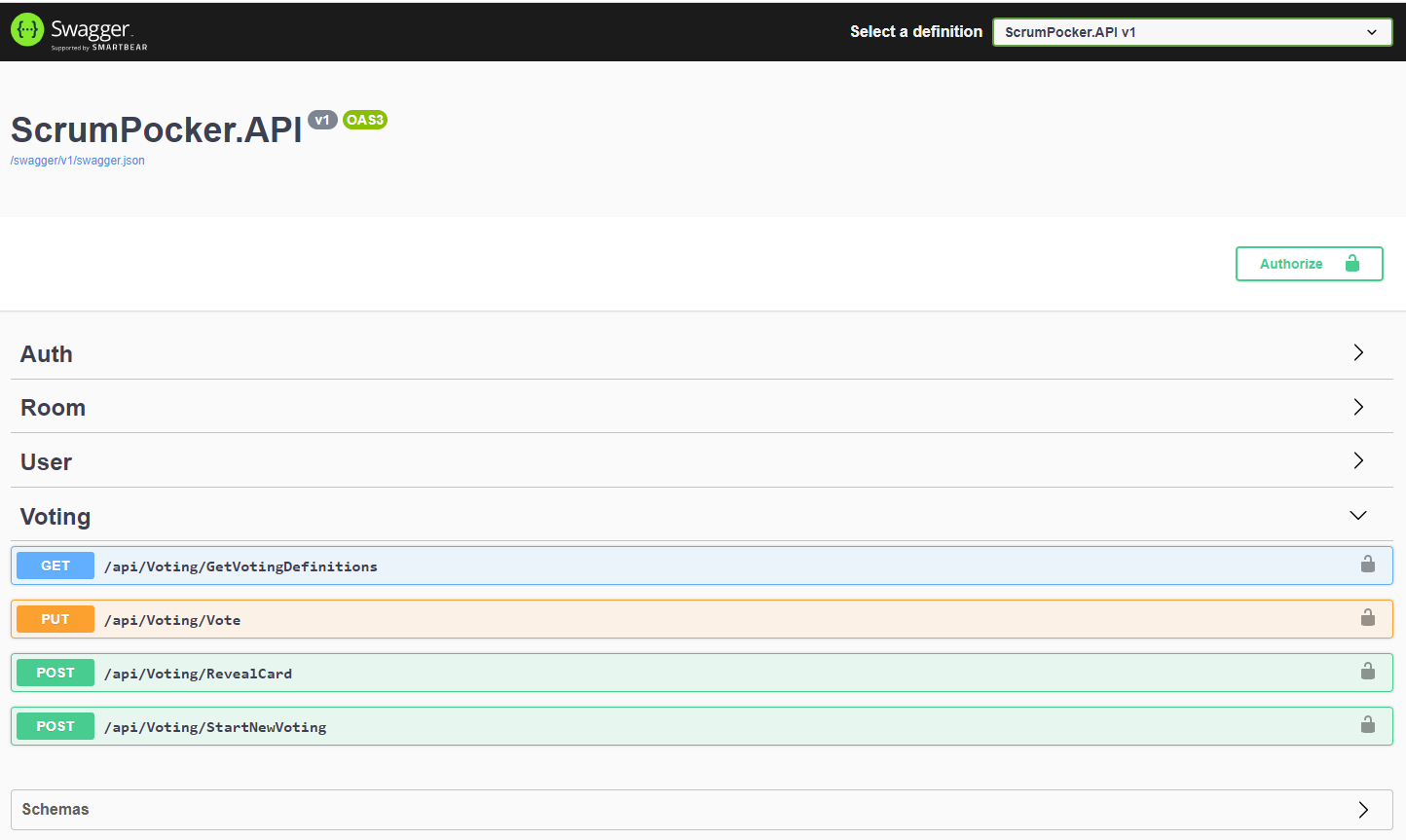
This API project build for a real time scrum poker application.
- You can create a user
- You can use without registration
- You can list the rooms
- You can join the room
- You can create a room
- You can rate
- You can see the room detail
This section should list any major frameworks/libraries used to bootstrap your project. Leave any add-ons/plugins for the acknowledgements section. Here are a few examples.
To get a local copy up and running follow these simple example steps.
This is an example of how to list things you need to use the software and how to install them.
- Visual Studio
- Docker
- npm
npm install npm@latest -g
- Postman
- Clone the repo
git clone https://github.com/adildeveci/ScrumPocker.git
- Build
dotnet build
- Run
dotnet run
You can use postman for api call. Or you can send a request directly SwaggerUI.
-
Firs create a ClientToken
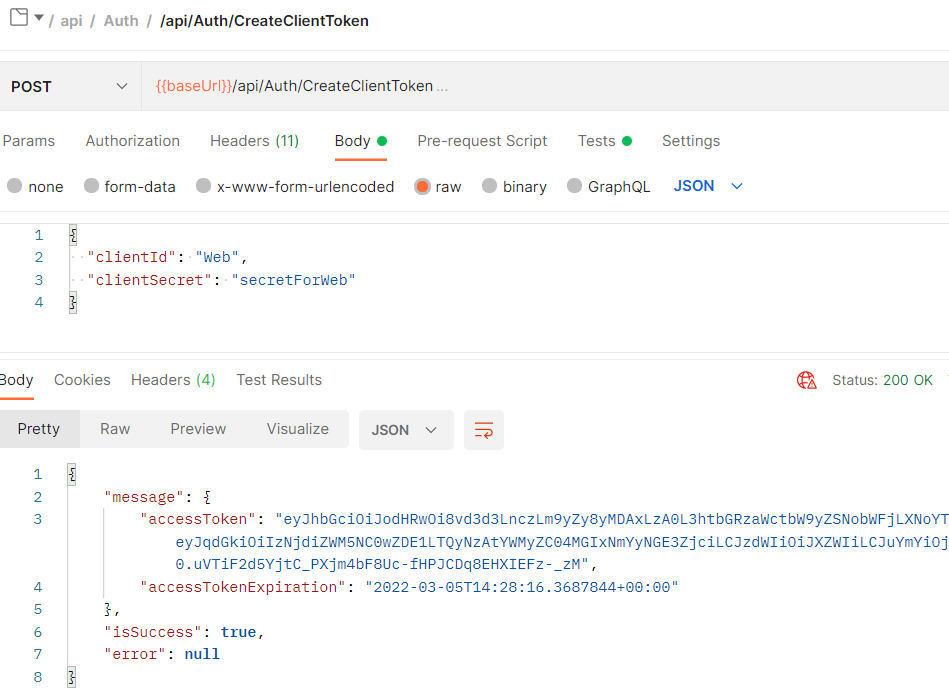
-
Create an user token for room and other process with client token
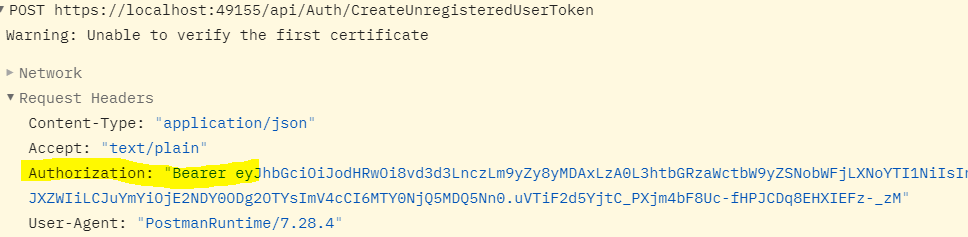
-
Save user token with other request, and use it until expires
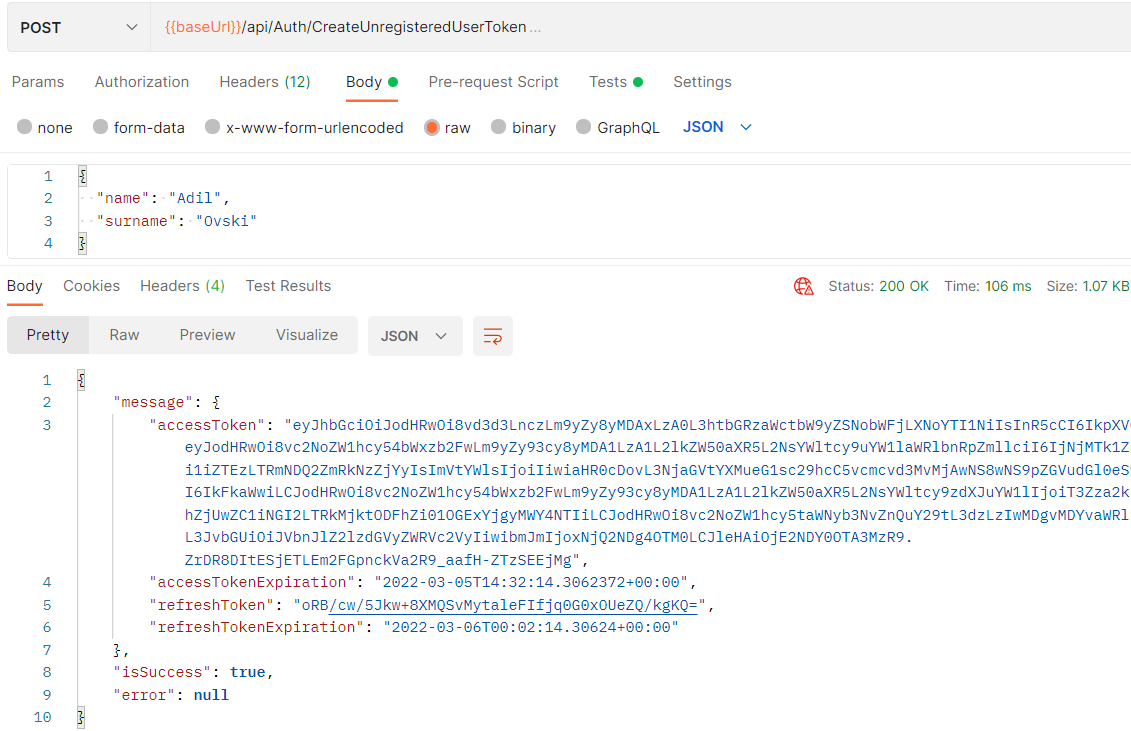
-
If user token was expired then you can generate a new user token with refresh token
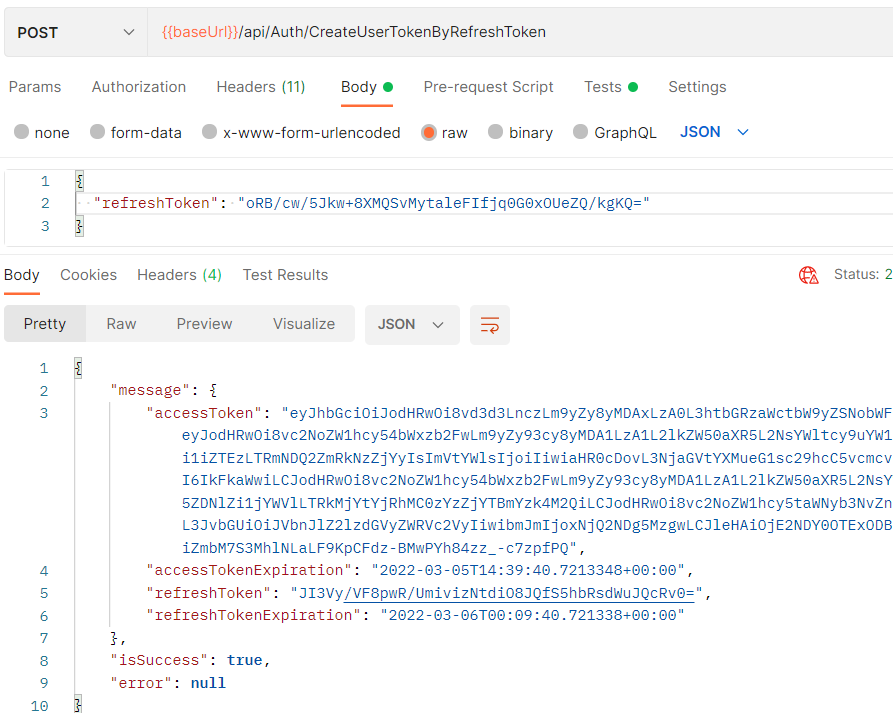
-
You can create a room with an user token.
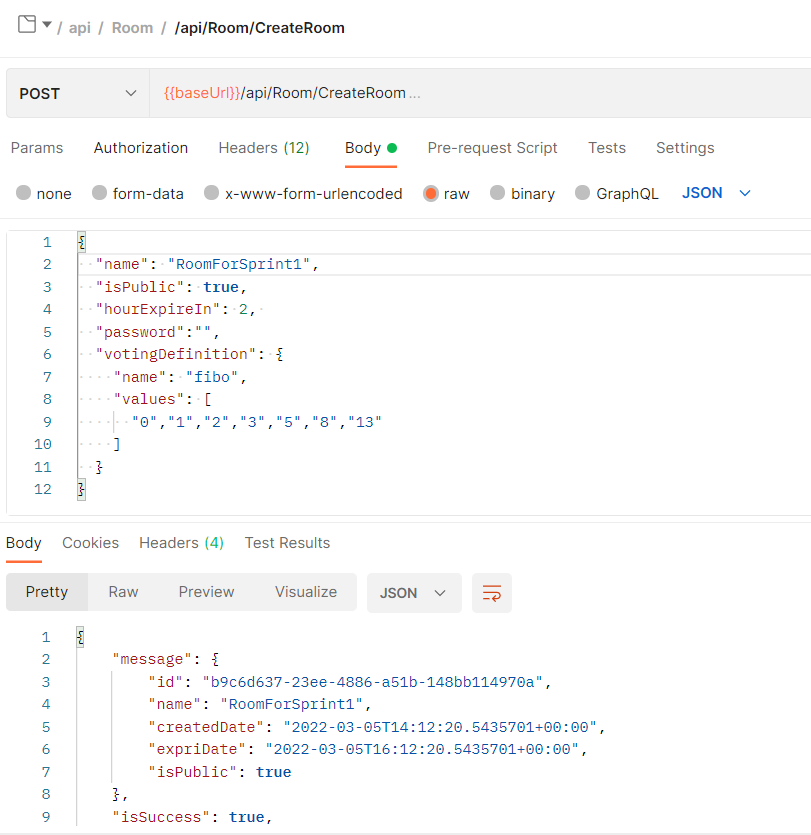
-
Some method requires a user token. Some method working with client token. But you can call all method with user token.
- Generate Api Project
- Use Swagger
- Use BaseReponse model
- Handle exception to BaseResponse
- Handle validation exception to BaseRepsonse
- Auth methods
- Role based auth
- SignalR Hub methods
- Db entegrations
- CI/CD pipelines
- UI integration
- Web
- Mobile
See the open issues for a full list of proposed features (and known).
Contributions are what make the open source community such an amazing place to learn, inspire, and create. Any contributions you make are greatly appreciated.
If you have a suggestion that would make this better, please fork the repo and create a pull request. You can also simply open an issue with the tag "enhancement". Don't forget to give the project a star! Thanks again!
- Fork the Project
- Create your Feature Branch (
git checkout -b feature/AmazingFeature) - Commit your Changes (
git commit -m 'Add some AmazingFeature') - Push to the Branch (
git push origin feature/AmazingFeature) - Open a Pull Request
Distributed under the MIT License. See LICENSE.txt for more information.
Adil Deveci - LinkedIn - adildeveci@hotmail.com
Project Link: https://github.com/adildeveci/ScrumPocker