

⚡ Now with HTML Support! Easily send rich HTML emails with full styling support directly from your Flutter app.
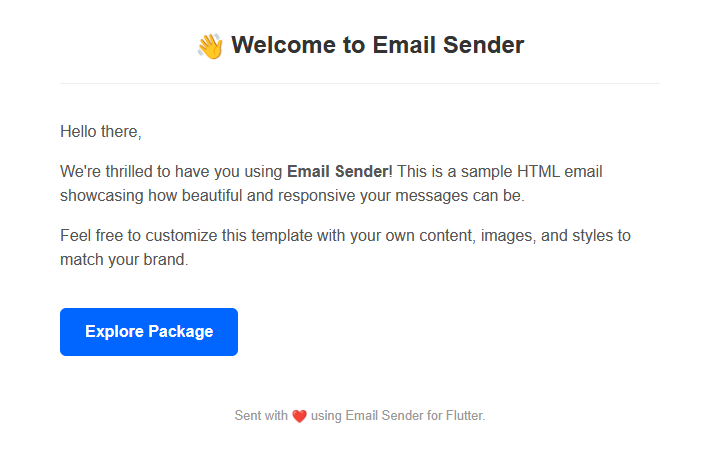


This is how your HTML email could look!
Email Sender is a powerful and lightweight Flutter package for integrating email functionality directly into your app. Whether it's sending basic emails, OTPs for verification, or beautifully formatted HTML messages — this package has you covered.
Add the package using the Flutter CLI:
flutter pub add email_senderOr manually add it to your pubspec.yaml:
dependencies:
  email_sender: ^2.0.1
Then run:
flutter pub get- ✅ Send plain emails
- 🔐 OTP-based email verification
- 📝 Custom messages (title, subject, body)
- 💡 Directly send raw HTML strings
- 📄 Send HTML templates (prebuilt or custom)
- 🔑 Use your own email credentials (e.g., Gmail App Password)
- 🛠️ Developer-friendly API with helper methods
EmailSender emailsender = EmailSender();var response = await emailsender.send("toemail@gmail.com");
print(response["message"]);var response = await emailsender.sendOtp("toemail@gmail.com", 123456);var response = await emailsender.sendMessage(
"toemail@gmail.com",
"Your Title",
"Your Subject",
"Your message body here",
);var response = await emailsender.sendHtml(
"toemail@gmail.com",
"<h1>Welcome!</h1><p>This is an HTML email.</p>",
);EmailSender htmlSender = EmailSender(
"fromemail@gmail.com",
"passkey",
"toemail@gmail.com",
"Template Title",
"Template Subject",
"<h1>HTML Body from Template</h1>"
);
var response = await htmlSender.customMessage();If you're using Gmail, generate an app password to send emails securely.
👉 Generate App Password
Shaik Afrid
🔗 Portfolio