Glossary Pal is a website for creating and reviewing glossary lists in order for users to learn new languages, with built-in translation using the Google Translate API. We recommend that you do not save any sensitive information on this site as it is currently in early stages of development. Try it out on https://glossary-pal.web.app.
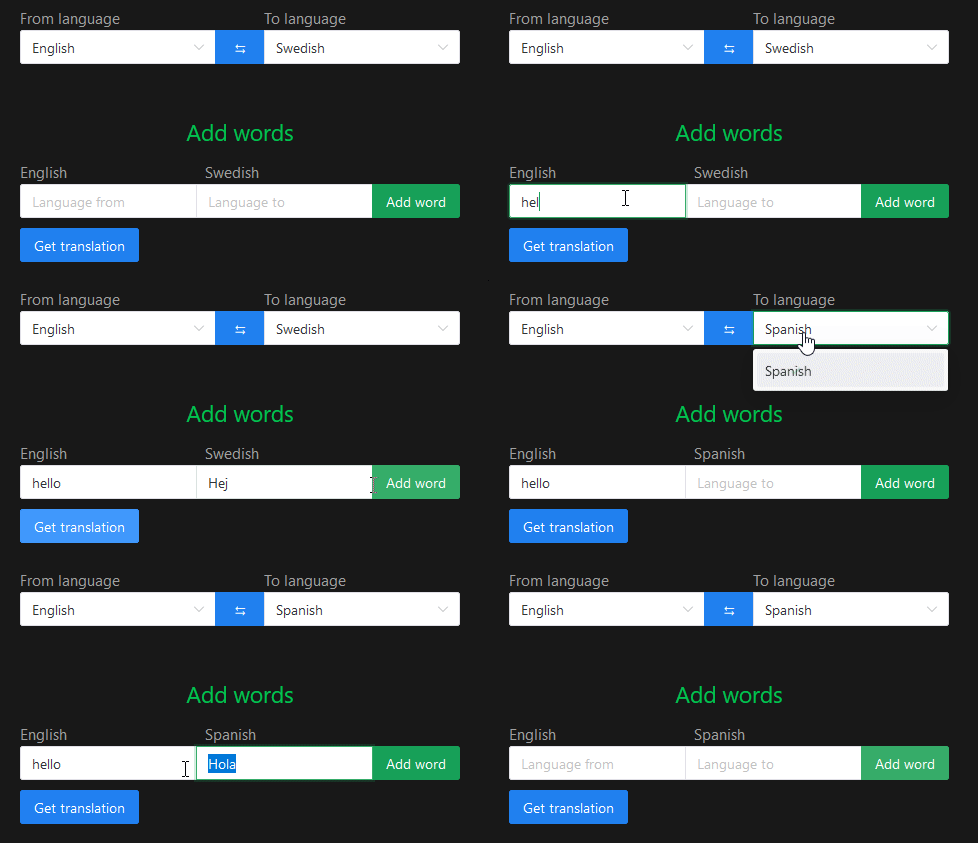
The webpage can suggest translations during the creation of glossary lists, which is possible through calls to the Google Translate API. See an example below.
The src folder contains the main structure: assets, router, presenters, and views. Core files like App.vue and main.js serve as the application’s entry point and main framework.
GlossaryModel.js and Deck.js define the data models, while utility scripts (apiCalls.js, resolvePromise.js, langCodesMap.js) support presenter logic. The router’s index.js configures application routes.
Presenters (HomePresenter, CreateDeckPresenter, ReviewDeckPresenter, PostReviewViewPresenter) handle most business logic, managing one or more views. Views primarily define UI components, except for promiseNoData.vue, which shows loading and error states during async operations.
npm installnpm run devnpm run buildFirst setup firebase integration through https://firebase.google.com/. This includes running firebase init. Then compile and minifiy for production (see above). Finally, run the following command.
firebase deployThe website will now be live. The URL we have used is https://glossary-pal.web.app.
Lint with ESLint
npm run lint