

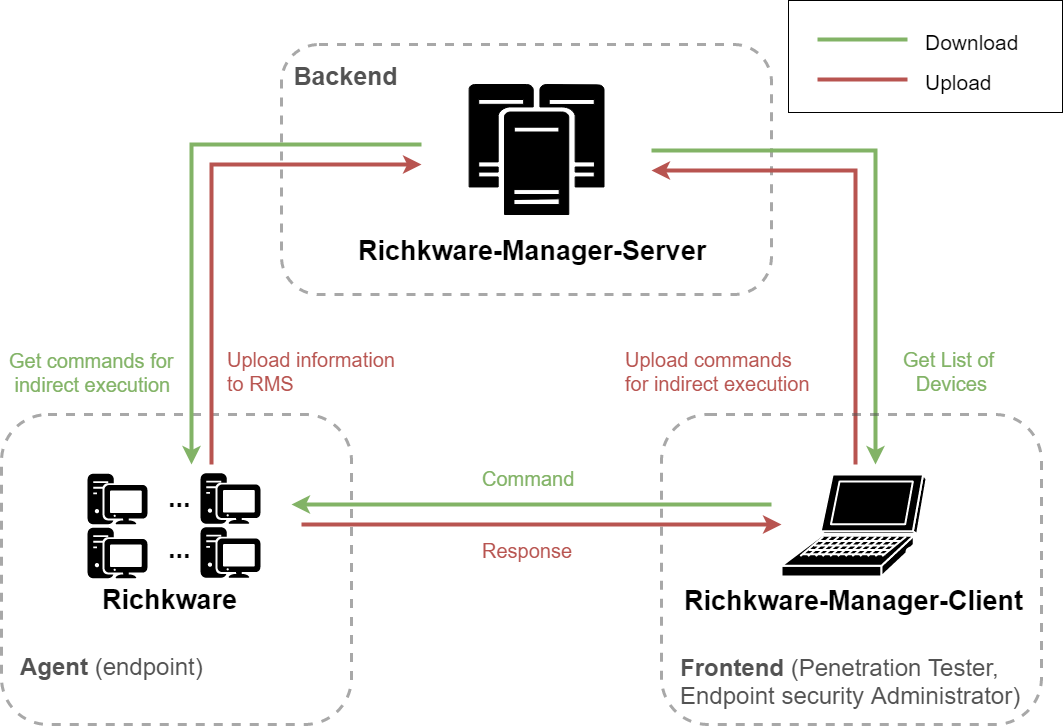
Richkware-Manager-Server (RMS) is a management service for hosts infected with malware built using the Richkware framework. It acts as a Command and Control (C2) server.
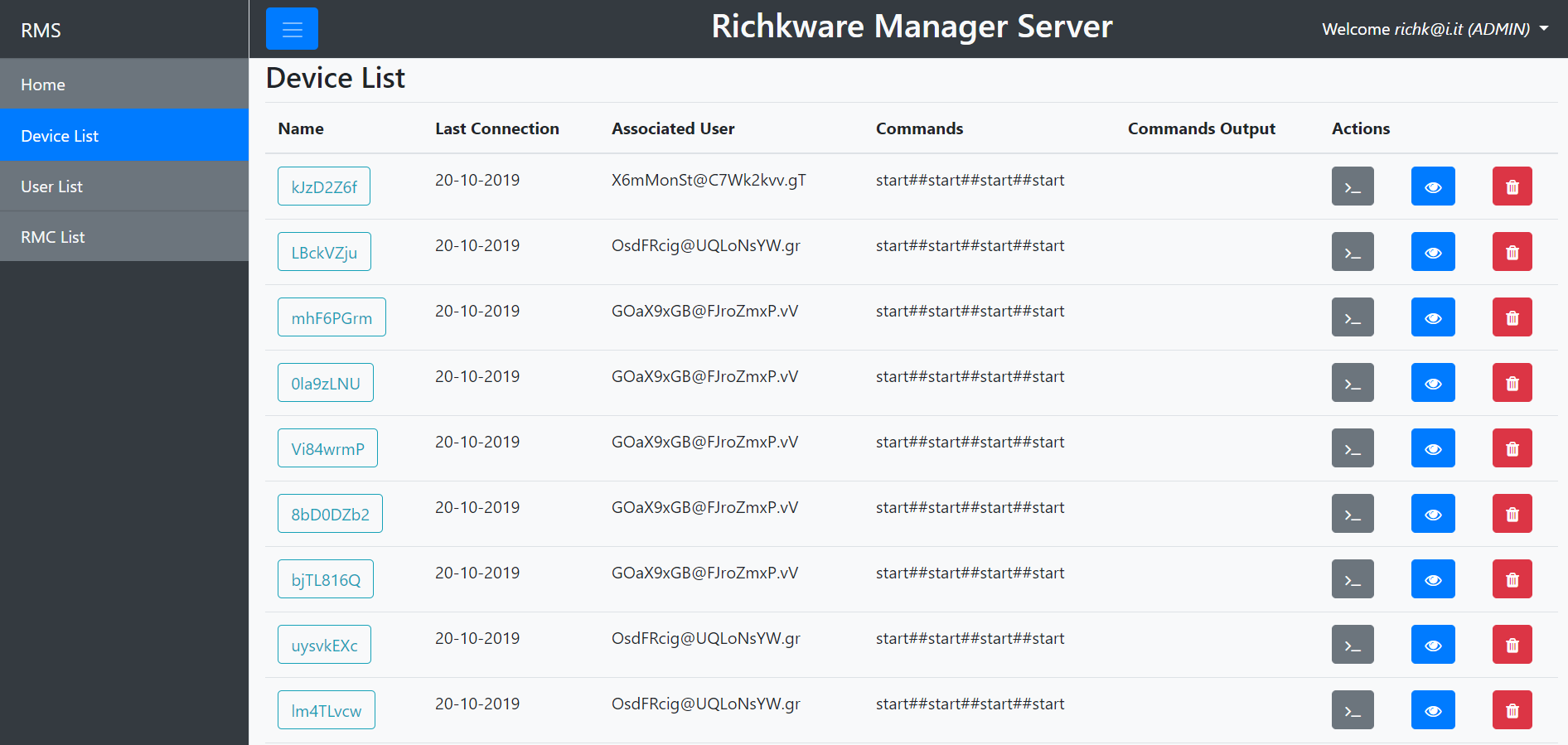
RMS follows REST principles. The table below outlines the HTTP methods implemented for each resource:
| Component | GET | POST | PUT | DELETE |
|---|---|---|---|---|
device |
x | x | x | |
user |
x | x | ||
devices |
x | x | ||
users |
x | |||
encryptionKey |
x |
- Richkware: The C++ framework for building the malware agents.
- Richkware-Manager-Client: A client application that connects to RMS to view infected hosts and send commands.
- Java 17 or higher
- Maven
- Docker (Recommended) or Tomcat 9+ and MySQL 8.0+
IMPORTANT: Never use default credentials in production!
- Copy
.env.exampleto.env - Set strong passwords and encryption keys:
DB_PASSWORD=YourStrongPassword123!
ENCRYPTION_KEY=YourSecure32CharEncryptionKey!
The easiest way to build and deploy RMS is using Docker:
-
Configure environment variables:
cp .env.example .env # Edit .env with your secure credentials -
Build the project:
mvn package
-
Run with Docker Compose:
docker-compose up -d
-
Access RMS: Open http://localhost:8080/Richkware-Manager-Server/ in your browser.
-
Configure the Application: Edit
/src/main/resources/configuration.properties:database.url: JDBC URL of the database (default:jdbc:mysql://db:3306/)database.username: Database username (default:root)database.password: Database password (default:richk)encryptionkey: Key used to encrypt messages exchanged with Richkware and RMC (default:richktest). Important: If you change this, you must update the configuration in the malware and client as well.
-
Deploy: Copy the generated WAR file to the
webappsdirectory of your Tomcat server. -
Set environment variables (required):
export DB_HOST=localhost
export DB_PASSWORD=YourSecurePassword
export ENCRYPTION_KEY=YourSecureKey
This project is developed using IntelliJ IDEA.

Open Source License provided by JetBrains.