Create multiple windows application
With Eru you can create Human Machine Interfaces based in multiple displays. To be able to navigate in displays you will need a Display Navigator. Display Navigator is a Eru component located in the Graphic Editor based on the classic JavaFX Button but with a special field called: Display Name.
So, to be able to open other display using the Navigator Button you need to configure it using the desired display name in the Display Name field of this button.
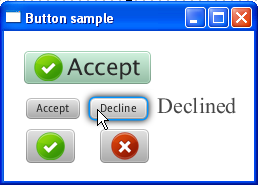
The Button class is an extension of the Labeled class. It can display text, an image, or both. The next picture shows buttons with various effects: