A Video Streaming App build with Angular.
Check demo here !!
- Angular Material UI component library
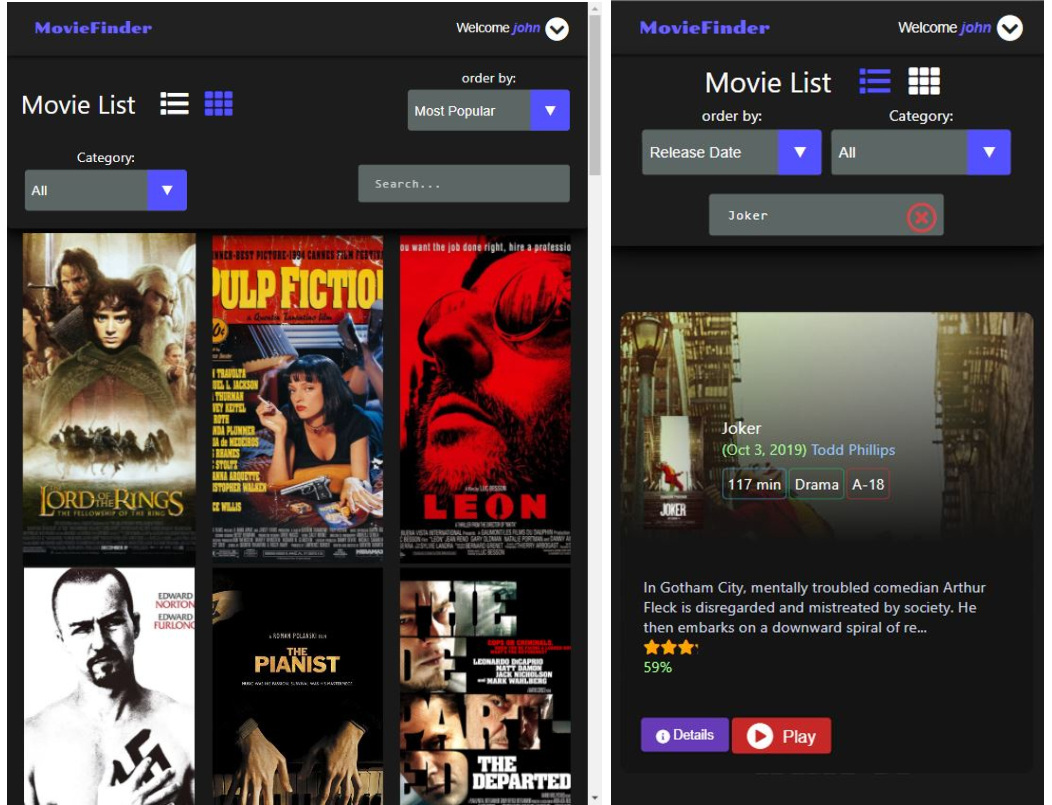
- Responsive Design
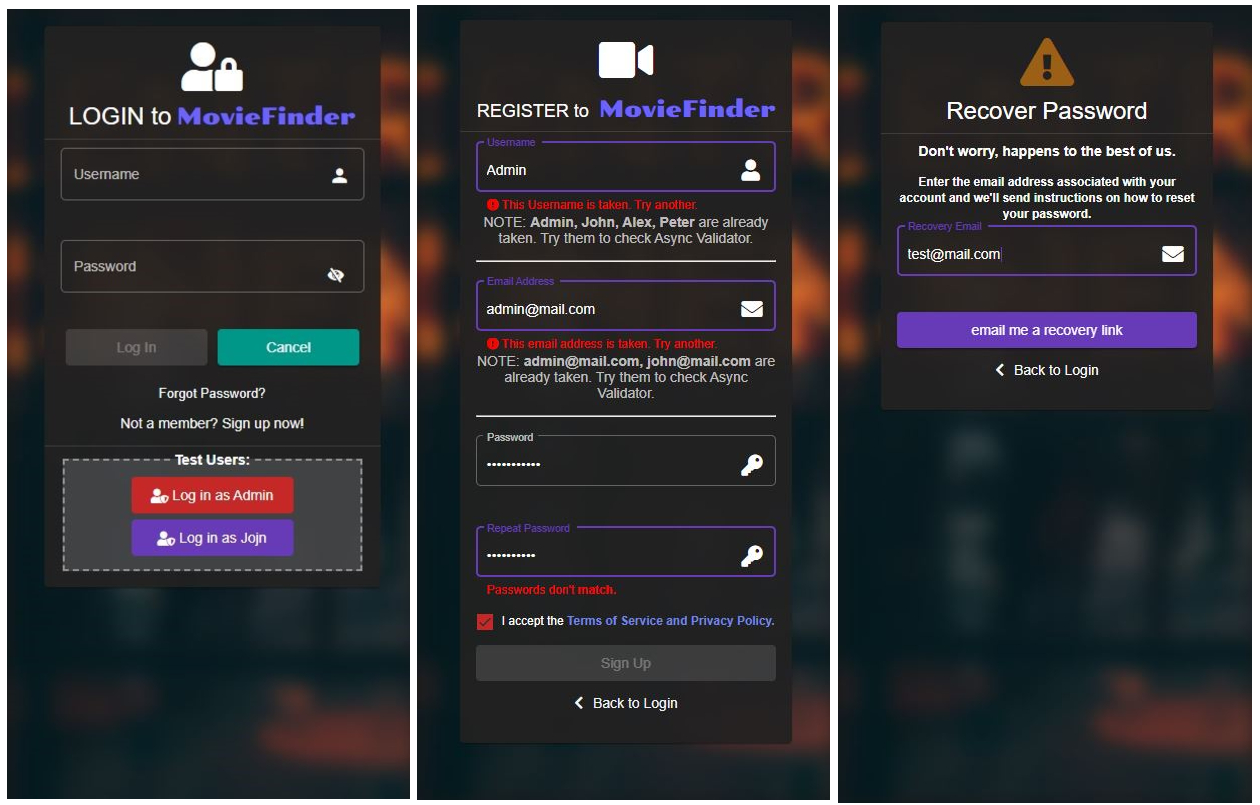
- Login/Register/Forgot-password Page
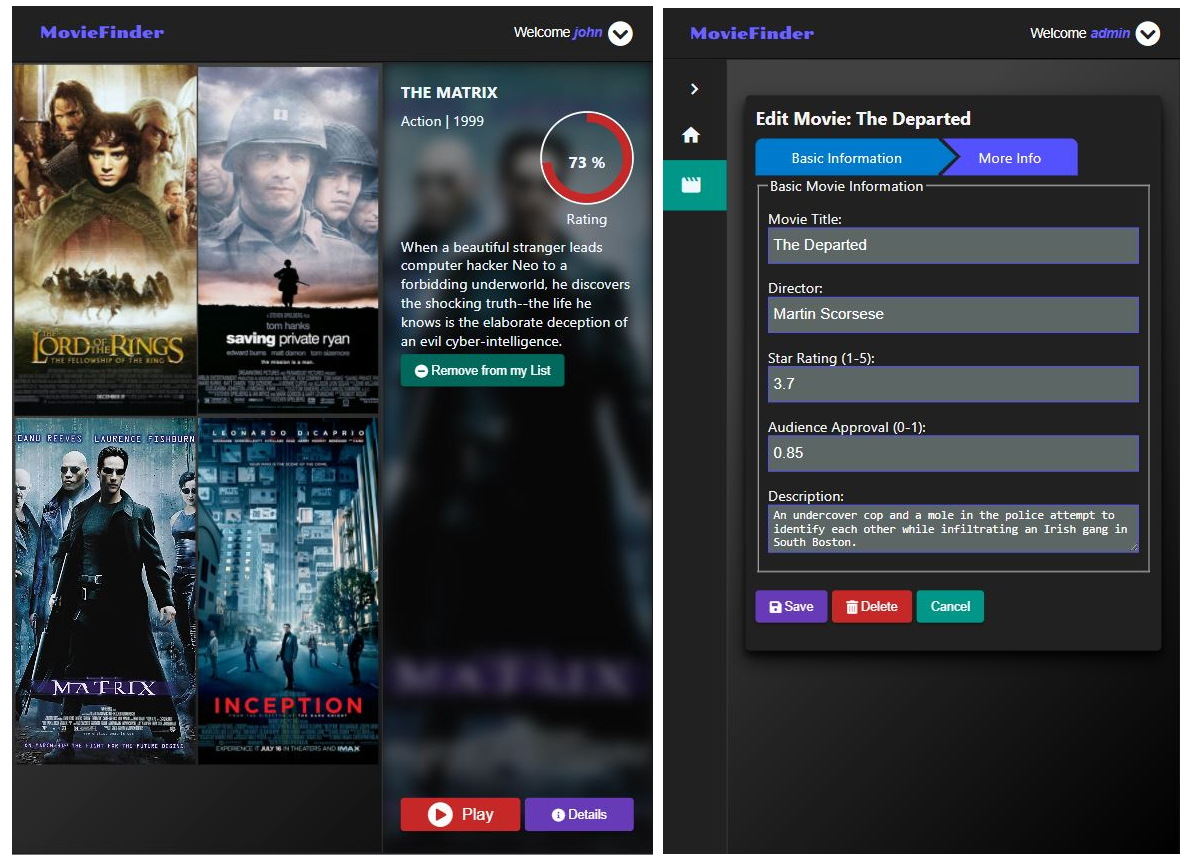
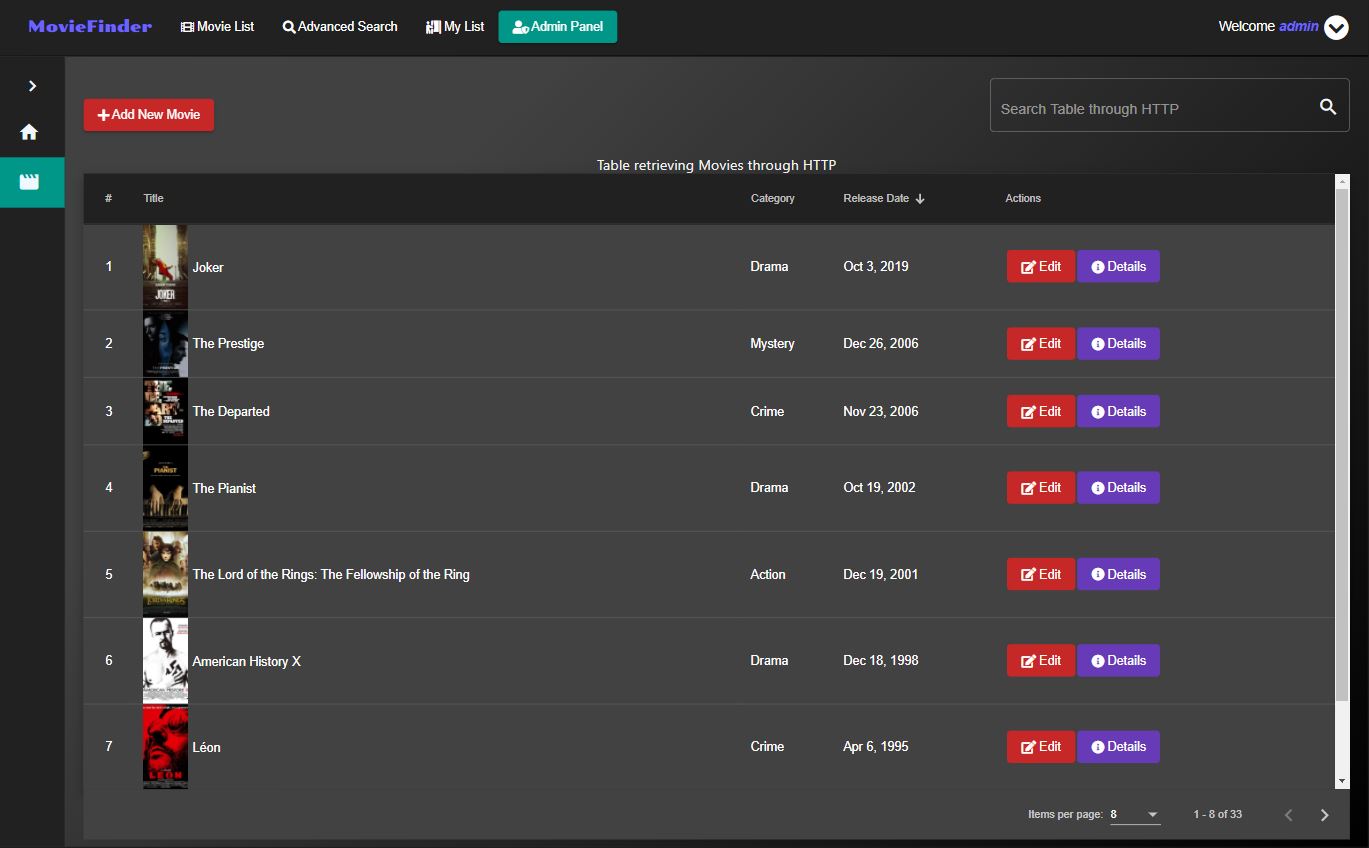
- Add/Delete/Edit Movies operations
- Movies List/Grid with searching/sorting/select-category functionality
- Add/Remove Movies to/from Watchlist
- Edit Movies Guard (navigate away prompt if component is dirty-contains unsaved work)
- Movie Routing Flow with Resolver
- Reactive Forms/Template-driven forms with Validation
- Async Form Validators (check for already existing username/email on register form)
- Custom Validators (for valid email, passwords matching)
- Custom Directives (for movie star rating)
- JWT Authentication with Refresh Tokens (with JWT Http-Token Interceptor)
- Role-based Authorization Route Guards (support for regular users & admin users)
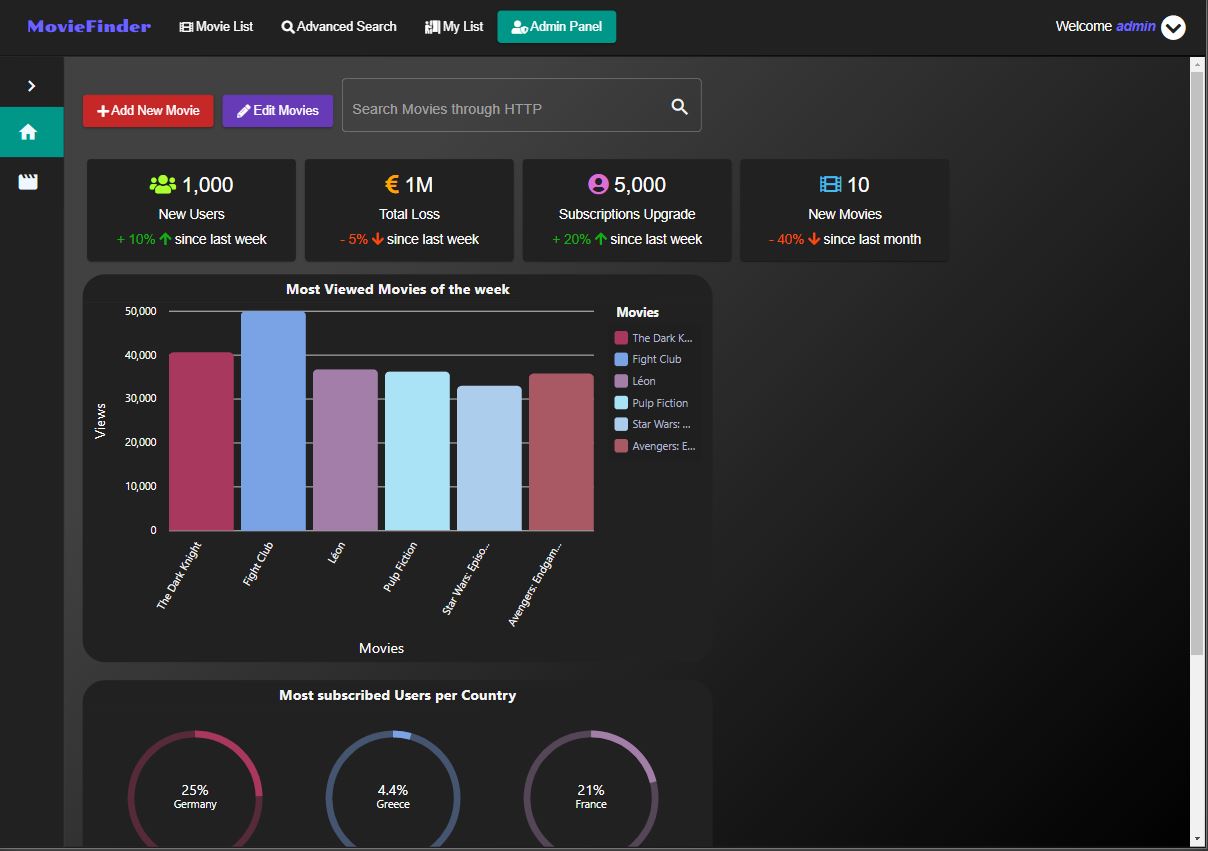
- Admin Panel with ngx-charts (link)
- Admin Table retrieving/searching Movies through HTTP
- Data Composition with RxJS
- Embedded YouTube player using the IFrame Player API
- Business logic with Services for reusability and maintainability
- Modular design - Lazy-Loading Modules (Dividing the application into Core, Shared & Feature Modules)
- Unidirectional data flow with Container and Presentation components pattern
- Mock Server with Angular in-memory-web-api to emulate CRUD operations over a RESTy API
Run ng serve for a dev server. Navigate to http://localhost:4200/. The app will automatically reload if you change any of the source files.
Run ng generate component component-name to generate a new component. You can also use ng generate directive|pipe|service|class|guard|interface|enum|module.
Run ng build to build the project. The build artifacts will be stored in the dist/ directory. Use the --prod flag for a production build.
To get more help on the Angular CLI use ng help or go check out the Angular CLI README.