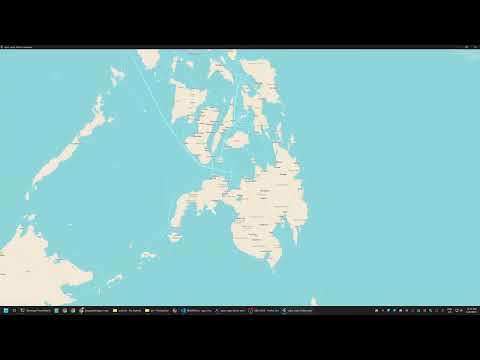
This repository is a showcase of the agus_maps_flutter plugin.
- Plugin repo: https://github.com/agus-works/agus-maps-flutter
- Pub.dev: https://pub.dev/packages/agus_maps_flutter/versions
Clone via SSH or browse the GitHub repo:
- git@github.com:bangonkali/agus-maps-flutter-example.git
- https://github.com/bangonkali/agus-maps-flutter-example
Download the latest SDK release from:
- https://github.com/agus-works/agus-maps-flutter
- Example release: https://github.com/agus-works/agus-maps-flutter/releases/tag/v0.1.23
The exact file to download is:
- agus-maps-sdk-v0.1.23.zip
Unzip it to a local directory on the build machine.
Set the SDK path before running the app:
- macOS/Linux:
export AGUS_MAPS_HOME=/path/to/agus-maps-sdk-v0.1.23- Windows (PowerShell 7 example):
$env:AGUS_MAPS_HOME="$env:USERPROFILE\Desktop\Projects\agus-maps-sdk-v0.1.23"Ensure Flutter is installed and your target device is available, then run:
- Windows 11 (PowerShell 7):
# Android Device where RF8M20SAQSL is the Android Device ID
$env:AGUS_MAPS_HOME="$env:USERPROFILE\Desktop\Projects\agus-maps-sdk-v0.1.23"; flutter run -d RF8M20SAQSL --release 2>&1 | Tee-Object -FilePath output.log

# Windows Device
$env:AGUS_MAPS_HOME="$env:USERPROFILE\Desktop\Projects\agus-maps-sdk-v0.1.23"; flutter run -d win --release 2>&1 | Tee-Object -FilePath output.log- macOS/Linux:
export AGUS_MAPS_HOME=/path/to/agus-maps-sdk-v0.1.23
flutter run --releaseIf Android Studio is installed at the default path, run:
start "C:\Program Files\Android\Android Studio\bin\studio64.exe" "$env:USERPROFILE\Desktop\Projects\agus-maps-flutter-example\android"