

Report a Bug · Request a Feature
|
WordServe is a minimalistic and high performance prefix completion library with a server executable written in Go. Its designed to provide auto-completion for various clients, especially those using MessagePack as a serialization format. So many tools and apps I use on daily basis do not offer any form of word completion, AI/NLP driven or otherwise, there are times when I need to quickly find a word or phrase that I know exists in my vocabulary, but I have no idea how to spell it or don't feel like typing for that long. Why not make my own tool that can power any TS/JS/etc clients with a completion server? Think of this as a elementary nvim-cmp or vscode Intellisense daemon, but for any plugin/app that can use a MessagePack client. (which is super easy to implement and use compared to JSON parsing btw, in fact, about 411% improvement in speed and 40% reduction in payload sizes)
|
- Go 1.22 or later
- Luajit 2.1 (only for dictionary build scripts)
- A simple
words.txtfile for building the dictionary with most used words and their corresponding frequencies -- see dictionary for more info
- A simple
using go install (Recommended):
go install github.com/bastiangx/wordserve/cmd/wordserve@latestuse go get to add wordserve as a dependency in your project:
go get github.com/bastiangx/wordserveand then import it in your code:
import "github.com/bastiangx/wordserve/pkg/suggest"Download the latest precompiled binaries from the releases page.
wordserveautomatically downloads and initializes the needed dictionary files from GitHub releases- The dictionary files (
dict_*.bin) are packaged indata.zipand the word list (words.txt) is available as a separate download - If automatic download fails, you can manually download
data.zipandwords.txtfrom the releases page and extract them to thedata/directory
If you're not sure, use 'go install'.
You can also clone via git and build the old fashioned way:
git clone https://github.com/bastiangx/wordserve.git
cd wordserve
# -w -s strips debug info & symbols | alias wserve
go build -ldflags="-w -s" -o wserve ./cmd/wordserve/main.go
The build process for the dict files is handled by the wordserve binary, If you encounter any issues, you can manually run the build script located in scripts/build-data.lua using LuaJIT.
Make sure the
data/directory exists and has thewords.txtfile in it before running this.
luajit scripts/build-data.lua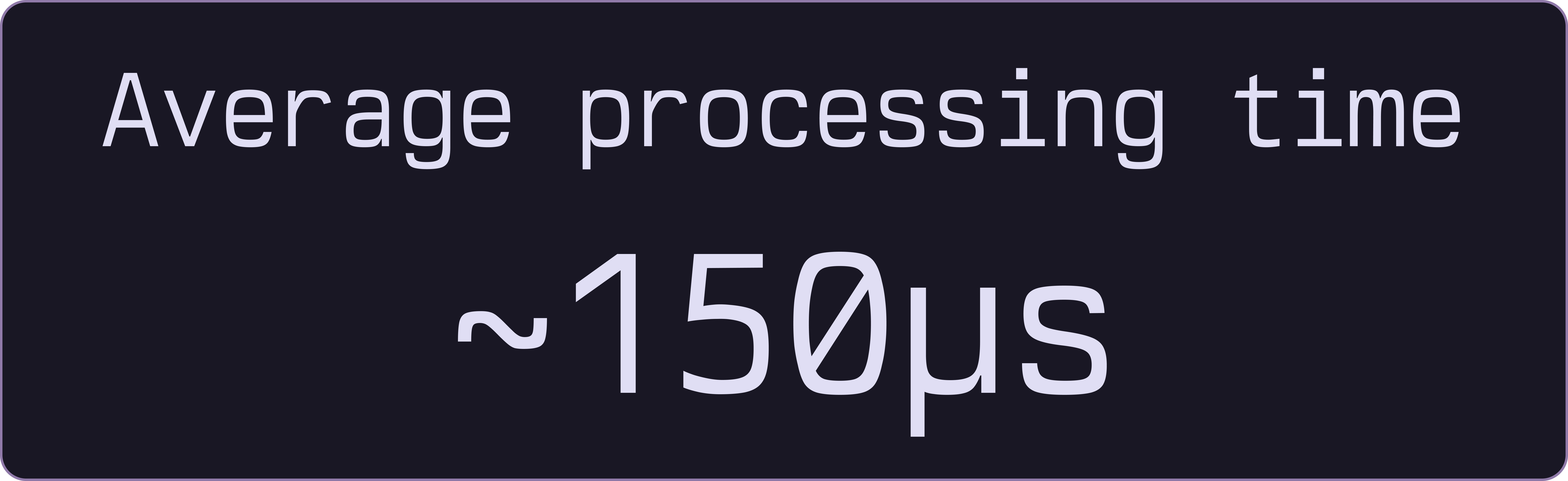
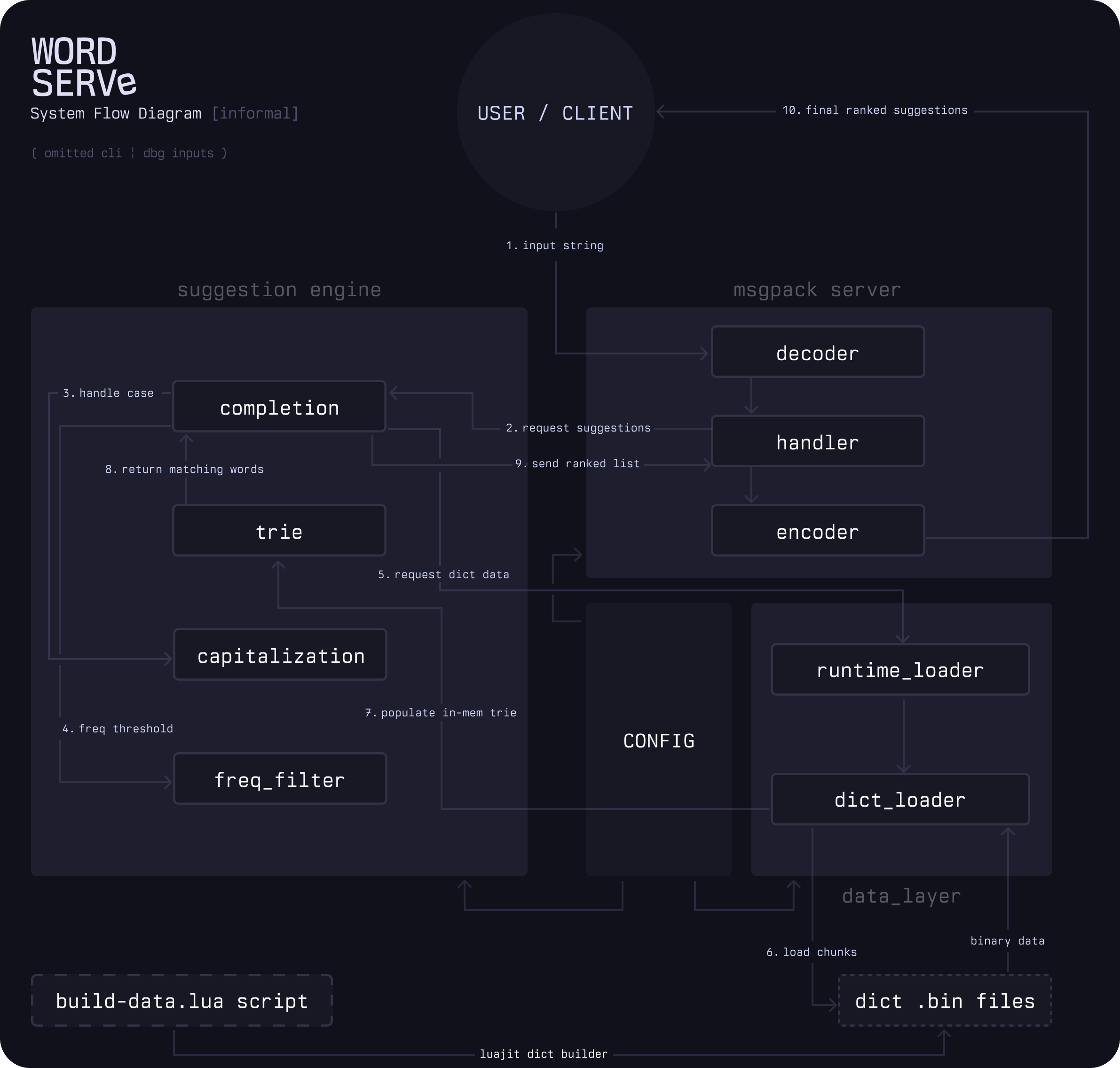
WordServe returns suggestions in batches using a radix trie. Memory pools handle rapid queries without triggering garbage collection.
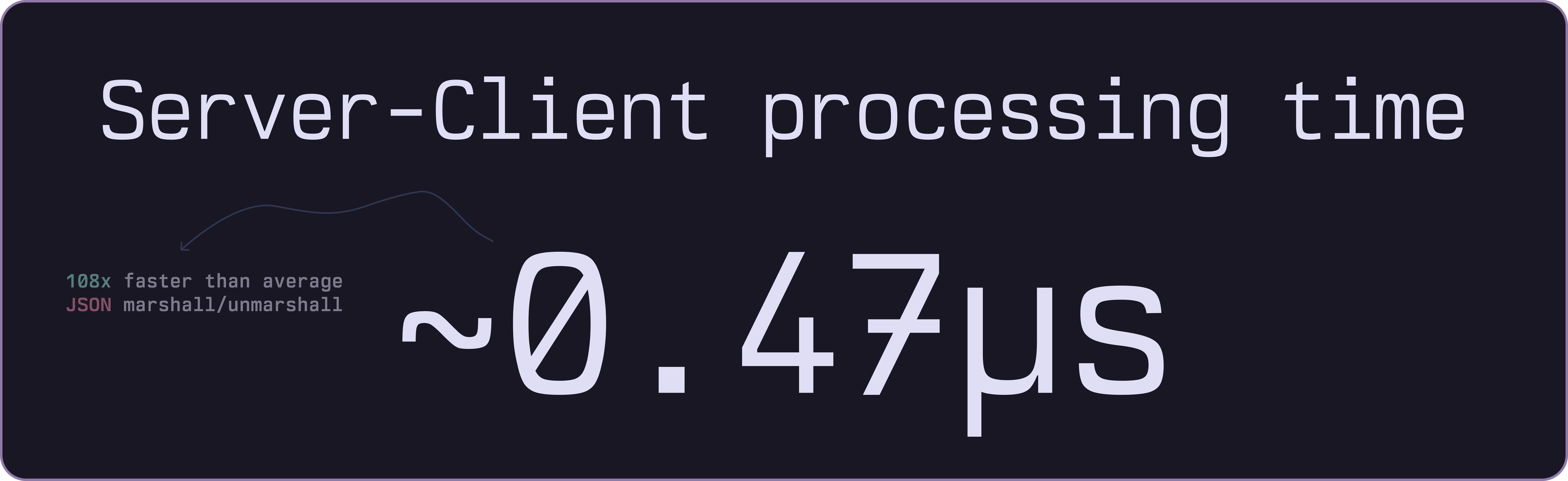
The IPC server communicates through stdin/stdout channels with minimal protocol overhead.
- Goroutines handle multiple client connections simultaneously.

It just works!
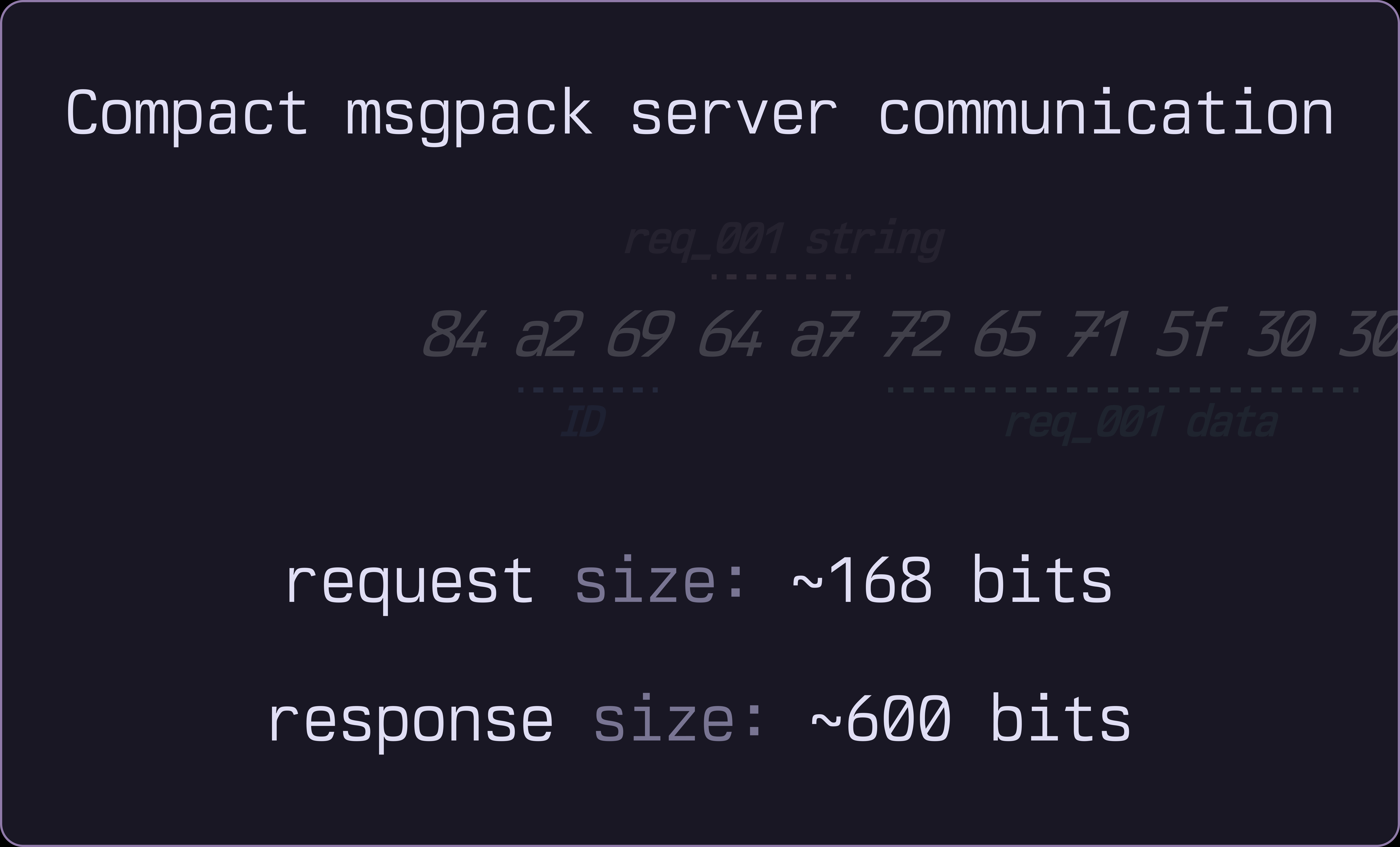
Binary MessagePack encoding keeps request and response payloads as small as possible.
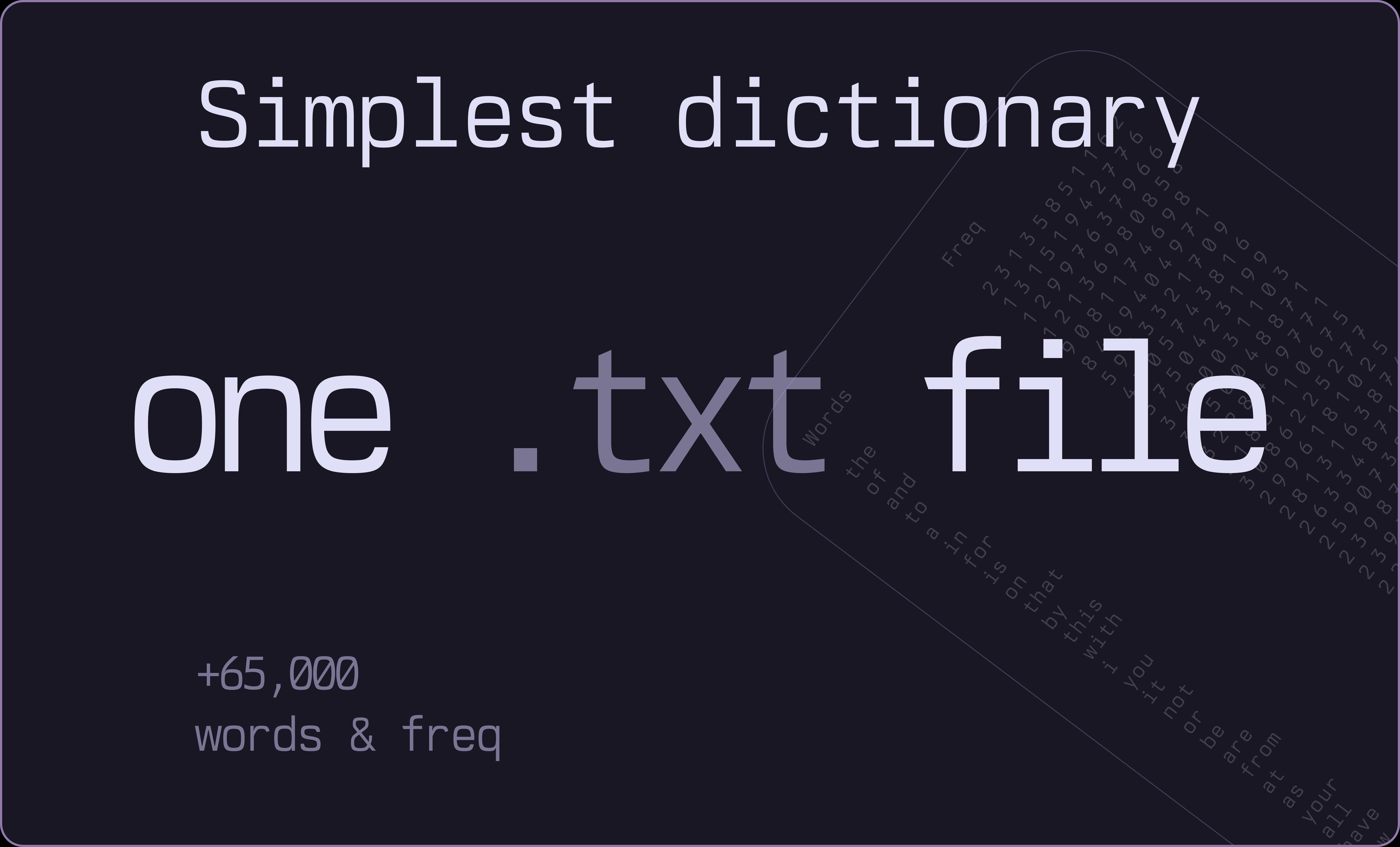
Start with a simple words.txt file containing 65,000+ entries.
- WordServe chunks the dictionary into binary trie files and loads only what's needed, dynamically managing memory based on usage patterns.

WordServe's memory usage remains low even with large dictionaries, typically around 20MB for 50,000 words default. Even after expanding many nodes and normal usage for few hours, it stays under 60MB and has checks to shrink periodically.
As this is the early version and Beta, there are many features that are yet not implemented
- simple fuzzy matching
- string searching algo (haystack-needle)
- integrated spelling correction (aspell)
- support conventional dict formats like
.dict
Will monitor the issues and usage to see if enough people are interested.
you can run wordserve as a dependency in your Go project, a standalone IPC server.
A simple CLI is also provided for testing and debugging.
The library provides simple to use API for prefix completion requests and dictionary management.
Read all about using them in the API doc
More comprehensive and verbose Go Package docs
completer := suggest.NewLazyCompleter("./data", 10000, 50000)

if err := completer.Initialize(); err != nil {
    log.Fatalf("Failed to initialize: %v", err)
}

suggestions := completer.Complete("amer", 10)
or for static check:
completer := suggest.NewCompleter()

completer.AddWord("example", 500)
completer.AddWord("excellent", 400)

suggestions := completer.Complete("ex", 5)
You can inspect the informal flow diagram on the core internals:
The Client doc gives some guide on how to use WordServe in your TS/JS app.
import { spawn, ChildProcess } from "child_process";
import { encode, decode } from "@msgpack/msgpack";

class WordServeClient {
  private process: ChildProcess;
  private requestId = 0;

  constructor(binaryPath: string = "wordserve") {
    this.process = spawn(binaryPath, [], {
      stdio: ["pipe", "pipe", "pipe"],
    });
  }

  async getCompletions(
    prefix: string,
    limit: number = 20,
  ): Promise<Suggestion[]> {
    const request = {
      id: `req_${++this.requestId}`,
      p: prefix,
      l: limit, // (optional)
    };

    const binaryRequest = encode(request);
    this.process.stdin!.write(binaryRequest);

    return new Promise((resolve, reject) => {
      this.process.stdout!.once("data", (data: Buffer) => {
        try {
          const response = decode(data) as CompletionResponse;
          const suggestions = response.s.map((s, index) => ({
            word: s.w,
            rank: s.r,
            frequency: 65536 - s.r, // Convert rank back to freq score
          }));
          resolve(suggestions);
        } catch (error) {
          reject(error);
        }
      });
    });
  }
}Learn how to use it in the CLI doc

wordserve [flags]| Flag | Description | Default Value |
|---|---|---|
| -version | Show current version | false |
| -config | Path to custom config.toml file | "" |
| -data | Directory containing the binary files | "data/" |
| -v | Toggle verbose mode | false |
| -c | Run CLI -- useful for testing and debugging | false |
| -limit | Number of suggestions to return | 10 |
| -prmin | Minimum Prefix length for suggestions (1 < n <= prmax) | 3 |
| -prmax | Maximum Prefix length for suggestions | 24 |
| -no-filter | Disable input filtering (DBG only) - shows all raw dictionary entries (numbers, symbols, etc) | false |
| -words | Maximum number of words to load (use 0 for all words) | 100,000 |
| -chunk | Number of words per chunk for lazy loading | 10,000 |
Read more about the dictionary design and how it works.
Refer to the config doc on how to manage server, send commands to it and change dictionary on runtime.
See the open issues for a list of proposed features (and known issues).
Contributions are welcome! Refer to the contributing guidelines
WordServe is licensed under the MIT license. Feel free to edit and distribute this library as you like.
See LICENSE
- The Beautiful Rosepine theme used for graphics and screenshots throughout the readme.
- The Incredible mono font, Berkeley Mono by U.S. Graphics used in screenshots, graphics, gifs and more.
