
Check out the actual website! try!
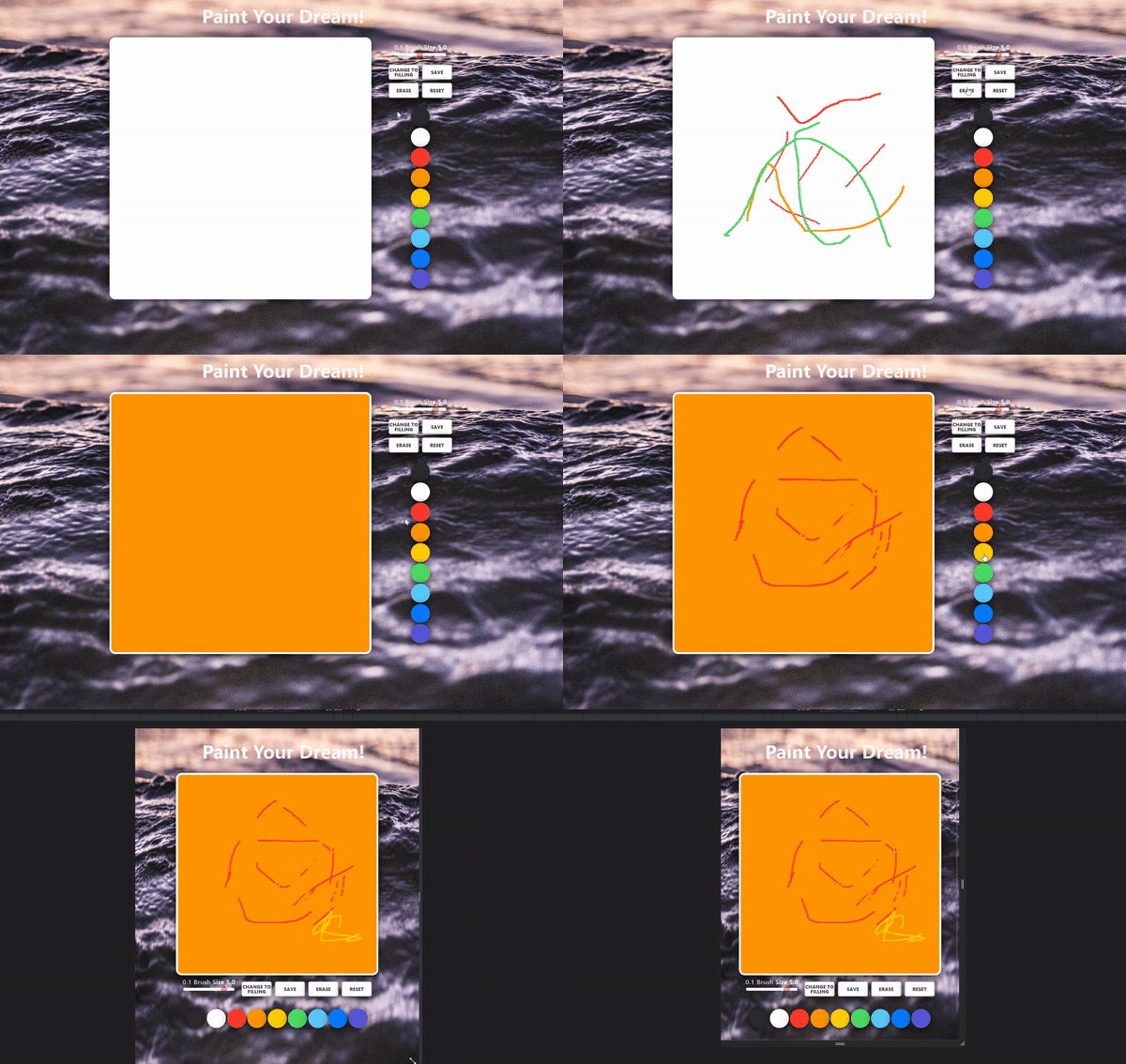


This clone is a mock-up of Window paint brush, made with MDN Canvas API. Main features are drawing, filling, erasing and reseting, all of which are interactive with the colors off of the buttons.
Javascript Canvas로 그림판을 구현했습니다. Canvas의 활용도는 무궁무진합니다. 아이패드와 같은 터치스크린에 터치펜슬로 필기에서 전자서명까지 쓰일 수 있습니다. MDN 공식 문서를 보며 마우스 이벤트와 터치 이벤트에 둘 다 반응하여 마우스로도, 터치로도 그릴 수 있게 구현했습니다.
- canvas API
(/app.js /)
canvas API 사용하기
const canvas = document.querySelector("#jsCanvas")
const ctx = canvas.getContext('2d')- mouse, touch 이벤트 & 이벤트 리스너
(/app.js /)
마우스 이벤트, 터치 이벤트
canvas.addEventListener('mousedown',startPainting) // 마우스 클릭했을 때, 마우스 이벤트 시작
canvas.addEventListener('mousemove',onMouseMove) // 마우스가 움직일 때, 클릭이 된 상태이든 아니든 실행됨
canvas.addEventListener('mouseup',stopPainting) // 마우스 클릭버튼에서 손 뗐을 때, 마우스 이벤트 종료
canvas.addEventListener('mouseleave',stopPainting) // 마우스가 이벤트 대상을 벗어났을 때, 마우스 이벤트 종료
canvas.addEventListener('click',handleCanvasClick) // 이벤트 대상이 클릭되었을 때, mousedown와는 용례가 다름. filling과 drawing 판별

canvas.addEventListener('contextmenu',handleCM) // 마우스 오른쪽 클릭했을 때 나오는 contextmenu

canvas.addEventListener("touchstart", handleTouchClick); // 터치 이벤트 시작
canvas.addEventListener('touchmove',handleTouchMove); // 터치된 상태로 움직일 때
canvas.addEventListener("touchend", handleTouchEnd); // 터치 이벤트 종료- mousemove, touchmove
(/app.js /)
마우스는 움직이지 않다가(mousemove) 클릭하고(mousedown) 그때부터 그리다가 떼면(mouseup) 끝난다. painting true/false 여부가 필요합니다.
터치는 움직이지 않으면 손가락을 아예 대지 않은 것이기에 painting true/false 여부에 관계없이 그린다.
// mousemove
function onMouseMove(event) {
    const x = event.offsetX;
    const y = event.offsetY;

    if (!painting) { // 클릭 안하고 움직일 때
        ctx.beginPath() // 마우스가 가는대로 path가 만들어진다
        ctx.moveTo(x,y) // 이동중인 (x,y)를 기억하는 역할
    } else { // 클릭하고 움직일 때
       ctx.lineTo(x,y) // 클릭하는 내내 시작점에서 (x,y)으로 Line을 따라가며
       ctx.stroke() // 그리기 시작
    }
}

// touchmove
// touch event에서는 offsetX, offsetY를 지원하지 않기 때문에 따로 calibration이 필요하다
function handleTouchMove(event) {
    event.preventDefault();
    const touches = event.changedTouches;

    const totalScreenWidth = document.querySelector('body').offsetWidth ;
    const totalCanvasSectionWidth = document.querySelector('.paint-box').offsetWidth ;
    const marginOnLeftSide = (totalScreenWidth - totalCanvasSectionWidth) / 2;

    const totalScreenHeight = document.querySelector('body').offsetHeight ;
    const totalCanvasSectionHeight = document.querySelector('.paint-box').offsetHeight
    const marginOnTopSide = totalScreenHeight - totalCanvasSectionHeight

    if (!filling) {
        ctx.lineTo(touches[0].pageX-marginOnLeftSide , touches[0].pageY - marginOnTopSide);
        ctx.stroke();
    }
}