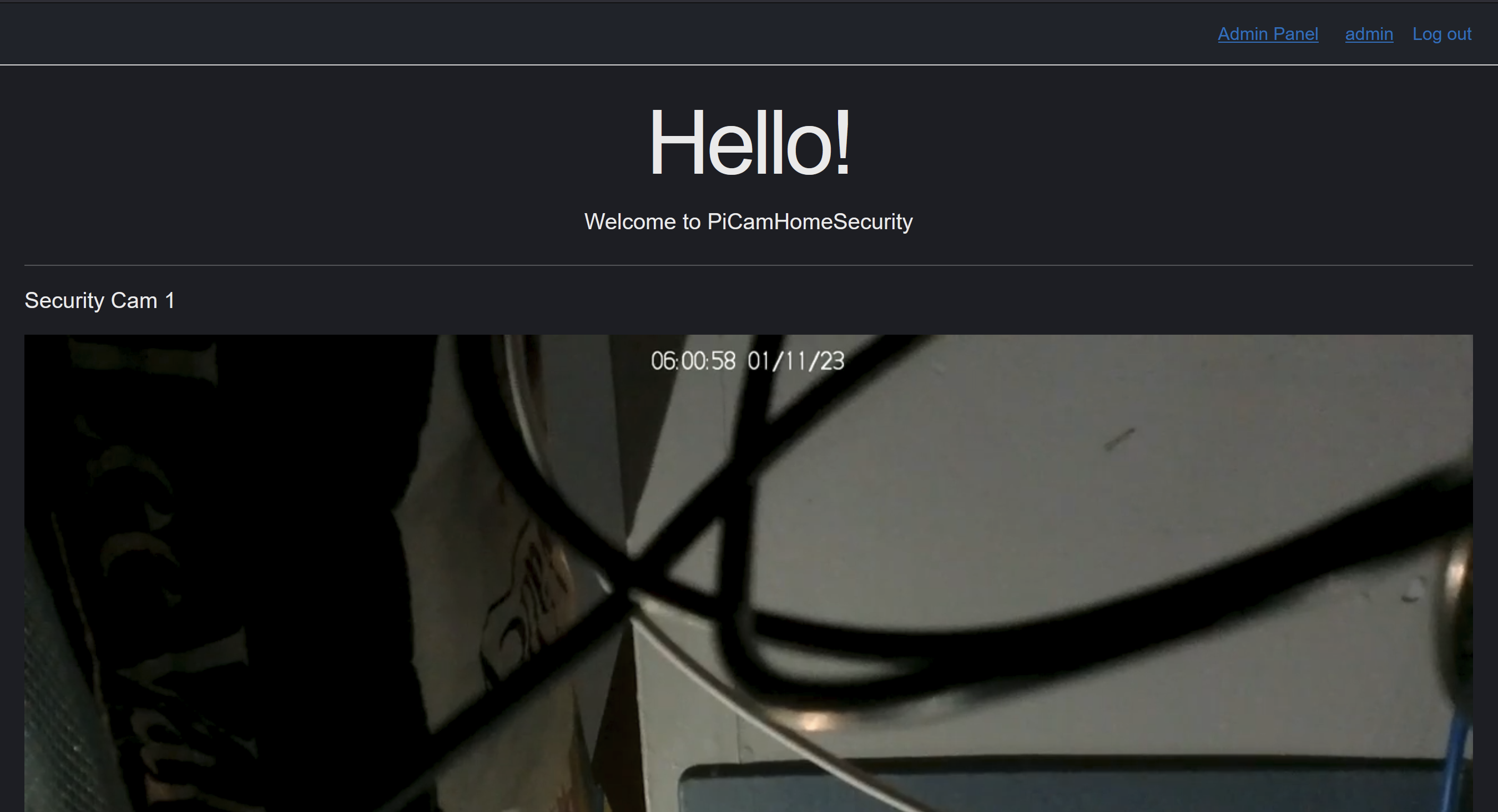
This is an example system for running a security network with raspberry pi cameras with a linux server backend. Each camera (/Cameras/) runs a script to save high quality local footage, and, if applicable, transmit the video stream via ffmpeg to the linux backend.
The linux backend runs a docker script to create a secured blazor website with user accounts where you can view the camera feeds at multiple resolutions (up to 720p30 fps now, capable of more), with ~8 seconds of latency and no buffering. Automatically syncs to live incase of HLS drift (common).
The docker compose script creates three docker containers:
website: the blazor kestrel frontend (using videojs)sql: postgres backendnginx-rtmp(https://hub.docker.com/r/alfg/nginx-rtmp/): an rtmp -> HLS streaming server
A kestrel + postgres webserver backend is used as this is an excerpt from a larger more complete home automation website (where a database, user accounts, etc. is needed). In this case, it is supplied as an example, however a simple staticly served nginx page should do as long as the right content is included (see below)
The nginx-rtmp container runs a script allowing for an RTMP stream to be transcoded into an HLS (HTTP Live Streaming) protocol to be displayed on all browsers (configured in nginx.conf). It could be used to do streaming from other sources too.
The backend requires a few ports to be open on LAN to function:
80: For the website1935: For the rtmp incoming stream8081: For the hls outgoing stream5432: For the database
nginx-rtmp provides a clean way to authenticate with a callback on_play that is unaccessible via HLS. To counteract this, a hardcoded password is included in the nginx.conf configuration to ensure the streams URL stays secure.
SSL is disabled to make this run out of box, but is critical and recommended. Changing Program.cs, nginx.conf and supplying your own SSL certificates is sufficient to enable SSL.
This stream is consumed on the front end with video.js (https://videojs.com/) as seen on the Index.razor page with arguments in appsettings.json (example included for simplicity). Videojs takes in the HLS stream URL from appsettings. Appsettings is also where you will securely store your URL password to pass along with your stream to authenticate your view. With SSL enabled your query would be encrypted, ensuring a further layer of security.
CORS is an issue if hosting your application behind a local DNS provider. Ensure your server_name is reflected in the nginx.conf.
Video.js is all that's needed to be served to play the video (and the URL to the stream). It does not need to be served with blazor webserver, it just needs to be embedded into a server such as nodejs nginx. See site.js for player code.
On the camera, a setup script helps you initialize any commonly needed to be changed settings (vertical, horizontal flips, brightness, etc.). The IP of the server is saved, along with the port (default 1935) and the endpoint (/stream/<cameraid>). The endpoint camera ID needs to match with the camera(s) detailed in appsettings.json.
A systemd service is created to run a script that turns the camera on. This script runs for 10 minutes before restarting (to create manageable filesizes). A cronjob will run to clear up 5 day old video files.
The camera script simply runs a raspivid command that will save the footage locally and if possible, tee the output to FFMPEG where it is transmitted to the backend nginx-rtmp server.
Setup static IP addresses for your server, raspberry pi. On both, clone this repo.
On the raspberry pi, connect it to WIFI and ensure the camera is enabled. Execute the picam_setup.sh script in a folder /home/Documents. This will build & install necessary things onto the PI. If successful, after a reboot footage should be being recorded into the PiCamHomeSecurityFootage folder in Documents (it does not need the server to record footage).
On the server, install docker and run the start.sh script. This download and build the required docker images. On first load, the website may not function as the database is not scaffolded. You can do so by changing the appsettings.development.json connection string temporarily to your new postgres server and update-database with the package manager console with visual studio (or on the server in a docker container exec). Run stop.sh and start.sh again.
- Have the linux server record the stream. Possible via
nginx-rtmp. - Camera control via an asp.net API (camera can HTTP request for
ADDITIONAL_SETTINGSstrings) - Better night mode / sensing on the camera. Right now a crappy nodejs script is used to detect brightness, but it is not good.
- Motion sensing / event logging
- Video downloading / playback