Listeners
To get an operation started, you will want to start a new listener. Covenant supports native listeners and "bridge" listeners. This guide is for native listeners, the BridgeListener is discussed here. Currently, the only built-in, native listener that Covenant supports is the HttpListener.
To create a new Httplistener, you'll first navigate to the Listeners navigation page:

Currently, there are no listeners in the listener table, but this will change once we create one. Click on the "Create" button to configure the listener:

The following options will need to be configured when creating the listener:
-
Name - The
Nameof the listener that will be used throughout the interface. Pick something recognizable! -
BindAddress - The
BindAddressis the local ip address that the listener will bind to. This can be helpful in cases where the Covenant host has multiple nics. Usually, this value will be0.0.0.0. -
BindPort - The
BindPortis the local port that the listener will bind to. -
ConnectPort - The
ConnectPortis the callback port that Grunts will be directly connecting to. This also represents the port portion of theUrls. -
ConnectAddresses - The
ConnectAddressesare the callback addresses, and represents the hostname portion of theUrl. You must specify at least oneConnectAddressand can specify as many as you would like. You can specify multipleConnectAddressesfor failure prevention. Grunts will attempt to connect to each of theseConnectAddressesand will use the first one that succeeds. If you are using redirectors, this should be the url that points to the external redirector. -
Urls - The
Urlsare the callback URLs, and are the urls that Grunts will be directly connecting to. The URLs are calculated based on a combination of theConnectAddresses,BindPort, andUseSSLvalues, and should be of the form:http(s)://<connectaddress>:<bindport>. TheUrlsare calculated for you, you should not need to manually edit these values. -
UseSSL - The
UseSSLvalue determines if the listener should use the HTTPS or HTTP protocol. IfUseSSLvalue is true, anSSLCertificateneeds to be provided. -
SSLCertificate - The
SSLCertificateis the certificate used by the listener, ifUseSSLis true. The certificate is expected be in PFX format. -
SSLCertificatePassword - The
SSLCertificatePasswordis the password that is being used to protect theSSLCertificate. -
HttpProfile - The
HttpProfiledetermines the behavior of Grunt and Listener communication.
Once these options are configured, click on the "Create" button to start the listener. The newly active listener should now appear in the listeners table:
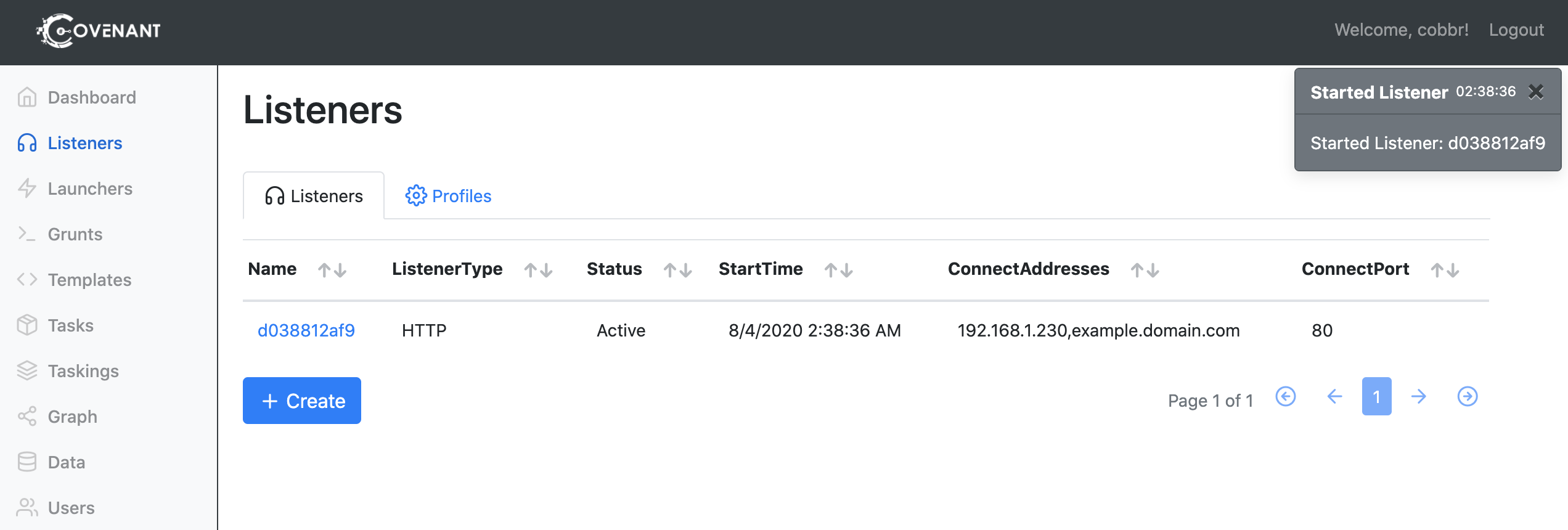
Listeners can be started and stopped by clicking on the listeners name within the listeners table. Selecting a listener will also reveal the detailed information about the listener that was configured earlier:
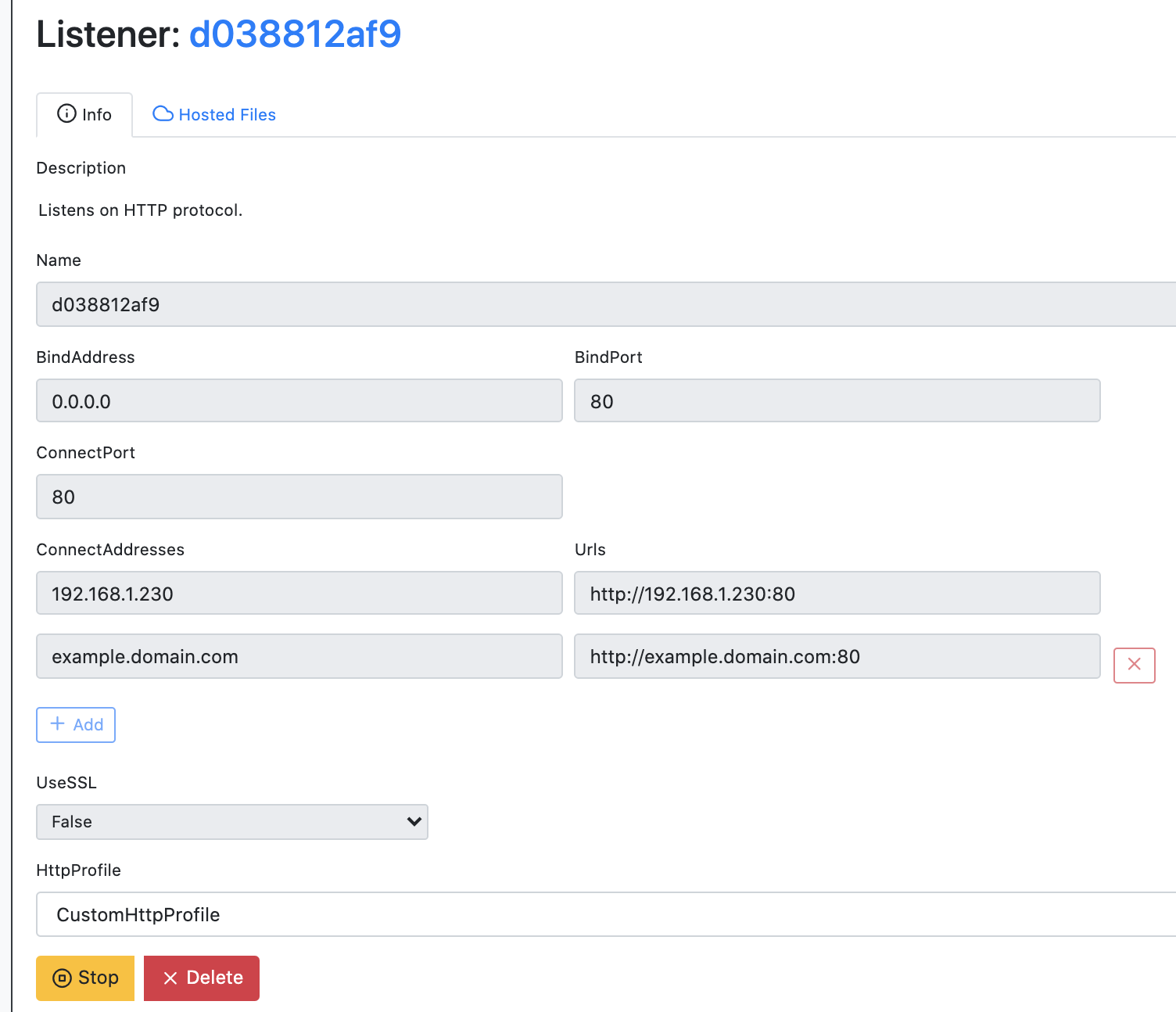
You can start and stop the listener using the buttons at the bottom of the page.