This is the java project for the course CSC1004
- multi-client chat
- java GUI
- login system
- registration system
- emoji
- message history
- quote/edit/retreat messages
- basic HTML support
Running both server and client need java environment to run.
The program is written under JAVA 17. Its compatibility with lower version of java is not guaranteed.
Need no environment set up except java
Just unzip the ServerConsole.zip, and it's ready to run.
You can find it under package folder.
To run it, you just need to change your directory to that folder and type java -jar .\ServerConsole.jar
Need no environment set up except java
find the ClientGUI.jar under package folder, and it's ready to run.
Double click it to open or use java -jar .\ClientGUI.jar to run it.
the code can be roughly divided into 4 layers of abstraction
- First Layer: basic classes like
MessageandUser - Second Layer:
Userlist,MessageList,ChatHistory, use the basic classes to implement certain functions - Third Layer:
ClientandServer, where the core part of the program - Fourth Layer: UI part, including
ServerConsole,ClientGUIand other classes used for UI
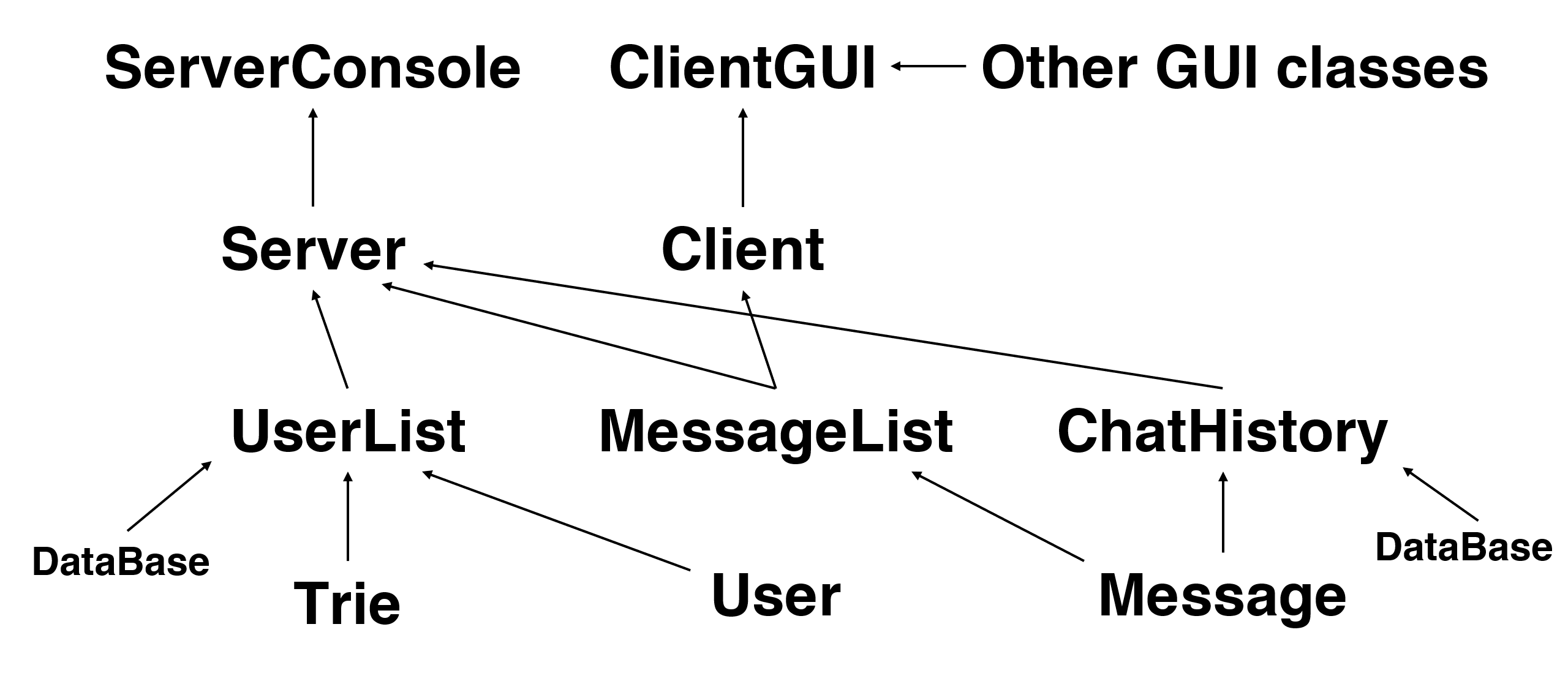
Note that the Client.Receiver also use some classes in the first layer to communicate with ClientGUI, and some classes like LoginException and ServerException is not listed above.
A server has threadServer, each thread connected with a single client.
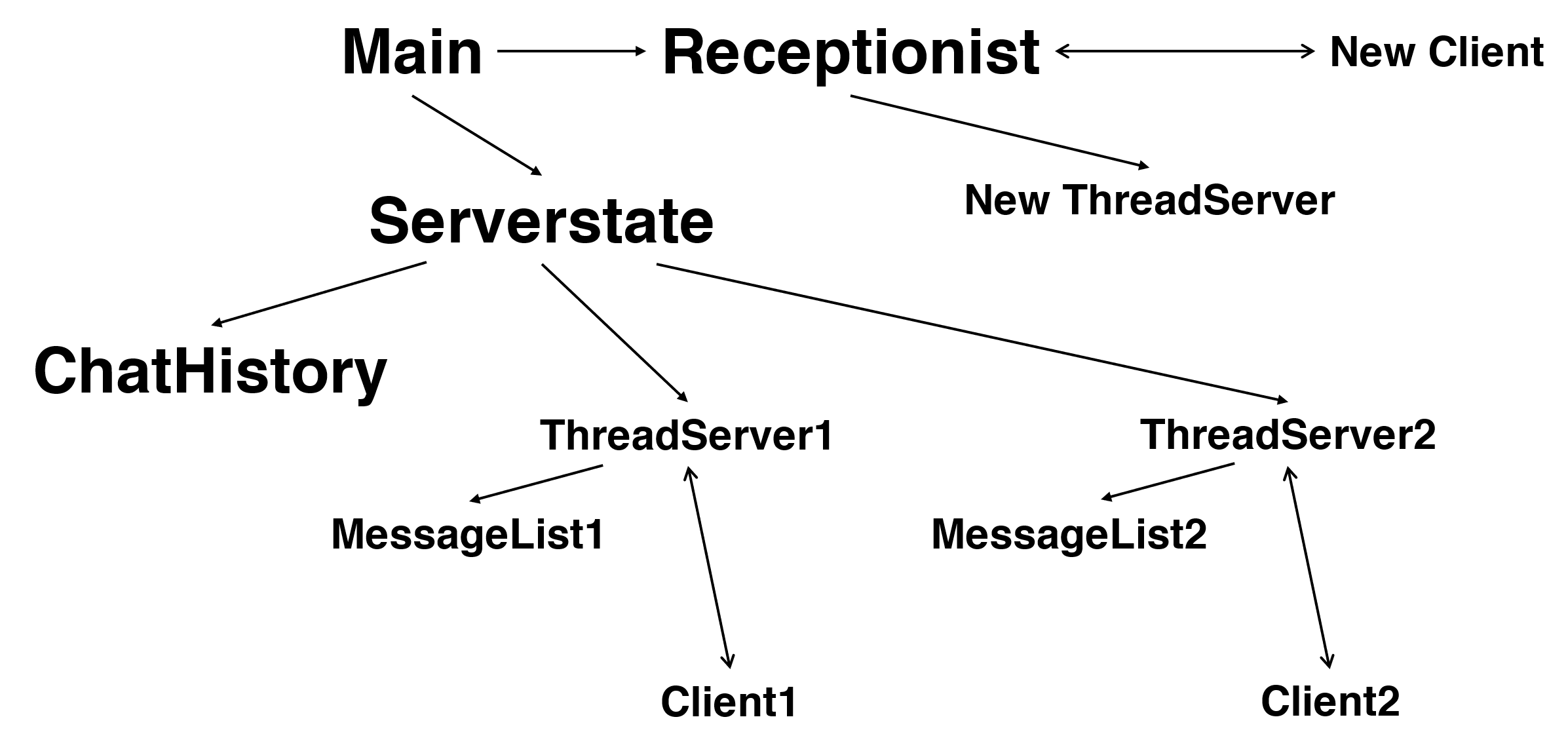
The main thread is where the server listened for the command from administrator. Things like typing in "quit" to quit the server happens here. After the server is started, the main thread will create a ServerState class and start a new Receptionist thread. ServerState is a class that holds every information needed to be shared between different threads.
The receptionis is where the server communicates with newly-connected client. When a new client tries to connect to the server, the receptionist thread will create a new threadserver, tries to pass the new threadserver into serverstate. If the connection is successfully established, the threadserver will starts to run in a new thread and receptionist will start to accept next client.
The threadservers are where the server actually communicates with each client one to one. It will first allow client to login or register. After client successfully logging in, it will send all chat history to client and start service.
The server has only one ChatHistory but has many MessageList. Chat history stores all messages into database. And each threadserver has its own message list. It only stores a few information of messages from that certain client. It allows threadserver to check some information quickly.
For example, when threadserver1 received a edit request from client1. It will first use messagelist1 to check if that request is legal. If it is, threadserver1 will then update chat history and ask all threadservers to send edit information to its client.
A client has two threads: a main thread and a receiver thread. Before user successfully logged in, there is only the main thread. And when the user logs into chat room, it will start the receiver thread. After that, the main thread only receives command from GUI and send that to server and the receiver thread only listens to the server and send all command from the server to GUI.
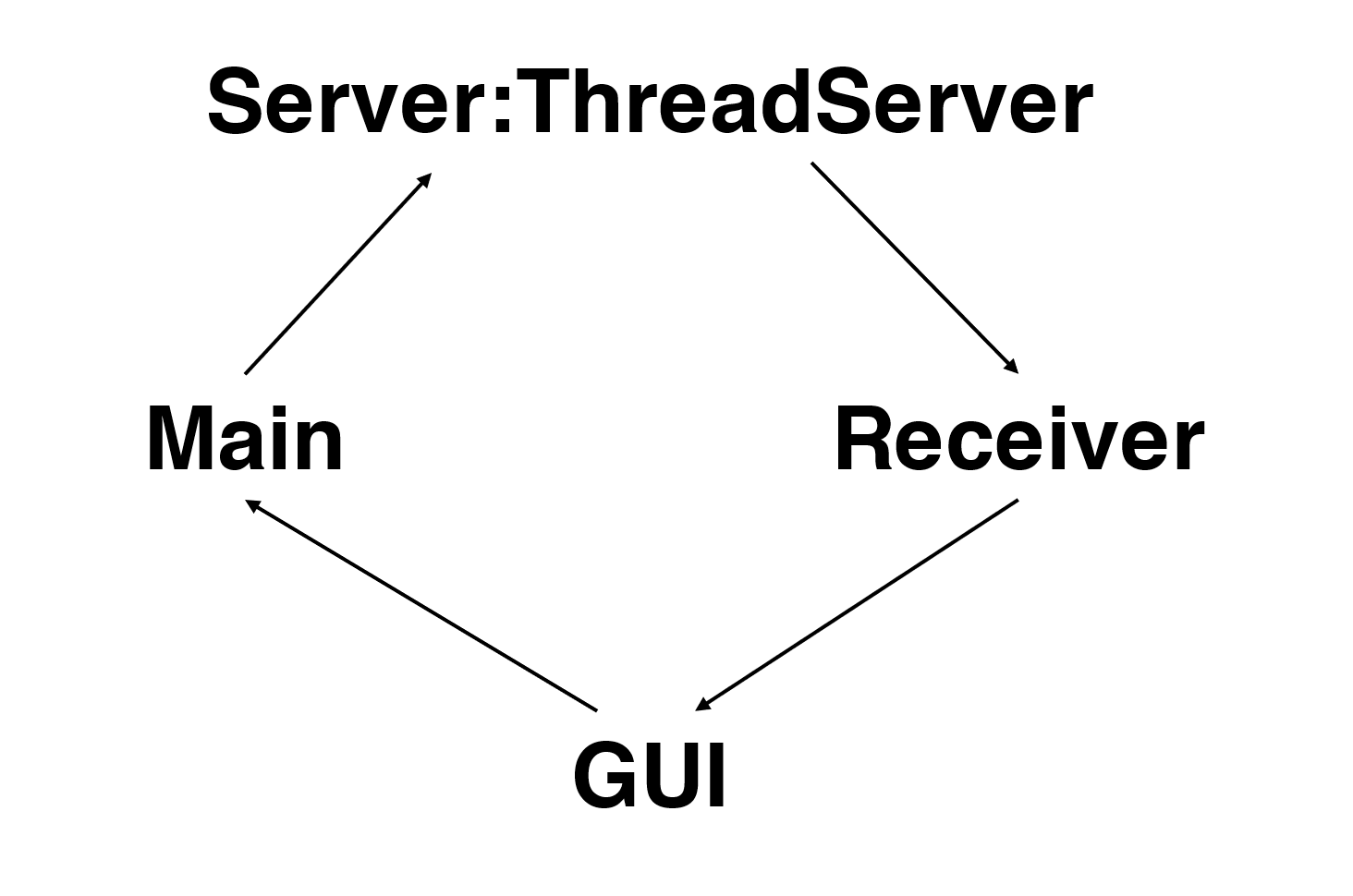
The communication between client and server following format
~COMMANDNAME
information1
information2
information3
...
Function send() is used to send message in such format. This function both exists in client and server.
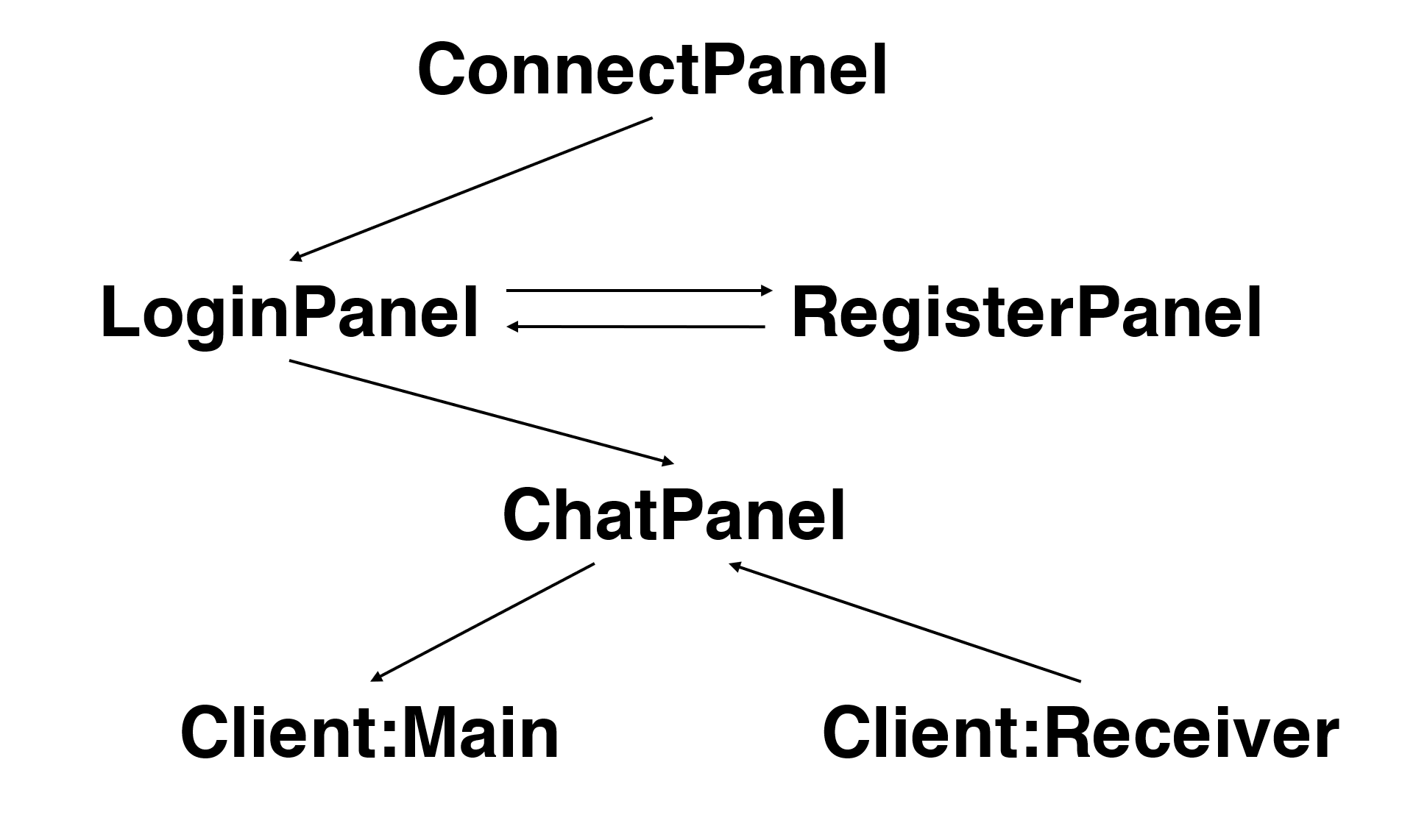
The client GUI has two frames: one main frame and a emoji frame.
The main frame has a content panel which has four different type: connect panel, login panel, register panel and chat panel.
The chat panel can be dived into two parts. The message display area is connected to the receiver of the client. And the operation part is connected to the main thread of client.
Emoji frame is the frame that pops up and let the user choose emoji.
Here is the GitHub repo if you are not reading this from GitHub:
github.com/current2020/cuhksz-csc1004-java