
- A goto library for otp handling as well has pin input
- Compatible with Kotlin
- Compatible with Compose
- Compatible with Java
- And also compatible with XML
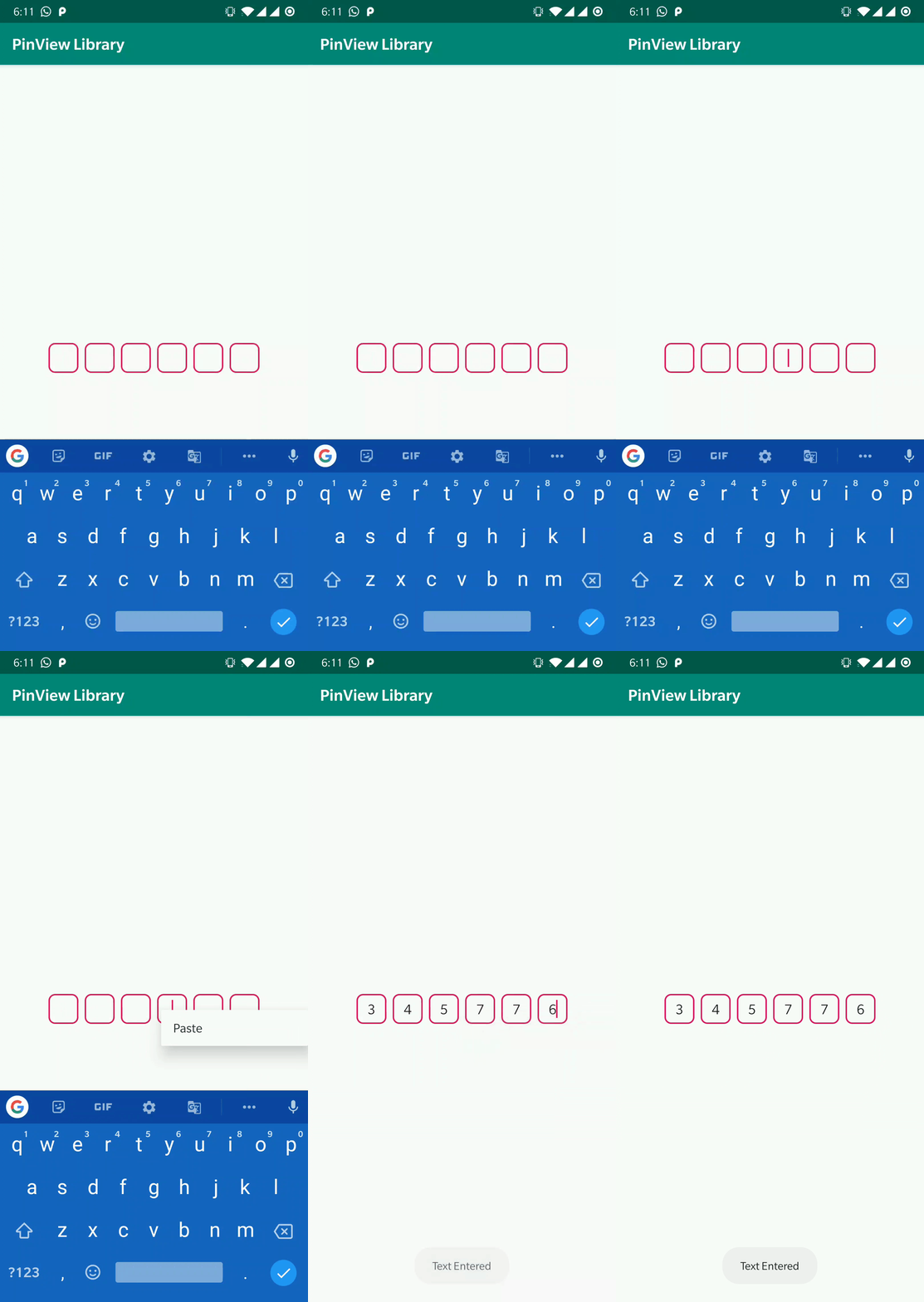
Most importantly, unlike other otp views, this one allows the user to 'paste' the otp from the clipboard!
No matter if it's a legacy project or the latest one. This single library has got you covered!
Add the following in your root settings.gradle at the end of repositories:
dependencyResolutionManagement {
	repositoriesMode.set(RepositoriesMode.FAIL_ON_PROJECT_REPOS)
	repositories {
		mavenCentral()
		maven { url 'https://jitpack.io' }
	}
}
Add this in your module's build.gradle
dependencies {
        implementation 'com.github.darshan-miskin:Android-PinView-OtpView:Tag'
}
Add the following in your root settings.gradle.kts at the end of repositories:
dependencyResolutionManagement {
	repositoriesMode.set(RepositoriesMode.FAIL_ON_PROJECT_REPOS)
	repositories {
		mavenCentral()
		maven { url = uri("https://jitpack.io") }
	}
}
Add this in your module's build.gradle
dependencies {
        implementation("com.github.darshan-miskin:Android-PinView-OtpView:Tag")
}
Add the following in your root build.gradle at the end of repositories:
allprojects {
	repositories {
		...
		maven { url 'https://jitpack.io' }
	}
}
Add this in your module's build.gradle
dependencies {
    implementation 'com.github.darshan-miskin:PinView-Android:v1.1.9'
}
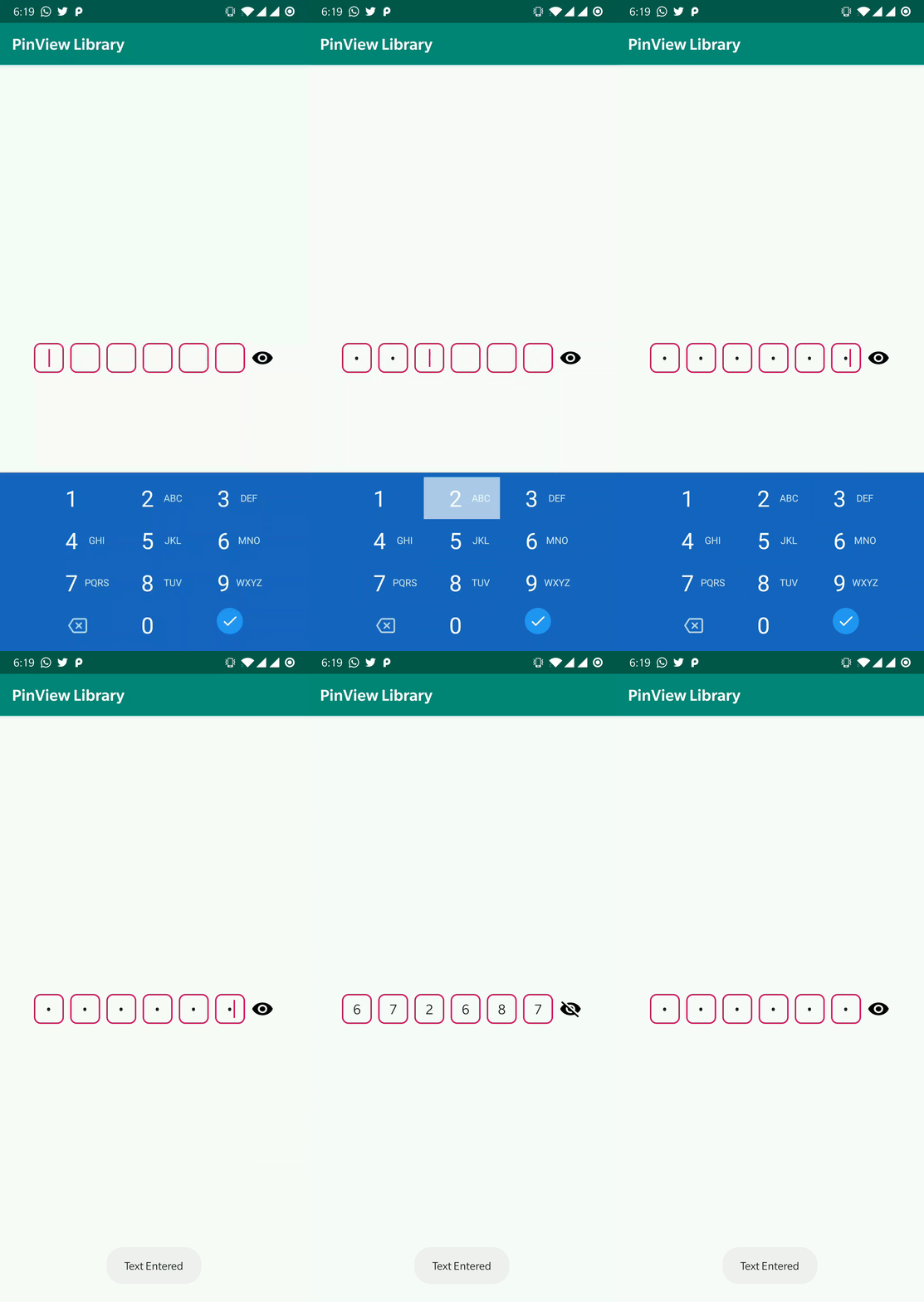
- Supports Paste via clipboard flawlessly.
- Password toggle to hide/show text on the go.
- Easy getText() and setText() methods like a regular EditText.
- Listener to detect when the pin is completely entered.
- Customizable pin background, textsize and pinsize.
- Customizable toggle tint/color and size.
- Flag to set password input type.
Jetpack Compose:
PinView(
    modifier = modifier,
    pinCount = 5,                                                                     //set total number of pins
    text = "1234",                                                                    //set text for the pinview
    pinBackground = ContextCompat.getDrawable(context, R.drawable.pin_background),    //pin style
    isPassword = true,                                                                //password flag. If true dotted format will be visible
    onValueChange = {                                                                 //get text from pinview
        Toast.makeText(context, "pin value: $it", Toast.LENGTH_SHORT).show()
        Log.d("asdf", "pin value: $it")
    },
    pinSize = 40.dp,                                                                  //set size of pin
    inputType = InputType.NUMBER,                                                     //or InputType.NUMBER
    showPasswordToggle = true,                                                        //make the password toggle visible
    passwordToggleColor = Color.Blue,                                                 //set toggle drawable tint/color
    pinTextSize = 20.sp,                                                              //set pin text size
    passwordToggleSize = 40.dp,                                                       //set password toggle size
    pinTextColor = Color.LightGray,                                                   //set text color of the pins
) { entirePin ->
    Toast.makeText(context, "Entire pin is: $entirePin", Toast.LENGTH_LONG).show()
    focusManager.clearFocus()
    keyboard?.hide()
}
Kotlin:
    pinView.pinCount = 4
    pinView.text = "hello!!"
    pinView.pinBackground = ContextCompat.getDrawable(this,R.drawable.pin_background)
    pinView.isPassword = false
    pinView.text
    pinView.pinSizeDp = 40
    pinView.inputType = InputType.TEXT
    pinView.showPasswordToggle = true
    pinView.passwordToggleColor = ContextCompat.getColor(this, R.color.colorPrimary)
    pinView.pinTextSizeSp = 25f
    pinView.passwordToggleSizeDp = 30
    pinView.pinTextColor = ContextCompat.getColor(this, R.color.colorPrimary)

    pinView.setOnPinChangedListener {
        Log.d("asdf", "Pin Changed to: ${pinView.text}")
    }

    pinView.setOnPinCompletionListener { entirePin ->
        Toast.makeText(this@MainActivity, "Entire pin is: $entirePin", Toast.LENGTH_LONG).show()
        hideKeyboard()
    }
XML:
<com.darshan_miskin.www.lib.PinView
    android:id="@+id/pinview"
    android:layout_width="match_parent"
    android:layout_height="wrap_content"
    app:textColor="@color/colorAccent"
    app:pinCount="5"
    app:inputType="number"
    app:isPassword="true"
    app:pinBackground="@drawable/pin_background"
    app:pinSize="30dp"
    app:passwordToggleSize="26dp"
    app:passwordToggleColor="@color/colorAccent"
    app:layout_constraintTop_toTopOf="parent"
    app:layout_constraintBottom_toBottomOf="parent"/>
Java:
    pinView.setPinCount((short) 6);
    pinView.setText("hello!");
    pinView.setPinBackground(
        ContextCompat.getDrawable(this, R.drawable.pin_background)
    );
    pinView.setPassword(false);
    pinView.getText();
    pinView.setPinSizeDp(40);
    pinView.setInputType(InputType.TEXT);
    pinView.setShowPasswordToggle(true);
    pinView.setPasswordToggleColor(
        ContextCompat.getColor(this, R.color.colorPrimary)
    );
    pinView.setPinTextSizeSp(23);
    pinView.setPasswordToggleSizeDp(40);
    pinView.setPinTextColor(
        ContextCompat.getColor(this, R.color.colorPrimary)
    );

    pinView.setOnPinChangedListener(() ->
        Log.d("asdf", "Pin Changed to: "+pinView.getText())
    );
    pinView.setOnPinCompletionListener(entirePin ->
        Toast.makeText(MainActivityJava.this,"Entire pin is: "+entirePin,Toast.LENGTH_LONG).show()
    );
MIT License

Copyright (c) 2019 Darshan Miskin

Permission is hereby granted, free of charge, to any person obtaining a copy
of this software and associated documentation files (the "Software"), to deal
in the Software without restriction, including without limitation the rights
to use, copy, modify, merge, publish, distribute, sublicense, and/or sell
copies of the Software, and to permit persons to whom the Software is
furnished to do so, subject to the following conditions:

The above copyright notice and this permission notice shall be included in all
copies or substantial portions of the Software.

THE SOFTWARE IS PROVIDED "AS IS", WITHOUT WARRANTY OF ANY KIND, EXPRESS OR
IMPLIED, INCLUDING BUT NOT LIMITED TO THE WARRANTIES OF MERCHANTABILITY,
FITNESS FOR A PARTICULAR PURPOSE AND NONINFRINGEMENT. IN NO EVENT SHALL THE
AUTHORS OR COPYRIGHT HOLDERS BE LIABLE FOR ANY CLAIM, DAMAGES OR OTHER
LIABILITY, WHETHER IN AN ACTION OF CONTRACT, TORT OR OTHERWISE, ARISING FROM,
OUT OF OR IN CONNECTION WITH THE SOFTWARE OR THE USE OR OTHER DEALINGS IN THE
SOFTWARE.