
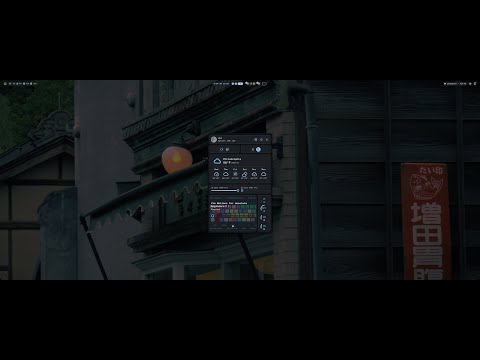
Niri- Fluid and Intuitive Windowing System that does away with the concept of a 'desktop' entirely.
Noctalia- Flexible and Powerful Environment optimized for Niri. Used as bar, notifications, wallpaper, and system control.
Vicinae- Raycast Inspired/Compatible Launcher. Also used for clipboard and utility functions.
- Specialized configurations for virtualization (e.g., KVM, libvirt, VirtualBox) are included to provide a robust environment for running virtual machines.
- Tweak niri layout & window rules further
- Declare Vicinae Extensions
- Go through packages and move options into
home-managerwherever possible - Locate and link AppIcons for various programs (Unneeded)
- Swap GNOME File Manager for Dolphin or a TUI Solution like Superfile (Using
thunar) - Set up Japanese IME
- Configure font-swtiching for Japanese
- Declare MIME Types to prefer Affinity Suite and bespoke programs (opted to have MIME Types handled imperatively)
- Investigate Bar options outside Noctalia (Keep Noctalia as general Shell)
- Swap SDDM Greeter for TUIGreet
- Investigate locking down Qt Version to prevent breakage of GUIs
- Symlink VSCode / Codium Config file to Nix folder so it can be edited
- Swap VSCode for Codium after backing up VSIXs
- Investigate niri-flake command formatting to get
spawn-at-startupandspawncommands for shell-based programs working - Prune Wallpaper folder to only vibrant-color options
- Investigate passing through Lutris Web calls to host (Unneeded since packaging FS for Nix)
- set
prefer-no-csd
Nothing super complex or special as far as NixOS settings go. You won't encounter a ton of custom logic for different hosts, here - It's easy enough to make the needed edits to a config when setting up a new machine.
Makes generous use of imports to break up config file lengths. Home-Manager for dotfiles is used sparingly and mostly with intention.
-
Create a new directory (I placed mine at
~/Nix) and run the following command:nix flake init -t github:blkflth/blkedn -
Copy your
hardware-configuration.nixfrom the default/etc/nixoslocation and overwrite the one here (The one here is only tracked in case of a full-or-partial system upgrade locally). -
Edit all hostname, usename, timezone and keyboard layout variables in the files imported to
host-configuration.nix, as well as inflake.nixandhome.nix. -
Remove or change the SSD bindings in
drives.nix. If you wish to change them to what you have installed locally, runsudo ls -l /dev/disk/by-uuid/andsudo ls -l /dev/disk/by-label/. Match up the values and you should be good to go.
This is the equivalent to the
fstabedits one would need do in other Linux systems (or the manual mapping in a DE like KDE Plasma.) I do not claim to be an expert, but I recommend keeping"nofail"as a flag at the very least so that your system will boot if you misconfigure something.
- Comment out
niri-flake.cache.enable = false;inprograms.nixbefore you build, so that the niri-flake used at time of writing builds its cache correctly. Afterward, uncomment as instructed.
This should only need to be done once.
- Change your Icon/Wallpaper/Screen-Recording files and locations in
noctalia.nix, as well as your geolocation for weather and your monitor output name in that same file.
If you elect to use the Noctalia
systemdservice instead of spawning fromniri, It's probably best to comment this file out ofrice.nix's imports to start, and, after Noctalia is built, to then follow the instructions on Noctalia's site for getting the.jsonfile that's generated when editing settings through the GUI. Any system-specific values can just be copied over, and then you can uncomment the import. If using thespawn-at-startupoption as in this config, you can check Noctalia's site and look for ``Assets/settings-default.json` to get the correct name for any setting you wish to change.
-
Comment out or delete games and programs as you see fit in
progams.nix.Heavy-Hitters are for install time (if not file size) are:
blender,affinity,xivlauncher.
The initial build will take quite some time, depending on what programs you're installing.
-
If CoolerControl isn't able to see your system fans, run
lm_sensorsand follow the on-screen instructions.Thereafter, write the indicated kernel module's name into the
boot.kernelModulesfield inconfiguration.nixand reboot. -
Use
Super+Grave(Also known as "Backtick" or "The Character Under Tilde") to get an overview of basic keybindings.
The settings here deviate from the default niri bindings due simply to personal preference.
-
Super+PrtScis a normal screenshot, and requires you to paste the image elsewhere afterwards. -
Super+Alt+PrtScwill screenshot the entire active window and save to the~/Pictures/Screenshotsfolder. -
It is possibile to configure niri to block out certain windows when screencasting.
-
By default at time of writing, hitting
Enteron an already-open program inVicinaeafter you bring it up withSuper+Spacewill focus on that program's window.
Use
Shift+Enterto open a new instance.
- If you're going to change keybinds, it's very useful to open up
wevin a terminal to get the valid names of your keys.
Warning
Subject to drastic change without notice. There are a number of inefficiencies in the layout and setup of this config borne from the author's unfamiliarity with Nix as a language, programmatic thinking as a practice, and daily Linux use as an experience. Many of these will be streamlined with time, some will not.
If you wanna rewrite some shit for her, raise an issue or make a pull request.
Maybe you'll even get a reward.
This repository is licensed under the MIT License.