Live Demo:
https://deanwagner.github.io/paint/
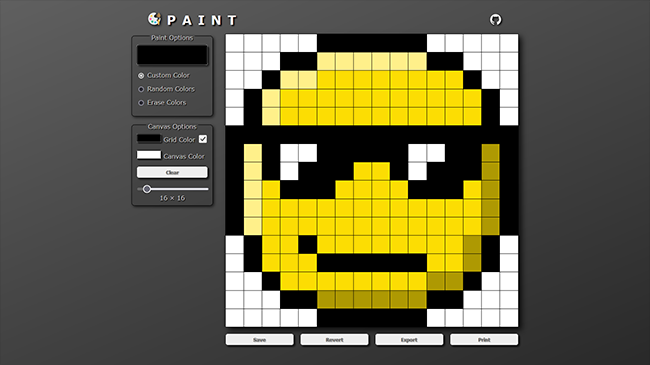
This project was created for the Etch-a-Sketch assignment as part of The Odin Project curriculum. I met all the assignment objectives and then expanded on it with my own concepts to take it from an Etch-a-Sketch to a fully-functioning paint app--including the ability to save, export, and print.
I used LocalStorage to save the image within the browser so that it is stored between sessions. To export the image I loop through the <div> elements and build a pixel matrix based on their background color. I then use that pixel matrix to paint the image into a <canvas> element for display. From there I convert the contents of the <canvas> into a PNG Data URL so that the image may be exported as a file to the user's device.
- None
- Website with 16x16 grid of square
<div>elements - Change color of each
<div>on mouse-over - A "clear" button to clear the grid
- Adjustable grid size, no larger than 100x100
- (+) Option to use random color per pixel
- Save and restore current image
- Export image as downloadable PNG
- Custom printer CSS for printing image
- Paint on click (and drag) instead of just mouse-over
- Erase painted pixels
- Change grid color
- Show/hide grid
- Change canvas color
- Responsive Design
- PWA and A2HS support