



ShelfSpace is a modern, feature-rich Library Management System built with SwiftUI that streamlines the management of library resources. The app offers tailored interfaces for administrators, librarians, and members, providing a seamless experience for all users involved in library operations.
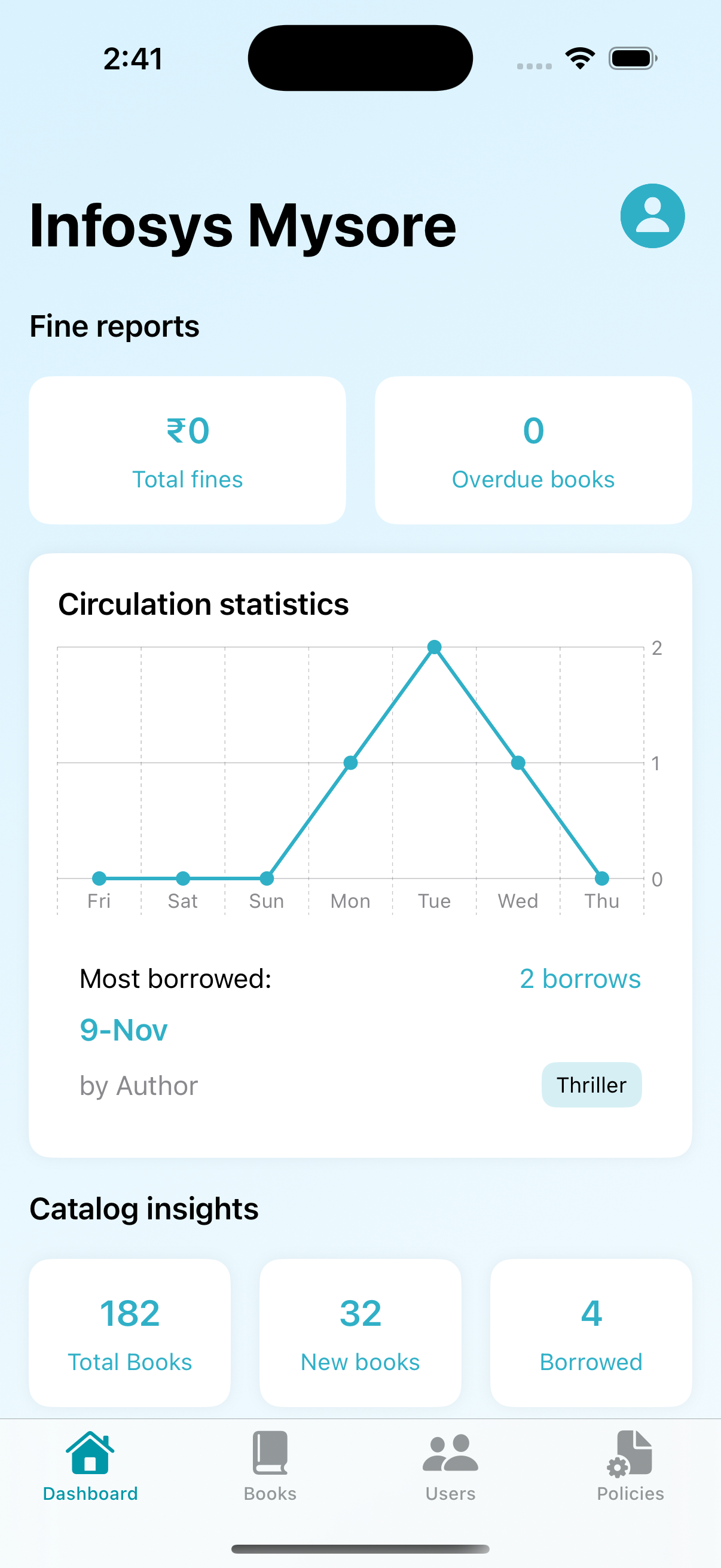
- Analytics Dashboard: Get insights into library operations with comprehensive statistics
- Book Management: Add, edit, and manage the library's book collection
- User Management: Oversee all library users including librarians and members
- Policy Management: Configure library policies for borrowing, reservations, and fines
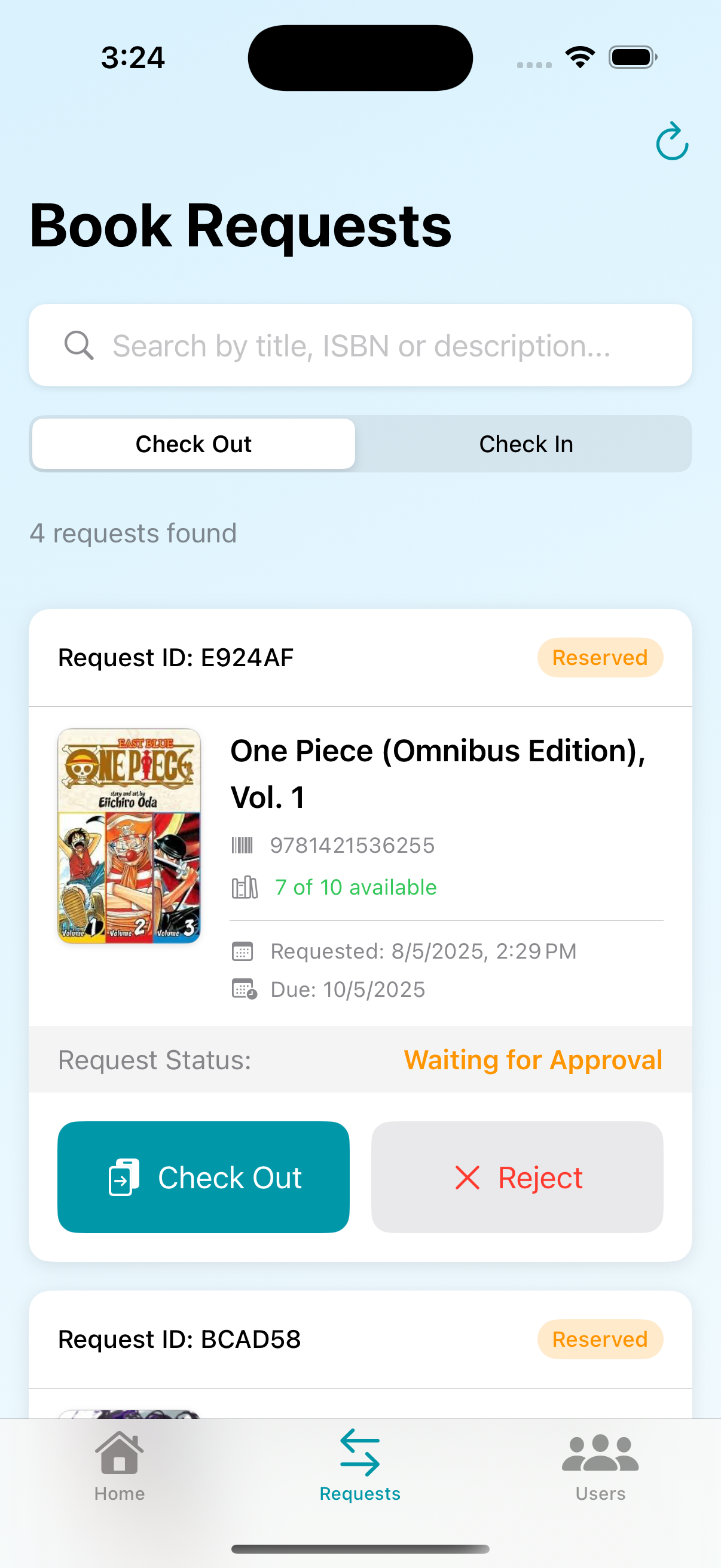
- Book Processing: Check in and check out books with barcode scanning capability
- Request Management: Process book reservation and borrowing requests
- User Management: View and manage library members
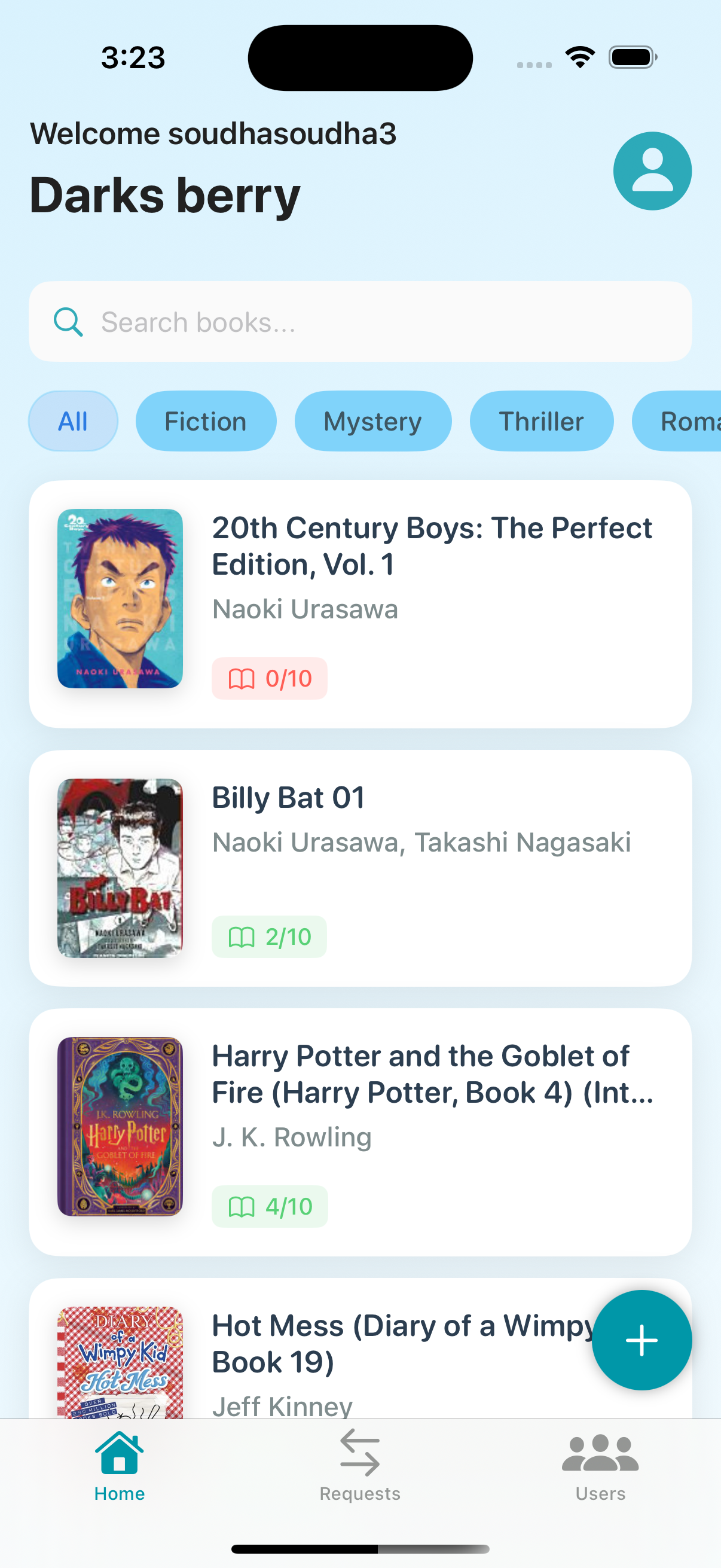
- Collection Management: Add and update books in the library catalog
- Book Search: Browse and search through the library collection
- Book Details: View comprehensive information about books
- Borrowing: Borrow, reserve, and return books
- Wishlist: Save books to a personal wishlist for future reference
- Reviews: Leave reviews and ratings for books
- Frontend: SwiftUI with iOS 16.6+ compatibility
- Authentication: Supabase Auth
- Networking: URLSession with RESTful API integration
- State Management: Custom state management with SwiftUI's @StateObject and @EnvironmentObject
- Caching: Local caching for improved performance
- UI Components: Custom-built components for a cohesive design
- Animation: DotLottie for smooth animations and transitions
- Navigation: Custom tab bars and navigation for each user role

The app follows a modular architecture with clear separation of concerns:
app/: Core application components and entry pointmanagers/: Business logic, API clients, and service managersmodel/: Data models and storage handlersview_controllers/: UI components organized by user roleresources/: Assets, colors, animations, and configuration
- iOS 16.6+
- Xcode 14.0+
- Swift 6.1+
- Clone the repository:
git clone https://github.com/djdiptayan1/lms.git- Open the project in Xcode:
cd lms
open lms.xcodeproj-
Install dependencies (if using CocoaPods or SPM packages).
-
Build and run the application.
To create a new library in ShelfSpace, admins must first register at:
https://admin-reg-eight.vercel.app/
This registration process will:
- Create your admin account
- Set up your library in the system
- Provide you with access credentials for the ShelfSpace app
Once registered, you can use the ShelfSpace iOS app to fully manage your library.
The application connects to a backend API hosted on Microsoft Azure. You'll need to configure the appropriate API keys in the Config.swift file.
Contributions are welcome! Please feel free to submit a Pull Request.
- Fork the project
- Create your feature branch (
git checkout -b feature/AmazingFeature) - Commit your changes (
git commit -m 'Add some AmazingFeature') - Push to the branch (
git push origin feature/AmazingFeature) - Open a Pull Request
- Diptayan Jash - djdiptayan
- Anwin Sharon - Anwin
- Navdeep Lakhlan - Navdeep
- Satvik Sawhney - sawhneysatvik
- Nayaki Maneeth Reddy - maneethreddy
- Rakshith - R-Langer77
- Vansh Vineet Bhatia - v4vanshh
- Sneha Gorai - Tani2413
- Niharika Shukla - niihariika
- Offline mode with local database synchronization
- Enhanced analytics with visualization
- Integration with popular e-book platforms
- Community features for book discussions
- Mobile payment integration for fines