




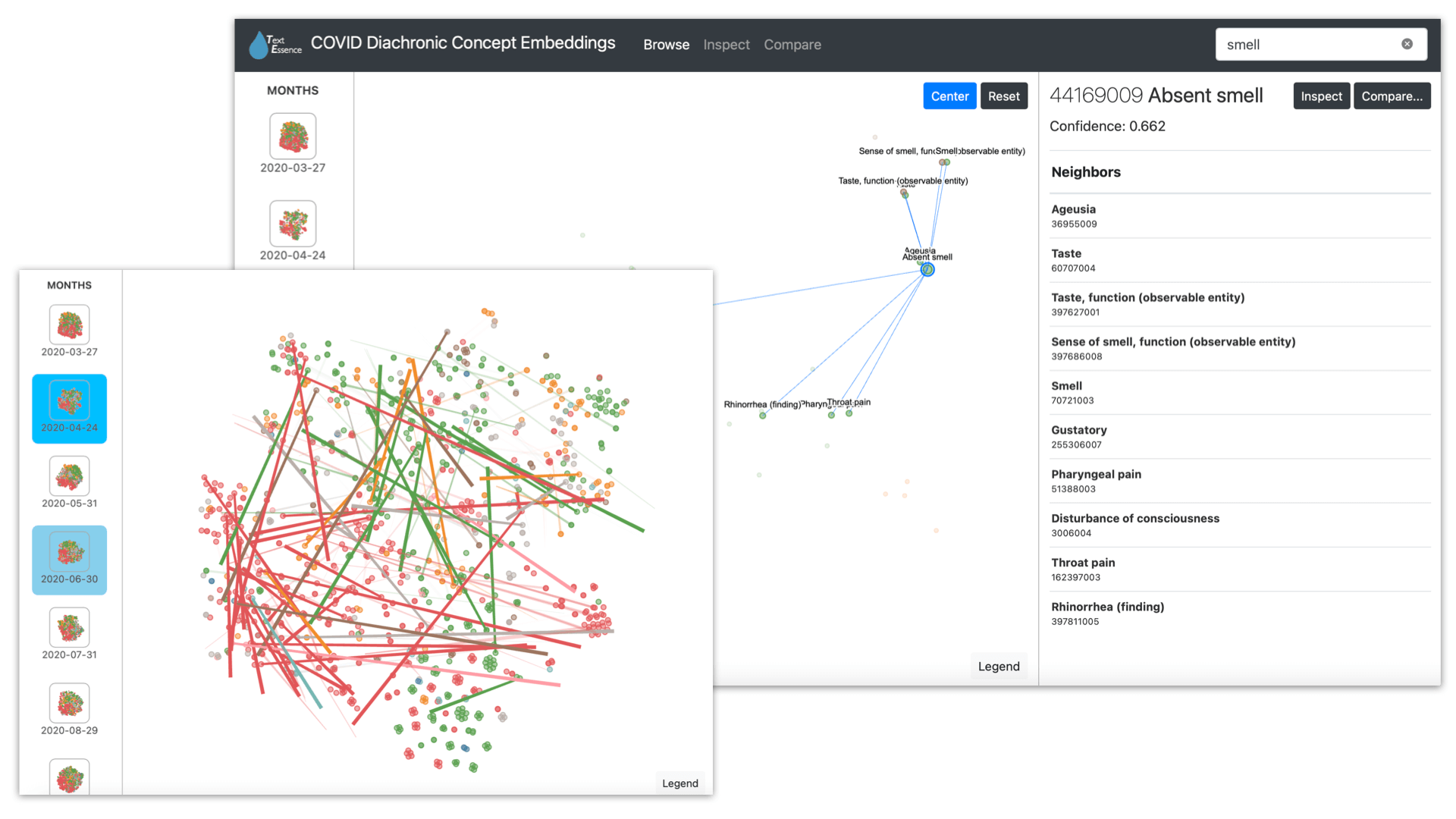
TextEssence is a tool for comparative corpus linguistics using embeddings. It is described in the NAACL-HLT 2021 paper:
- D Newman-Griffis, V Sivaraman, A Perer, E Fosler-Lussier, H Hochheiser. TextEssence: A Tool for Interactive Analysis of Semantic Shifts Between Corpora. Proceedings of the 2021 Conference of the North American Chapter of the Association for Computational Linguistics: Human Language Technologies: Demonstrations.
See more at:
- Paper: https://www.aclweb.org/anthology/2021.naacl-demos.13/
- CORD-19 analysis outputs: https://zenodo.org/record/4432958
- Project website: https://textessence.github.io
(1) Set up the environment. Install Node.js, and set up a Python virtual environment with the necessary dependencies. The following (using Anaconda) should do the trick:
conda create -n textessence python=3
source activate textessence
pip install -r requirements.txt
(2) Download pre-generated data from Zenodo. Go to our Zenodo release and download the files to the machine you'll be running TextEssence on.
Unzip the CORD-19_monthly_embeddings.zip file; this will extract all the pretrained concept embeddings from our case study on CORD-19.
Now you'll need to modify config.ini to link to the files you've downloaded. You'll do this in two steps:
Point to the DB file: Change the DatabaseFile field of PairedNeighborhoodAnalysis to point to the downloaded SQLite DB file. For example, if you downloaded the CORD-19 data into /var/textessence, your config.ini would have:
[PairedNeighborhoodAnalysis]
DatabaseFile = /var/textessence/CORD-19_analysis__2020-03__2020-10.db
Point to the pretrained embeddings: Add a section to config.ini for each of the subcorpora from the CORD-19 analysis, like the following
[2020-03-27]
ReplicateTemplate = /var/textessence/2020-03-27/2020-03-27_SNOMEDCT_concepts_replicate-{REPL}.txt
EmbeddingFormat = txt
[2020-04-24]
ReplicateTemplate = /var/textessence/2020-03-27/2020-03-27_SNOMEDCT_concepts_replicate-{REPL}.txt
EmbeddingFormat = txt
...
This allows the Compare interface to calculate cosine similarities between embeddings on demand.
(3) Start the Flask backend
The back end of the web interface is implemented in Flask. A make target has been created in makefile to simplify running the interface:
make run_dashboard(4) Start the Svelte frontend The front end of the web interface is implemented in Svelte.
First-time setup: Load the visualization module and install its packages, using
git submodule init
git submodule update
cd nearest_neighbors/dashboard/diachronic-concept-viewer
npm install
Main run command: Start the Node server for handling the visualization content, using
npm run autobuild(5) Start using the system! TextEssence will now be running at http://localhost:5000.
If you have a question about TextEssence or an issue using the toolkit, please submit a GitHub issue.
If you use TextEssence in your work, please cite the following paper:
@inproceedings{newman-griffis-etal-2021-textessence,
    title = "{T}ext{E}ssence: A Tool for Interactive Analysis of Semantic Shifts Between Corpora",
    author = "Newman-Griffis, Denis  and
      Sivaraman, Venkatesh  and
      Perer, Adam  and
      Fosler-Lussier, Eric  and
      Hochheiser, Harry",
    booktitle = "Proceedings of the 2021 Conference of the North American Chapter of the Association for Computational Linguistics: Human Language Technologies: Demonstrations",
    month = jun,
    year = "2021",
    address = "Online",
    publisher = "Association for Computational Linguistics",
    url = "https://www.aclweb.org/anthology/2021.naacl-demos.13",
    pages = "106--115",
}
For any other questions, please contact Denis Newman-Griffis at dnewmangriffis@pitt.edu.