Project to implement Mr Lin's horizontal/deep stack techniques (shoutout to Mr Lin). Parses past exam paper pdfs and create a post for each question on a discord forum.
Hopefully modular enough to be used for other purposes. It tags each question with its question number (difficulty) and topics.
Verify you have pip and git installed:
$ pip -V
pip 20.0.2
$ git -v
git version 2.39.2
$ git clone https://github.com/mrlin/horizontal-stack.git
Install the dependencies from requirements.txt:
pip install -r requirements.txtCreate a .env file with your OPENAI_API_KEY and DISCORD_TOKEN for the discord bot.
You can now run each file normally (with python3 main.py etc).
-
Do not study mcq (you will improve at mcq while practicing normal problems)
-
Do not do full past papers (it is inefficient)
-
Going through questions by difficulty.
Only move on to the next difficulty once you are confident in solving that difficulty. In this case, difficulty is measured by question number, and each question will have a tag of its question number associated with it.
-
Going through questions by topic.
After going through a few stages of the horizontal stack, you should have an idea of which topics you are weak in. Focus on those topics.
Each question will be tagged with its topics, and you can sort questions by their topic instead of question number for this method.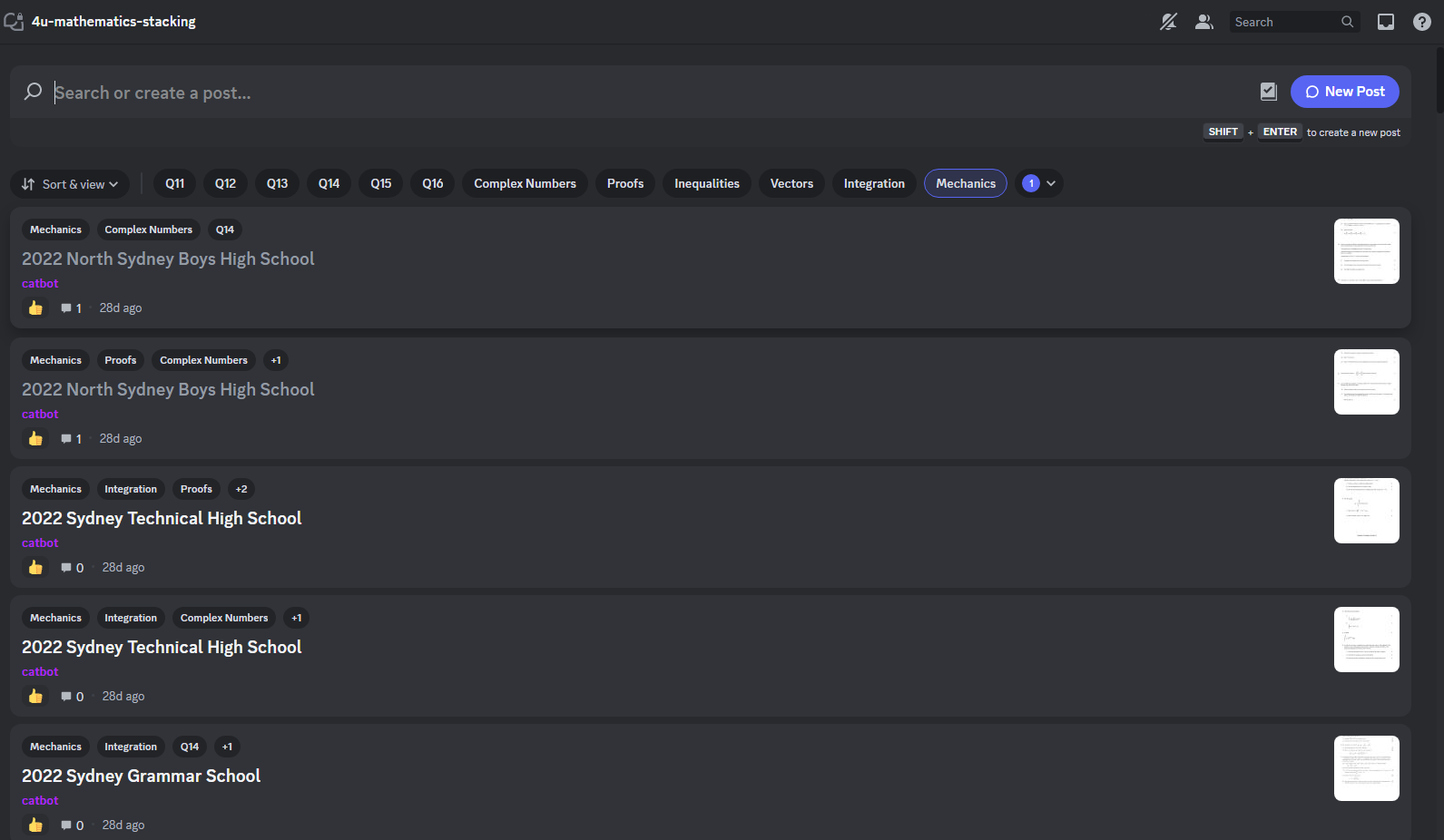
PyPDF2 is used throughout. Most of the arguments into functions are PyPDF2 PageObjects, and the pdf is read by PyPDF2's PdfReader.
The pages module gets the page number from which section 2 (short answer) starts, done through regex.
The Question class provides a template for storing questions. questionify() (from classifier module) is called on the list of section 2 pages and returns a list of Question objects. This is done by:
-
regex search for question number on each page (
number()function in classifier module) -
sending question text to chatgpt for topic tags. You can edit the prompts by changing
promptsandclassify()inclassifier.py, it is currently made to classify questions different depending on whether the topics are for extension 1 or extension 2 Maths. -
grouping pages together into one question if question spans multiple pages. Notice that you can't have a page with multiple questions as we scan page by page. See
exam-parser\bad examples\2020 Girraween High School - X2- Trial.pdffor an example -
end the scan when a page contains "end of examination" or there is no question number found
The logic used works for most papers, but there are often outliers/bugs (incorrect numbering, stuck in regexz) and its best to check by running a test in classifier.py first.
Edit the SERVER_NAME and CHANNEL_NAME in main.py to your server name and channel name you wish to post to respectively. Channel should be a forum channel.
This part usually takes the longest.
Each question is posted as a thread with the pages as images. PDF pages are converted to images through the pages_to_images function from converter.py. This is where the temp folder is used.