

The Application APK file can be downloaded from here
(Click on "Network.Scanner.Test.apk" under Assets to download the app)
- Kotlin along with Android Studio was utilized for developing.
- Additional help from multiple websites and repos were taken for developing the same.
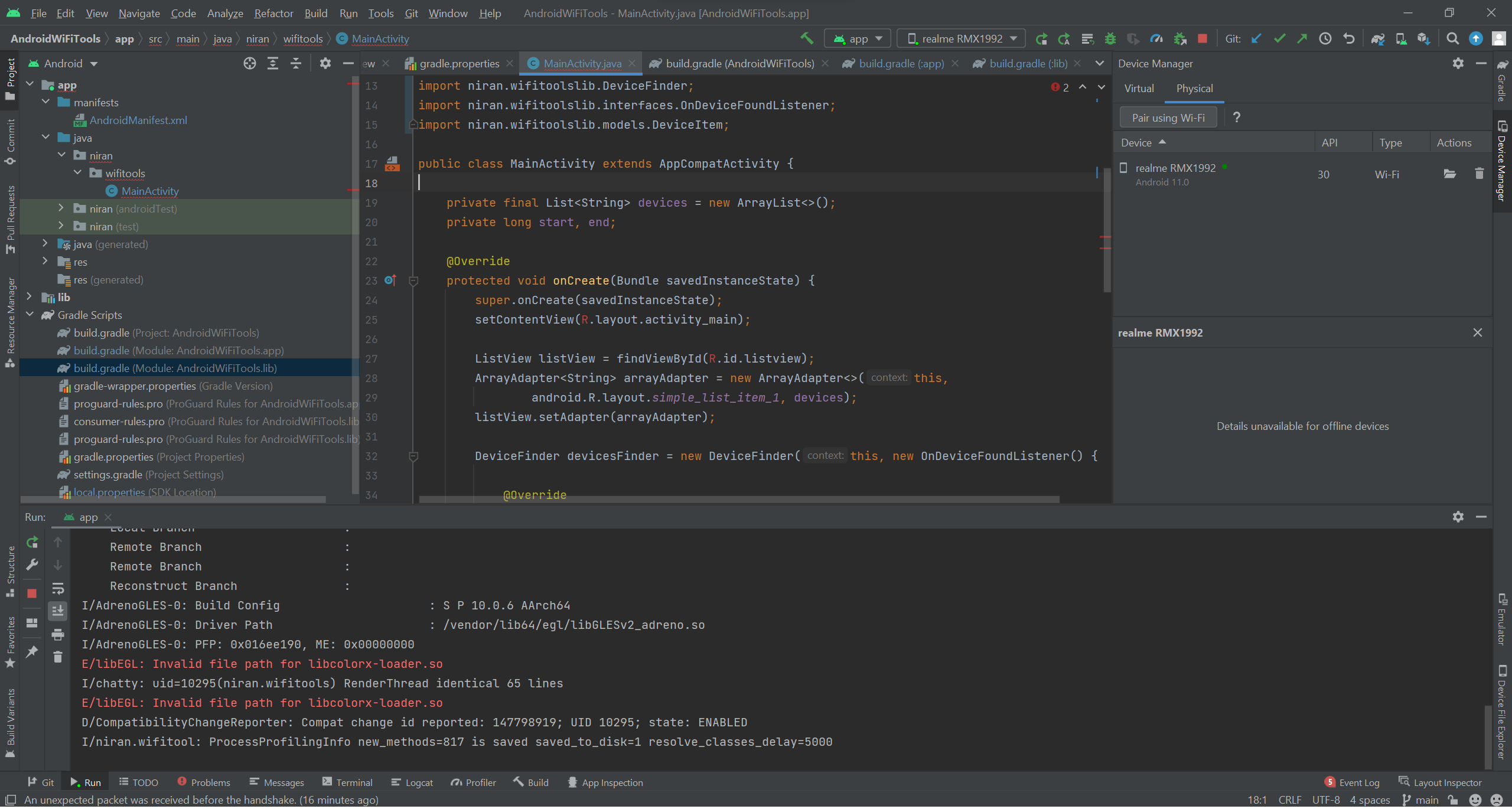
androidx.appcompat.app.AppCompatActivity;
android.os.Bundle;
android.widget.ArrayAdapter;
android.widget.ListView;
android.widget.Toast;
java.util.ArrayList;
java.util.List;
niran.wifitoolslib.DeviceFinder;
niran.wifitoolslib.interfaces.OnDeviceFoundListener;
niran.wifitoolslib.models.DeviceItem;
A simple XML template with ListView was used to display the Scanned Devices
- Second Counter for detecting the total time taken to scan
- An exception Handler if any error occurs
- We try to scan the following for each detected Device -- Device Name -- IP Address -- MAC Address -- Vendor Name
- If no details are found, it is returned with "UnKnown"
This is a base application, so additional features can be added to the same app for improved functionality
You need Android Studio installed to run the same. You can install it from here
Follow the basic installation guideline. Once the setup is completed, do not go for creating a new app. Instead, clone this repo and locate it using "Open Project"
The Gradle Build will start executing once you open the project. Connect your device Wirelessly or uaing a USB cable, with USB debugging mode enabled. You can run the app to view the preview on your Physical or Virtual phone.
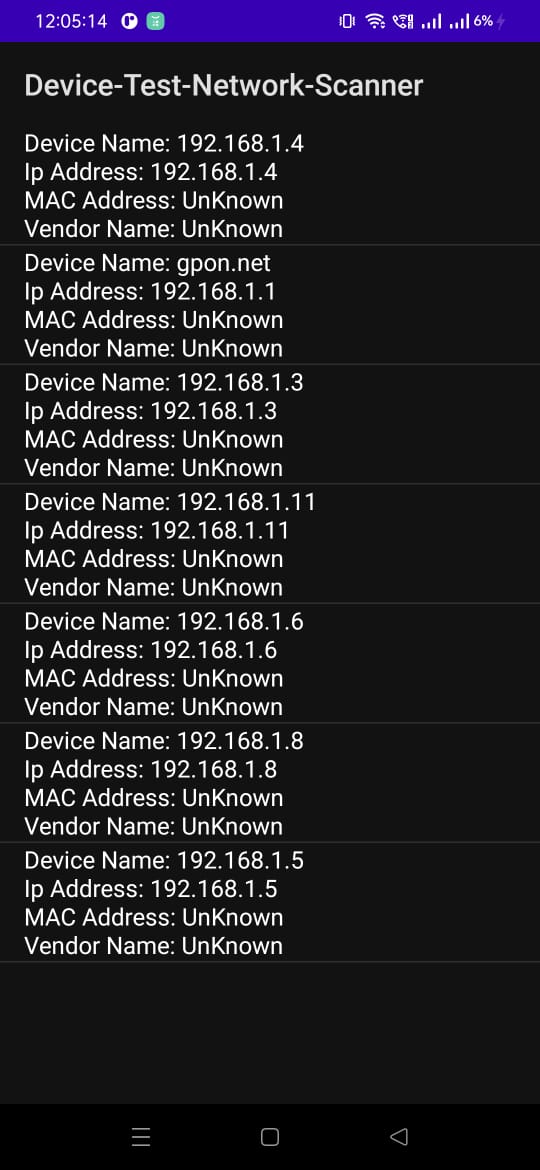
Mac Address and Vendor Name do not show up much times. It might be because of the limtations/restrictions by the router. Additional research and clarity on the same is required.
Todo
Todo