
简体中文: README.zh-CN.md
Your prompts. Your model. Your laptop.
Turn prompts into polished artifacts — locally, openly, and with whichever model you already pay for.
Website · Quickstart · Docs · Contributing · Security
Open-source alternative to: Claude Design · v0 by Vercel · Lovable · Bolt.new · Figma AI



claude-code · claude-design-alternative · ai-design · design-to-code · figma-alternative · byok · local-first · multi-model · electron
The items in this section are the latest workflow upgrades added on top of the core Open CoDesign experience, so they stay separate from the baseline repo feature list below.
- Pinned
Canvastab with full Excalidraw UI — sketch wireframes, widgets, motion notes, and layout ideas directly in the app before the first generation - Canvas-to-model context export — the canvas is packaged into prompt context automatically as a summary plus PNG/SVG exports, with frame-aware exports when frames are present
- Imported canvas images are sent separately too — reference images dropped into the canvas also show up as standalone chat attachments for clearer model context
- Visible send confirmation — the composer and chat now show when canvas context was actually included, so you can confirm it at a glance
- Canvas autosave and save-on-submit — rough sketches are persisted per design, with an extra flush when you send a prompt
- Smart follow-up reuse — canvas context is only resent on later turns when the canvas changed since the last successful generation

For implementation details, see apps/desktop/CANVAS_CONTEXT.md.
Turn a prompt into a polished prototype, slide deck, or marketing asset, locally, with the model you already use.
Open CoDesign is the open-source Claude Design alternative — built for people who want the speed of AI-native design tools without subscription lock-in, cloud-only workflows, or being forced onto a single provider. An MIT-licensed desktop app, local-first from day one, with BYOK for any model (Claude, GPT, Gemini, DeepSeek, Kimi, GLM, Ollama, or any OpenAI-compatible endpoint). One-click import of your existing Claude Code or Codex API key gets you running in under 90 seconds.
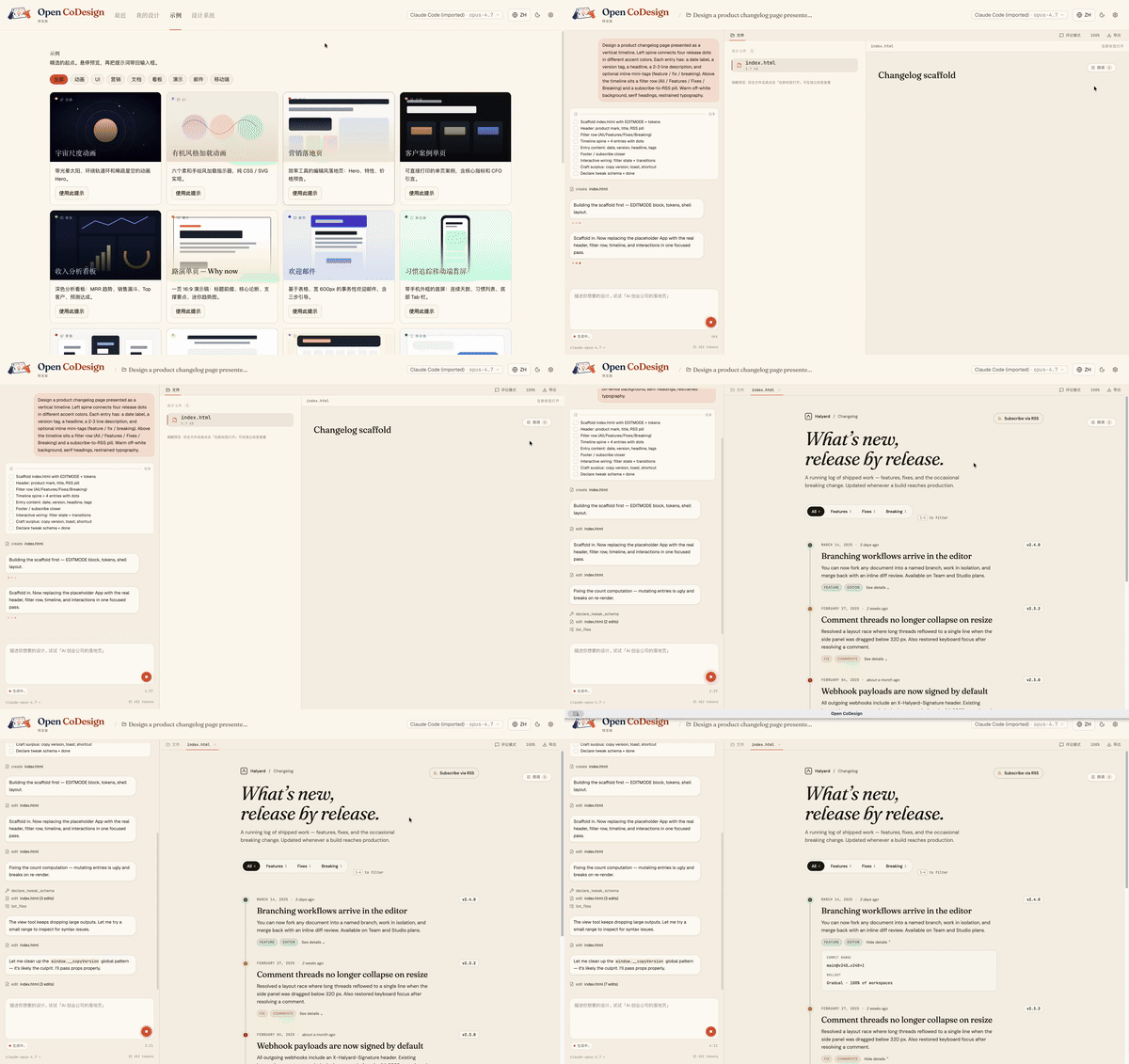
From a blank prompt to a finished artifact, the agent plans, writes, self-checks, and ships something with hover states, tabs, and empty states already wired up:
- Runs on your laptop — no mandatory cloud workspace
- Works with your model — Claude, GPT, Gemini, Ollama, OpenRouter, and more
- Exports real files — HTML, PDF, PPTX, ZIP, Markdown
- Shows its work — live agent activity, visible tool calls, interruptible generation
Open source, desktop-native, and built for people who do not want their design workflow locked to one model or one cloud.
| Open CoDesign | Claude Design | v0 by Vercel | Lovable | |
|---|---|---|---|---|
| Open source | ✅ MIT | ❌ Closed | ❌ Closed | ❌ Closed |
| Desktop native | ✅ Electron | ❌ Web only | ❌ Web only | ❌ Web only |
| Bring your own key | ✅ Any provider | ❌ Anthropic only | ❌ Vercel only | |
| Local / offline | ✅ Fully local app | ❌ Cloud | ❌ Cloud | ❌ Cloud |
| Models | ✅ 20+ (Claude, GPT, Gemini, Ollama…) | Claude only | GPT-4o | Multi-LLM |
| Version history | ✅ Local SQLite snapshots | ❌ | ❌ | ❌ |
| Data privacy | ✅ On-device app state | ❌ Cloud-processed | ❌ Cloud | ❌ Cloud |
| Editable export | ✅ HTML, PDF, PPTX, ZIP, Markdown | |||
| Price | ✅ Free app, token cost only | 💳 Subscription | 💳 Subscription | 💳 Subscription |
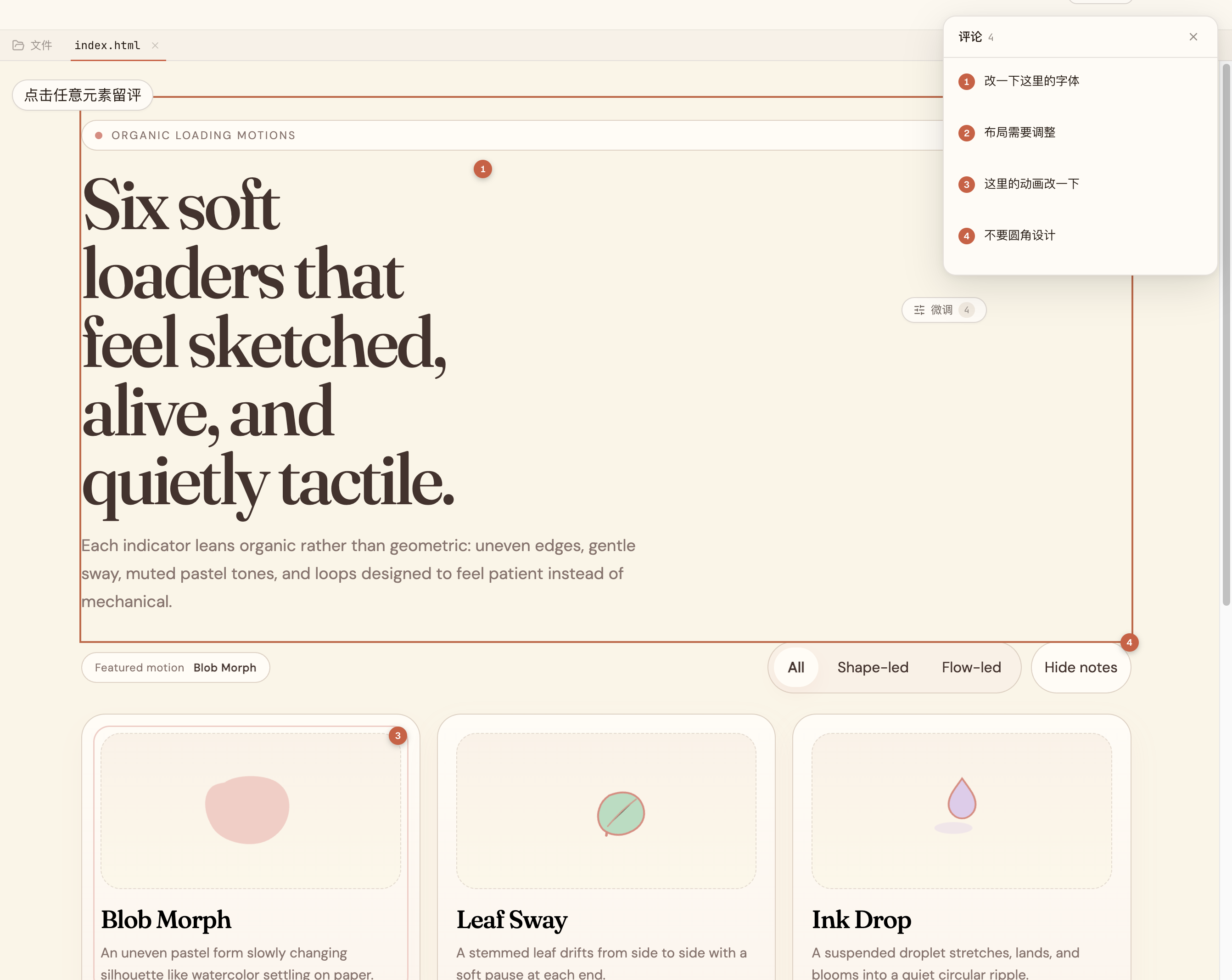
Comment, don’t retype. |
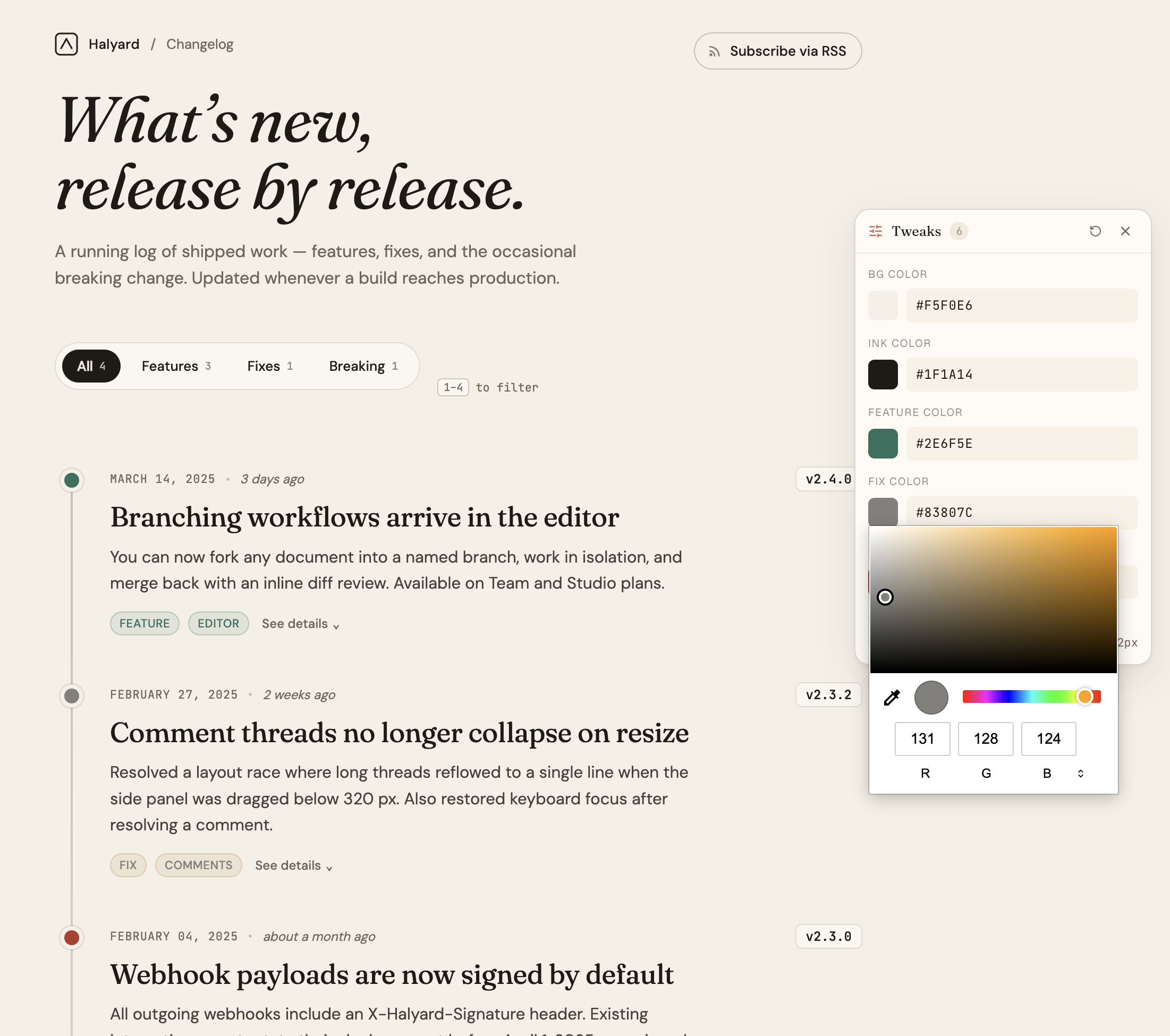
AI-tuned sliders. |
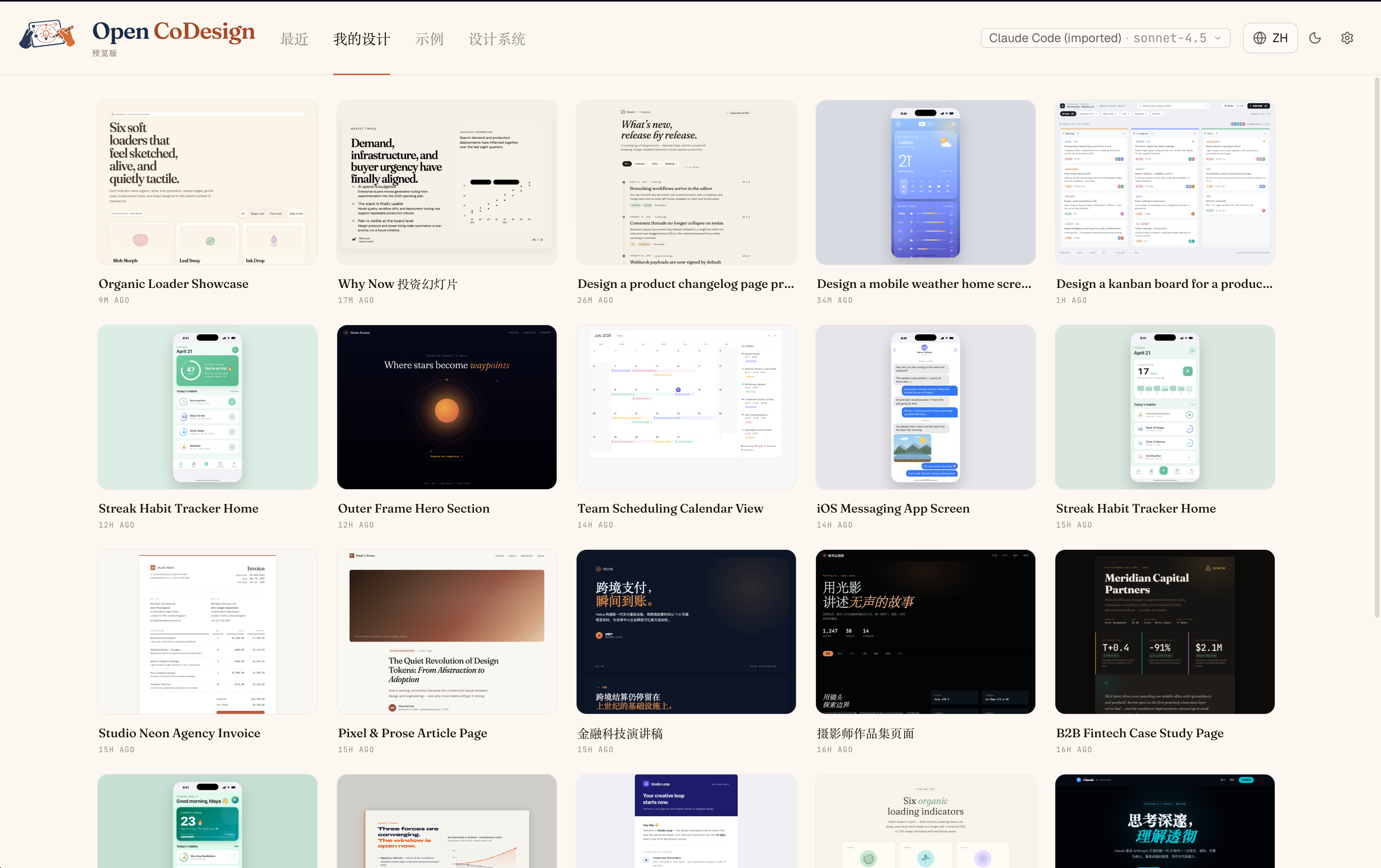
Every iteration, kept. |
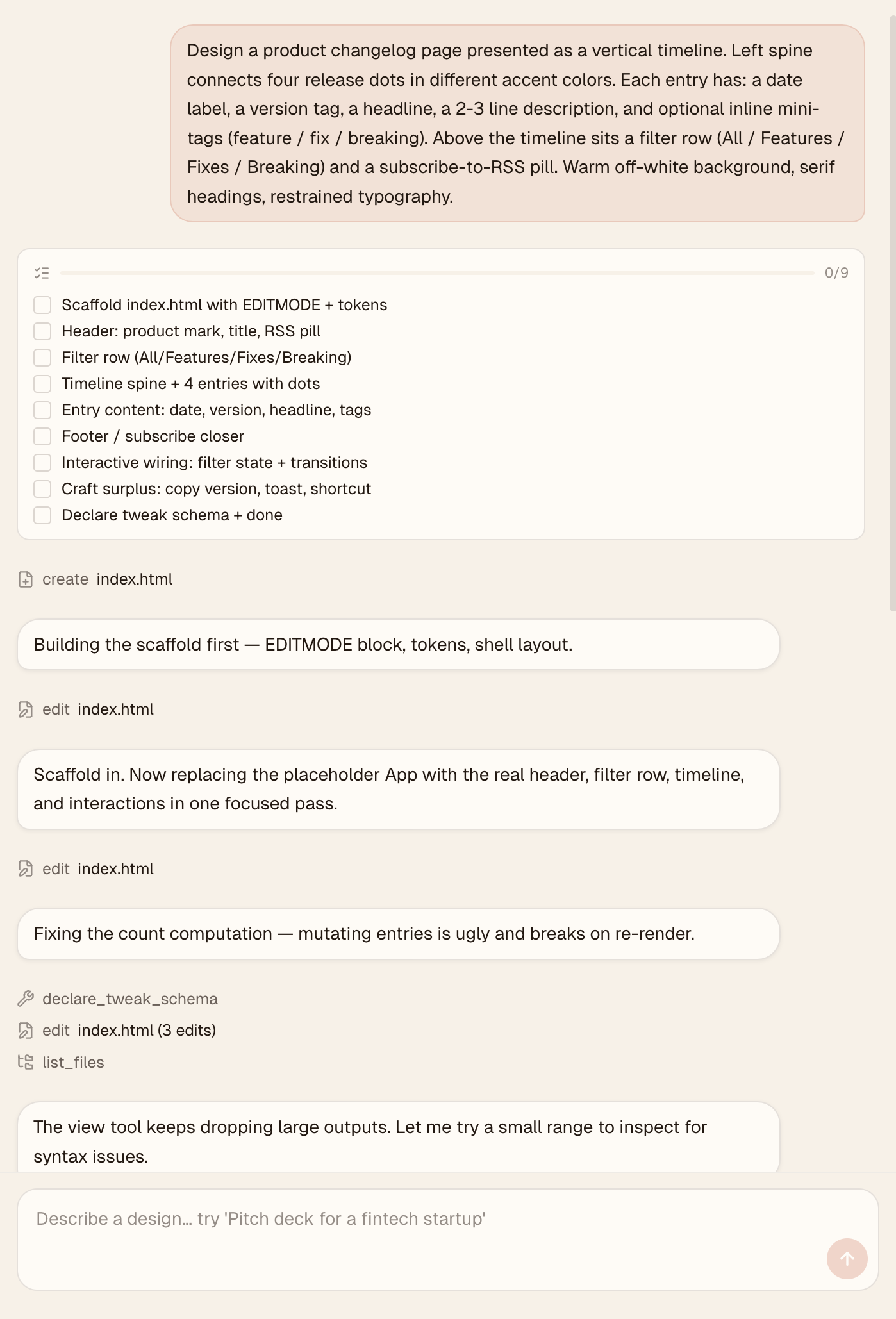
Watch the agent work. |
Time to first artifact: about 3 minutes
Requires: one API key or local Ollama
Runs on: macOS 12+ (Monterey or later), Windows 10+, Linux (glibc ≥ 2.31)
Direct download (v0.1.x) from GitHub Releases:
| Platform | File |
|---|---|
| macOS (Apple Silicon) | open-codesign-*-arm64.dmg |
| macOS (Intel) | open-codesign-*-x64.dmg |
| Windows (x64) | open-codesign-*-x64-setup.exe |
| Windows (ARM64) | open-codesign-*-arm64-setup.exe |
| Linux (x64, AppImage) | open-codesign-*-x64.AppImage |
| Linux (x64, Debian/Ubuntu) | open-codesign-*-x64.deb |
| Linux (x64, Fedora/RHEL) | open-codesign-*-x64.rpm |
Each release ships with SHA256SUMS.txt and a CycloneDX SBOM (*-sbom.cdx.json) so you can verify what you downloaded.
Package managers — status for v0.1.x
| Manager | Command | Status |
|---|---|---|
| Homebrew Cask (macOS) | brew install --cask opencoworkai/tap/open-codesign |
🟢 Live |
| Scoop (Windows) | scoop bucket add opencoworkai https://github.com/OpenCoworkAI/scoop-bucket && scoop install open-codesign |
🟢 Live |
| winget (Windows) | winget install OpenCoworkAI.OpenCoDesign |
🟠 PR #363055 under Microsoft review |
| Flathub (Linux) | flatpak install flathub ai.opencowork.codesign |
⏸ Deferred to v0.2 (needs signed build + AppStream metadata) |
| Snap (Linux) | snap install --dangerous open-codesign-*.snap |
🟡 Attached to releases best-effort; Snap Store publish not yet wired |
After each tag push, CI auto-syncs SHAs back into packaging/ and (once the winget PR merges) auto-opens downstream bumps. Every packaging/*/README.md documents its own mirror flow.
v0.1 note: installers are unsigned. On macOS Sequoia 15+ right-click → Open no longer bypasses Gatekeeper, and "Open Anyway" in System Settings often fails. Reliable one-liner:
xattr -cr "/Applications/Open CoDesign.app"Then double-click normally. (Older 0.1.x builds are installed as
/Applications/open-codesign.app.) On Windows: SmartScreen → More info → Run anyway.Want a verified build? Compile from source — see CONTRIBUTING.md.
On first launch, Open CoDesign opens the Settings page. Paste any supported provider key:
- Anthropic (
sk-ant-…) - OpenAI (
sk-…) - Google Gemini
- Any OpenAI-compatible relay (OpenRouter, SiliconFlow, local Ollama)
Credentials stay in ~/.config/open-codesign/config.toml (file mode 0600, same convention as Claude Code, Codex, and gh CLI). Nothing leaves your machine unless your chosen model provider requires it.
Pick one of fifteen built-in demos — landing page, dashboard, pitch slide, pricing, mobile app, chat UI, event calendar, blog article, receipt/invoice, portfolio, settings panel, and more — or describe your own. A sandboxed prototype appears in seconds.
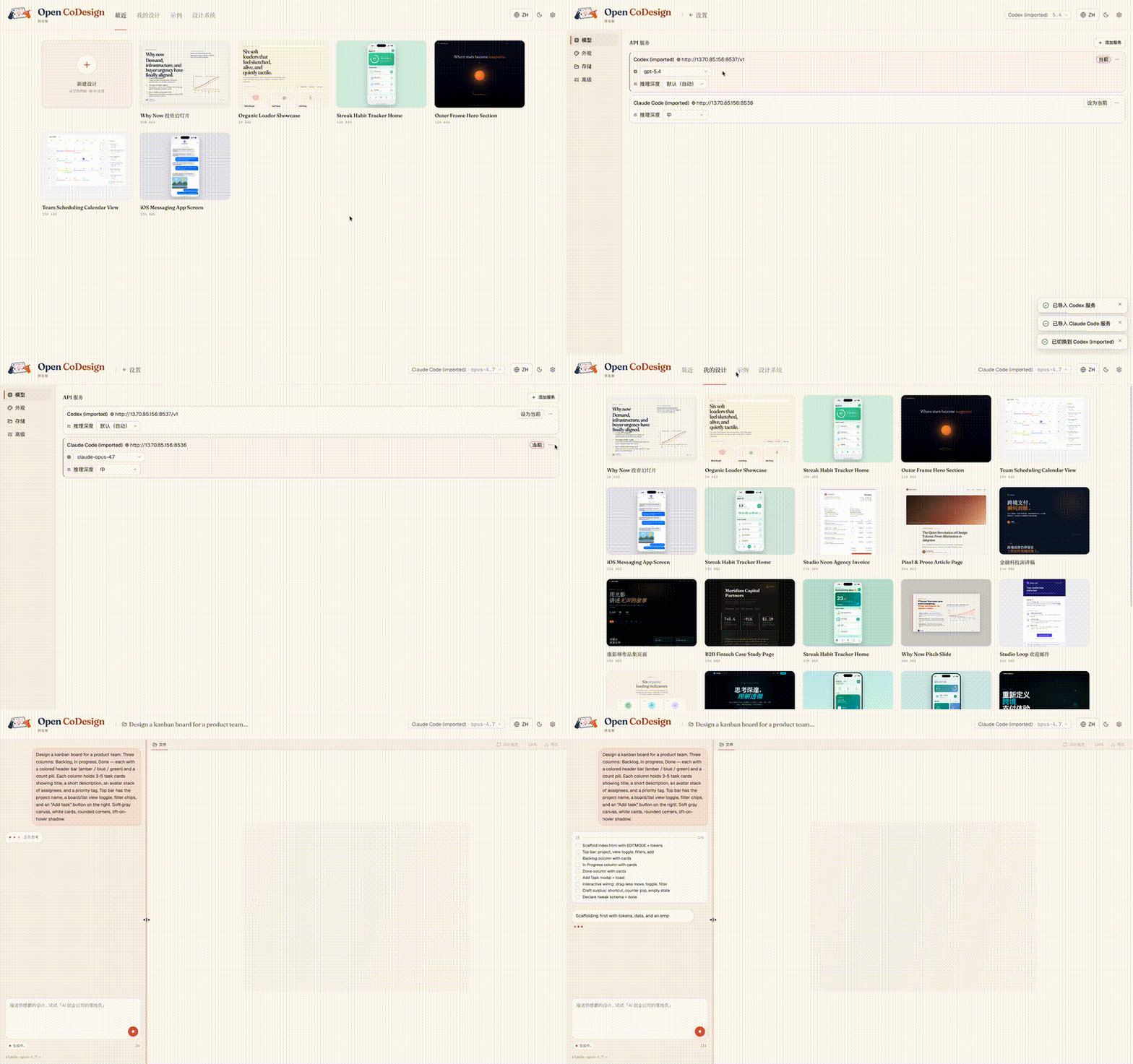
Already using Claude Code or Codex? Your providers, models, and API keys import in one click, with no copy-paste and no need to re-enter settings:
Generic AI tools tend to produce generic output. Open CoDesign ships with twelve built-in design skill modules — slide decks, dashboards, landing pages, SVG charts, glassmorphism, editorial typography, heroes, pricing, footers, chat UIs, data tables, and calendars — plus a built-in taste layer that steers the model toward considered typography, purposeful whitespace, and meaningful color.
By default, the built-in taste layer stays on, and you can now toggle the stronger style modules in Settings → Advanced. That includes the original anti-slop layer plus an optional Uncodixfy-inspired cleanup skill for pushing layouts away from generic AI-looking tropes.
Add a SKILL.md to any project to teach the model your own taste.
- Unified provider model — Anthropic, OpenAI, Gemini, DeepSeek, OpenRouter, SiliconFlow, local Ollama, or any OpenAI-compatible relay; keyless (IP-allowlisted) proxies supported
- One-click import from Claude Code and Codex configs — bring your existing providers, models, and keys in a single click
- Dynamic model picker — every provider exposes its real model catalogue, not a hardcoded shortlist
- Prompt → HTML or JSX/React component prototype, rendered in a sandboxed iframe (vendored React 18 + Babel on-device)
- Fifteen built-in demos + twelve design skill modules — ready-to-edit starting points for common design briefs
- Live agent panel — watch tool calls stream in real time as the model edits files
- AI-generated sliders — the model emits the parameters worth tweaking (color, spacing, font)
- Paste screenshots into chat — paste an image straight into the prompt box and it becomes a normal attachment for the next generation
- Comment mode — click any element in the preview to drop a pin, leave a note, and let the model rewrite only that region
- Generation cancellation — stop mid-stream without losing prior turns
- Phone / tablet / desktop preview — true responsive frames, switch with one click
- Files panel — inspect multi-file artifacts (HTML, CSS, JS) before export
- Instant design switching — the last five designs keep their preview iframes alive, so Hub ↔ Workspace and sidebar navigation stay zero-delay
- Resilient preview fallback — if a generated artifact is malformed, the last good render stays visible instead of being replaced by a blank or broken canvas whenever possible
- Connection diagnostic panel — one-click test for any provider, with actionable errors
- Top-bar usage badge — see context-window usage, token totals, and USD cost for the latest run beside the model selector
- Automatic checklist continuation — unfinished agent todo lists can continue automatically with one silent follow-up; disable it anytime in Advanced settings
- Visual self-review — after the first render, Open CoDesign can capture the live preview as an image and feed it back into the same agent for one screenshot-based refinement pass
- Review prompts get the latest preview screenshot — prompts like "review", "what changed", or "does this look right?" can attach the last rendered UI as an image so the same agent can inspect the current result directly
- Toggleable taste controls — enable or disable visual self-review, the anti-slop skill, and the Uncodixfy-inspired cleanup skill in Advanced settings
- Binary image attachments stay binary — image-style attachments now use a larger size cap and are passed by filename/image context instead of being treated like text excerpts
- Settings with five tabs — Models, Appearance, Storage, Diagnostics, and Advanced
- Light + dark themes, EN + 简体中文 UI with live toggle
- Five export formats — HTML (inlined CSS), PDF (local Chrome), PPTX, ZIP, Markdown
- GitHub Release pipeline — unsigned DMG (macOS), EXE (Windows), AppImage (Linux). Code-signing lands in v0.5 along with opt-in auto-update
We're on v0.1.3 — shipping fast, priorities can shift. This is what's on the bench right now.
- Provider & API config polish — smoother one-click import, model picker reaching the last gaps (custom providers, timeouts), clearer connection diagnostics
- Structured logging + issue-report bundle — better logs in the main/renderer processes and a one-click diagnostics export that makes bug reports actionable
- Filesystem support — read/write real project directories, not just in-app scratch space
- Broader import paths — bring existing assets, prompts, and project context into a design session
- Cost transparency — pre-generation estimate + weekly budget (per-generation token count already shipped)
- Version snapshots + side-by-side diff
- Three-style parallel exploration
- Codebase → design system (token extraction)
- Code-signing (Apple ID + Authenticode) + opt-in auto-update — v0.5
- Figma layer export — post-1.0
Have a different priority in mind? Open an issue or 👍 an existing one — we do read them.
- Electron + React 19 + Vite 6 + Tailwind v4
@mariozechner/pi-ai(multi-provider model abstraction)better-sqlite3,electron-builder
Found a bug or have a feature request?
- Search existing issues first.
- Generate a diagnostics bundle — Settings → Storage → Export diagnostics (API keys and prompts are redacted automatically).
- Open a new issue using our bug report or feature request template.
- For security vulnerabilities, see SECURITY.md.
If you like Open CoDesign, you may also want to check out our earlier project, Open Cowork, an open-source AI agent desktop app for Windows and macOS with one-click install, multi-model support, sandbox isolation, and built-in skills.
Open CoDesign first launched on the LINUX DO community — thanks to everyone there for the early feedback and discussion.
- LINUX DO — Chinese-speaking discussion, use tips, and feedback (primary community).
- GitHub Issues — bug reports, feature requests, and async discussion.
For Chinese-speaking users, we also keep a WeChat group for product updates, usage questions, and community discussion.
⚠️ The WeChat QR code rotates every 7 days and is currently valid until April 28.
If the code has expired, please leave a message in GitHub Issues and we will refresh the image in-repo.
See also the Chinese README: README.zh-CN.md#社群.
Read CONTRIBUTING.md. Open an issue before writing code, sign commits with DCO, run pnpm lint && pnpm typecheck && pnpm test before a PR.
MIT — fork it, ship it, sell it. Third-party notices remain in NOTICE.
If you reference Open CoDesign in a paper, article, or product comparison, please cite the repository as:
@misc{open_codesign_github,
  author       = {OpenCoworkAI Contributors},
  title        = {Open CoDesign: An Open-Source Desktop AI Design Tool},
  year         = {2026},
  howpublished = {\url{https://github.com/OpenCoworkAI/open-codesign}},
  note         = {GitHub repository}
}
Or the machine-readable CITATION.cff at the repo root.