- Python 3 (tested on versions 3.9 and 3.10 on mac)
- Required packages (to manually install packages, follow the install command specified on package websites, otherwise recommend using the install.py script below):
- pandas
- selenium
- pillow (install command: please refer to the library website for instruction per os)
- openpyxl
- msoffcypto
- numpy
- matplotlib
- PySimpleGUI
- opencv_python
- pdfkit
- webdriver_manager
- install the latest version of Python (https://www.python.org/downloads/)
- Download the latest release from this repository
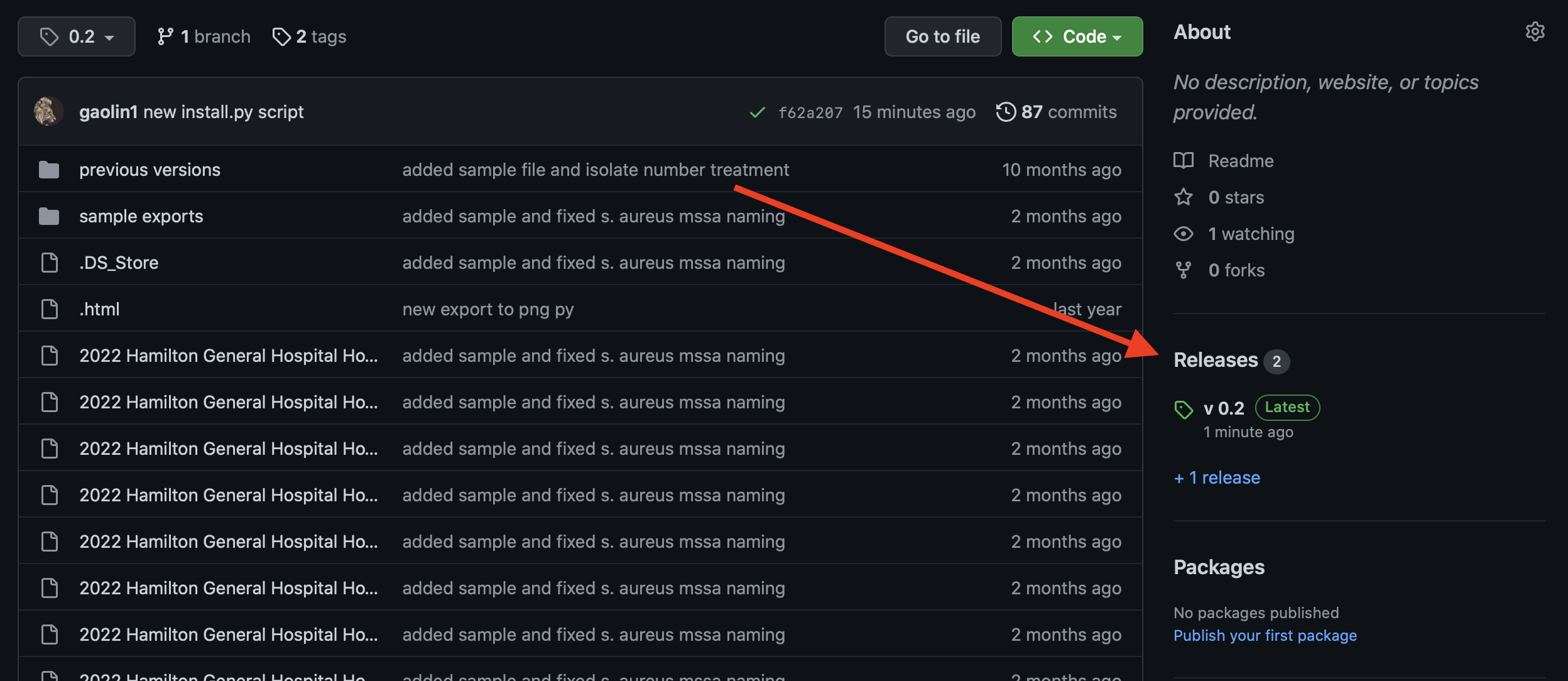
- Click on (source code (zip)) to download the folder
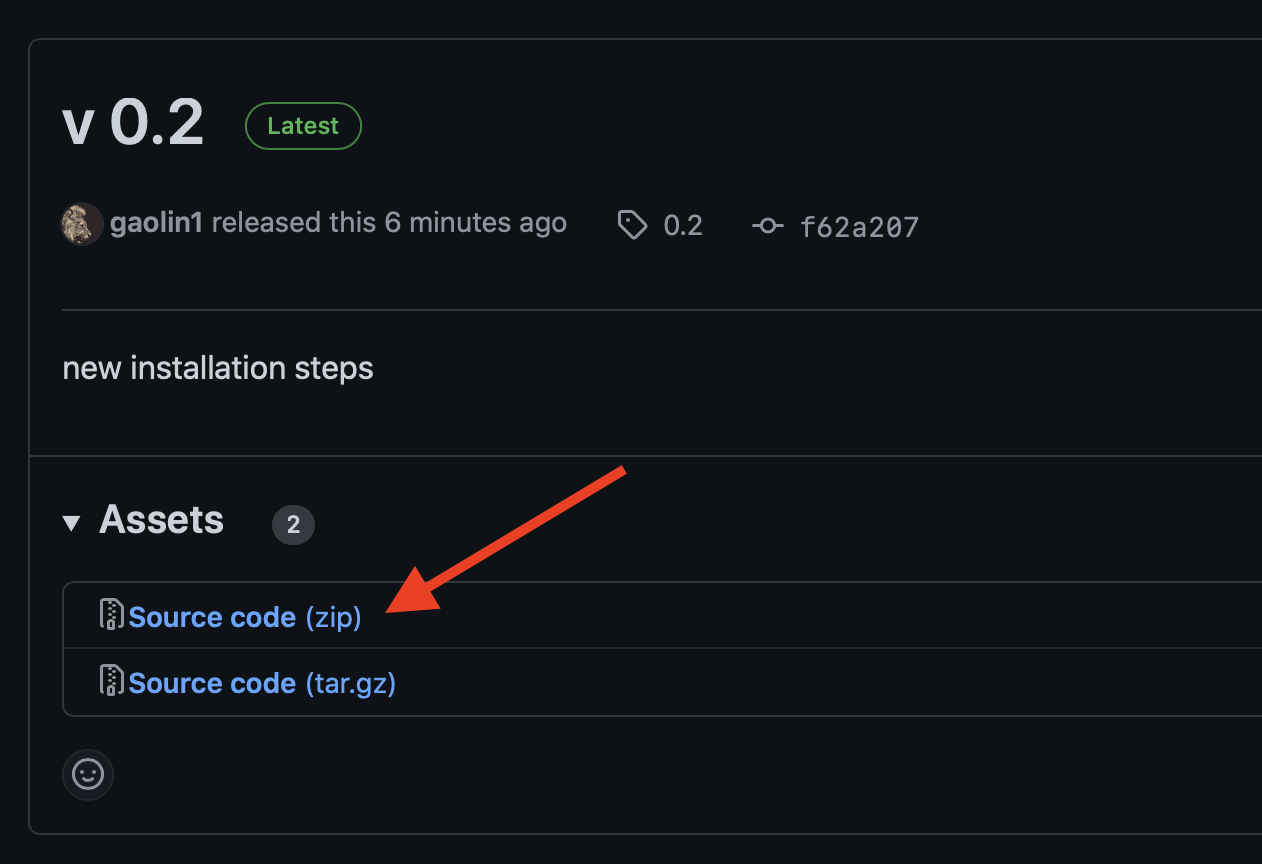
- unzip the files, then right click on install.py and select launch with python
- after the installation is completed, right click on antibiogram generator.py and select launch with python
- Additional required program:
- browser for rendering: Firefox (only browser to support sideway rotation)
- recommend rendering running script on mac if available to match rendering on the sample output file
- webdriver: install geckodriver for mac (copy to /usr/local/bin/) or windows (copy to Python/Scripts)
- browser for rendering: Firefox (only browser to support sideway rotation)
This script'smain function: take the Epic exported antibiogram file and performs data transformation (e.g. puts data in table form, add footer and header etc.), finally ouputs with firefox engine for a png file within the same directory.
First, extract from Epic: run antibiogram report for desired location (and/or service area for Joseph Brant Hospital) and then export excel file from Epic
To start the script, either
- Right click on
antibiogram generator.pyand launch with python launcher - Choose JBH button if exporting for JBH, otherwise continue to enter the required fields:
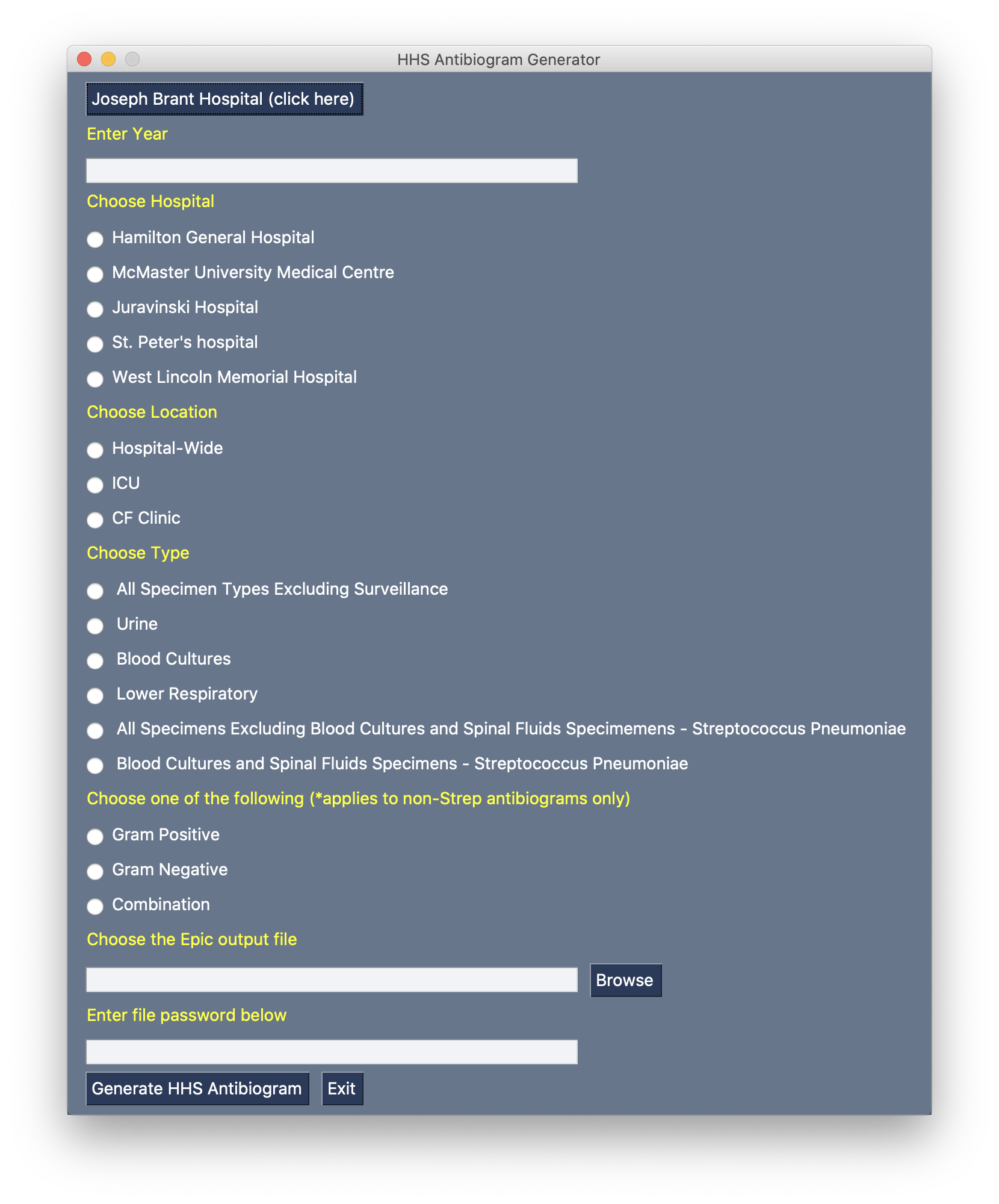
- Follow the displayed prompts to answer specifics of this antibiogram:
- Enter
yearof the antibiogram (e.g. 2021) - Select
facilityof the antibiorgam (e.g. Hamilton General Hospital) - Select
locationof the antibiorgam (e.g. ICU) - Select
typeof the antibiogram (e.g. Blood) - Select either
gram-positiveorgram negativeorcombination - then click on brosw to select the desired excel output from Epic
- enter the password below
- click on "Generate HHS Antibiogram"
- sample output file for testing: Test_Antibiogram_2.xlsx
- Then the script will then proceed to perform masking of the antibiotic and organism combination and then renders the file in html format. After rendering, the system will automatically take an screenshot of the window and crop the excess white spaces.
- note: it's helpful to keep the mouse towards to bottom right portion of the screen to avoid the risk of it been taken part of the screenshot as the script will render in Firefox and take screenshot and crop image for excess white space.
- the outputed png will be automatically saved on the same directory
- sample output png: 2001 ICU Gram Positive Urine Antibiogram - MUMC
- Enter