A profiler measures endpoints defined in your tornado application.
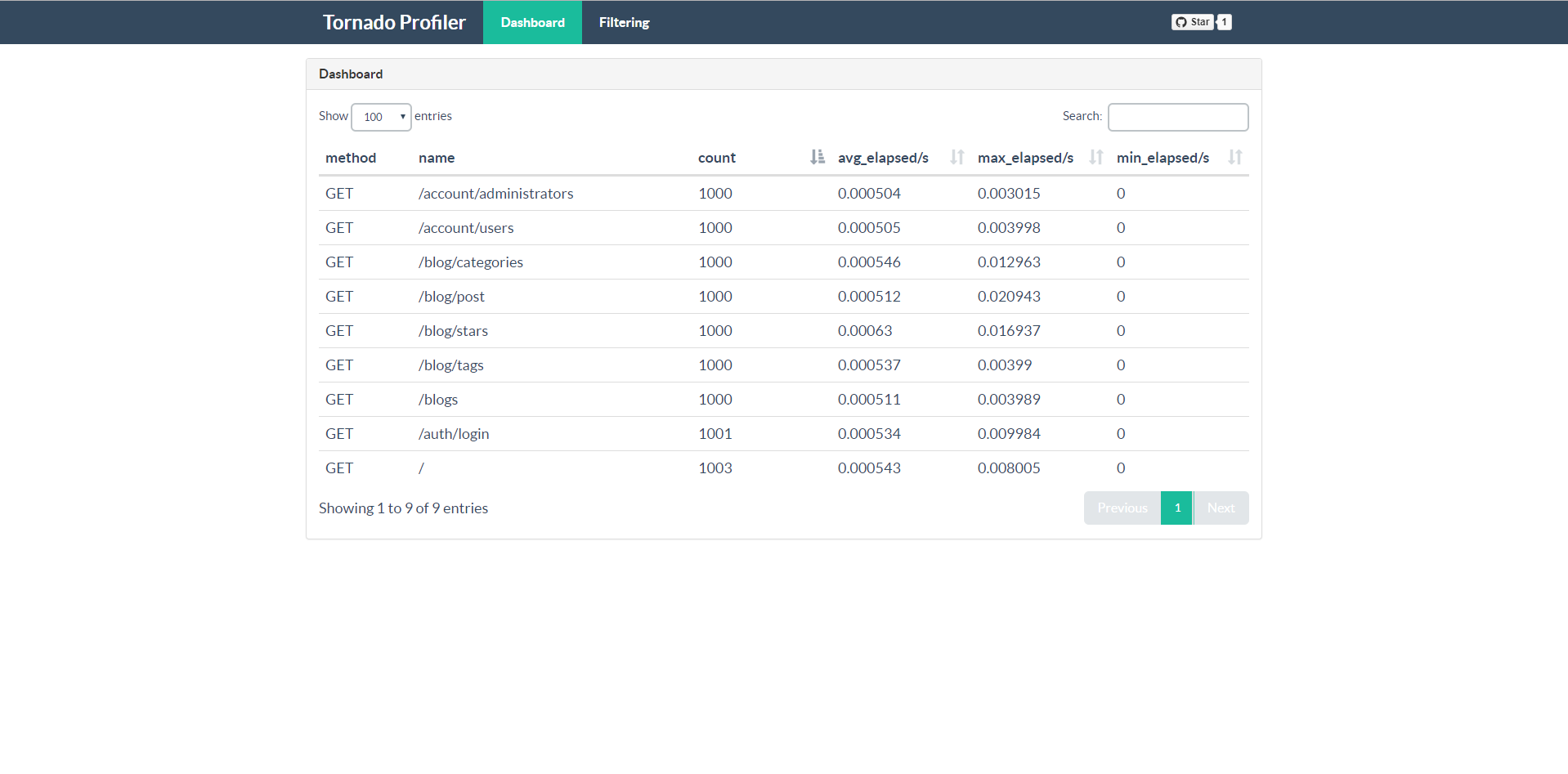
If an endpoint has been accessed before, you can see its summary data as follows.
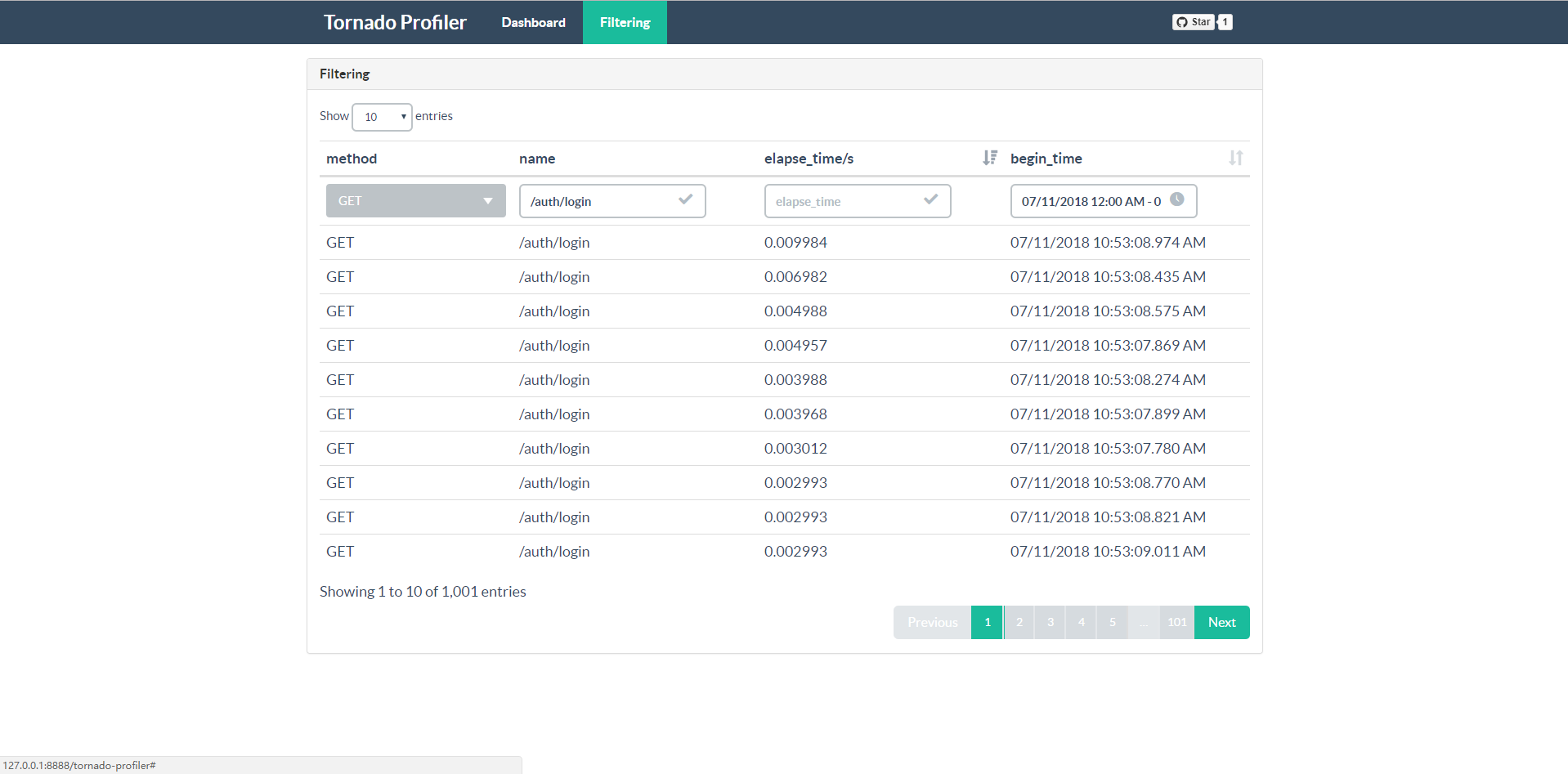
You can create filters to get datas that meet the criterias.
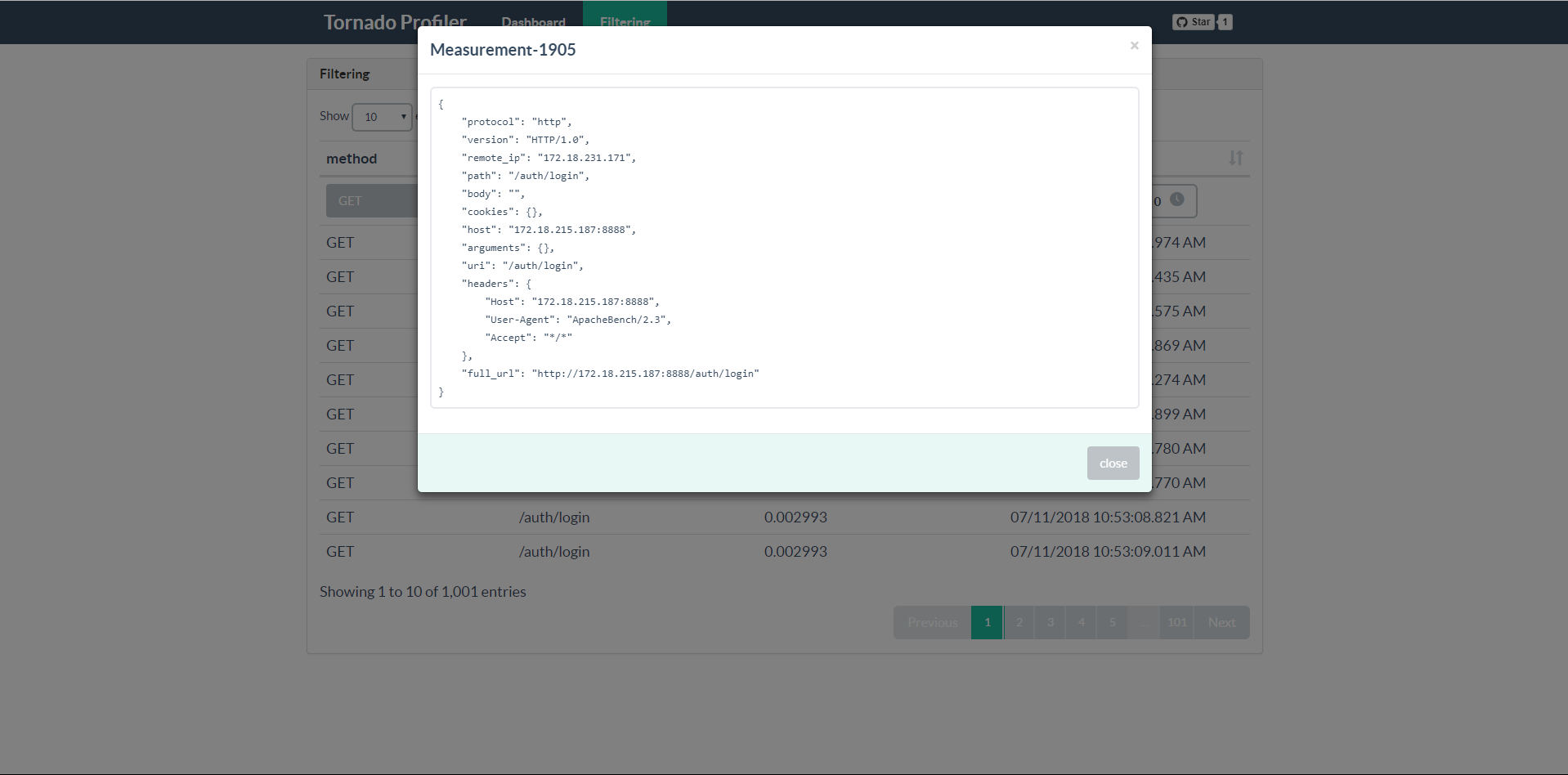
You can get all details of a request as you wish.
PyPI version:
$ pip install tornado-profiler
Development version:
$ pip install https://github.com/garenchan/tornado-profiler/zipball/master
Just add a few lines to you codes:
# demo.py
import tornado.ioloop
import tornado.web

from tornado_profiler import Profiler


class MainHandler(tornado.web.RequestHandler):
    def get(self):
        self.write("main")

class HelloHandler(tornado.web.RequestHandler):
    def get(self):
        self.write("Hello, world")

def make_app():
    app = tornado.web.Application([
        (r"/", MainHandler),
    ])

    # use to store measurement datas
    backend = {
        "engine": "sqlalchemy",
    }
    # instantiate profiler
    profiler = Profiler(backend)
    # do something to your app
    profiler.init_app(app)

    # you can add some rules that won't be profiled here
    app.add_handlers(r".*", [
        (r"/hello", HelloHandler),
    ])

    return app

if __name__ == "__main__":
    app = make_app()
    app.listen(8888)
    tornado.ioloop.IOLoop.current().start()
Now run your demo.py and make some requests as follows:
$ curl http://127.0.0.1:8888/
$ curl http://127.0.0.1:8888/hello
If everything is ok, tornado-profiler will measure these requests. You can see the result heading to http://127.0.0.1:8888/tornado-profiler or get results as JSON http://127.0.0.1:8888/tornado-profiler/api/measurements
You can use some databases to store your measurement data, such as SQLite, MySQL. The drivers we support are shown as follows:
In order to use SQLAlchemy, just specify backend's engine as "sqlalchemy". This will use SQLite by default and save it to tornado_profiler.db in your working directory.
backend = {
    "engine": "sqlalchemy",
}
If your want to change default sqlite database filename or use other databases, you need to set db_url manually:
backend = {
    "engine": "sqlalchemy",
    "db_url": "sqlite:///dbname.db",
}

backend = {
    "engine": "sqlalchemy",
    "db_url": "mysql+<driver-name>://user:password@<host>[:<port>]/<dbname>",
}
Setting some attributes of SQLAlchemy is also necessary, you just need to pass them into the backend dict:
backend = {
    "engine": "sqlalchemy",
    "db_url": "mysql+<driver-name>://user:password@<host>[:<port>]/<dbname>",
    # attributes
    "pool_recycle": 3600,
    "pool_timeout": 30,
    "pool_size": 30,
    "max_overflow": 20,
}
In some scenarios, we do not want to persist measurement datas, we can use the in-memory database of SQLite and datas will be lost when your web server stops or restarts:
backend = {
    "engine": "sqlalchemy",
    "db_url": "sqlite://",
}
Coming Soon!
-
Add authentication support, such as HTTP Basic Authentication
-
Time series chart of requests
-
Find block I/O happened in the past
If you have any other requirements, please submit PR or issues. I will reply to you as soon as possible.