automatically issue enter permits (outside the sixth ring) of Beijing 365 days
sh jinjing.sh 2>verbose.log
see config.ini
userid=150121198603226428
vehicle=津ADY1951
authorization=f36abdfa-8878-46bf-91d9-5666f808e9a4
source=8724a2428c3f47358741f978fd082810
drivername=云海
driverid=150121198603226428
modify following fields:
- userid to car owner cardid
- vehicle to car number you want issue permit
- authorization to user token
- source to device code
- drivername to car driver name
- driverid to car driver cardid
obtain by network package capture APP (e.g. VNET) under android platform
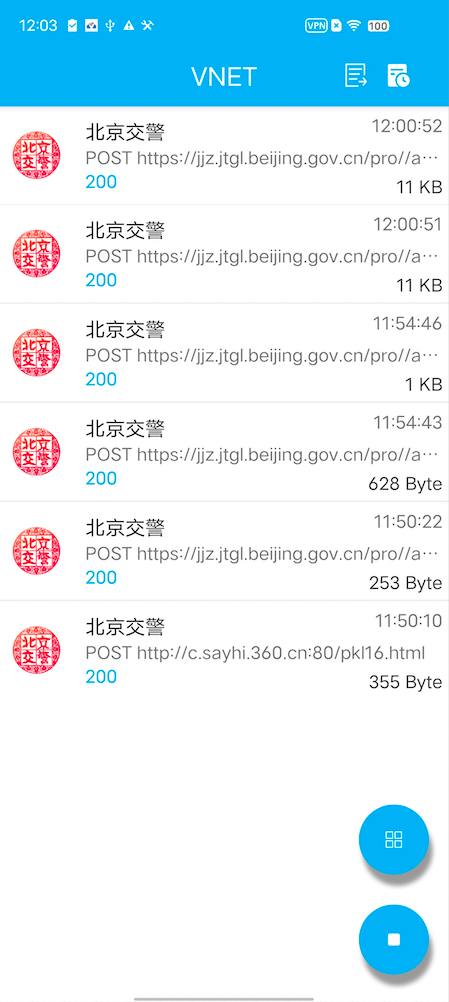
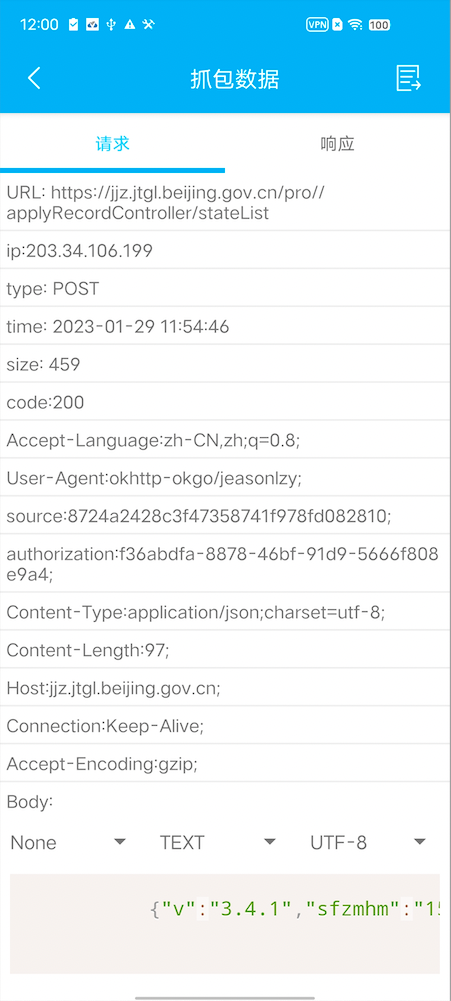
select one that not loopback (127.0.0.1)
support more than one car under same cardid, need indicate the car number (vehicle) in config.ini, this field is required
only issue new permit in following situation:
- no permits under other car belongs to this user and
- no permits under this car or
- has permits outside the sixth ring and
- this permit has expire day less or equal 1
which is:
(condition1 && (condition2 || (condition3 && condtion4)))
if you have a permit outside the sixth ring, you can issue new permit inside the sixth ring, but NOT vice versa
if you have a permit on car A and you can not issue new permit on car B/C/D... that belong to this cardid too
> sh jinjing.sh 2>verbose.log
check jq ok
check curl ok
check head ok
check cat ok
check awk ok
check grep ok
check date ok
query permits status ok: 用户办证信息查询成功!
try 津ADY1951
find match vehicle <津ADY1951> at index: 0
云海 [150121198603226428] issue permits on <津ADY1951> with type '进京证(六环外)' status: 审核通过(生效中)
expire day: 7, from 2023-01-30 to 2023-02-05
still in effect, try 7 days later ..
add oneline in your linux crontab:
> crontab -e
0 12 * * * cd /home/users/yunhai01/code/jinjing365; date >> jinjing.log; sh jinjing.sh >> jinjing.log 2>>verbose.log
change directory to where you place jinjing.sh, logs will be 'jinjing.log', detail logs will be 'verbose.log'
other platform like windows can do the same thing with 'schedule tasks' & 'git bash' & 'jq for windows', command with be:
cd /path/to/jinjing365
bash.exe jinjing.sh >> jinjing.log 2>>verbose.log
buy me a cup of tea, I may motivated to develop a new version, which get rid of package capture (VNET), it get 'authoriaztion' & 'source' fields by logining with username & password instead..
