A simple Python program that uses the Google Translate API to translate your The Lord of the Rings Online (LOTRO) chats in real-time.
For this to work, you will have to enable Chat Timestamps in the game settings.
Right clicking the desired chat tab: Chat Logging - Start Logging.
Launch the LotroChatTranslator.exe:
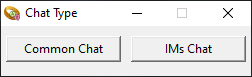
- Common Chat: Translate chats that are not IMs, such as World, Fellowship, Kinship, etc.
- IMs Chat: Translate only Instant Messages (IMs).
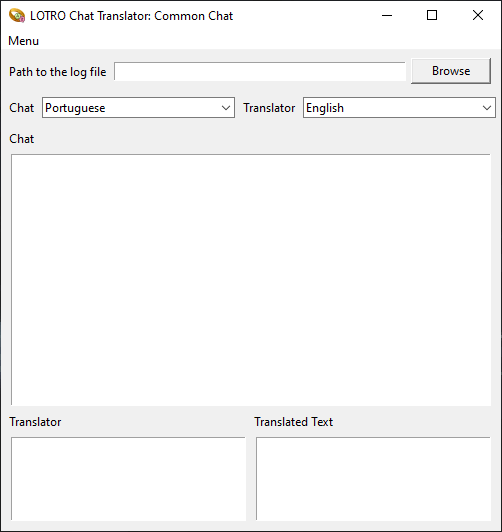
- Path to the log file: Paste the path to your
log file.txtor click the "Browse" button to use Windows File Explorer and select your log file.
- Chat: Choose the language you want the chat to be translated into.
- Translator: Select the language for translating what you type in the Translator box.
- Translated Text: The translated text will appear here. You can then use
Ctrl + Vto paste it directly into LOTRO chat—no need for manual copying.
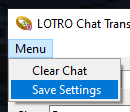
Once you’ve set up your languages and log path, go to Menu -> Save Settings. The translation process will then run in a loop, translating all new messages logged in the file.
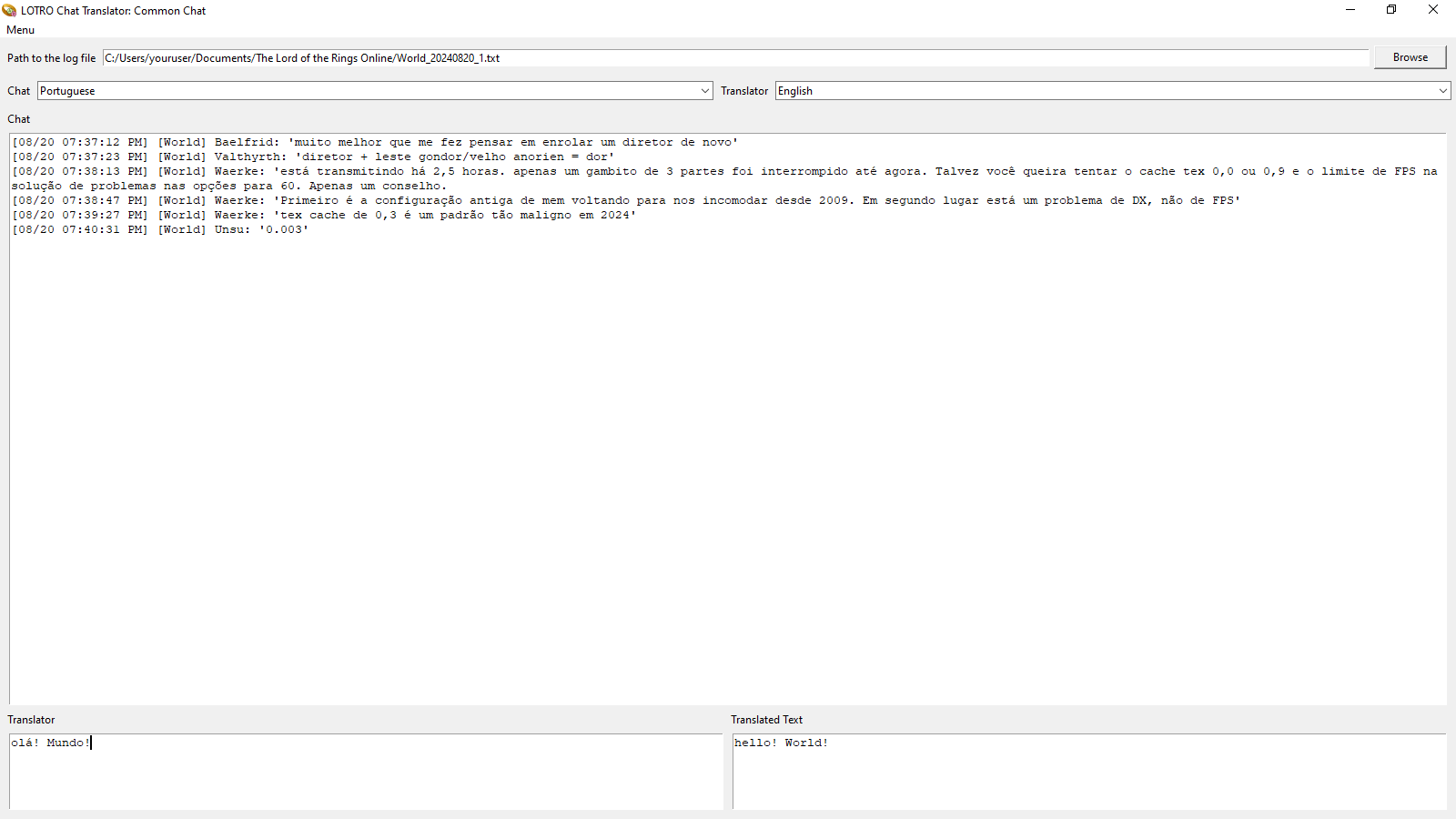
Here’s what the translated text will look like:
You can download the tool from the following link:
Download LOTRO Chat Translator
Video demonstration: Watch Demo