
Claude Intel shows you what Claude Code is actually costing — locally, privately, interactively.
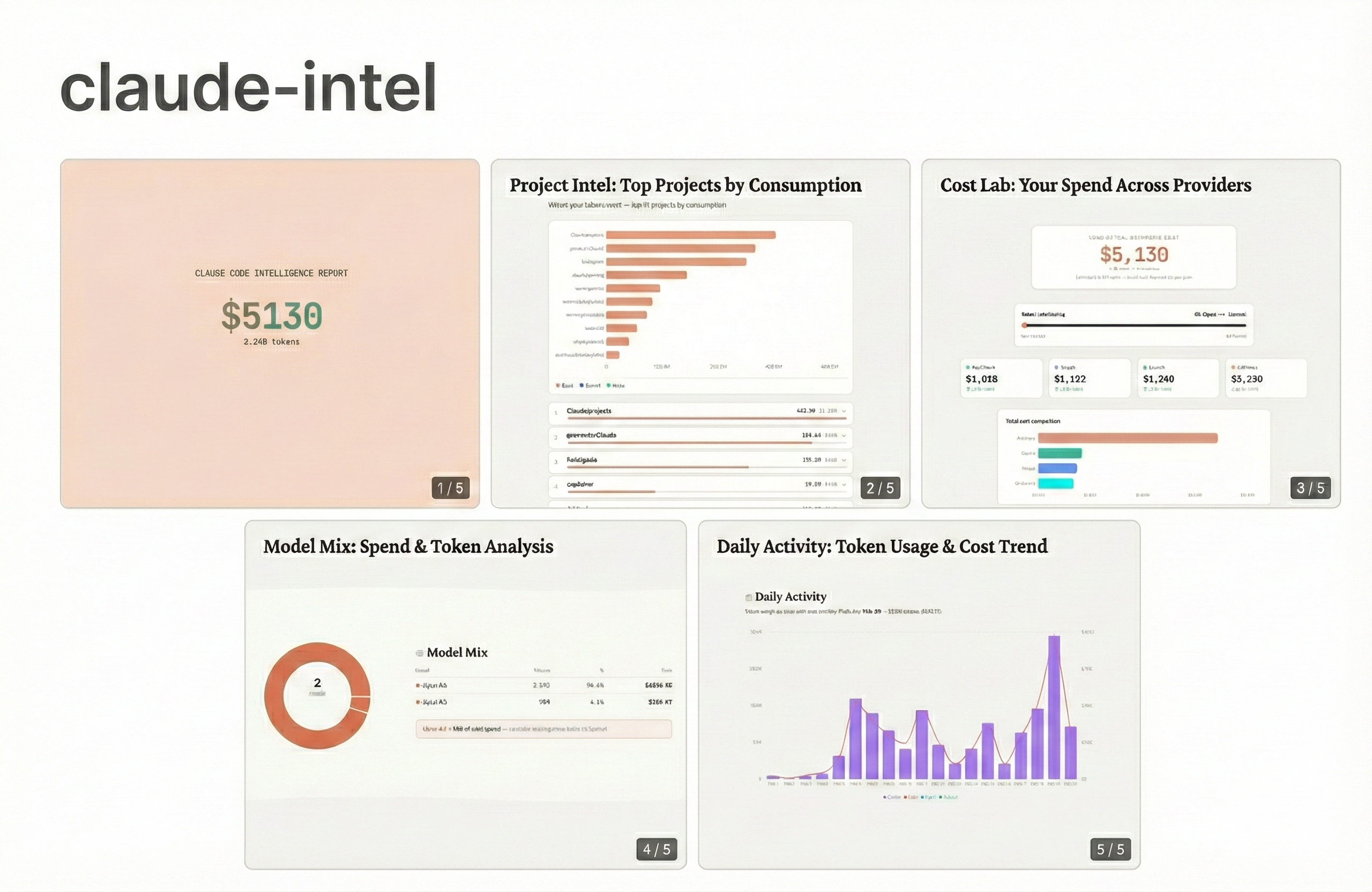
Track tokens, compare costs across providers, and discover usage patterns — all from your local Claude Code session data.
Claude Code gives you zero visibility into what you're actually spending. Claude Intel reads your local session logs, calculates costs at API rates, and serves an interactive dashboard on localhost. No data leaves your machine.
- Token analytics — Daily breakdown of input, output, and cache tokens across all projects
- Model mix — See how your usage splits across Opus, Sonnet, and Haiku
- Cost Lab — Re-price your actual usage on OpenAI, Google, and ByteDance. Simulate model rebalancing.
- Project intel — Per-project spending, dominant models, session counts
- Cache efficiency — Cache hit rate, dollars saved, what-if-uncached comparison
- Behavioral insights — Marathon sessions, peak hours, weekend warrior ratio, model mismatch alerts
- Deep dive — Sortable, searchable session table with per-turn detail
- MCP server — Ask Claude Code "how much have I spent?" directly in conversation
- Node.js 18+
- At least one Claude Code conversation — claude-intel reads session logs from
~/.claude/projects/. If you haven't used Claude Code yet, there's nothing to analyze.
npx claude-intelOpens http://localhost:3737 with your usage dashboard. Data is read from ~/.claude/projects/.
npx claude-intel --help                  # show all options
npx claude-intel --from 2026-02-01       # custom start date
npx claude-intel --to 2026-02-14         # custom end date
npx claude-intel --port 8080             # custom port
npx claude-intel --no-open               # don't auto-open browser
npx claude-intel --mcp # start MCP server instead of dashboard# Clone the repo
git clone https://github.com/jerrysoer/claude-intel.git
# Install dependencies
cd claude-intel
npm install
# Build the dashboard and server
npm run build && npm run build:server
# Run it
npm run cliOpens http://localhost:3737 with the dashboard.
Add Claude Intel as an MCP server so Claude can answer spending questions directly in conversation.
claude mcp add claude-intel -- npx claude-intel --mcpAdd to your config file (create it if it doesn't exist):
- macOS:
~/Library/Application Support/Claude/claude_desktop_config.json - Windows:
%APPDATA%\Claude\claude_desktop_config.json
{
  "mcpServers": {
    "claude-intel": {
      "command": "npx",
      "args": ["claude-intel", "--mcp"]
    }
  }
}
Restart Claude Desktop after saving.
"How much have I spent this month?" "Compare my costs with OpenAI." "What's my cache hit rate?"
| Tool | Description |
|---|---|
get_spend_summary |
Total spend + tokens for a date range |
get_daily_breakdown |
Daily cost/token table |
get_model_breakdown |
Per-model cost/token split |
get_project_costs |
Per-project breakdown |
compare_costs |
Your tokens re-priced on other providers |
get_cache_efficiency |
Cache hit rate + savings |
get_insights |
Behavioral patterns |
All tools accept optional from and to date parameters (YYYY-MM-DD).
- Parser (
lib/parser.ts) — Streams JSONL files line-by-line. Only extractsmessage.usagefields. Never loads full files into memory. - Aggregator (
lib/aggregator.ts) — Walks~/.claude/projects/, decodes directory names, merges sessions across projects. - Cost calculator (
lib/cost-calculator.ts) — Applies Anthropic API pricing. "What If" engine re-prices tokens at competitor rates. - Dashboard — Next.js static export served via Express on localhost.
claude-intel collects no telemetry. Everything runs on localhost. No data leaves your machine.
All costs are estimated at Anthropic API rates. Your actual cost depends on your plan:
- Claude Pro ($20/mo) — Included usage with rate limits
- Claude Max ($100-200/mo) — Unlimited usage
- API — Pay per token at the rates shown
claude-intel reads from ~/.claude/projects/. If the dashboard is empty:
- No Claude Code usage yet — Run at least one conversation in Claude Code, then relaunch.
- Custom install path — If Claude Code stores data somewhere other than
~/.claude/, claude-intel won't find it. - Date range too narrow — Try without
--from/--toto scan all available data.
npx claude-intel --port 8080 # use a different portMake sure you're running --mcp mode, not the dashboard:
claude mcp add claude-intel -- npx claude-intel --mcpRestart Claude Code or Claude Desktop after adding the MCP config.
Next.js 16 | React 19 | Tailwind CSS v4 | Recharts | Express 5 | MCP SDK
npm install
npm run dev          # Next.js dev server (port 3000)
npm run cli          # Run CLI with tsx
npm run build # Build static exportSee CONTRIBUTING.md.
MIT — Built by @jerrysoer