Add animations, games & informations to an oled screen (128X64 I2C SSD1306)
I connected a rpi pico micro-controller on the additional unused jsp connector on a Work Louder® creator board. Then I had additional power (CPU/RAM) to do advanced animations & add fun functionalities on a small oled screen.
- Robot animation
- Nyan cat animation
- Temperature + date + time
- Mario animation
- Random pictures from folder
- Memory usage (mostly for debugging)
- Game of life
- Starfield
- Matrix
- Mazes
- Invaders
- Mandelbrot
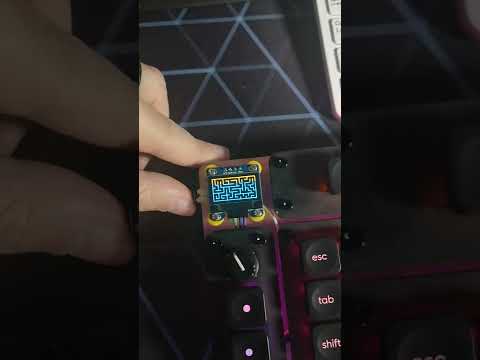
- Created a custom jsp to usb type B connector.
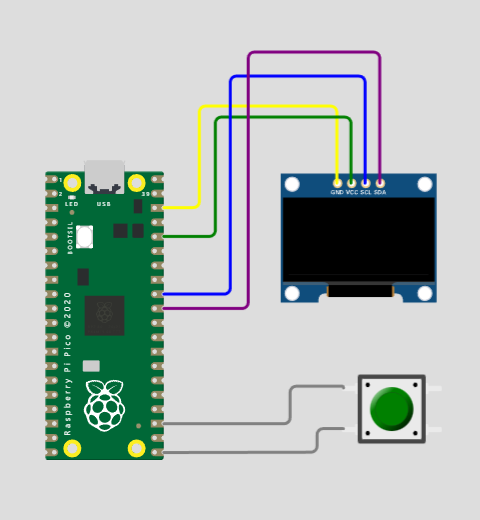
- rpi pico
- oled screen (128X64 I2C SSD1306)
Usage: python img2bytearray.py /path/to/image name extension nbrImage width height
This tool will convert for you automatically your images into bytearrays.
Images must be converted into bytearrays in order to work in the code.
You just need to copy-paste the result in a new python file.
You can look in the /img/ folder for existing examples of generated code.