

Manifest URL: https://github.com/justinross/foundry-bitd-alternate-sheets/releases/latest/download/module.json
This module is a replacement for the default character sheets in Megastruktur's Blades in the Dark system for Foundry VTT.

This sheet should mostly work with data from the original sheets. Some information, such as the acquaintances section, will be missing until added manually.
Because of the way I've had to handle data, though, it's not advised to try to switch back and forth between these sheets and the default sheets.
To change playbooks, just drag/drop a class from the Class compendium onto the sheet. THIS WILL OVERWRITE ABILITIES, SKILL RATINGS, AND LOADOUT ITEMS Seriously. It automatically resets a bunch of stuff.
I have plans to add a confirmation/check to see if you want to save anything, but it's not in yet, because honestly, it's a decent amount of hassle for something that shouldn't happen very often.
Dropping a playbook onto your sheet will set the default ability scores, add all available playbook abilities, and playbook items, as well as creating a list of default acquaintances.
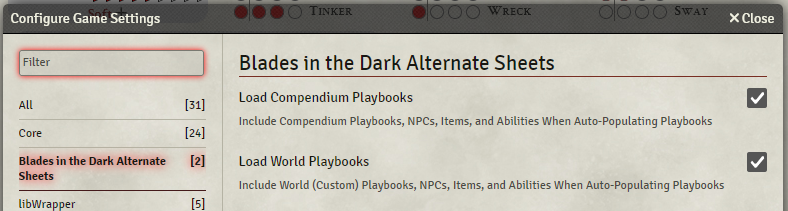
To emulate the official character sheets, items and abilities are handled as virtual lists. That is, all of the available items or abilities (depending on your playbook) are displayed, regardless of whether you have them equipped or not. These lists are generated from items and abilities that exist in your world and compendia, depending on the settings you've selected:
Edit mode - The lock button in the top right corner toggles most sheet editability. When editing is unlocked, you can right-click and delete custom items that you've added (but not playbook default or generic items). If you've added non-playbook abilities, just uncheck them to delete them from your sheet. You can also edit biography info. This info (Background, Heritage, etc.) is taken from dropped items as in the original sheet, but you can also type into these fields, and this entered text will override the owned item values.
Mini mode - The blue button in the top right corner will toggle the sheet between full view and a mini mode that is suitable for most play needs, showing a list of owned abilities, biographical info, your skill values, etc.

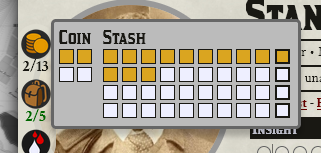
Harm, Coin, Load - These buttons next to the character portrait will open popups for making changes.


General
- Like the original sheet, clicking a skill or attribute will trigger a roll.
- Clicking XP/Stress markers will mark up to the clicked pip. Click an already-red pip to deselect it (so clicking the "3" pip when 3 are already lit up will drop the value to 2. Just try it. I promise it makes sense.)
- In edit mode, you can click the + next to "Items" or "Abilities" to add a new entry. Create one from scratch, or choose from a list of items that exist in the world/compendia.
- Click the icon next to an acquaintance to specify a relationship, friend, rival, or neutral. Drag/drop NPCs onto the sheet to add them to your acquaintances.
- A debug icon at the bottom left of the sheet will let you see any Foundry Items owned by the current character.
- When enabled, the 'Search All Compendiums' configuration will include all Compendiums when searching for options to select in the chooser dialog for various fields and in filling out lists of abilities for scoundrels and crews.
- NPCs in the configured search path with associated class 'Vice Purveyor' will populate the chooser dialog for the Vice Purveyor field.
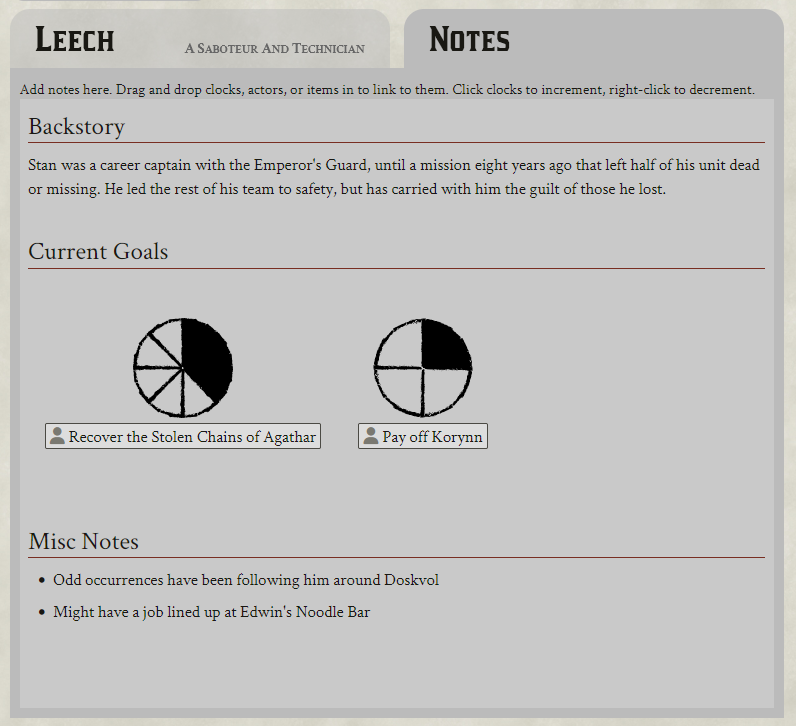
- The Notes tab has a rich text editor that lets you drag and drop actors and items into it in addition to fancy text formatting. Clocks dropped in here will be displayed and can be clicked/right-clicked to increment or decrement respectively:
If you come across any issues or suggestions, please don't hesitate to file an issue report on Github: https://github.com/justinross/foundry-bitd-alternate-sheets/issues. I'm also on Discord as ThsJstIn#5654, but Github Issues are preferred.
This repository uses a VS Code Dev Container to run Foundry VTT with this module loaded for development. The container uses the felddy/foundryvtt Docker image.
-
Configure credentials: Copy
.env.exampleto.envin the.devcontainerdirectory and fill in your Foundry VTT credentials:FVTT_USER=your-foundry-username FVTT_PW=your-foundry-password FOUNDRY_ADMIN_KEY=your-admin-key
The
.envfile is gitignored to keep your credentials secure. -
Open in container: Open this folder in VS Code and choose Dev Containers: Reopen in Container.
-
Access Foundry: The container automatically forwards port 30000, so you can access Foundry at http://localhost:30000.
- The container runs Foundry VTT from the
felddy/foundryvtt:releaseimage - Foundry data persists in
foundry-data/(gitignored) across container rebuilds - The workspace is mounted at
/workspaces/foundry-bitd-alternate-sheetsfor editing - The module is also mounted at
/data/Data/modules/bitd-alternate-sheets, so changes to your code are immediately available in the running Foundry server - npm cache persists between rebuilds for faster startup
Automatic system install: On container creation, the Blades in the Dark system is installed automatically via .devcontainer/install-system.sh. To use a different system, set FOUNDRY_SYSTEM_MANIFEST_URL before building.
- Edit files in VS Code - changes are immediately reflected in Foundry
- Run
npm run build:cssto regeneratestyles/css/bitd-alt.cssfrom SCSS sources - Foundry data and npm cache persist between container rebuilds
##TODO:
- Redo the rest of the Blades sheets. Someday.