These snippets can be used to utilise a more interactive/rich welcome page in Cornerstone OnDemand.
This file should be included in the first widget on the page (type HTML Widget).
This file should be minified and processed via webpack and then either included in an HTML widget on the page (last widget) OR added via Google Tag Manager. If you add it to the widget you will need to add <script> </script> in the widget.
- Create a welcome page or a Custom Page
- Configure the layout with 0 columns
- Add HTML Widget and paste the contents from gpeWelcomePage.html
- Add the following CSOD Widgets: Inbox & Actions
- Inspired by your subjects (LMS)
- Trending for your job (LMS)
- Transcript Overview (LMS)
- Check-Ins (EPM/CAR)
- Goal Progress (EPM/CAR)
- Devplan Progress (EPM/CAR)
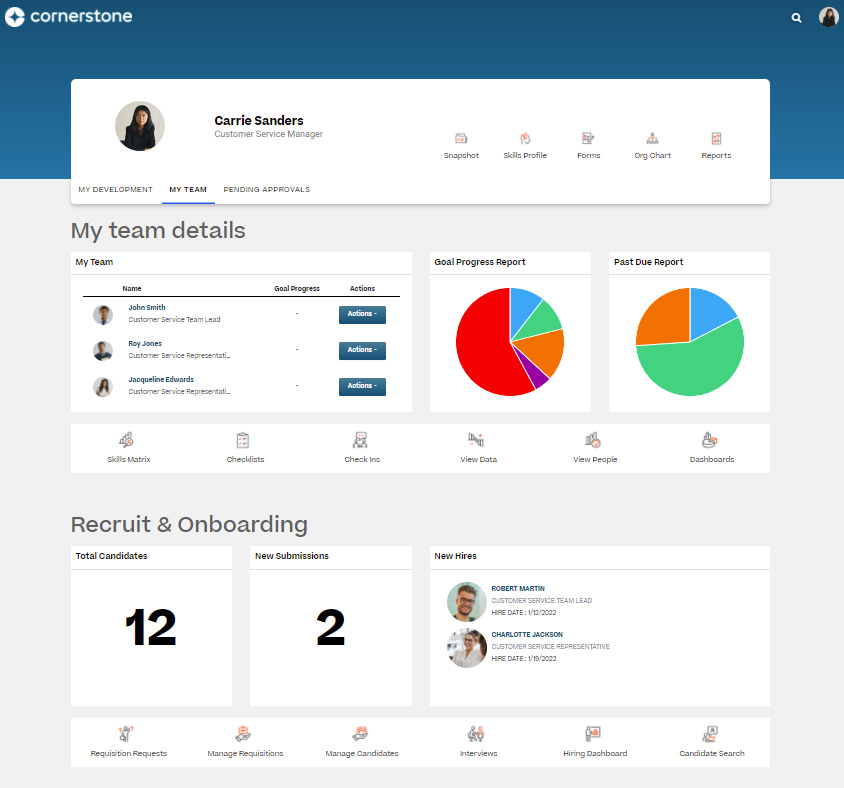
- Team Details (CORE)
- Goal Progress Report (EPM/CAR)
- Past Due Report (LMS)
- Total Candidates (ATS)
- New Submissions (ATS)
- New Hires (ATS)