TypeScript Tutorial for Angular and React Developers | Mosh
- Type annotations
- Arrow functions
- Interfaces
- Classes
- Contructors
- Access modifiers
- Properties
- Modules
You can add the extensions, that will make your vscode more useful and work more effective.
In the extension search box typing: @recommended and that will show add recommended extension.
{
  "recommendations": [
    // ts tool
    "stringham.move-ts",
    "rbbit.typescript-hero",
    "ms-vscode.vscode-typescript-tslint-plugin",
    "christian-kohler.path-intellisense",
    "ms-vscode.typescript-javascript-grammar",
    "EditorConfig.EditorConfig",
    "MariusAlchimavicius.json-to-ts",

    // HTML tool
    "formulahendry.auto-rename-tag",

    "yatki.vscode-surround",

    // themes and better look
    "johnpapa.vscode-peacock",
    "CoenraadS.bracket-pair-colorizer",
    "PKief.material-icon-theme",

    // git tool
    "eamodio.gitlens"
  ]
}| Name | Feature |
|---|---|
stringham.move-ts |
you can move ts and change the import once. |
rbbit.typescript-hero |
Sort and organize your imports (sort and remove unused). |
ms-vscode.vscode-typescript-tslint-plugin |
lint for typescript. |
christian-kohler.path-intellisense |
smart auto path intellisense for ts. |
EditorConfig.EditorConfig |
some coding style check when save file. |
MariusAlchimavicius.json-to-ts |
convert json to ts interface. |
formulahendry.auto-rename-tag |
auto rename tag with HTML. |
yatki.vscode-surround |
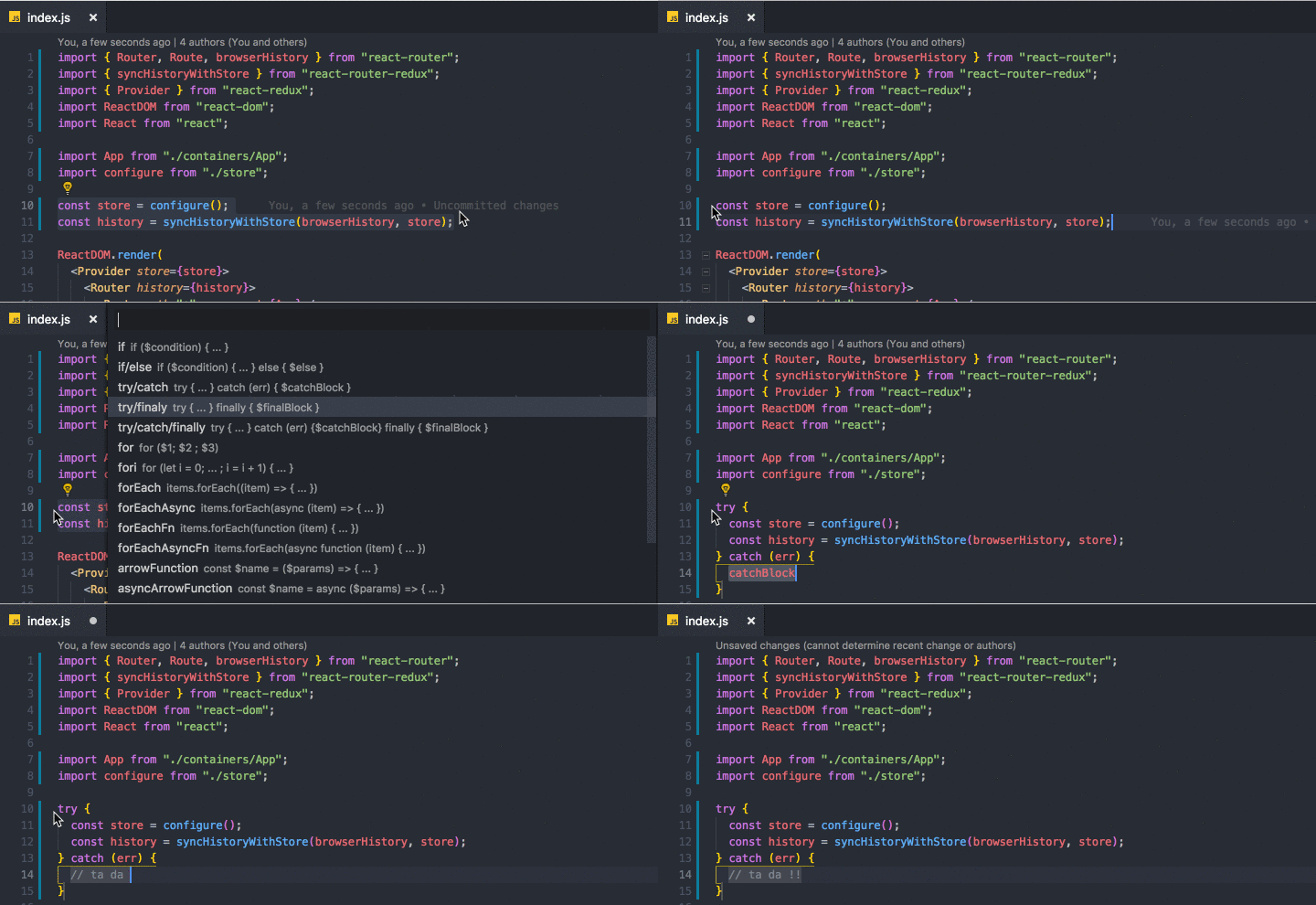 A simple yet powerful extension to add wrapper templates around your code blocks. A simple yet powerful extension to add wrapper templates around your code blocks. |
johnpapa.vscode-peacock |
 Can custom vscode color for multi code app, useful when open multi repo. Can custom vscode color for multi code app, useful when open multi repo. |
CoenraadS.bracket-pair-colorizer |
 colorize brackets colorize brackets |
PKief.material-icon-theme |
icon-theme for folder, more readable. |
eamodio.gitlens |
useful git viewer. 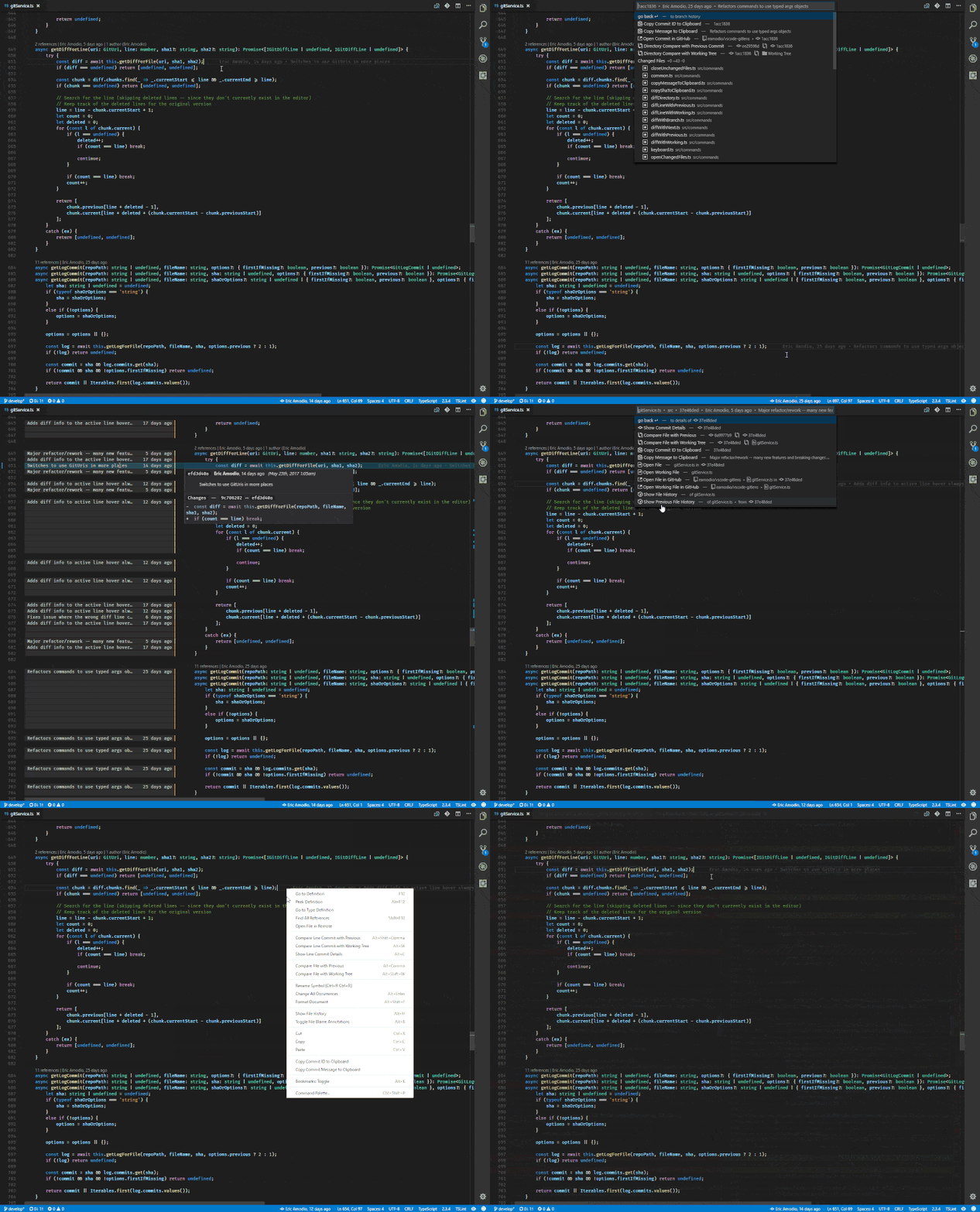 |
There is some keyboard setting for quick typing
| Name | Feature |
|---|---|
workbench.action.files.saveAll |
save all file once |
workbench.action.terminal.toggleTerminal |
toggle terminal |
editor.action.formatDocument |
format document structure |
workbench.action.navigateBack |
go to previous cursor pointer |
workbench.action.navigateForward |
go to next cursor pointer |
editor.action.triggerSuggest |
reopen the intellisense with vscode suggestion |
editor.action.smartSelect.expand |
select text a range once |
Custom Surround for coding snippet
"surround.custom": {
    "promise": {
      // add @import '~scss/_my-theme.variable.scss';
      "label": "promise",
      "description": "promise",
      "snippet": "Promise<${TM_SELECTED_TEXT}>" // <-- snippet goes here.
    },
    "upcase": {
      // label must be unique(?:^\w|[A-Z]|\b\w|\s+)
      "label": "upcase",
      "description": "upcase",
      "snippet": "${TM_SELECTED_TEXT/(.*)/${1:/upcase}/}"
    },
    "downcase": {
      // label must be unique(?:^\w|[A-Z]|\b\w|\s+)
      "label": "downcase",
      "description": "downcase",
      "snippet": "${TM_SELECTED_TEXT/(.*)/${1:/downcase}/}"
    },
    "capitalize": {
      // label must be unique(?:^\w|[A-Z]|\b\w|\s+)
      "label": "capitalize",
      "description": "first char will be upcase",
      "snippet": "${TM_SELECTED_TEXT/(.*)/${1:/capitalize}/}"
    },
    "reduce": {
      // label must be unique(?:^\w|[A-Z]|\b\w|\s+)
      "label": "reduce",
      "description": "first char will be upcase",
      "snippet": ".reduce((prev, curr, i) => {return prev;},'')"
    },
    "console": {
      // label must be unique(?:^\w|[A-Z]|\b\w|\s+)
      "label": "console.log",
      "description": "console.log()",
      "snippet": "console.log($1)$0"
    }
}