| title | Excalidraw Fork: Luzmo + ACK Editing | ||||
|---|---|---|---|---|---|
| description | A custom Excalidraw fork with embedded Luzmo Flex charts and ACK editing capabilities. | ||||
| tags |
|
||||
| author | Luzmo | ||||
| image | https://cdn.luzmo.com/showcases/flexcalidraw.gif |
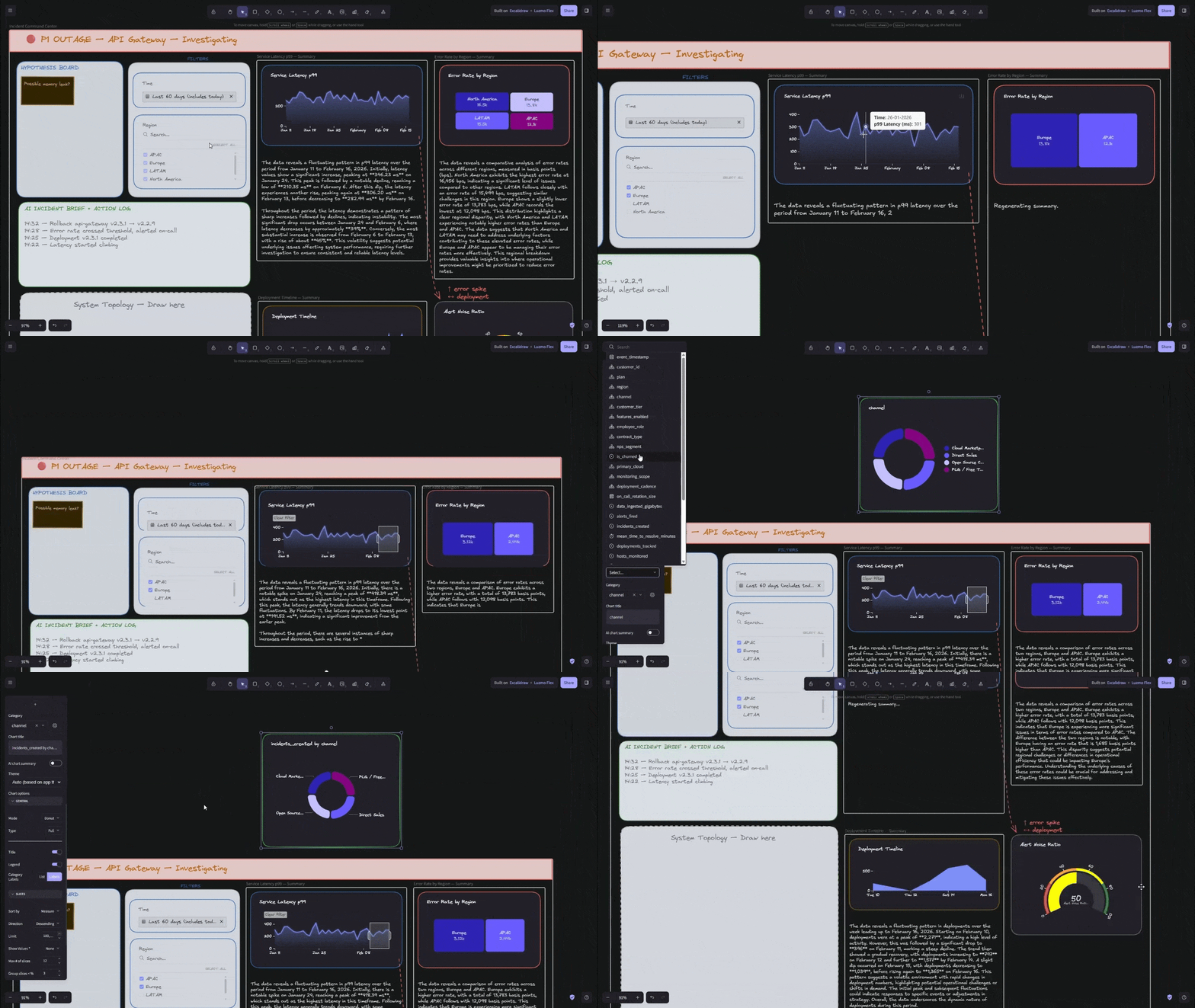
This repository is a custom fork of Excalidraw, built to showcase Luzmo's charting & editing possibilities (e.g. allowing data-driven diagram workflows).
It combines Excalidraw's whiteboarding experience with Luzmo Flex chart integrations and editing capabilities.
- Luzmo Flex chart integration - edit and render Luzmo chart content inside the Excalidraw-based experience.
- Diagram + analytics workflow - Combine free-form canvas editing from Excalidraw with chart-backed context.
- Undo / Redo — Excalidraw provides robust undo/redo capabilities that let users iterate on diagrams and charts seamlessly.
- Realtime collaboration — Native Excalidraw realtime collaboration enables multiple users to co-edit diagrams, including Luzmo components.
- Excalidraw (forked upstream) - built in React
- @luzmo/react-embed — Flex SDK to dynamically render charts (
<luzmo-embed-viz-item>) - @luzmo/analytics-components-kit — used for editing charts
- Luzmo REST API — Retrieve dataset metadata (available columns); AI summary generation via
/aisummary
- Install dependencies:
npm install- Start the development server:
npm run dev-
Open the local app URL shown in your terminal.
-
For realtime collaboration, run
excalidraw-roomlocally in a separate terminal:
git clone https://github.com/excalidraw/excalidraw-room.git
cd excalidraw-room
yarn
yarn start:dev
Then point your app's collaboration server configuration to your local excalidraw-room instance.
npm run build
npm run previewThis project is built on top of the excellent Excalidraw open-source project.
Huge thanks to the Excalidraw team and contributors for creating and maintaining such a powerful, elegant whiteboarding foundation.