(Un)Select multiple objects with single tap#1500
(Un)Select multiple objects with single tap#1500tekig wants to merge 21 commits intominio:masterfrom
Conversation


|
Test passed without errors |
 dvaldivia
requested review from
Alevsk,
adfost,
bexsoft,
dvaldivia,
jinapurapu and
prakashsvmx
dvaldivia
requested review from
Alevsk,
adfost,
bexsoft,
dvaldivia,
jinapurapu and
prakashsvmx

|
@tekig Thank you for the PR. User Experience feedback:When using it results in undesired selection of rows. in case of more rows ( range) to be skipped, it is more difficult to get the desired selection/deselection.
|
|
@prakashsvmx thank you for feedback
I agree, now I cancel the effect of
If there was no previous selection, must select from the beginning
I found an error, most likely it was not due to ctrl |
 harshavardhana
force-pushed
the
select-multiple-objects
branch
from
harshavardhana
force-pushed
the
select-multiple-objects
branch
from
6cca160 to
fa11a3d
Compare
 tekig
force-pushed
the
select-multiple-objects
branch
from
tekig
force-pushed
the
select-multiple-objects
branch
from
fa11a3d to
b456efa
Compare
|
I have tested this further. |
|
I can not reproduce, can you write detailed steps, please 2022-02-09.mp4 |
|
@tekig some times the selection does not select or results in un expected selection: MinIO-Console.mp4 |
|
If that doesn't make sense, i can force Shift to only select? |
|
It is critical when we select and delete with scrolling in the list. So it would be great to have a standard selection patterns. |
|
I don't know how to do differently. My version works like an analogue of explorer in Windows with I don't understand why it can be difficult to press |
|
@tekig Sorry for going back and forth and thank you for the patience and improvements In Linux Files ( Explorer) for example: ( For example, if we have files from 1-10) Hold Select 1, 2 Select 9, 10 Now Leave Observe that 5 -10 only gets selected.
|
|
Thank you, as there will be free time, I will try to add the ctrl key for interaction. My idea was that selection already works like ctrl so it doesn't need to be pressed. |
|
I have an idea in the form of improving the selection:
It seems to me that this is a global change, so I want to consult with you first. |
tekig
force-pushed
the
select-multiple-objects
branch
from
2f0e8ac to
9cd84e8
Compare


 prakashsvmx
left a comment
prakashsvmx
left a comment
prakashsvmx
left a comment
There was a problem hiding this comment.
Some times holding ctrl while un-selecting requires double click which requires a fix.
otherwise changes look good to me. 👍
@tekig thank you for the improvements.
|
@prakashsvmx I can't reproduce this, can you write the steps to reproduce it please? |
|
@tekig Please resolve the conflicts , i shall upload the video to demonstrate the same. |
|
I see one more issue: On initial load, hold Shift_Click_2nd_row_selects-1st_row_as_well.mp4 |
I specifically did that by default I chose from the beginning of the list. I will fix it soon) |

prakashsvmx
left a comment
prakashsvmx
left a comment
There was a problem hiding this comment.
@tekig
Tested. Changes look good to me 👍 :
- Chrome
- Firefox
On Ubuntu

 dvaldivia
left a comment
dvaldivia
left a comment
dvaldivia
left a comment
There was a problem hiding this comment.
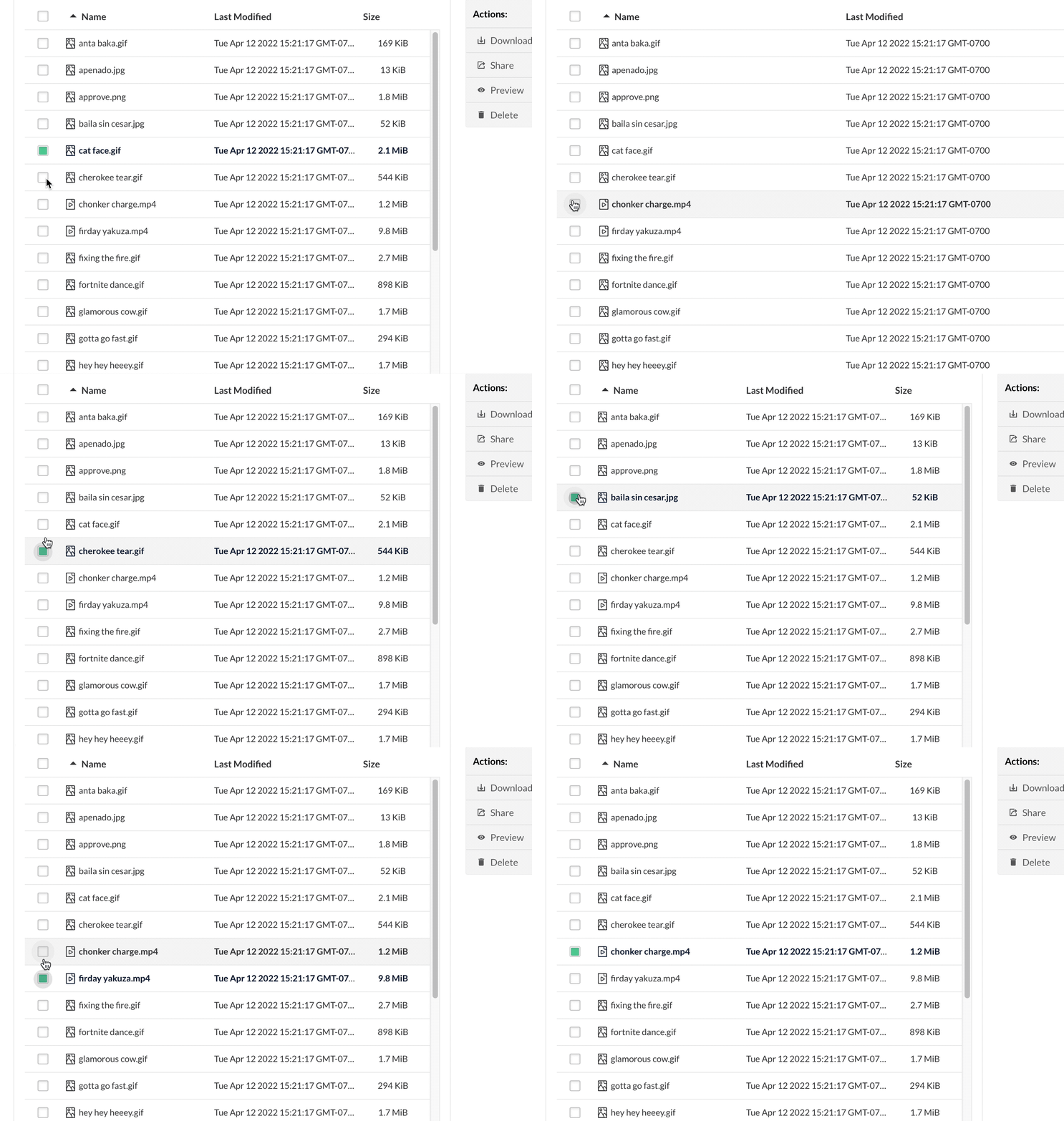
I feel it's confusing to be using the select box UI element to indicate you can select multiple, but by default it's not selecting multiple, even if you try, I think this will confuse a lot of people. I did tried while pressing shift and it let me, wasn't the original goal to give an un-select capability?


|
I think due to the confusion of the implementation of the feature we are not going to take this PR for the time being, if you re-work it in a way that makes sense with the current multi-checkbox implementation please re-open the PR |
4 participants


Adds the ability to (un)select multiple objects with single tap while holding the
shiftkey.