Conversation


Signed off by: fossabot <badges@fossa.com>

WalkthroughThe README file was updated to include FOSSA license status badges. A small badge was added below the main title, and a larger badge was placed under a newly created "License" section. No other modifications were made to the file's content or structure. Changes
Poem
🪧 TipsChatThere are 3 ways to chat with CodeRabbit:
SupportNeed help? Create a ticket on our support page for assistance with any issues or questions. Note: Be mindful of the bot's finite context window. It's strongly recommended to break down tasks such as reading entire modules into smaller chunks. For a focused discussion, use review comments to chat about specific files and their changes, instead of using the PR comments. CodeRabbit Commands (Invoked using PR comments)
Other keywords and placeholders
CodeRabbit Configuration File (
|
![gemini-code-assist[bot]](https://avatars.githubusercontent.com/in/956858?s=60&v=4)

There was a problem hiding this comment.
Summary of Changes
Hello @fossabot, I'm Gemini Code Assist1! I'm currently reviewing this pull request and will post my feedback shortly. In the meantime, here's a summary to help you and other reviewers quickly get up to speed!
This pull request establishes FOSSA integration for the project, allowing for automated license compliance tracking. The primary impact is the addition of FOSSA status badges to the README.md file, making the license scan status readily visible to anyone viewing the repository.
Highlights
- FOSSA Integration: This PR integrates FOSSA into the repository, enabling automated license scanning and reporting.
- README Updates: The
README.mdfile has been updated to include FOSSA status badges, providing a quick visual indicator of the license scan status. Both a compact shield badge and a larger status badge are added. - License Section: A new 'License' section has been added to the
README.mdto house the larger FOSSA status badge, improving documentation structure.
Using Gemini Code Assist
The full guide for Gemini Code Assist can be found on our documentation page, here are some quick tips.
Invoking Gemini
You can request assistance from Gemini at any point in your pull request via creating an issue comment (i.e. comment on the pull request page) using either /gemini <command> or @gemini-code-assist <command>. Below is a summary of the supported commands.
| Feature | Command | Description |
|---|---|---|
| Code Review | /gemini review |
Performs a code review for the current pull request in its current state. |
| Pull Request Summary | /gemini summary |
Provides a summary of the current pull request in its current state. |
| Comment | @gemini-code-assist | Responds in comments when explicitly tagged, both in issue comments and review comments. |
| Help | /gemini help |
Displays a list of available commands. |
Customization
To customize Gemini Code Assist for GitHub experience, repository maintainers can create a configuration file and/or provide a custom code review style guide (such as PEP-8 for Python) by creating and adding files to a .gemini/ folder in the base of the repository. Detailed instructions can be found here.
Limitations & Feedback
Gemini Code Assist is currently in preview and may make mistakes. Please leave feedback on any instances where its feedback is incorrect or counter productive. You can react with 👍 and 👎 on @gemini-code-assist comments to provide feedback.
You can also get AI-powered code generation, chat, as well as code reviews directly in the IDE at no cost with the Gemini Code Assist IDE Extension.
Footnotes
-
Review the Privacy Notices, Generative AI Prohibited Use Policy, Terms of Service, and learn how to configure Gemini Code Assist in GitHub here. Gemini can make mistakes, so double check it and use code with caution. ↩

|
Here's the code health analysis summary for commits Analysis Summary
|

![coderabbitai[bot]](https://avatars.githubusercontent.com/in/347564?s=60&v=4)

There was a problem hiding this comment.
Actionable comments posted: 0
🧹 Nitpick comments (1)
README.md (1)
7-7: Localize section header language.
The README content is in Portuguese; consider renaming “## License” to “## Licença” to maintain language consistency.
📜 Review details
Configuration used: CodeRabbit UI
Review profile: CHILL
Plan: Pro
📒 Files selected for processing (1)
README.md(1 hunks)
🔇 Additional comments (2)
README.md (2)
2-2: Add FOSSA status badge below the title.
The badge correctly surfaces the license scan status immediately under the main heading.
8-8: Insert larger FOSSA badge under the License section.
The larger badge enhances visibility of the project's license scan status.
There was a problem hiding this comment.
Code Review
This pull request adds FOSSA status badges and a license section to the README.md file. The changes enhance visibility into the project's license compliance. My review focuses on Markdown formatting and best practices, as no specific style guide was provided for this repository. I've identified a couple of areas for improvement: ensuring a newline at the end of the file and removing a redundant blank line for better readability, adhering to common Markdown conventions.
|
|
||
| Sistema de gerenciamento de chamados | ||
|
|
||
|
|
There was a problem hiding this comment.

This blank line is redundant. The preceding blank line (line 5) is sufficient to separate the project description from the '## License' section heading. Removing this extra blank line will improve readability and align better with common Markdown formatting standards, which typically use a single blank line for such separation.
|
|
||
|
|
||
| ## License | ||
| [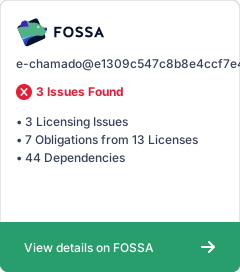](https://app.fossa.com/projects/git%2Bgithub.com%2Fmzet97%2Fe-chamado?ref=badge_large) No newline at end of file |
There was a problem hiding this comment.
The file is missing a newline character at the end. It's a widely accepted best practice to end text files with a newline character. This can prevent issues with some version control tools, file concatenation, and command-line utilities that process text line by line (e.g., cat, wc).
| [](https://app.fossa.com/projects/git%2Bgithub.com%2Fmzet97%2Fe-chamado?ref=badge_large) | |
| [](https://app.fossa.com/projects/git%2Bgithub.com%2Fmzet97%2Fe-chamado?ref=badge_large) | |

|


1 participant

Your FOSSA integration was successful! Attached in this PR is a badge and license report to track scan status in your README.
Below are docs for integrating FOSSA license checks into your CI:
Summary by CodeRabbit