URAPY stands for Uptime Robot API, but I wanted it to be more cheesy so I switched it to APY (Get it? API? APY? Ok...)
URAPY is a basic API wrapper for Uptime Robot, allowing you to control monitors and public status pages via your python terminal! It also runs on no dependencies (unless you count requests as a dependency), and is effiecient and easy to use!
To install the package, simply type pip install URAPY, and you're good!
Special Note For Repl.it Users
To install URAPY on repl.it, simply install URAPY as you would with any other package!
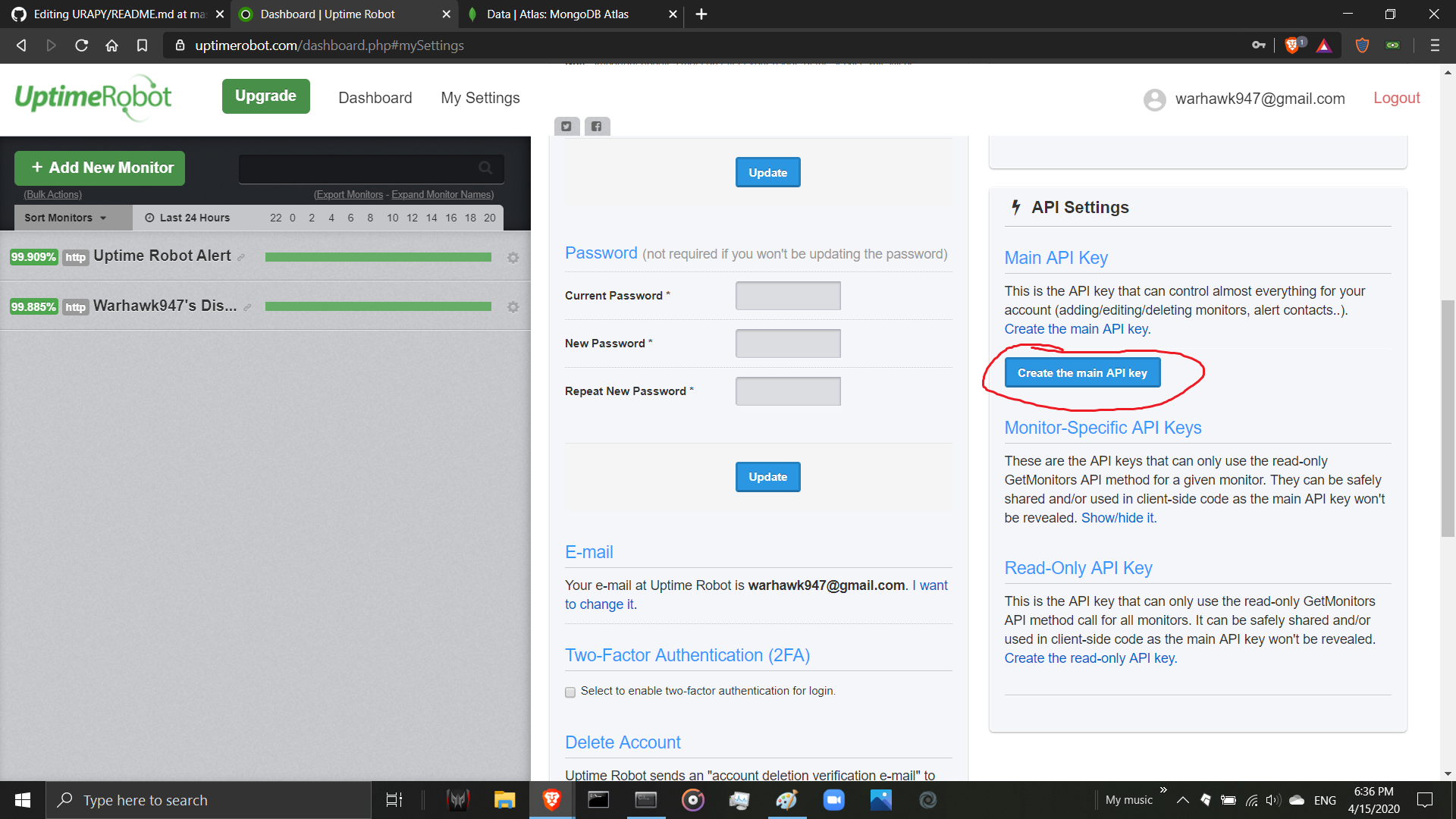
Now, before you write any code, you need to get your Uptime Robot API key (If you already have one, copy it to your clipboard and skip this part.). To get it, all you need to go is go to your settings. You should see something like this:

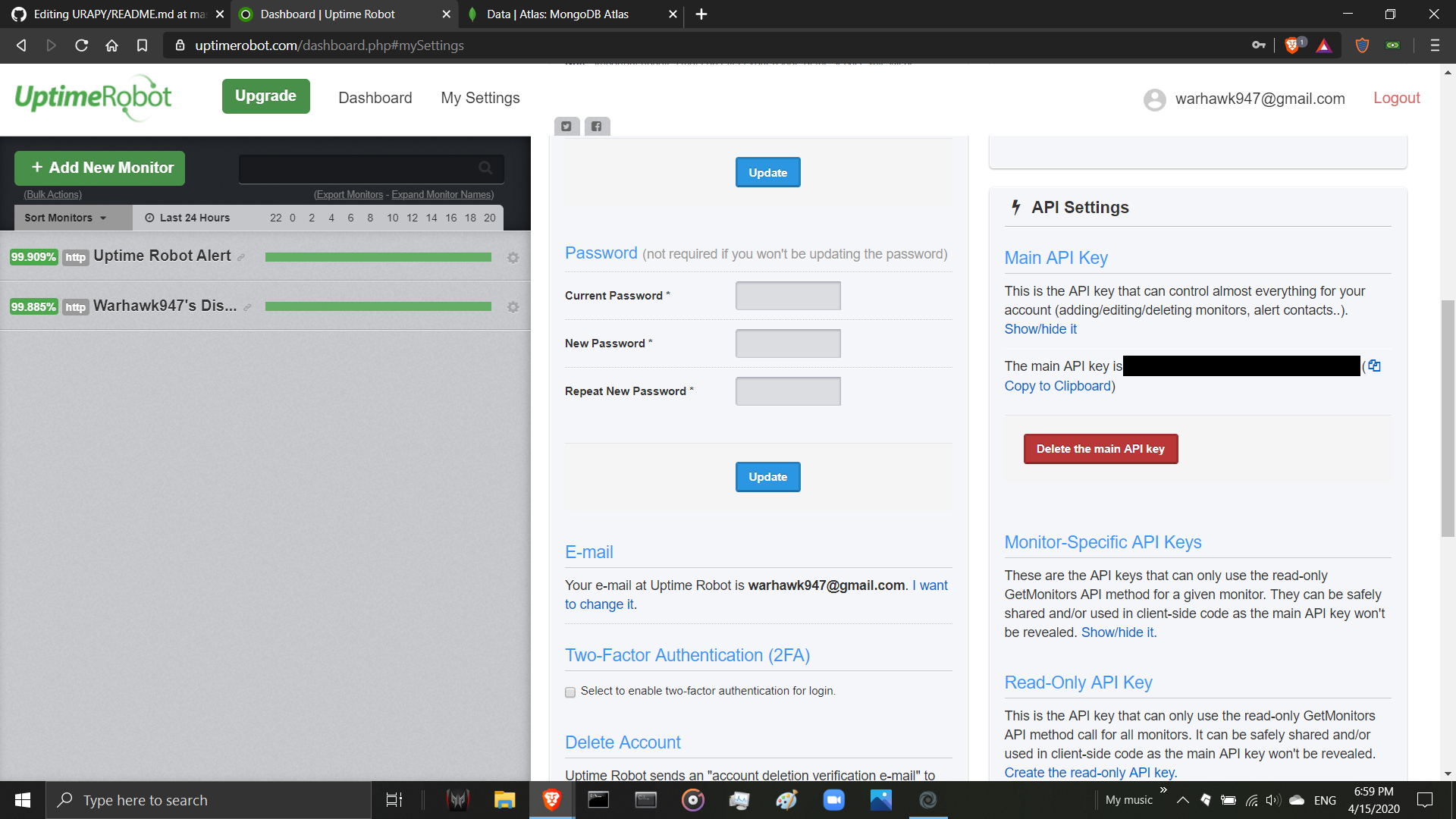
Now scroll down until you see the header called Main API Key. Click the text that says Create the main API key, and then click the big blue button.
You should now see something like this:
Type the following into your IDE.
import URAPY as u                              # Imports the Library
client = u.Client(<paste your API key here>)   # Initializes the Client
print(client.get_account_details())            # Get some Account Details!
It should spit out something like this:
{'email': 'dont_stalk_me_pls@gmail.com', 'monitor_limit': 50, 'monitor_interval': 5, 'up_monitors': 2, 'down_monitors': 0, 'paused_monitors': 0}
Congratulations! You've just written your first program with URAPY! If you get something like ModuleNotFoundError: No module name 'URAPY', try reinstalling URAPY (pip install URAPY).
Refer to official docs here | Visit Uptime Robot! https://uptimerobot.com/