Important
This is NOT maintained. I am currently working on a new program to replace this since pibooth is practically abandonware at this point, and needs so many changes to be brought up to current raspberry pi specs. My documentation may be inaccurate or lacking because I did this two years ago, and wanted to share before I start posting the new photobooth project I'm working on.
This version includes changes made for personal use and custom setups, based on v2.0.8.
Includes adjustments for touchscreen usage, portrait mode display, and some theming. This was one of the first python things I ever worked on so pardon my mess.
The original project is available at: https://github.com/pibooth/pibooth
My customizations include:
- Fixed preview image orientation for portrait mode
- Adjusted layout template alignment
- Minor logging and performance tweaks
See the included CHANGELOG.md for a full list of modifications.
Here's the booth I built. It's awesome.







The pibooth project provides a photobooth application out-of-the-box in pure Python
for Raspberry Pi. Have a look to the wiki
to discover some realizations from GitHub users, and don't hesitate to send us
photos of your version.
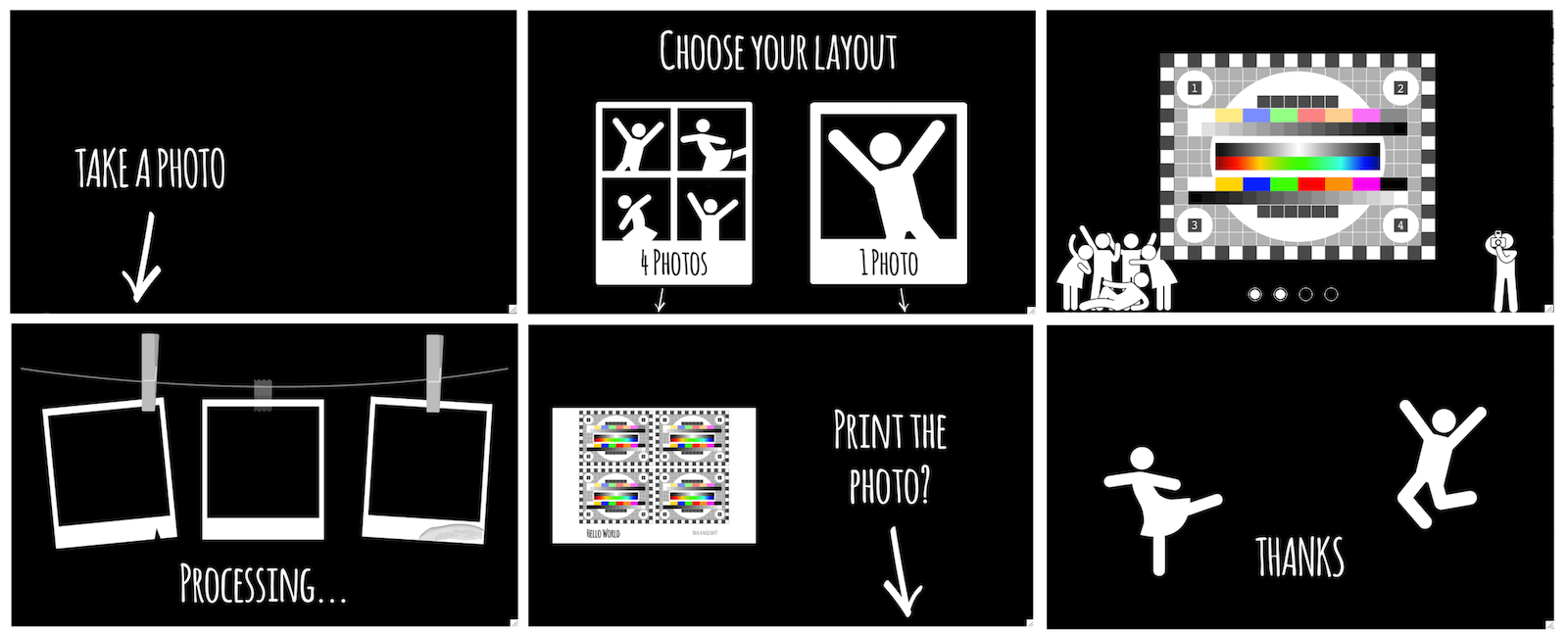
- Interface available in Danish, Dutch, English, French, German, Hungarian, Norwegian, Portuguese (Portugal and Brazil), Spanish and Swedish (customizable)
- Capture from 1 to 4 photos and concatenate them in a final picture
- Support all cameras compatible with gPhoto2, OpenCV and Raspberry Pi
- Support for hardware buttons and lamps on Raspberry Pi GPIO
- Fully driven from hardware buttons / keyboard / mouse / touchscreen
- Auto-start at the Raspberry Pi startup
- Animate captures from the last sequence during idle time
- Store final pictures and the individual captures
- Printing final pictures using CUPS server (printing queue indication)
- Custom texts can be added on the final picture (customizable fonts, colors, alignments)
- Custom background(s) and overlay(s) can be added on the final picture
- All settings available in a configuration file (most common options in a graphical interface)
- Highly customizable thanks to its plugin system, you can install plugins developed by the community from PyPI or develop your own plugin.

Here is a list of known plugins compatible with Pibooth
- pibooth-picture-template
- pibooth-google-photo
- pibooth-sound-effects
- pibooth_dropbox
- pibooth-qrcode
- pibooth-extra-lights
Third-party plugins can be found on GitHub or on plugins on PyPI. Here is a short list:
- pibooth-lcd-display
- pibooth-oled-display
- pibooth-neopixel_spi
- pibooth-telegram-upload
- pibooth-s3-upload
An enormous thanks to our sponsors:
It means a lot to us!