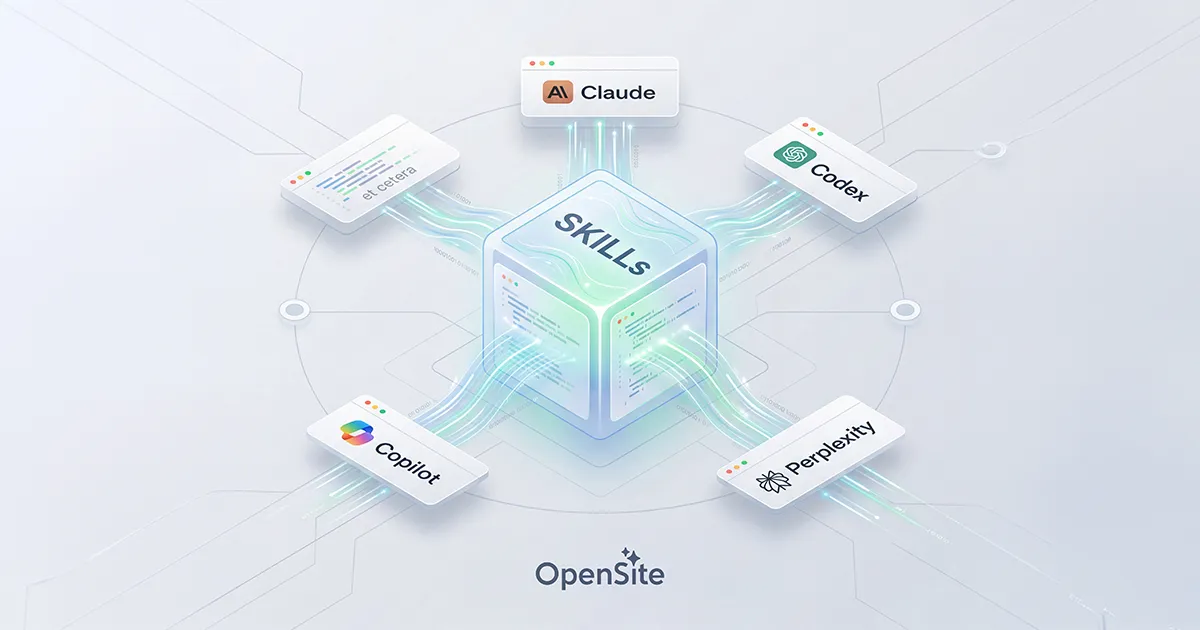
A growing collection of skills spanning frontend design, Rust and Rails backend engineering, AI/RAG pipeline patterns, database performance, DevOps automation, and more — built to stay in sync across every AI coding agent you run. Because keeping Claude Code, Codex, Copilot, Cursor, Factory/Droid, and cloud platforms all individually up to date sounds like a special kind of hell, this repo ships a full set of scripts that maintain a single source of truth for all of them.
These skills follow the Agent Skills open standard and are compatible with:
| Platform | Skill Location | Load method |
|---|---|---|
| Claude Code | ~/.claude/skills/ (global) or .claude/skills/ (project) |
Automatic + /skill-name |
| Claude Desktop | Cloud upload — claude.ai/customize/skills |
Automatic trigger |
| Codex | ~/.codex/skills/ (global) or .agents/skills/ (repo) |
Automatic + $skill-name |
| Factory/Droid | ~/.factory/skills/ (global) |
Via / commands |
| GitHub Copilot | ~/.copilot/skills/ (global) |
Via / commands |
| Perplexity Computer | Cloud upload — perplexity.ai/account/org/skills |
Automatic trigger |
| Cursor | .cursor/skills/ per-repo |
Via / commands |
| Mistral Vibe | ~/.vibe/skills/ (global) |
Automatic + /skill-name |
One repo, zero copying. Set this up once with the platform setup script and all tools read from the same directory via symlinks. Update a skill once — all tools see the change instantly. This includes Mistral Vibe, which will automatically sync the skills from this repo.
For local platforms: Claude Code, Codex, Cursor, Factory/Droid, and GitHub Copilot. Dedicated scripts for cloud platforms (Perplexity, Claude Desktop) below.
# 1. Clone to a stable location
git clone git@github.com:opensite-ai/opensite-skills.git ~/opensite-skills
cd ~/opensite-skills

# 2. Run the setup script
./setup.sh
The setup script detects which platforms are installed and creates symlinks from each platform's skills directory to this repo — no file copying. This includes Mistral Vibe, which will automatically sync the skills from this repo.
This repo ships four skills that give any AI engine persistent memory across sessions using only the local filesystem. No external services, no databases, no pip installs — just Python 3.8+ and markdown files.
| Skill | Role | When to Invoke |
|---|---|---|
memory |
Core store — schema, scripts, direct read/write/search | Direct memory operations |
memory-recall |
Loads relevant context before work begins | Start of every session |
memory-write |
Extracts and persists session learnings | End of every session |
memory-consolidate |
Decays, deduplicates, compresses old entries | Weekly or monthly |
The store lives at memory/store/ and is organized into four cognitive layers:
| Layer | Directory | What Goes Here |
|---|---|---|
| Episodic | store/episodic/ |
Session summaries, milestones, breakthrough events |
| Semantic | store/semantic/ |
Project facts, tech notes, user preferences, domain knowledge |
| Procedural | store/procedural/ |
ADRs, repeatable workflows, code conventions |
| Working | store/working/active.md |
Hot context handoff — current task, next steps, open questions |
┌─────────────────────────────────────────────────────────────┐
│  SESSION START                                              │
│  /memory-recall   ← loads working memory + relevant context │
│                                                             │
│  [... do your work ...]                                     │
│                                                             │
│  SESSION END                                                │
│  /memory-write    ← captures decisions, facts, next steps   │
└─────────────────────────────────────────────────────────────┘

Weekly / Monthly:
  /memory-consolidate  ← decays stale entries, deduplicates, compresses
store/working/active.md— always first; the hot state from last session- Semantic memories relevant to the current project and technology keywords
- Architecture Decision Records (ADRs) for the active project
- Code conventions and workflows for the active project
- The 3 most recent episodic session summaries
- Episodic — a session summary (goal, outcome, decisions, blockers, next steps)
- Semantic — project facts, tech gotchas, confirmed library behaviors, user preferences
- Procedural — ADRs with full Context / Decision / Rationale / Trade-offs / Status format
- Working — updated
active.mdwith the next-session handoff state
Before writing, memory-write searches the store and scores similarity:
| Score | Action |
|---|---|
| > 0.80 | Update the existing entry |
| 0.40 – 0.80 | Create new entry with a related: note |
| < 0.40 | Create a fresh entry |
All store data lives only on your local machine. The memory/.gitignore file excludes every store/ path from version control — only the skill instructions and Python scripts are committed to git.
To sync across machines, use a private git repo just for memory/store/, rsync in your backup system, or a dotfiles manager.
# Preview what consolidation would change (no writes)
python memory/scripts/consolidate.py --dry-run

# Full maintenance pass (decay + dedup + compress + reindex)
python memory/scripts/consolidate.py

# Manual search
python memory/scripts/search_memory.py --query "axum middleware" --type semantic
python memory/scripts/search_memory.py --stats

# Manual write
python memory/scripts/write_memory.py \
  --type semantic --category technologies \
  --title "Axum Tower Middleware Pattern" \
  --content "When adding middleware in Axum 0.8+..." \
  --tags "rust,axum,middleware" --project my-project

# Multiline / markdown-safe write
cat <<'EOF' | python memory/scripts/write_memory.py \
  --type procedural --category decisions \
  --title "ADR: Use thiserror for library error types" \
  --content-stdin \
  --tags "rust,error-handling,adr,architecture" --project my-project
## Context
...

## Decision
...
EOFThis skill provides context virtualization for AI coding agents: SQLite FTS5 indexing, BM25 keyword search, deterministic output compression, session checkpointing, and a stats dashboard. It keeps large tool outputs out of the context window while making them searchable, and saves session state across compaction boundaries.
The architecture is directly inspired by context-mode, the popular Claude Code plugin that automatically compresses and indexes tool outputs via hooks. This skill delivers the same core capabilities as a portable, agent-driven workflow that works on any platform.
Claude Code has a hook system (PreToolUse, PostToolUse) that lets context-mode intercept tool calls automatically. Codex CLI, Cursor, Windsurf, Copilot, and other agents don't have this. Without hooks, large outputs from test suites, git diffs, log files, and file reads flood the context window and trigger early compaction.
This skill bridges that gap. Instead of hooks doing the work implicitly, the agent reads the SKILL.md routing rules and invokes compression/indexing explicitly. The end result is the same: full content stays in a local SQLite database, a compact summary enters context, and targeted BM25 search retrieves specific snippets later.
All scripts live in context-management/scripts/. Python 3.8+, zero external dependencies.
| Script | Purpose |
|---|---|
ctx_compress.py |
Deterministic output compression with priority extraction (errors > warnings > structure > content) |
ctx_index.py |
Chunk content by markdown headings, store in SQLite FTS5 virtual table |
ctx_search.py |
BM25-ranked keyword search with source/tag filtering |
ctx_checkpoint.py |
Save/load structured session state across compaction boundaries |
ctx_stats.py |
Dashboard showing cumulative token savings from compression |
# Compress a large test run to 40 lines, indexing the full output for later search
cargo test 2>&1 | python context-management/scripts/ctx_compress.py \
  --lines 40 --index --source "test:cargo-test" --project .

# Search for specific failures later (without re-running or re-reading)
python context-management/scripts/ctx_search.py \
  --query "FAILED assertion" --project .

# Save session state before compaction hits
python context-management/scripts/ctx_checkpoint.py save \
  --project . --task "Implementing OAuth2 flow" \
  --completed "Added routes, Created token model" \
  --in-progress "Writing refresh middleware"

# Reload after compaction
python context-management/scripts/ctx_checkpoint.py load --project .

# Check how much context you've saved
python context-management/scripts/ctx_stats.py --brief --project .
# Output: ctx-stats: 12 compressions, ~4,231 tokens saved (76% reduction)This is the most common question developers ask when they already use context-mode, so here is the full breakdown by platform:
No conflict. context-mode operates via Claude Code's hook system at the engine level. This skill is a set of Python scripts + a SKILL.md instruction file that doesn't register hooks, doesn't modify Claude Code's config, and doesn't touch the context-mode pipeline. Running setup.sh symlinks the skill into .claude/skills/ -- a directory context-mode doesn't use.
Will it add value? Marginal. context-mode already handles compression, indexing, and checkpointing automatically via hooks. The only pieces that could supplement it:
ctx_stats.py-- if you want a different stats view than/context-mode:ctx-statsctx_checkpoint.py-- if you want manual session checkpoints beyond what context-mode does automatically- FTS5 search -- if you want to query indexed content differently
In practice, a Claude Code user with context-mode installed would rarely invoke this skill. It sits dormant and that's fine.
Keep the MCP server in config.toml. The two serve different roles:
- The MCP server gives Codex tool-level access to context-mode's compress/search/checkpoint functions. Codex can call these as MCP tools.
- This skill gives Codex instruction-level guidance on when and how to trigger compression and indexing. It's the routing layer -- SKILL.md tells the agent "when output exceeds 200 lines, pipe it through
ctx_compress.py."
The core gap is that Codex has no hooks to automatically trigger context-mode's tools. This skill bridges that gap with explicit agent routing instructions. Having both installed causes no conflict -- worst case the agent has two ways to compress output and picks one.
Should you still copy context-mode's AGENTS.md? (cp node_modules/context-mode/configs/codex/AGENTS.md ./AGENTS.md)
No. This skill replaces that step. context-mode's AGENTS.md tells the agent how to use its compress/search/checkpoint tools -- our SKILL.md does the same thing but designed for the skill-based invocation pattern. Having both would give the agent duplicate (and slightly conflicting) instructions.
The recommended setup for Codex:
# In config.toml -- keep the MCP server
[mcp-servers.context-mode]
command = "npx"
args = ["context-mode", "--mcp"]

# In your skills directory -- install this skill via setup.sh
# Skip the context-mode AGENTS.md copy step
Use this skill as-is. It's fully self-contained with its own Python scripts, SQLite database, and routing instructions. No npm install needed, no MCP server to configure.
# Just run setup.sh -- the skill is ready
./setup.shThis skill works on all of these platforms. None of them have hook support, so the skill's explicit-invocation pattern is the only option for context virtualization. Run setup.sh and the SKILL.md routing rules take effect.
All data is stored under .ctx/ in the project root:
.ctx/
├── context.db          <- SQLite FTS5 database (all indexed outputs)
├── checkpoint.md       <- Latest session checkpoint
└── checkpoints/        <- Historical checkpoints
    └── YYYY-MM-DD-HHMMSS.md
Add .ctx/ to your project's .gitignore. This data is session-local and should never be committed. The scripts, SKILL.md, and routing rules are what get versioned -- the database is ephemeral.
The ctx_stats.py script tracks every compression event and reports cumulative savings:
# One-liner for quick checks (good for mid-session sanity checks)
python context-management/scripts/ctx_stats.py --brief --project .
# ctx-stats: 12 compressions, ~4,231 tokens saved (76% reduction)

# Full dashboard with per-source breakdown
python context-management/scripts/ctx_stats.py --project .
# Context Savings Report (All-Time)
# ==================================================
#   Compressions:              12
#   Original size:         21.4 KB  (~5,631 tokens)
#   Compressed size:        5.1 KB
#   Total saved:           16.3 KB  (~4,231 tokens)
#   Context saved:          76.2%
#   Avg compression:       23.8%
#   Lines: 847 -> 203 (644 eliminated)
#   Period: 2026-03-25T14:20:00 to 2026-03-26T09:15:32
#
# Top Sources by Savings
# --------------------------------------------------
#   test:cargo-test             5x  saved   8.2 KB  (21% ratio)
#   git:diff-main               3x  saved   4.1 KB  (25% ratio)
#   log:fly-deploy              2x  saved   2.8 KB  (18% ratio)

# Current session only (last 4 hours)
python context-management/scripts/ctx_stats.py --session --project .

# Reset the log (start fresh)
python context-management/scripts/ctx_stats.py --reset --project .
This is the equivalent of Claude Code's /context-mode:ctx-stats command, adapted for the skill-based workflow.
ctx_compress.py uses deterministic priority-based line classification, not LLM summarization:
- Error lines (40% of budget) -- stack traces,
ERROR:,FAIL:, panic messages - Warning lines (15% of budget) --
WARNING:,WARN:, deprecation notices - Structure lines (25% of budget) -- headings, function signatures, section markers
- Content lines (remainder) -- everything else, sampled to fit the budget
The first 3 and last 3 non-noise lines are always included for orientation. Noise lines (blank lines, debug spam, progress bars) are dropped entirely. The output is deterministic -- the same input always produces the same compressed output.
Context management handles the current session (keeping large outputs searchable without burning context). The memory system handles cross-session persistence (remembering decisions, facts, and workflows). They complement each other:
Session start:
  1. /memory-recall                           <- load long-term context
  2. ctx_checkpoint.py load --project .       <- load session checkpoint (if resuming)

During session:
  3. ctx_compress.py + ctx_index.py           <- manage large outputs
  4. ctx_search.py                            <- retrieve indexed snippets

Session end:
  5. ctx_checkpoint.py save --project .       <- save session state
  6. /memory-write                            <- persist decisions and facts
This skill provides guardrails, protocols, and hard stop constraints for any AI coding task that will touch 50 or more files, run longer than a single agent session, or be parallelized across multiple agent instances. It exists because large-scale AI-assisted migrations reliably fail in three specific ways:
- Scope creep — the agent identifies "related improvements" and starts touching things outside the defined task
- Context drift — after processing many files, the agent loses track of what the original task actually was
- Emergent behavior — parallel agents inventing new abstractions, reorganizing directories, or creating shared systems nobody asked for
Once the skill is active, the rules are non-negotiable. The agent has exactly one job.
The skill triggers automatically on Claude Desktop and Claude Code when any of these conditions are met:
| Condition | Examples |
|---|---|
| Task will touch ≥ 50 files | JS → TS migration, codebase-wide rename |
| Work will span multiple sessions | Any refactor that won't finish in one context window |
| Parallel agent instances | Factory Droid batch, Devin playbooks, Qoder Worktrees |
| Explicit invocation | Any time you want spec-gate + guardrails, regardless of size |
Trigger phrases that auto-load this skill on supported platforms:
"refactor * across the codebase"       "migrate * to *"
"upgrade * from * to *"                "replace all * with *"
"rename * throughout"                  "convert all * to *"
"remove all instances of *"            "batch * across the codebase"
Every task must begin with a written spec before a single file is touched. The agent produces the spec and halts — waiting for a human to reply approved before any code is written. No exceptions.
The spec includes:
- A one-paragraph plain-English description of exactly what the task does
- An explicit IN SCOPE file list (types, directories, operations)
- An explicit OUT OF SCOPE — DO NOT TOUCH list
- A decomposition into atomic subtasks, each independently reviewable
- Acceptance criteria and a rollback plan
Before touching any file, the agent applies one test:
"If I remove this change from the diff, does the task still fail?"
If the answer is no — if the task succeeds without this change — the change doesn't happen. This single rule prevents the vast majority of out-of-scope drift. The agent also maintains an OBSERVATIONS.md file for anything it notices but must not act on: bugs found while refactoring, performance improvements, style inconsistencies. Log it. Move on.
Each agent session has a hard ceiling on how many files it may touch. When the budget is hit, the agent commits, pushes, and stops. A human reviews before the next session begins.
| Risk Level | Max files/session | Review cadence |
|---|---|---|
| Low — type renames, import fixes | 200 files | End of session |
| Medium — logic-adjacent refactors | 50 files | Every 25 files |
| High — framework migrations, API changes | 20 files | Every 10 files |
At every review cadence interval the agent pauses and self-audits across five questions: Are all touched files in the IN SCOPE list? Were any new files created? Were any dependencies modified? Did any change fail the Substitution Test? Were any new abstractions or systems created? Any answer of "yes" triggers an immediate human checkpoint. The audit log is attached to the commit message.
Long-running tasks commit a .refactor-session.md at the end of every session. It records completed subtasks, the in-progress subtask and its percentage, remaining files, decisions made during this session, edge cases discovered, and any active blockers. A fresh agent context — same or different model, same or different platform — reads this file and resumes without drift.
Claude Code / Codex — starting a refactor with the spec gate:
@large-scale-refactor js-to-ts-migration

Convert all .js files in src/components/ to TypeScript.
No logic changes. No style changes. Only type annotations
and updating import extensions. Approximately 180 files.
The agent writes the full spec and outputs:
⏸ SPEC GATE: Please review and reply 'approved' to begin execution,
or provide corrections.
No file is touched until you respond.
Claude Desktop — automatic activation from natural language:
"Migrate all our API route handlers from Express callbacks to
async/await. There are about 90 route files in src/routes/."
The skill loads automatically and begins with the spec gate.
Parallel agents — Factory Droid or Devin playbooks:
# The approved spec is injected as the system prompt for every instance.
# Each instance gets a non-overlapping directory assignment.
# No instance may create shared utilities or communicate with other instances.

Instance A → src/routes/auth/
Instance B → src/routes/api/
Instance C → src/routes/admin/
Instance D → src/routes/webhooks/
GitHub Copilot — explicit invocation:
/large-scale-refactor rename-color-tokens
Copilot's workspace must be scoped to IN SCOPE directories only before starting.
| Artifact | When | Contents |
|---|---|---|
TASK_SPEC.md |
Before any work (spec gate) | Scope boundary, subtask decomposition, acceptance criteria, rollback plan |
OBSERVATIONS.md |
Maintained throughout | Out-of-scope findings — logged for humans, never acted on |
CHANGE_MANIFEST.md |
After each subtask | Files modified, scope compliance checklist, test results before/after |
.refactor-session.md |
End of every session | Progress, remaining files, decisions made, active blockers, spec reference |
.refactor-scope-allowlist |
Created from spec | Used by `git diff --name-only |
The agent issues a ⏸ CHECKPOINT message and stops completely when any of these occur:
| Trigger | Required response |
|---|---|
| Spec gate | Reply approved or provide corrections |
| File outside scope boundary discovered | Provide instruction: include, exclude, or abort |
| New dependency would be required | Approve or reject the dependency change |
| New shared abstraction would be needed | Approve or add to OBSERVATIONS.md |
| Tests fail in a way the spec didn't anticipate | Report on the failure and provide direction |
| File diff budget reached for this session | Review the commit, then clear to continue |
| Ambiguity about whether a file is in scope | Answer the question — agent does not assume |
No changes are made between the checkpoint message and your response.
For very large refactors spanning many sessions, pair this skill with context-management (to prevent context window exhaustion on large diffs) and the memory system (to persist architectural decisions across sessions):
Session start:
  1. /memory-recall                           ← load long-term project context
  2. ctx_checkpoint.py load --project .       ← restore context session state
  3. Read .refactor-session.md               ← skill's own task handoff

During session:
  4. @large-scale-refactor enforces scope     ← guardrails active on every file touch
  5. ctx_compress.py compresses large diffs   ← keeps git diffs out of the context window
  6. ctx_search.py retrieves prior decisions  ← BM25 search over indexed session history

Session end:
  7. Commit .refactor-session.md             ← skill's task progress handoff
  8. ctx_checkpoint.py save --project .       ← context session state saved
  9. /memory-write                            ← decisions and facts to long-term memory
Both Perplexity Computer and Claude Desktop store skills in the cloud and require browser-based upload (neither has a public API). The sync scripts use Playwright driving your real Brave browser (headed, visible window) to bypass Cloudflare bot detection that blocks headless automation.
- Node.js 18+ — for Playwright
- Brave Browser — must be installed at
/Applications/Brave Browser.app - Session cookies — one per cloud platform (see below)
Both scripts authenticate by injecting a session cookie into a fresh browser context. To get your cookie:
- Open the target site in Brave and log in
- Press
F12→ Application tab → Cookies → select the site domain - Find and copy the session token value (see per-platform details below)
- Add to
.envin this repo
.env format (copy from .env.example):
PERPLEXITY_SESSION_COOKIE="<value>"
CLAUDE_SESSION_COOKIE="<value>"Cookie to grab: Open Brave → perplexity.ai → log in → F12 → Application → Cookies → https://www.perplexity.ai → find __Secure-next-auth.session-token, copy its Value.
URL used by the script: https://www.perplexity.ai/account/org/skills
./sync-perplexity.sh                    # sync all skills
./sync-perplexity.sh --changed-only     # only git-modified skills since last commit
./sync-perplexity.sh rails-query-optimization  # one specific skill by name
What it does per skill:
- Navigates to the org skills page
- Searches the skill list for the skill name
- Exists → opens the skill's
⋮menu → clicks the update option → re-uploads the zip - New → clicks "Upload skill" → uploads the zip
- Confirms modal closed (success) or reports the error message
File upload mechanism: Playwright intercepts the native filechooser event that fires when the dropzone is clicked. This triggers React's onChange correctly — directly setting input.files on the DOM does not work with React's synthetic event system and silently fails.
Why Brave (not headless Chromium): Playwright's bundled test Chromium has a distinct fingerprint Cloudflare detects and blocks after the first request. Using the real Brave binary (/Applications/Brave Browser.app) with a visible window passes Cloudflare's bot checks.
Or upload manually: go to perplexity.ai/account/org/skills → Upload skill, drag in any SKILL.md or .zip of the skill folder. Max 10 MB per upload.
Cookie to grab: Open Brave → claude.ai → log in → F12 → Application → Cookies → https://claude.ai → find sessionKey, copy its Value.
URL used by the script: https://claude.ai/customize/skills
./sync-claude.sh                    # sync all skills
./sync-claude.sh --changed-only     # only git-modified skills since last commit
./sync-claude.sh rails-query-optimization  # one specific skill by name
What it does per skill:
- Navigates to
claude.ai/customize/skills - Clicks the
+(Add skill) button — a Radix dropdown trigger (aria-label="Add skill") - Clicks Upload a skill in the dropdown (
[role="menuitem"]) - Intercepts the
filechooserevent on the dashed upload zone and sets the zip file - If the skill already exists, Claude automatically shows a "Replace [name] skill?" confirmation dialog — the script clicks Upload and replace to proceed
- If the skill is new, the modal closes on its own after upload
No manual duplicate detection or ⋮ menu navigation needed — Claude handles name collisions natively. The script runs the identical flow for every skill regardless of whether it exists.
Why Brave (same reason as Perplexity): Cloudflare on claude.ai also detects and blocks Playwright's bundled headless Chromium.
Or upload manually: go to claude.ai/customize/skills → click the + icon → Upload a skill, drag in a SKILL.md or .zip.
The scripts launch Brave with a fresh browser context (no profile, no cookies) and inject just the session cookie. This is intentional:
- Avoids touching or corrupting your actual Brave profile
- Works even if Brave is already open
- Session cookie gives full authenticated access without needing a full profile copy
If Brave is not installed, the scripts fall back to Playwright's bundled Chromium — but note that Cloudflare may block this on some networks.
mkdir -p ~/.claude/skills
for skill in ~/opensite-skills/*/; do
  skill_name=$(basename "$skill")
  ln -sfn "$skill" ~/.claude/skills/"$skill_name"
done
# Optional: symlink CLAUDE.md
ln -sfn ~/opensite-skills/CLAUDE.md ~/.claude/CLAUDE.mdmkdir -p ~/.codex/skills
for skill in ~/opensite-skills/*/; do
skill_name=$(basename "$skill")
ln -sfn "$skill" ~/.codex/skills/"$skill_name"
donemkdir -p ~/.copilot/skills
for skill in ~/opensite-skills/*/; do
skill_name=$(basename "$skill")
ln -sfn "$skill" ~/.copilot/skills/"$skill_name"
doneThe setup script detects Copilot by checking for
~/.copilotor theghCLI. If neither is present the section is skipped automatically.
# Inside a specific repo — makes skills available only in that project
mkdir -p .agents/skills
for skill in ~/opensite-skills/*/; do
  skill_name=$(basename "$skill")
  ln -sfn "$skill" .agents/skills/"$skill_name"
done
Codex has a built-in task that periodically analyzes work history and updates skills. Because Codex writes to ~/.codex/skills/ and your symlinks point back here, any deepening Codex does will write directly into this git repo. Commit and push after Codex updates a skill to propagate changes to all platforms.
Suggested workflow:
# After a Codex deepening session
cd ~/opensite-skills
git add -A
git commit -m "chore(skills): codex deepening $(date +%Y-%m-%d)"
git push

# Then re-upload changed skills to cloud platforms
./sync-perplexity.sh --changed-only
./sync-claude.sh --changed-onlyFour skills that work as a unit. Install all four. Use
memory-recallto start every session andmemory-writeto end it. Runmemory-consolidateweekly.
| Skill | Role | Invoke When |
|---|---|---|
memory |
Core store — schema, scripts, direct operations | Direct memory reads/writes/searches |
memory-recall |
Loads all relevant context before work begins | Start of session / "do you remember…" |
memory-write |
Extracts and persists session learnings | End of session / "save this" / "remember this" |
memory-consolidate |
Decays confidence, deduplicates, compresses old sessions | Weekly / monthly / after bulk writes |
| Skill | Description |
|---|---|
context-management |
Context virtualization for extending effective context windows. SQLite FTS5 indexing of large tool outputs, BM25 keyword search, deterministic priority-based output compression, session checkpointing across compaction boundaries, and a stats dashboard for measuring token savings. Essential for Codex CLI and other agents without hook-based output interception. |
| Skill | Description |
|---|---|
large-scale-refactor |
Guardrails, protocols, and hard-stop constraints for tasks touching 50+ files, spanning multiple sessions, or running across parallel agents. Enforces a spec-gate before any work begins, the Substitution Test on every file touch, per-session file diff budgets, periodic drift detection checkpoints, and a session handoff file that lets any agent resume without context loss. Produces TASK_SPEC.md, OBSERVATIONS.md, CHANGE_MANIFEST.md, and .refactor-session.md as structured artifacts. |
| Skill | Description |
|---|---|
ai-research-workflow |
Multi-step AI research orchestration: WorkflowBuilder/WorkflowStep system, dual-model routing (Opus for deep research + web search, Sonnet for structured generation), parallel step execution, shared MemoryStore between steps, and ai_tasks persistence pattern |
ai-retrieval-patterns |
Retrieval architecture decision framework — when to use vector RAG, PageIndex (vectorless PDF tree-search), or precision embedding models. Covers Milvus collection design, hybrid two-stage pipelines, the EmbeddingProvider abstraction (BGE-M3, Qwen3), and the routing layer that ties strategies together |
| Skill | Description |
|---|---|
opensite-ui-components |
@opensite/ui@3.x component patterns — Semantic UI Engine, block/skin architecture, Radix UI, framer-motion, Tailwind CSS v4, and the component registry system |
tailwind4-shadcn |
Tailwind CSS v4 + ShadCN UI (new-york style): CSS-first configuration, CSS variable theming, v3→v4 migration patterns, and the style dashboard / tweakcn-inspired customization workflow |
page-speed-library |
@page-speed/* sub-library development: tsup bundling, peer dependency management, and the full package graph (blocks, router, forms, img, video, skins, hooks, lightbox, pdf-viewer, and more) |
semantic-ui-builder |
AI-powered site builder patterns: component registry lookups, structured-output UI generation, block selection and skin application, and the v0-clone-inspired builder interface |
client-side-routing-patterns |
Client-side routing with the History API — pushState/replaceState, popstate listeners, provider-optional hooks, SSR-safe browser API access, scroll behavior, and parameter parsing |
react-rendering-performance |
React 19+ rendering performance: React Compiler diagnostics, profiler-driven optimization, useTransition for non-blocking updates, Activity and ViewTransition components, resource preloading APIs, and when to actually reach for useMemo/useCallback |
| Skill | Description |
|---|---|
rails-query-optimization |
Advanced ActiveRecord optimization: diagnosing N+1 beyond simple includes, the cartesian product trap with multiple has_many eager loads, CTEs and lateral joins via Arel and raw SQL, reading EXPLAIN ANALYZE output, and counter cache patterns |
rails-zero-downtime-migrations |
Safe schema changes without downtime: the hot-compatibility principle, concurrent index creation, multi-step column operations, constraint validation strategies, and release-phase coordination |
sidekiq-job-patterns |
Production-grade Sidekiq job design: idempotency, database-level locking, transient vs permanent error classification, dead job management, and version-aware API differences across Sidekiq 6.5.x through 8.x |
| Skill | Description |
|---|---|
rust-async-patterns |
Senior-level async Rust: Future Send bound failures, Rust 2024 lifetime capture rules, task cancellation with CancellationToken, blocking/async boundary design, and timeout composition with Tokio |
rust-error-handling |
Idiomatic Rust error design: thiserror vs anyhow boundary decisions, error hierarchy design, context chain propagation, HTTP handler error mapping, and patterns that prevent error type proliferation |
| Skill | Description |
|---|---|
pgvector-optimization |
pgvector performance: HNSW vs IVFFlat index selection and tuning, ef_search / m / ef_construction parameters, iterative scanning for filtered queries, scalar and binary quantization for memory reduction, and dimensionality compression |
postgres-performance-engineering |
PostgreSQL performance engineering beyond basic indexing: query plan instability, statistics staleness, EXPLAIN ANALYZE interpretation, GIN index pending list management, extended statistics for correlated columns, PgBouncer pooling modes, and autovacuum tuning |
| Skill | Description |
|---|---|
agent-file-engine |
Root and nested AGENTS.md authoring and coverage planning — repo inventory, scope model decisions, quality bar for what earns a nested file, and templates for root and nested agent context files |
git-workflow |
Branch naming, Conventional Commits, PR templates, cross-repo change coordination, GitHub Actions CI patterns for Rust and Rails, hotfix process, and database migration safety checklist (manual-invoke only) |
automation-builder |
Browser and system automation: Playwright + real browser binary for Cloudflare-protected SPAs, session cookie injection, SPA readiness patterns, React filechooser upload flow, error recovery in loops, shell script safety headers, and media tool selection (ffmpeg, ImageMagick, Sharp) |
| Skill | Description |
|---|---|
code-review-security |
Security-focused PR review: PHI/PII data leakage detection, authentication and authorization coverage, SQL injection scanning, secrets/credential exposure, SSRF risk in external HTTP calls, unsafe Rust code auditing, LLM output trust boundaries, and rate limiting on expensive endpoints |
Some skills use Claude Code extensions (context: fork, disable-model-invocation, user-invocable). These fields are unknown YAML to Codex, Perplexity, Cursor, and Copilot — they are silently ignored. Safe to leave in place; they only activate on Claude Code.
| Skill | Claude Code behavior | Other platforms |
|---|---|---|
agent-file-engine |
Runs in forked subagent for repo analysis | Inline execution |
git-workflow |
Requires explicit /git-workflow (no auto-invoke) |
Explicit-only via agents/openai.yaml |
code-review-security |
Runs in forked subagent | Inline execution |
postgres-performance-engineering |
Runs in forked subagent | Inline execution |
Every skill follows the same portable baseline:
SKILL.mdcontains standarddescription,compatibility, andmetadatafields.agents/openai.yamlprovides Codex UI metadata and implicit-invocation policy.references/activation.mdgives a portable activation guide plus an explicit invocation example.- Complex skills may also ship
templates/,examples/, orscripts/when those resources materially improve execution.
Refresh and validate the structure with:
python3 scripts/refresh_skill_support.py
python3 scripts/validate_skills.pyThese conventions emerge directly from the skills in this repo and apply regardless of which AI engine is active:
- Real Browser for Bot-Protected SPAs — Use Playwright with a real Brave/Chrome binary in headed mode for any site behind Cloudflare. Headless Chromium is fingerprinted and blocked. (
automation-builder) - CSS Variables over Color Values — Use
bg-background,text-foreground,border-border; neverbg-whiteor hardcoded hex values. (tailwind4-shadcn,opensite-ui-components) - Parameterized Queries Always — Never construct SQL via string interpolation or concatenation in any language. (
code-review-security,rails-query-optimization) - Measure Before Optimizing — Run
EXPLAIN (ANALYZE, BUFFERS)and use the React Profiler before changing a query or adding memoization. Guessing direction is wrong most of the time. (postgres-performance-engineering,react-rendering-performance) thiserrorfor Libraries,anyhowfor Applications — The wrong choice at a module boundary forces error type changes across every caller. (rust-error-handling)- Session Cookies, Not Login Automation — Inject session cookies extracted from DevTools rather than automating login flows to avoid CAPTCHAs, 2FA, and rate limits. (
automation-builder) - Hot-Compatibility for Migrations — Every schema change must be safe to run while the old application version is still serving traffic. Deploy code before the breaking migration, not after. (
rails-zero-downtime-migrations)
opensite-skills/
├── memory/                        ← Core memory store + scripts
│   ├── SKILL.md
│   ├── scripts/
│   │   ├── write_memory.py
│   │   ├── search_memory.py
│   │   ├── list_memories.py
│   │   └── consolidate.py
│   └── store/                     ← gitignored — local only
│       ├── episodic/
│       ├── semantic/
│       ├── procedural/
│       └── working/
├── memory-recall/                 ← Context retrieval agent
│   └── SKILL.md
├── memory-write/                  ← Session capture agent
│   └── SKILL.md
├── memory-consolidate/            ← Maintenance agent
│   └── SKILL.md
├── context-management/            ← Context virtualization (FTS5, compression, checkpoints)
│   ├── SKILL.md
│   ├── agents/openai.yaml
│   ├── references/activation.md
│   └── scripts/
│       ├── ctx_index.py
│       ├── ctx_search.py
│       ├── ctx_compress.py
│       ├── ctx_checkpoint.py
│       └── ctx_stats.py
├── ai-research-workflow/          ← Multi-step AI pipeline orchestration
├── ai-retrieval-patterns/         ← RAG, PageIndex, hybrid retrieval
├── agent-file-engine/             ← AGENTS.md authoring + coverage planning
├── automation-builder/            ← Playwright, shell, and media automation
├── client-side-routing-patterns/  ← History API, SPA routing hooks
├── code-review-security/          ← Security-focused PR review
├── git-workflow/                  ← Branch, commit, PR, CI conventions
├── large-scale-refactor/          ← Spec-gate + guardrails for 50+ file migrations
│   ├── SKILL.md
│   ├── agents/
│   ├── examples/
│   ├── references/
│   ├── scripts/
│   └── templates/
├── opensite-ui-components/        ← @opensite/ui component patterns
├── page-speed-library/            ← @page-speed/* package development
├── pgvector-optimization/         ← pgvector HNSW/IVFFlat tuning
├── postgres-performance-engineering/ ← Query planning, vacuuming, PgBouncer
├── rails-query-optimization/      ← N+1, CTEs, EXPLAIN ANALYZE
├── rails-zero-downtime-migrations/ ← Safe schema changes on live databases
├── react-rendering-performance/   ← React 19 Compiler, Profiler, transitions
├── rust-async-patterns/           ← Tokio, Send bounds, cancellation
├── rust-error-handling/           ← thiserror/anyhow, error hierarchy design
├── semantic-ui-builder/           ← AI-powered site builder patterns
├── sidekiq-job-patterns/          ← Idempotency, locking, version-aware API
├── tailwind4-shadcn/              ← Tailwind v4 + ShadCN theming
├── <skill-name>/
│   ├── SKILL.md                   ← Main skill instructions + frontmatter
│   ├── agents/openai.yaml         ← Codex/OpenAI UI metadata
│   ├── references/activation.md  ← Portable activation + invocation guide
│   ├── templates/                 ← Optional task/output templates
│   ├── examples/                  ← Optional sample outputs or briefs
│   └── scripts/                   ← Optional helper or validation scripts
├── AGENTS.md              ← Root context (Codex, Cursor, Copilot, Windsurf, Cline)
├── CLAUDE.md              ← Root context (Claude Code only)
├── README.md
├── scripts/refresh_skill_support.py
├── scripts/validate_skills.py
├── setup.sh               ← Symlink installer (Claude Code, Codex, Copilot, Cursor, Factory/Droid)
├── sync-perplexity.sh     ← Perplexity Computer cloud sync
├── sync-claude.sh         ← Claude Desktop cloud sync
└── .env                   ← Session cookies (gitignored)
Any tool that reads via symlink picks up changes immediately (no reinstall needed). Cloud platforms (Perplexity, Claude Desktop) require a re-upload after skill changes.
