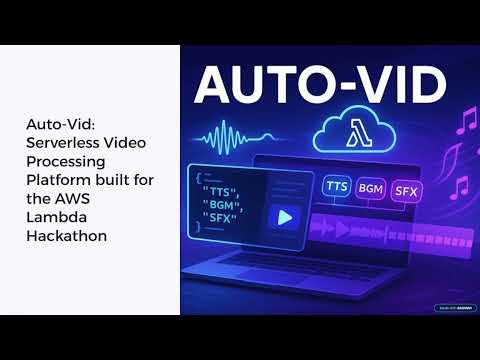

🎥 Watch the Demo Video - See Auto-Vid in action with live AWS Lambda demonstration
A production-ready serverless video enrichment pipeline that uses a declarative JSON format to automatically add AI-powered TTS, music, and sound effects to video.
- 🎬 Professional Video Processing - MoviePy-powered video editing with precise timeline control
- 🗣️ AI Text-to-Speech - AWS Polly with 90+ voices, multiple engines, and SSML support
- 🎵 Smart Audio Mixing - Background music with crossfading, ducking, and volume control
- 🔔 Webhook Notifications - Real-time job completion notifications with retry logic
- ☁️ Managed S3 Storage - Automatic bucket creation with organized asset management
- 🔐 API Security - API key authentication with rate limiting (2 req/sec, 50/day)
- 📊 Scalable Architecture - SQS queuing, Lambda concurrency, and retry logic

AWS Lambda Usage in Auto-Vid:
Three Lambda Functions Architecture:
-
Submit Job Lambda (Python Runtime)
- Validates incoming JSON job specifications using Pydantic models
- Stores job metadata in DynamoDB with "submitted" status
- Queues processing jobs to SQS for reliable delivery
- Returns comprehensive job information via API Gateway
-
Video Processor Lambda (Container Runtime)
- Processes SQS messages containing video job specifications
- Downloads video/audio assets from S3 to Lambda's /tmp storage
- Generates AI speech using AWS Polly integration
- Performs complex video editing with MoviePy (audio mixing, ducking, crossfading)
- Uploads final processed videos back to S3
- Generates pre-signed S3 URLs for secure video downloads
- Updates job status in DynamoDB and sends webhook notifications
-
Get Status Lambda (Python Runtime)
- Retrieves job status and metadata from DynamoDB
- Returns comprehensive job information via API Gateway
Lambda Container Benefits:
- Handles large video processing libraries (MoviePy, FFmpeg)
- Optimized Docker image (360MB) for faster cold starts
- Scales automatically from 0 to hundreds of concurrent video processing jobs
- Pay-per-use model - zero cost when idle, cost-effective at scale
- AWS CLI configured with appropriate permissions
- SAM CLI installed
- Python 3.12+
# Verify your setup
aws sts get-caller-identity
aws polly describe-voices --region us-east-1# Clone and build
git clone https://github.com/ossamaweb/auto-vid.git
cd auto-vid
sam build # Takes time to build the video processor Docker image
# Phase 1: Deploy without authentication
sam deploy --guided --parameter-overrides DeployUsagePlan=false
# Answer 'Y' to create managed ECR repositories
# Note the API URLs from output
# Phase 2: Add API key authentication
sam deploy --parameter-overrides DeployUsagePlan=true
# After deployment, sync demo assets to S3
# Replace with your actual S3 bucket from deployment output
BUCKET_NAME="your-bucket-name"
aws s3 sync ./media/assets/ s3://$BUCKET_NAME/assets/
aws s3 sync ./media/inputs/ s3://$BUCKET_NAME/inputs/
# Update sample job files with your bucket name
# Option 1: Automatic update (cross-platform)
perl -i -pe "s/your-bucket-name/$BUCKET_NAME/g" samples/production/*.json
# Option 2: Manual update
# Edit samples/production/*.json files and replace "your-bucket-name" with your actual bucket name# Replace with your actual API URL from deployment output
API_URL="https://your-api-id.execute-api.us-east-2.amazonaws.com/Prod"
# Get API key from AWS Console: API Gateway → API Keys → auto-vid-api-key-{stack-name} → Show
API_KEY="your-actual-api-key-from-aws-console"
# Submit test job (API key required)
curl -X POST $API_URL/submit \
-H "Content-Type: application/json" \
-H "X-API-Key: $API_KEY" \
-d @samples/production/00_api_demo_video.spec.json
# Check status (replace JOB_ID with actual job ID)
curl $API_URL/status/JOB_ID \
-H "X-API-Key: $API_KEY"{
"jobInfo": {
"projectId": "api_demo",
"title": "API Test"
},
"assets": {
"video": {
"id": "main_video",
"source": "s3://your-bucket-name/inputs/api_demo_video.mp4"
},
"audio": [
{
"id": "track",
"source": "s3://your-bucket-name/assets/music/Alternate - Vibe Tracks.mp3"
}
]
},
"backgroundMusic": { "playlist": ["track"] },
"timeline": [
{
"start": 4,
"type": "tts",
"data": {
"text": "Welcome to Auto-Vid! A serverless video enrichment pipeline.",
"duckingLevel": 0.1
}
}
],
"output": {
"filename": "api_demo_video.mp4"
}
}# Setup
cp .env.example .env # Add your AWS credentials
python3 -m pip install -r requirements.txt
# Test components locally
python3 test_tts_local.py english
python3 test_local.py
# Deploy for full testing (requires AWS)
sam build # Takes time to build the video processor Docker image
sam deploy --guided├── src/
│ ├── submit_job/ # Job submission API
│ │ ├── app.py # Lambda handler
│ │ └── requirements.txt
│ ├── get_status/ # Status checking API
│ │ ├── app.py # Lambda handler
│ │ └── requirements.txt
│ └── video_processor/ # Core video processing
│ ├── app.py # Lambda handler
│ ├── video_processor.py # Main video processing logic
│ ├── asset_manager.py # S3 integration
│ ├── tts_generator.py # AWS Polly integration
│ └── webhook_notifier.py # Webhook notifications
├── layers/shared/ # Shared code between Lambda functions
│ ├── job_spec_models.py # Pydantic models for job specification
│ ├── job_validator.py # Validation functions
│ ├── job_manager.py # DynamoDB operations
│ ├── response_formatter.py # Standardized responses
│ ├── polly_constants.py # Voice/language definitions
│ └── requirements.txt # Shared dependencies
├── media/ # Media files (matches S3 structure)
│ ├── assets/ # Demo audio files (music + sfx)
│ ├── inputs/ # Sample input videos
│ └── outputs/ # Generated videos (gitignored)
├── tmp/ # Temporary files during processing (gitignored)
├── docs/ # Documentation
├── samples/ # Example job specifications
├── template.yaml # SAM infrastructure
├── Dockerfile.videoprocessor # Container definition
├── test_*.py # Local testing scripts
├── .env.example # Environment template
└── env.json.example # Container env template
Notes:
- Local testing only works for individual components (TTS, video processing, S3 upload and webhooks)
- Full integration testing requires AWS deployment (SQS + DynamoDB)
- SAM handles container build, ECR management, and infrastructure automatically
- Use
sam deployfor updates after initial guided setup
Video Processing Performance:
- Uses 3008MB memory (compatible with all AWS accounts)
- For higher performance, request Lambda memory quota increase via AWS Support
# Delete the entire stack and all resources (replace with your actual stack name)
aws cloudformation delete-stack --stack-name <your-stack-name>

# Wait for deletion to complete
aws cloudformation wait stack-delete-complete --stack-name <your-stack-name>

# Verify deletion
aws cloudformation describe-stacks --stack-name <your-stack-name>
# Should return: "Stack with id <stack-name> does not exist"- API Reference - REST API endpoints and responses
- Complete Job Schema - Job specification format
- Business Use Cases - Real-world applications
- Architecture Details - Technical deep dive
- Sample Job Specifications - Example specs for local and production
- All Documentation - Complete documentation index
This application will incur AWS charges. Monitor your billing dashboard and use the cleanup command when done.
Built for the AWS Lambda Hackathon - demonstrating enterprise-grade serverless video processing! 🚀