Documentation
The website runs in Docker on a virtual server on the VU campus running Ubuntu. The application runs using 3 docker containers:
-
cosmin-dba PostgreSQL 14 database, https://hub.docker.com/_/postgres. This contains the tables used by Blacklight and the ActiveRecord store for the admin pages. -
solra SOLR 8 instance, https://hub.docker.com/_/solr. Note: to keep memory usage down this also runs the cores of 2 other Blacklight sites running on the same server. -
cosmin-appruns the Ruby on Rails app. Built from https://github.com/peer35/cosmin/. Dockerfile -
cosmin-appis exposed by proxying via nginx
Relevant docker-compose:
version: '3'
networks:
  default:
    external:
      name: bl-network

services:
  solr:
    container_name: ${SOLR_HOST}
    restart: always
    image: solr:8
    environment:
      SOLR_JAVA_MEM: "-Xms512m -Xmx512m"
    #ports:
    #  - "8985:8983"    volumes:
      - /docker/solr/data:/var/solr/data
      - /docker/solr/configsets:/opt/solr/server/solr/configsets
    entrypoint:
      - bash
      - "-c"
      - "precreate-core ${SOLR_CORE_BNPP} /opt/solr/server/solr/configsets/${SOLR_CORE_BNPP};
         precreate-core ${SOLR_CORE_SEARCHBLOCKS} /opt/solr/server/solr/configsets/${SOLR_CORE_SEARCHBLOCKS};
         precreate-core ${SOLR_CORE_COSMIN} /opt/solr/server/solr/configsets/${SOLR_CORE_COSMIN};
         exec solr -f"

  cosmin-app:
    container_name: cosmin-app
    restart: always
    build:
      context: ../cosmin
      args:
        - APP_USER_UID=${COSMIN_USER_UID}
        - APP_USER_GID=${COSMIN_USER_GID}
    user: ${COSMIN_USER_UID}:${COSMIN_USER_GID}
    depends_on:
      - cosmin-db
      - solr
    environment:
      DB_USER: ${DB_USER_COSMIN}
      DB_PW: ${DB_PW_COSMIN}
      DB_HOST: ${DB_HOST_COSMIN}
      DB_NAME: ${DB_NAME_COSMIN}
      RAILS_ENV: production
      SITE_NAME: database.cosmin.nl
      SECRET_KEY_BASE: ${SECRET_KEY_BASE_COSMIN}
      SOLR_URL: http://${SOLR_HOST}:8983/solr/${SOLR_CORE_COSMIN}
      #puma workers and threads
      WEB_CONCURRENCY: 1
      RAILS_MAX_THREADS: 5
    volumes:
      - /docker/cosmin/log:/usr/src/app/log
    ports:
      - "3013:3000"

  cosmin-db:
    container_name: ${DB_HOST_COSMIN}
    image: postgres:14
    restart: always
    environment:
      POSTGRES_PASSWORD: ${DB_PW_COSMIN}
      POSTGRES_USER: ${DB_USER_COSMIN}
      POSTGRES_DB: ${DB_NAME_COSMIN}
      PGDATA: /var/lib/postgresql/data/pgdata
    volumes:
- /docker/cosmin/db:/var/lib/postgresql/data-
Base is the open source app "blacklight", https://github.com/projectblacklight/blacklight. This basically is a user-friendly faceted search on a SOLR index. Note we are still running on Blacklight version 6.
-
The basic mapping between the SOLR index and the Search interface can be found in:
controllers/catalog_controller.rb
-
Custom rails active records application for record management. We have 2 types of records:
-
recordthe references to the systematic reviews and Cosmin categorizations. -
instrumentthe names of outcome measurement instruments and urls to external databases. The 2 have ahas_and_belongs_to_manyrelation defined inmodels/record.rbandmodels/instrument.rb
-
-
All records are stored in the postgres database. On create/update/delete of an instrument or record a job to update the SOLR index is queued.
-
It's also possible to reindex all records from the database.

Definition in db/schema.rb
-
records- References to the systematic reviews and Cosmin categorization.
- Created and Updated time stamps
- Cosmin user comitted the last update.
-
instruments- The outcome measurement instruments
- Created and Updated time stamps
-
instruments_records- Relation table
-
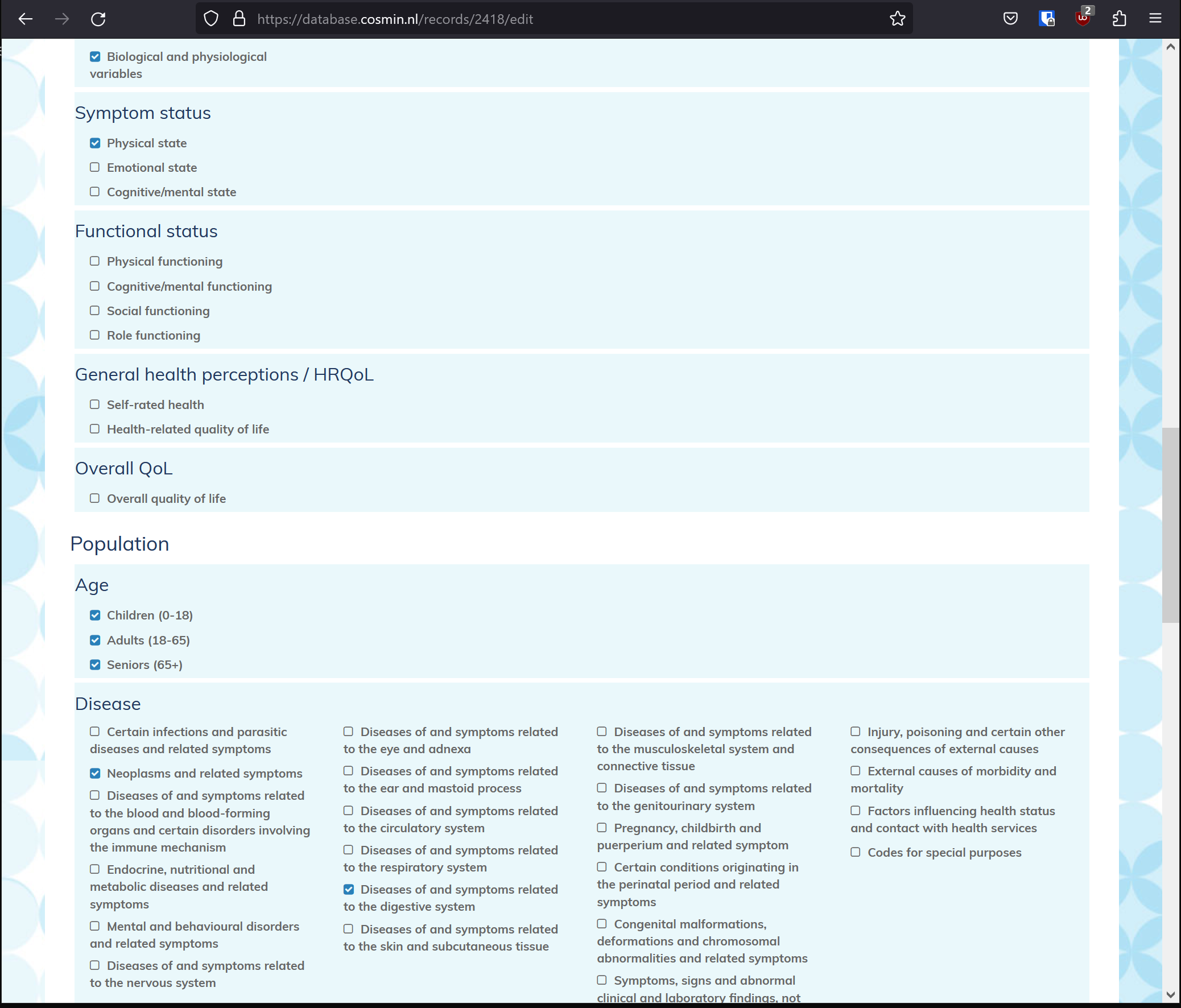
categories- Cosmin category names and abbreviations, used to build the record edit form
-
versions-
recordsversioning using the paper trail gem
-
-
delayed_jobs- Used for queuing SOLR index updates in the background
-
bookmarks- Visitors can store bookmarks
-
searches- Visitors can store searches
ar_internal_metadatausersschema_migrations
For the config see solr_config.xml and schema.xml in the source
The solr records are basically the same as the systematic review records. All associated instrument names are added in a multivalued string field instrument_sm. The instrument presentation information (the urls) are added in an unindexed field instrument_sfm. See this code snippet from models/record.rb:
...

    instrument_list = []
    instrument_presentation_list = []
    record.instruments.order(name: :asc).each do |instrument|
      instrument_list.append(instrument.name.strip)
      instrument_presentation_list.append(instrument.to_json)
    end

    logger.info 'add to solr index ' + record.id.to_s

    @@solr.add :id => record.id,
               :endnum_i => record.endnum,
               :abstract_s => record.abstract,
               :accnum_s => record.accnum,
               :age_sm => record.age.sort!,
               :author_sm => record.author,
               :bpv_sm => record.bpv.sort!,
               :cu_b => record.cu,
               :disease_sm => record.disease.sort!,
               :doi_s => record.doi,
               :url_sm => record.url,
               :fs_sm => record.fs.sort!,
               :ghp_sm => record.ghp.sort!,
               :instrument_sm => instrument_list.sort_by { |k| k },
               :instrumentpresentation_sfm => instrument_presentation_list, # stored, not indexed
               :issn_s => record.issn,
               :issue_s => record.issue,
               :journal_s => record.journal,
               :oc_sm => record.oc,
               :oql_sm => record.oql.sort!,
               :pnp_sm => record.pnp.sort!,
               :pubyear_s => record.pubyear,
               :pub_date => record.pubyear,
               :ss_sm => record.ss.sort!,
               :startpage_s => record.startpage,
               :title_s => record.title,
               :tmi_sm => record.tmi.sort!,
               :author_sort => first_author,
               :weight_f => 100
    @@solr.commit

...- Gather systematic reviews in Endnote
- Export the references from Endnote as a RIS file.
- Upload the RIS file in the COSMIN database using the "Upload new" form on the all records page
- A basic check on DOI and Titles is done to avoid duplicates.
- New records will be added with status "new".
-
Filter the records on status on the All records page
- "New" means added from a RIS file.
- "In review", updated but not yet indexed for the front-end
- "Published", searchable in the front-end (=indexed in SOLR)
-
Click Edit to update the record.
-
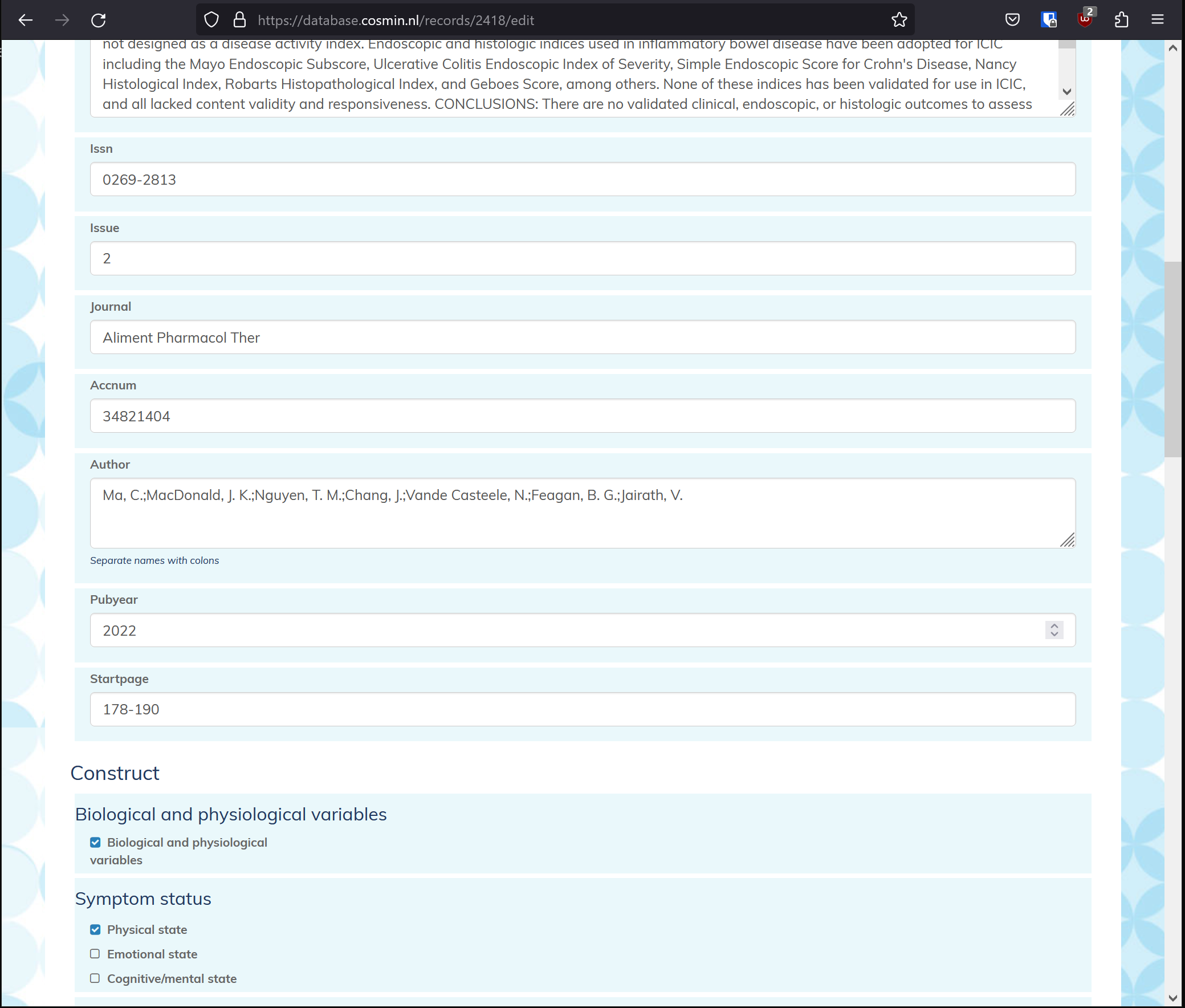
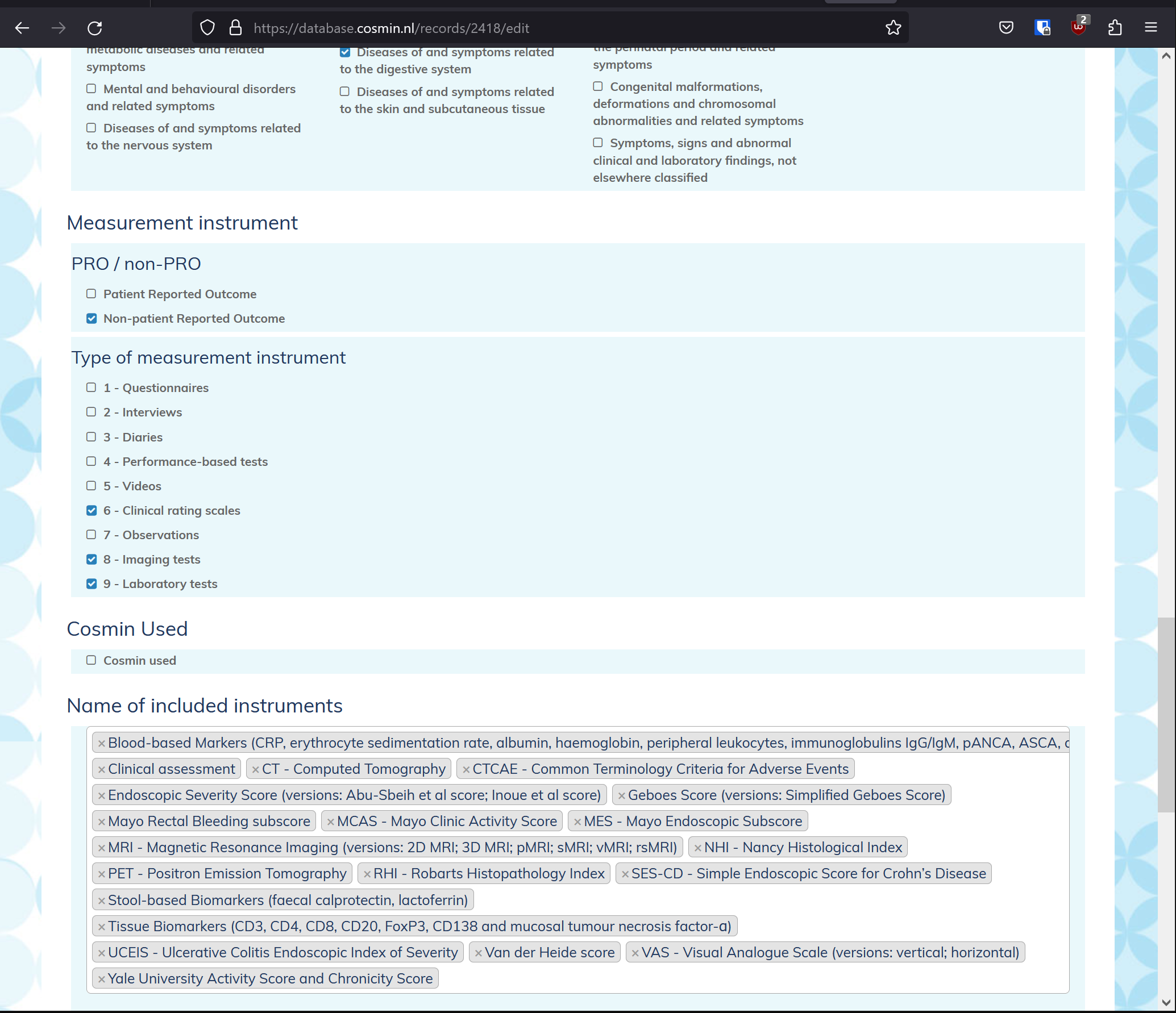
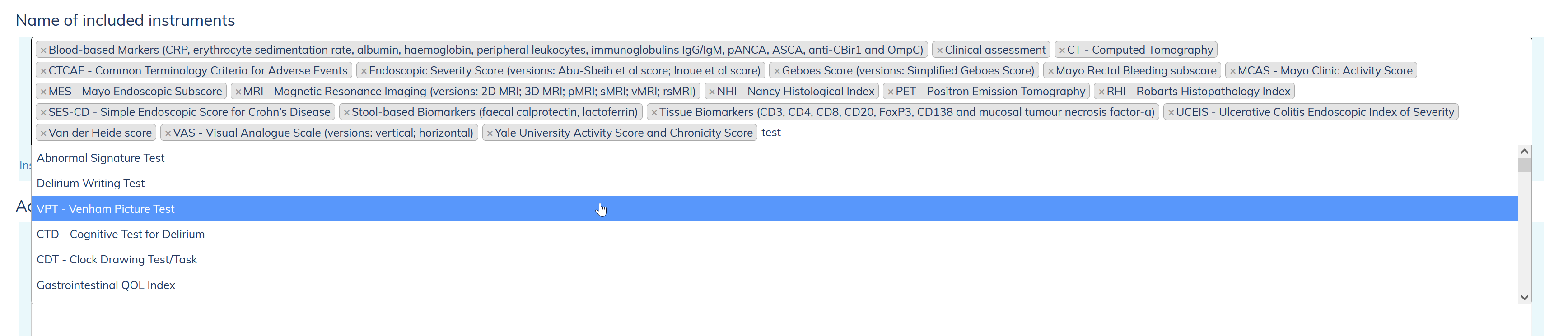
Add categories and instruments to the review record on the Record edit form - Add instruments by typing and selecting from the type-ahead list. Add instrument
- If an instrument is new add it first see below, then connect it to the record.
- Set the record to status "in review" to indicate it is being worked on.
- Once a record is done set the status to "published", this will trigger a SOLR update, after some time the systematic review will be searchable on the front-end.
-
All updates to records are also stored as a "version" making it possible to revert to a previous version by clicking on the link on bottom of the Record edit form.
- Filter the records on status on the All records page
- On the record row click "delete", the system will ask for confirmation
- If the record was published it will be deleted from the SOLR index.
Note it is also possible to remove a record from the front-end by changing the status from 'Published' to 'In review`.
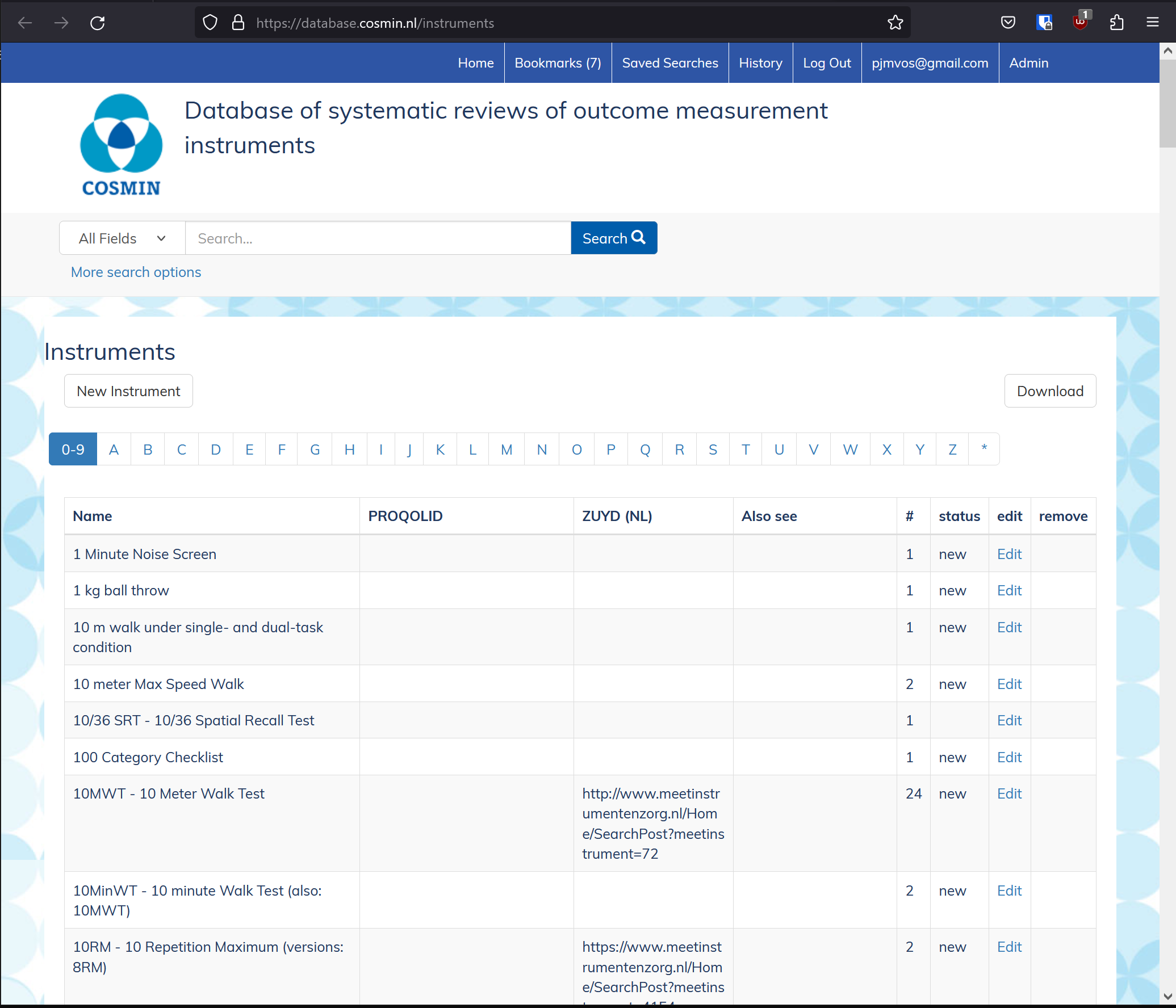
- Go to the Instrument list
- Click "new instrument" to create a new instrument record, or find an existing instrument in the list and click "Edit"
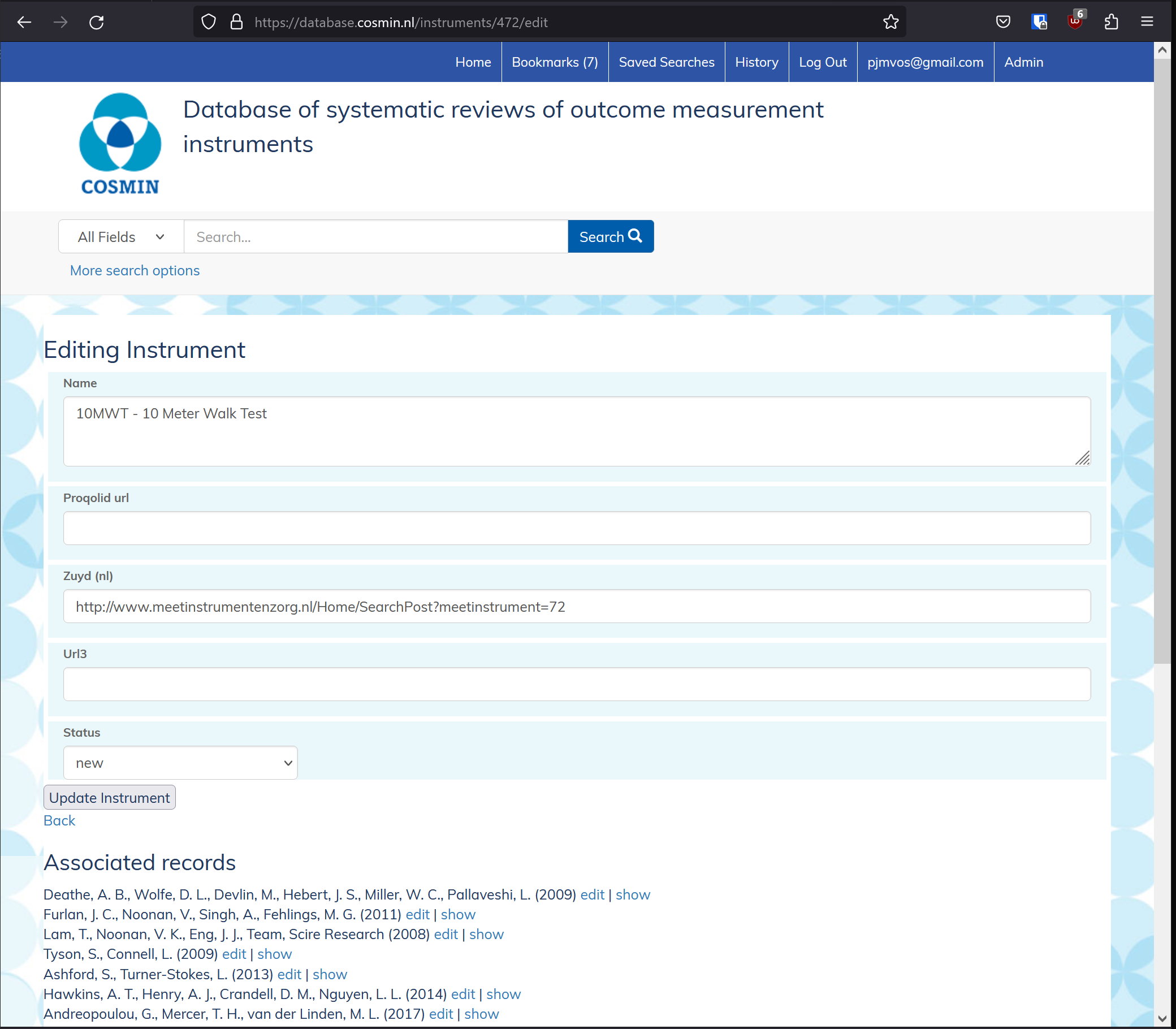
- Make changes on the Edit instrument form
- On update of an instrument updates to all connected "systematic review records" (if any) in the SOLR index are queued. The connected records are shown at the bottom of the Edit instrument form.
- Go to the Instrument list
- Click "delete" on the instrument row to delete
- The "delete" link will only be shown for instruments not connected to a systematic review record.