A Streamlit application for AI data analysis using the Powerdrill API, please refer to the API document: https://docs.powerdrill.ai/api-reference/v2/overview.
- Clean, and modern UI based on Streamlit
- File uploading with support for multiple file formats
- Dataset and data source management
- AI-powered data analysis with streaming responses
- Suggested questions for data exploration
- Chat-like interface for interactions
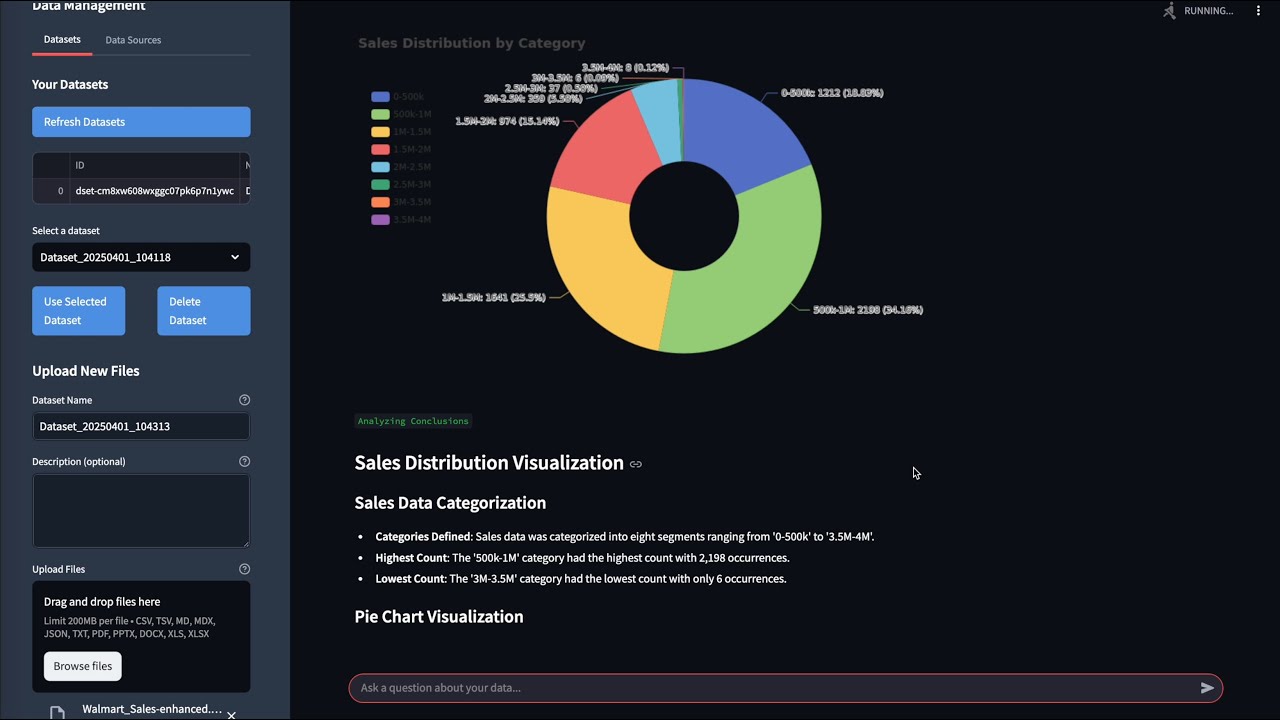
Watch this demo to see Powerdrill Flow Streamlit in action:
- CSV (.csv)
- TSV (.tsv)
- Markdown (.md, .mdx)
- JSON (.json)
- Text (.txt)
- PDF (.pdf)
- PowerPoint (.pptx)
- Word (.docx)
- Excel (.xls, .xlsx)
- Python 3.8 or newer
- Powerdrill account with API access (basically, you need User ID and Project API Key)
To use this application, you'll need a Powerdrill account with valid API credentials (User ID and API Key). Here's how to obtain them:
- Sign up for a Powerdrill Team account if you haven't already
- Navigate to your account settings
- Look for the API section where you'll find your:
- User ID: A unique identifier for your account
- API Key: Your authentication token for API access
First, watch this video tutorial on how to create your Powerdrill Team:

Then, follow this video tutorial for setting up your API credentials:

-
Clone the repository:
git clone https://github.com/yourusername/powerdrill-flow-streamlit.git cd powerdrill-flow-streamlit -
Create a virtual environment and activate it:
python -m venv venv source venv/bin/activate # On Windows, use: venv\Scripts\activate -
Install the requirements:
pip install -r requirements.txt -
Create a
.envfile from the template:cp .env.template .env
Start the Streamlit application:
streamlit run app.py
The application will be available at http://localhost:8501
- Enter your Powerdrill User ID and API Key to authenticate
- Upload files or select an existing dataset
- Wait for data processing to complete
- Start asking questions about your data
- Explore suggested questions or ask your own
powerdrill-flow-streamlit/
├── app.py                # Main application file
├── components/
│   ├── auth.py           # Authentication component
│   ├── chat_interface.py # Chat interface component
│   └── data_manager.py   # Data management component
├── utils/
│   ├── api_client.py     # Powerdrill API client
│   └── file_uploader.py  # File upload utility
├── .env                  # Environment variables (create from .env.template)
├── .env.template         # Environment variables template
├── requirements.txt      # Python dependencies
└── README.md            # This file
This project is licensed under the MIT License - see the LICENSE file for details.